
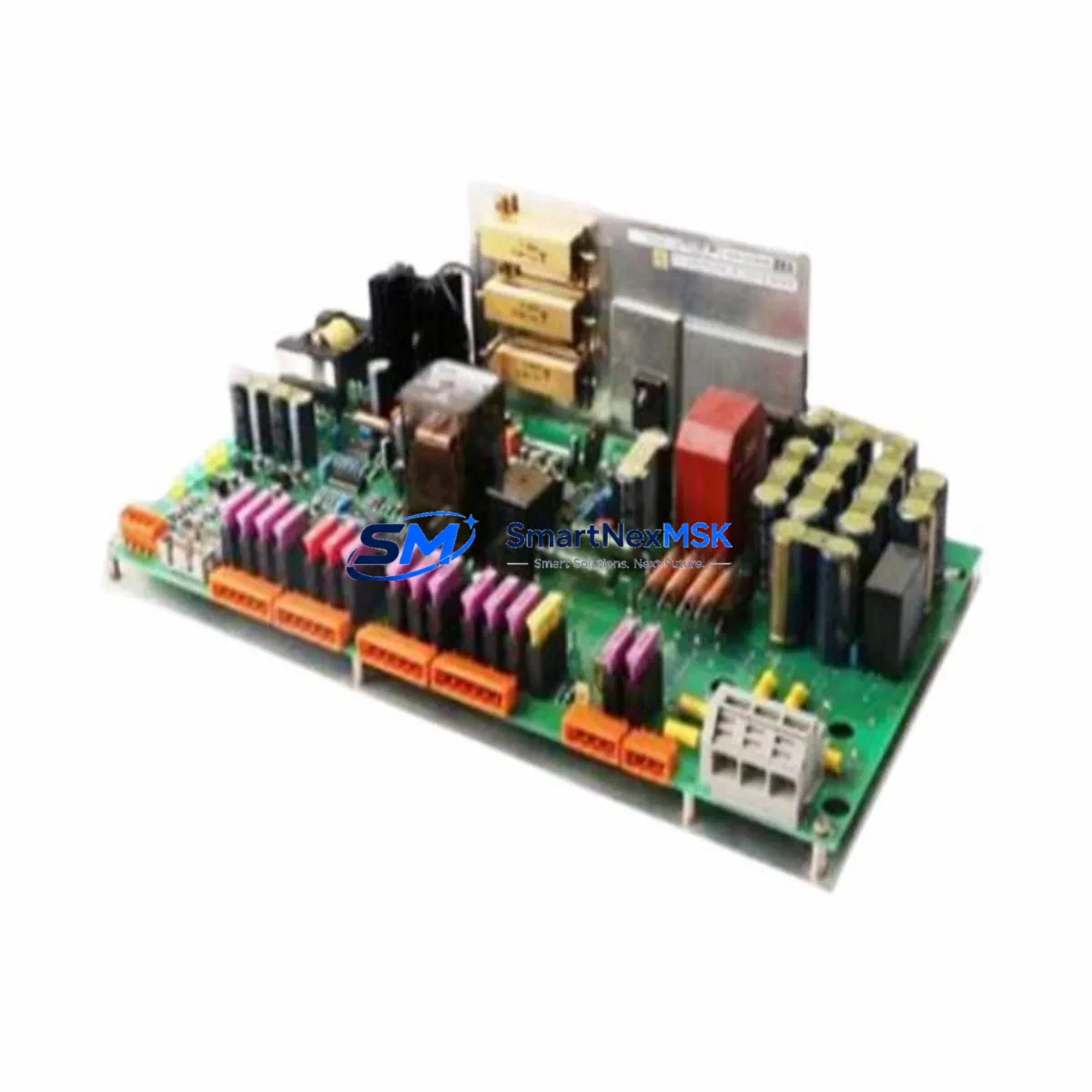
Emerson A6500-UM Spare for AMS 6500 ATG Automation: Vibration Monitoring Replacement & Downtime Control
The Emerson A6500-UM is the Universal Measurement Card (UMC) designed for the AMS 6500 ATG (Automated Turbine Governor) machinery health monitoring platform. As a core measurement acquisition module, the A6500-UM handles continuous vibration, speed, and process variable inputs from rotating machinery — including turbines, compressors, pumps, and fans — making it a critical spare for any facility running Emerson’s AMS 6500 system. When this card fails or degrades, the entire monitoring loop for the associated machine train is compromised, creating both a safety risk and an unplanned downtime event.
Sourced as an original Emerson component, this A6500-UM spare is tested prior to shipment, supplied with a 12-month warranty, and stocked for rapid dispatch to minimize your mean time to repair (MTTR). Whether you are managing a planned outage, responding to a card fault alarm, or building a proactive spare parts inventory for your AMS 6500 rack, this unit is ready for direct installation.
Spare Maintenance Table
| Parameter | Specification / Detail |
|---|---|
| Part Number / SKU | A6500-UM (AMS 6500 ATG Universal Measurement Card) |
| Brand | Emerson |
| Series | AMS 6500 ATG Machinery Health Monitor |
| Module Type | Universal Measurement Card (UMC) — Vibration, Speed & Process Input |
| Compatible Platform | Emerson AMS 6500 ATG rack-based monitoring system |
| Input Channels | Multi-channel dynamic and static measurement (vibration, speed, process) |
| Signal Types Supported | Eddy-current proximity probes, velocity transducers, accelerometers, tachometers |
| Communication | Internal AMS 6500 backplane bus; integrates with DCS/SCADA via AMS 6500 gateway |
| Power Supply | Supplied via AMS 6500 rack backplane (24 VDC system bus) |
| Operating Temperature | 0°C to 60°C (typical industrial panel environment) |
| Mounting | AMS 6500 rack slot — hot-swap capable (verify firmware revision compatibility) |
| Origin | USA |
| Condition | Original Emerson — new or fully refurbished to OEM specification |
| Warranty | 12 months from date of shipment |
| Pre-shipment Testing | Functional test performed; results available on request |
| Lead Time | In stock — typically ships within 1–3 business days |
| Application | Turbines, compressors, pumps, fans, gearboxes — rotating machinery health monitoring |
Maintenance Planning for Continuous Operation
When a maintenance or reliability engineer identifies a fault on the A6500-UM card — whether through a system alarm, a failed self-test, or a routine calibration check — the replacement workflow should extend beyond the card itself. The AMS 6500 ATG system is an integrated platform, and a card-level fault often signals stress on adjacent components that share the same rack, power bus, or field wiring loop.
Before returning the system to service after replacing the A6500-UM, engineers should inspect and verify the following associated components:
- AMS 6500 Power Supply Module (A6500-PS) — Confirm the rack power supply is delivering stable 24 VDC within tolerance. A degraded power supply is a common root cause of measurement card failures and should be checked or replaced proactively.
- AMS 6500 Rack Backplane — Inspect backplane connector pins for corrosion, bent contacts, or contamination. A faulty backplane slot can damage a replacement card immediately upon insertion.
- AMS 6500 Communication Gateway / Interface Module (A6500-CM) — Verify the communication module is correctly passing data to the DCS or SCADA host. A card replacement that restores local measurement but fails to update the control room display is a common post-maintenance oversight.
- Eddy-Current Proximity Probe Systems (e.g., Emerson Bently Nevada 3300 XL or 7200 series) — Check probe gap voltage, extension cable continuity, and driver/oscillator output. A faulty probe or cable can cause the new A6500-UM to report erroneous readings immediately after installation.
- Tachometer Probes and Speed Sensors — Verify tach signal integrity and gap setting. Speed channel faults are frequently misdiagnosed as measurement card failures.
- Field Junction Boxes and Terminal Blocks — Inspect terminal connections for loose wiring, moisture ingress, or corrosion, particularly in outdoor or high-humidity installations.
- Signal Isolators and Barriers — If the installation uses Zener barriers or galvanic isolators for intrinsically safe circuits, verify these are within specification. A degraded isolator can introduce noise or signal attenuation that masks true machinery condition.
- AMS 6500 I/O Relay Output Module — Confirm that alarm and trip relay outputs are functioning correctly after the card swap. Relay contacts can weld or fail open over time, particularly in high-cycle applications.
- AMS Machine Works or AMS Suite Software Configuration — After card replacement, re-verify channel configuration, alarm setpoints, and transducer scaling in the AMS software. Configuration data may need to be reloaded if the replacement card does not retain the previous card’s settings.
- Fuses and Circuit Protection on the Rack Power Distribution — Check all fuses on the rack power distribution board. A blown fuse on a single slot can cause intermittent card behavior that is difficult to diagnose without a systematic inspection.
Proactive spare stocking of the A6500-UM alongside a spare A6500-PS power supply module and at least one spare communication gateway card is a recognized best practice for facilities with critical rotating machinery where unplanned downtime carries significant production or safety consequences.
Site Replacement Workflow
Replacing the A6500-UM in the field is a structured process that, when followed correctly, minimizes downtime and eliminates the risk of introducing new faults during the maintenance event:
- Pre-replacement verification: Confirm the fault is isolated to the A6500-UM card by reviewing system diagnostics, alarm logs, and channel-by-channel status in AMS Machine Works. Rule out field wiring and transducer faults before pulling the card.
- Configuration backup: Export the current rack configuration from AMS Suite or the local configuration tool before removing the card. This ensures rapid restoration of channel settings, alarm limits, and transducer parameters.
- Safe card removal: Follow Emerson’s lockout/tagout procedure for the affected rack slot. The AMS 6500 supports hot-swap on most card types, but confirm this for your specific firmware revision before proceeding without a full rack power-down.
- Firmware compatibility check: Verify that the replacement A6500-UM firmware version is compatible with the installed AMS 6500 rack firmware. Mismatched firmware can cause communication errors or reduced functionality.
- Card installation and configuration restore: Insert the replacement card, allow the system to initialize, and restore the saved configuration. Verify all channels report correctly in AMS Machine Works before releasing the machine for operation.
- Post-replacement functional test: Apply a known reference signal to each active channel and confirm the system reports the expected value within calibration tolerance. Document the test results for your maintenance records.
- Return-to-service sign-off: Obtain sign-off from the responsible engineer before returning the machine to normal operation. Update the spare parts log and initiate a replacement order for the consumed spare to maintain your buffer stock.
This workflow applies equally to planned maintenance replacements and emergency fault responses. Having a pre-tested, warranted A6500-UM spare on the shelf reduces the critical-path duration of this workflow from days to hours.
Spare Parts Support FAQ
Q1: Is this A6500-UM compatible with all AMS 6500 ATG rack configurations?
The A6500-UM is the standard Universal Measurement Card for the AMS 6500 ATG platform and is designed to fit any standard rack slot designated for measurement cards. However, compatibility with specific rack firmware versions and channel configurations should be verified against your system’s installed revision. Contact us with your rack serial number or firmware version for confirmation before ordering if you have any uncertainty.
Q2: What pre-shipment testing is performed on this spare?
Each A6500-UM unit undergoes functional testing prior to shipment to verify power-up, self-test pass, and basic channel response. Test records are available on request. The unit is supplied with a 12-month warranty covering manufacturing defects and functional failures under normal operating conditions.
Q3: How should I manage long-term spare parts inventory for the AMS 6500 system?
For facilities with critical rotating machinery, the recommended minimum spare holding is one A6500-UM measurement card per four installed cards, plus one spare power supply module and one spare communication gateway. For systems supporting turbines or compressors with high downtime costs, a one-for-one spare ratio for measurement cards is justified. Spares should be stored in anti-static packaging in a climate-controlled environment and rotated into service on a planned basis to prevent shelf degradation.
Q4: Can this spare replace older or discontinued AMS 6500 card variants?
The A6500-UM has been the primary universal measurement card for the AMS 6500 ATG platform across multiple generations. In most cases, a current-production or recently refurbished A6500-UM will replace earlier variants directly, subject to firmware compatibility. If you are replacing a card from an older rack installation, provide us with the original card’s part number and firmware label so we can confirm the correct replacement and advise on any configuration adjustments required.
© 2026 SMARTNEXMSK. All rights reserved.
Original Source: https://smartnexmsk.com
Contact: [email protected] | +86 18259474341



