
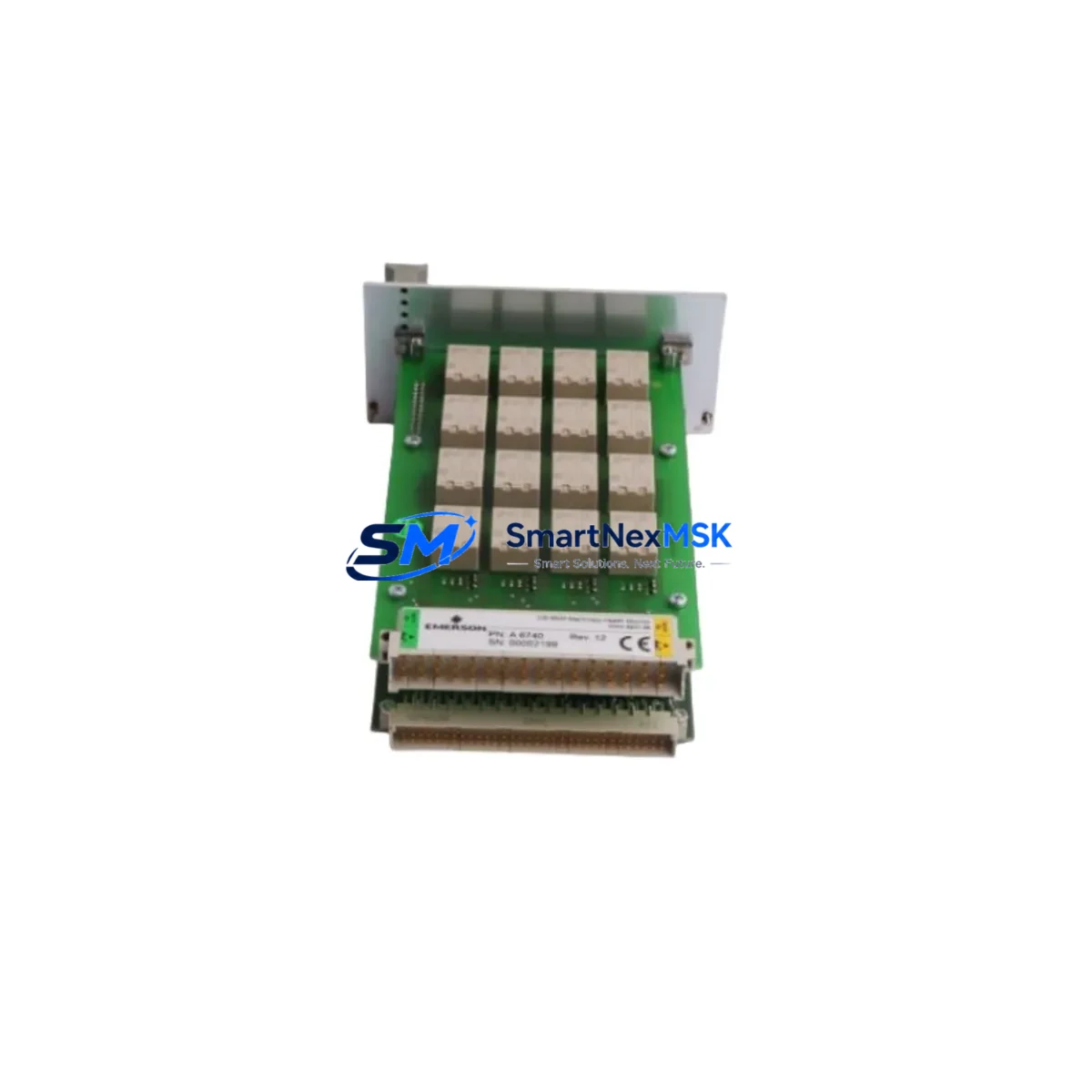
Emerson A6740-10 Retrofit-Ready Logic Controller for Ovation DCS: Compatible Modernization & Smooth System Upgrade
The Emerson A6740-10 is a logic controller module engineered for the Ovation Distributed Control System (DCS) platform — one of the most widely deployed process automation architectures in power generation, water treatment, and continuous manufacturing facilities worldwide. As legacy Ovation installations age and original equipment reaches end-of-life, the A6740-10 serves as a critical retrofit and replacement component, enabling engineers to restore full system functionality without committing to a full platform migration. Whether you are replacing a failed card, upgrading a degraded control node, or modernizing a multi-cabinet Ovation system, the A6740-10 provides the compatibility, reliability, and supply continuity your operation demands.
Our inventory of the A6740-10 is sourced, inspected, and tested to meet OEM performance specifications. Each unit ships with a 12-month warranty covering functional defects under normal operating conditions, giving procurement teams and maintenance engineers the confidence to plan retrofit projects with a defined support horizon.
Upgrade Compatibility Table
| Parameter | Details |
|---|---|
| Compatible Platform | Emerson Ovation DCS (all major revisions) |
| Module Function | Logic Controller / Process Control Node |
| Backplane Interface | Ovation standard backplane bus; verify slot assignment with existing rack configuration |
| Communication Protocol | Ovation proprietary network; compatible with Ethernet-based Ovation OCR400/OCR1100 controller nodes |
| Terminal Wiring | Matches OEM terminal block layout; no rewiring required for direct replacement |
| Installation Requirement | Standard Ovation I/O rack; confirm rack revision and power supply capacity before installation |
| Replacement Recommendation | Direct drop-in for failed or end-of-life A6740-10 units; verify firmware revision compatibility |
| Commissioning Notes | Module address assignment via Ovation Developer Studio; confirm I/O mapping before going live |
| Warranty | 12 months from date of shipment; covers functional defects under normal operating conditions |
| Shipping | ESD-safe packaging; global express delivery available; lead time confirmed at order |
Retrofit Planning for Existing Automation Systems
Retrofitting an Ovation DCS installation requires a structured approach that accounts for hardware compatibility, software configuration, and field wiring integrity. The A6740-10 logic controller module sits at the heart of this process, but a successful retrofit depends on the coordinated replacement or verification of several surrounding components.
Begin by auditing the existing Ovation I/O rack and backplane. The A6740-10 is designed to seat into the standard Ovation rack chassis, but aging backplanes — particularly in installations dating back more than 10–15 years — may exhibit connector wear or bus signal degradation. If the rack itself is suspect, consider sourcing a replacement Ovation rack chassis alongside the A6740-10 to eliminate the backplane as a failure variable.
Power supply capacity is a non-negotiable checkpoint. The Ovation system power supply modules — such as the 1X00024H01 or equivalent Emerson Ovation PSU cards — must be verified to deliver adequate current for the full I/O load after the A6740-10 is installed. Undersized or aging power supplies are a common root cause of intermittent faults following module replacement, and this step is frequently overlooked during emergency maintenance scenarios.
Terminal block wiring should be documented before any module is removed. The A6740-10 uses the standard Ovation terminal interface, which means field wiring connections are preserved during a like-for-like swap. However, if the retrofit involves migrating from an older Ovation I/O module variant, terminal adapter plates or rewiring of specific signal channels may be required. Cross-reference the existing wiring diagram against the A6740-10 terminal assignment table before proceeding.
On the software side, the Ovation Developer Studio is the primary tool for module address configuration, I/O point mapping, and control logic download. When replacing the A6740-10, confirm that the module address matches the original assignment in the Ovation database. Mismatched addresses will prevent the controller from recognizing the new module and can trigger system alarms or process shutdowns. If the original Ovation Developer Studio project files are unavailable, a database backup from the Ovation server — typically stored on the Ovation Workstation or historian node — will be required before commissioning.
Communication link integrity must also be validated. The A6740-10 communicates over the Ovation control network, which in most installations runs on a dedicated Ethernet segment separate from the plant IT network. Verify that the Ovation network switch infrastructure — including any managed switches configured for Ovation’s real-time communication requirements — is functioning correctly before bringing the replacement module online. In systems where Modbus RTU or PROFIBUS DP interfaces are used for third-party device integration, confirm that the communication module cards (such as Emerson Ovation serial interface modules) remain correctly configured after the controller swap.
HMI screen validation is the final pre-commissioning step. Ovation Operator Stations display process graphics that are bound to specific I/O tags and controller nodes. After installing the A6740-10, verify that all associated HMI faceplates, trend displays, and alarm configurations are reading correctly from the new module. Any tag binding errors will appear as bad quality indicators on the operator display and must be resolved before returning the loop to automatic control.
For systems that also involve Emerson DeltaV migration paths or cross-platform integration with third-party PLCs — such as Allen-Bradley ControlLogix or Siemens S7-300 series controllers — additional protocol gateway configuration may be required. In these hybrid architectures, the A6740-10 typically serves as the Ovation-side anchor point, with protocol converters or OPC DA/UA servers bridging the communication gap between platforms.
Downtime Control During System Migration
Minimizing unplanned downtime is the primary operational constraint in any Ovation DCS retrofit. The A6740-10 replacement process, when properly planned, can be executed during a scheduled maintenance window with process impact limited to the specific control loops served by the module being replaced.
The first step in downtime control is pre-staging. Before the maintenance window opens, verify that the replacement A6740-10 has been received, inspected, and confirmed functional. Our units undergo pre-shipment functional testing, and the 12-month warranty provides a defined support period should any issue emerge after installation. Having the module on-site and verified before the window opens eliminates the most common source of extended downtime: waiting for parts.
Place all affected control loops in manual mode before removing the existing module. This preserves process stability during the swap and prevents automatic control actions from responding to the momentary loss of the controller node. Document the current output values for each loop so that manual setpoints can be maintained accurately during the transition period.
The physical swap of the A6740-10 is straightforward: power down the rack slot (or the full rack if hot-swap is not supported in your Ovation revision), remove the existing module, seat the replacement unit, and restore power. The Ovation system will detect the new module and initiate a configuration download from the controller database. This process typically completes within minutes, after which I/O point status can be verified from the Ovation Developer Studio or the Operator Station.
Before returning loops to automatic control, perform a point-by-point I/O verification. Confirm that each analog input, analog output, digital input, and digital output channel is reading and responding correctly. For critical loops — particularly those involving safety instrumented functions or interlock logic — a full functional test of the control logic should be completed before automatic mode is restored.
Maintain a rollback plan. If the replacement A6740-10 exhibits unexpected behavior during commissioning, the ability to quickly reinstall the original module (if it is not physically damaged) or switch to a pre-configured spare can prevent an extended outage. Keeping a documented spare module strategy — including at least one additional A6740-10 in site inventory — is a best practice for facilities operating aging Ovation systems.
Retrofit Support FAQ
Q: Is the A6740-10 a direct drop-in replacement for the original Emerson Ovation logic controller module?
A: Yes, the A6740-10 is designed as a direct replacement for the original OEM unit. It uses the same backplane connector, terminal interface, and communication protocol as the factory-installed module. No hardware modifications are required for a like-for-like swap. Firmware revision compatibility should be confirmed against your Ovation system version before installation.
Q: What commissioning steps are required after installing the replacement A6740-10?
A: After physical installation, the Ovation system will initiate an automatic configuration download to the new module. You should verify module address assignment in Ovation Developer Studio, confirm I/O point mapping, validate communication link status on the Ovation control network, and perform a functional test of all associated control loops before returning to automatic operation. HMI tag quality should also be confirmed at the Operator Station.
Q: Can the A6740-10 be used in Ovation systems that also integrate third-party PLCs or field devices via Modbus or PROFIBUS?
A: Yes. The A6740-10 operates as a standard Ovation controller node and is compatible with Ovation’s serial and fieldbus communication modules, which handle Modbus RTU, PROFIBUS DP, and other protocol interfaces. The A6740-10 itself does not require reconfiguration for these integrations; the protocol interface modules and their associated Ovation database configurations remain unchanged during a controller module replacement.
Q: What does the 12-month warranty cover, and what is the process for a warranty claim?
A: The 12-month warranty covers functional defects in the A6740-10 under normal operating conditions from the date of shipment. If the module fails to perform to OEM specifications within the warranty period, contact our sales team at [email protected] or +86 18259474341 to initiate a return and replacement process. Each unit is pre-tested before shipment to minimize the risk of DOA scenarios.
© 2026 SMARTNEXMSK. All rights reserved.
Original Source: https://smartnexmsk.com
Contact: [email protected] | +86 18259474341



