
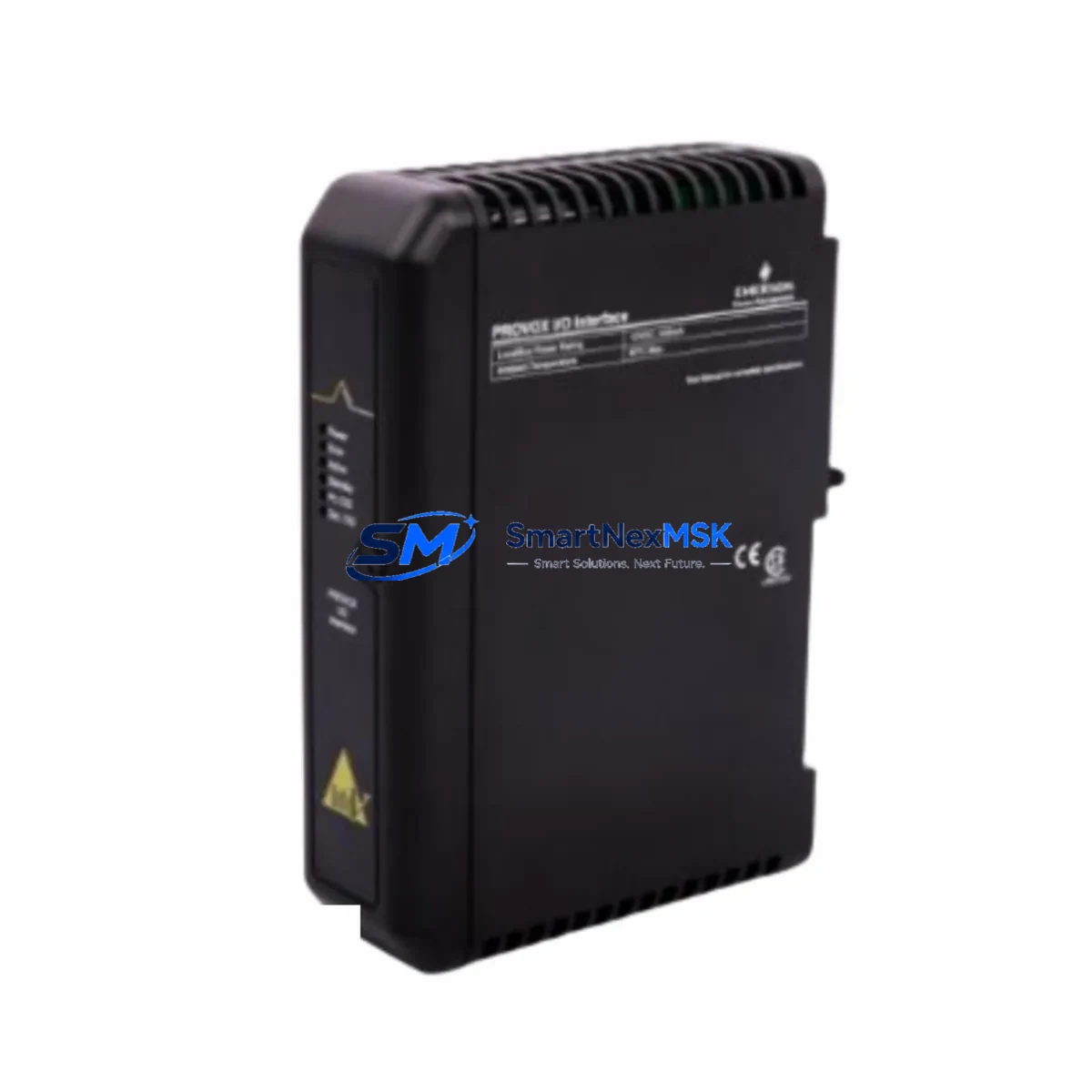
Emerson KJ2101X1-BA 12P2690X012 Spare DeltaV Automation: Spare Parts Replacement & Industrial Downtime Risk Control
The Emerson KJ2101X1-BA (part number 12P2690X012) is an original DeltaV DCS I/O interface module designed for continuous process automation environments. In industries where unplanned downtime translates directly into production loss, having a verified, maintenance-ready spare of this module on hand is a fundamental element of any responsible spare parts strategy. This listing provides a tested, original-specification unit sourced for industrial maintenance engineers and procurement teams who require fast replacement, confirmed compatibility, and long-term supply assurance.
The KJ2101X1-BA serves as a critical signal interface layer within the DeltaV distributed control architecture. It handles field-side I/O communication between process instruments and the DeltaV controller subsystem. When this module degrades or fails — whether due to electrical transients, environmental stress, or end-of-life wear — the affected control loop goes offline, triggering process alarms and requiring immediate corrective action. Maintaining at least one spare unit in your control room inventory is the most effective way to reduce mean time to repair (MTTR) and restore normal operation without waiting for emergency procurement cycles.
Spare Maintenance Table
| Parameter | Specification / Detail |
|---|---|
| Part Number | KJ2101X1-BA / 12P2690X012 |
| Brand | Emerson |
| Series | DeltaV DCS |
| Module Type | DCS I/O Interface Module |
| Compatibility | Emerson DeltaV S-series, M-series controller subsystems; compatible with standard DeltaV I/O carrier assemblies |
| Signal Interface | Field-side I/O signal conditioning and marshalling |
| Installation | DIN-rail or carrier-mounted; hot-swap capable in supported DeltaV configurations |
| Operating Environment | Industrial control cabinet; 0–60°C operating range; humidity per DeltaV environmental spec |
| Power Supply | Supplied via DeltaV I/O carrier bus; no external power connection required |
| Origin | USA (Emerson OEM) |
| Condition | Original spare; tested prior to shipment |
| Warranty | 12 Months |
| Lead Time | Ships within 3–5 business days; expedited available |
| Maintenance Recommendation | Inspect carrier contacts and backplane connectors during scheduled outages; replace if signal integrity degrades |
Maintenance Planning for Continuous Operation
When a maintenance or reliability engineer schedules a planned inspection or responds to a DeltaV I/O fault alarm, the KJ2101X1-BA is rarely the only component that warrants attention. A thorough control cabinet inspection during the same maintenance window should include a review of the associated DeltaV power supply module — typically a KJ1501X1-BA or equivalent redundant power unit — to confirm stable bus voltage is being delivered to the I/O carrier. Voltage sags or ripple at the carrier level can cause intermittent I/O faults that mimic module failure.
The I/O carrier assembly itself, including the terminal block wiring and field termination assembly (FTA), should be inspected for loose connections, corrosion on screw terminals, and insulation degradation on field cables. In older DeltaV installations, the marshalling cabinet terminal strips and signal cables connecting field instruments to the FTA are common sources of intermittent faults that are incorrectly attributed to the I/O module.
If the affected loop involves analog input signals from transmitters, the 4–20 mA signal isolators or barriers in the intrinsic safety or galvanic isolation circuit should be tested. Zener barriers and galvanic isolators degrade over time and can introduce signal offset errors that appear as I/O module faults in the DeltaV diagnostic display. Replacing a suspect KJ2101X1-BA without verifying the upstream signal chain may result in a repeat fault within weeks.
For digital I/O loops, the associated relay output modules and solid-state relay (SSR) assemblies in the same cabinet section should be checked for contact wear and coil resistance. A failed relay in the same control loop can cause the DeltaV system to log I/O errors that point to the interface module rather than the relay itself. Similarly, the DeltaV controller module — such as a KJ2003X1-BA MD Plus Controller — should be confirmed as fault-free before concluding that the I/O module is the root cause.
Communication health between the I/O subsystem and the DeltaV workstation should also be verified. The DeltaV network interface card and the control network switch ports connected to the I/O subsystem should be inspected for link errors. In some installations, a degraded Ethernet connection to the DeltaV Application Station or Operator Workstation can cause false I/O module offline alarms. Reviewing the DeltaV Diagnostics Explorer log before replacing hardware is always recommended.
Finally, the DeltaV system fuse holders and circuit protection devices within the I/O power distribution section should be inspected. A blown fuse on the I/O bus can take an entire carrier offline, making all modules on that carrier appear faulted. Keeping a stock of the correct fuse ratings alongside the KJ2101X1-BA spare ensures that a complete restoration can be performed in a single maintenance visit without additional procurement delays.
Site Replacement Workflow
Replacing the KJ2101X1-BA in a live DeltaV system follows a structured sequence to minimize loop disruption and ensure safe restoration. Begin by placing the affected control loop in manual mode at the DeltaV Operator Workstation to prevent process upsets during the hardware swap. Document the current I/O channel assignments and field wiring terminations using the DeltaV Explorer configuration export before disconnecting any hardware.
If the DeltaV configuration supports hot-swap for the affected carrier type, the module can be removed and replaced without powering down the carrier. Insert the replacement KJ2101X1-BA firmly into the carrier slot and confirm the module status LED transitions from fault to normal within the DeltaV Diagnostics display. If the system requires a cold swap, coordinate the carrier power-down with the process team to ensure all affected loops are in a safe state before proceeding.
After insertion, verify that the DeltaV system automatically downloads the module configuration from the controller. In most DeltaV installations, the I/O module configuration is stored in the controller and is pushed to the replacement module automatically upon recognition. Confirm all channel assignments are restored correctly in DeltaV Explorer and perform a loop check on each affected I/O channel before returning the loop to automatic control.
For sites running legacy DeltaV versions or older S-series hardware, confirm firmware compatibility between the replacement KJ2101X1-BA and the installed DeltaV system version before installation. Emerson publishes compatibility matrices for DeltaV I/O modules that should be consulted during procurement planning. Sourcing the replacement from a supplier who can confirm the hardware revision and firmware baseline — and who provides pre-shipment testing documentation — significantly reduces the risk of a compatibility issue discovered during a live maintenance window.
Spare Parts Support FAQ
Q1: What is the recommended spare parts lifecycle strategy for the KJ2101X1-BA in a DeltaV system?
For critical process loops, maintain at least one KJ2101X1-BA spare per control cabinet or per 10–20 installed modules, whichever is greater. Emerson DeltaV I/O modules in continuous service typically have a field life of 10–15 years, but environmental stress, power quality issues, and aging can accelerate degradation. Review your spare inventory annually against the installed base count and replace any spare that has been in storage for more than 5 years without a functional test.
Q2: How is the KJ2101X1-BA tested before shipment?
Each unit undergoes a pre-shipment functional inspection covering power-on self-test, connector integrity, and visual inspection for physical damage or component anomalies. Units are shipped with anti-static packaging and humidity indicator cards where applicable. A 12-month warranty covers any defects in materials or workmanship identified after installation under normal operating conditions.
Q3: Can the KJ2101X1-BA replace older or discontinued Emerson DeltaV I/O module variants?
The KJ2101X1-BA is compatible with standard DeltaV I/O carrier assemblies used across multiple DeltaV hardware generations. For sites running older DeltaV hardware revisions, confirm the carrier type and DeltaV system version against Emerson’s compatibility documentation before ordering. Our technical team can assist with compatibility verification based on your installed DeltaV system version and carrier assembly part number.
Q4: What is the lead time and shipping process for urgent replacement orders?
Standard orders ship within 3–5 business days. For emergency downtime situations, expedited processing is available — contact our sales team directly to confirm stock availability and arrange priority dispatch. All units are shipped with tracking and export documentation suitable for international customs clearance. Long-term supply agreements and blanket orders are available for sites requiring guaranteed inventory access across multi-year maintenance programs.
© 2026 SMARTNEXMSK. All rights reserved.
Original Source: https://smartnexmsk.com
Contact: [email protected] | +86 18259474341



