
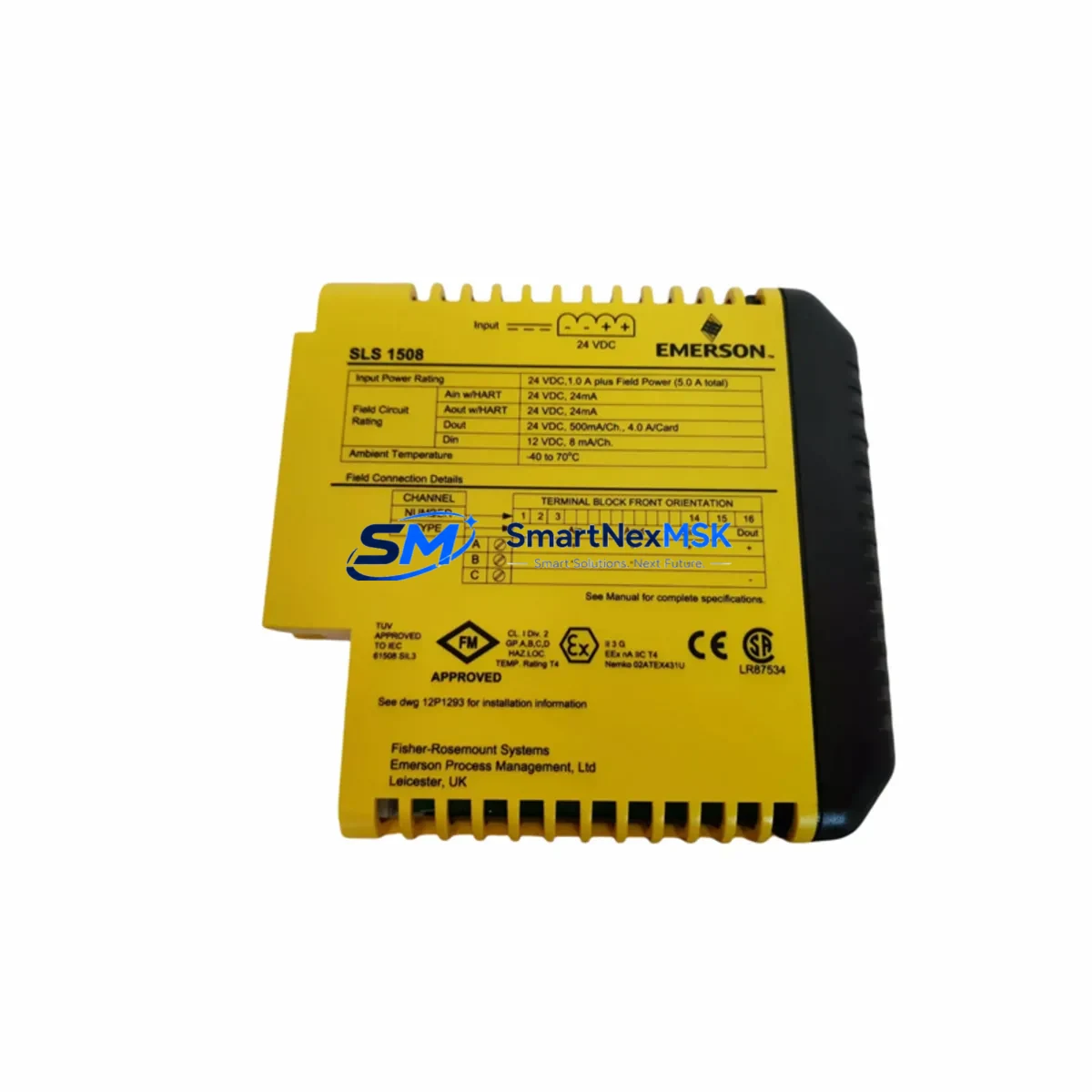
EMERSON KJ2201X1-BA1 Retrofit-Ready Logic I/O Module for DeltaV Control Systems
The EMERSON KJ2201X1-BA1 (also referenced as 12P3162X242 / SLS1508) is a Logic I/O module engineered for the DeltaV Series distributed control system platform. As legacy DeltaV installations age and OEM support windows close, the KJ2201X1-BA1 has become one of the most sought-after retrofit components for control engineers tasked with modernizing existing automation infrastructure without full system replacement. Whether you are replacing a failed card in a running production line, upgrading a discontinued module in a refinery DCS cabinet, or migrating I/O capacity during a phased plant upgrade, this module delivers verified compatibility with the DeltaV hardware ecosystem.
Our inventory is sourced from authorized surplus channels, fully tested prior to shipment, and backed by a 12-month warranty. Each unit undergoes functional verification including power-on self-test, channel integrity check, and backplane communication validation before dispatch from our Xiamen facility.
Upgrade Compatibility Table
| Parameter | KJ2201X1-BA1 Specification | Retrofit Notes |
|---|---|---|
| Module Type | Logic I/O Module | Direct slot replacement in DeltaV I/O subsystem |
| Compatible Platform | Emerson DeltaV Series DCS | Verify controller firmware version before installation |
| Backplane Interface | DeltaV standard I/O bus | Compatible with DeltaV 8-slot and 12-slot carrier assemblies |
| Communication Protocol | DeltaV proprietary I/O bus | No protocol migration required; plug-and-play within DeltaV architecture |
| Power Supply Requirement | Supplied via backplane (24 VDC bus) | Confirm PS-series power supply capacity before adding modules |
| Terminal Wiring | Field terminal block (FTA) compatible | Verify FTA model matches channel assignment; re-use existing field wiring |
| Module Address | Auto-assigned via DeltaV Explorer | Re-commission module tag in DeltaV Explorer after slot insertion |
| Replacement Candidates | Discontinued KJ2201X1-BA1 variants | Cross-reference part number and revision suffix before ordering |
| Commissioning Tool | DeltaV Operate / DeltaV Diagnostics | Run channel diagnostics post-installation to confirm I/O integrity |
| Warranty | 12 Months | Covers functional failure under normal operating conditions |
Retrofit Planning for Existing Automation Systems
Successful integration of the KJ2201X1-BA1 into an existing DeltaV installation begins with a thorough audit of the current control cabinet. Engineers should first confirm that the DeltaV PS-series power supply installed in the chassis has sufficient headroom to support the additional module load — a common oversight when expanding I/O capacity in older cabinets originally sized for fewer cards.
Next, inspect the DeltaV I/O carrier assembly (8-slot or 12-slot) to identify the target slot and confirm backplane connector integrity. If the carrier is a legacy revision, check for known backplane bus issues documented in Emerson’s field service bulletins. The KJ2201X1-BA1 seats directly into the carrier without adapter hardware, making it a true drop-in replacement for compatible slot positions.
Field wiring connects through the associated DeltaV FTA (Field Termination Assembly). In most retrofit scenarios, the existing FTA and field cable harness can be retained, significantly reducing rewiring labor. Confirm that the FTA model number matches the channel type (discrete logic I/O) and that terminal assignments align with the new module’s channel map. Where terminal blocks have aged or show signs of oxidation, replacement with equivalent DeltaV-compatible terminal block assemblies is recommended before commissioning.
For sites running DeltaV Operate as the HMI layer, no faceplate redesign is typically required when replacing a like-for-like Logic I/O module. However, if the original module was running a customized function block configuration, the engineer should export the existing module parameter set from DeltaV Explorer prior to removal, then re-import and validate after the new KJ2201X1-BA1 is seated and recognized by the controller. This preserves alarm limits, scaling parameters, and interlock logic without manual re-entry.
In multi-drop communication architectures where the DeltaV controller node communicates with remote I/O via DeltaV CHARM I/O cards or legacy DeltaV M-series controllers, verify that the node address table does not require updating after the module swap. In most cases, the module address is inherited from the slot position and requires only a re-download of the controller configuration from the DeltaV workstation.
Sites that are simultaneously upgrading their DeltaV S-series controller or migrating from an older DeltaV MD-series controller should plan the KJ2201X1-BA1 installation as part of the broader I/O migration sequence. Coordinate with the DeltaV SIS (Safety Instrumented System) team if any logic channels interface with safety-rated loops, as SIS module replacements follow a separate validation protocol under IEC 61511.
Downtime Control During System Migration
Minimizing production downtime during a DeltaV module replacement requires a structured hot-swap or planned-outage strategy. For non-safety Logic I/O channels, the KJ2201X1-BA1 can often be installed during a brief scheduled maintenance window without requiring a full controller shutdown. The recommended sequence is: place the affected I/O channels in manual mode at the DeltaV Operate console, remove the failed or obsolete module, insert the KJ2201X1-BA1, allow the DeltaV controller to auto-detect the new module, then re-download the module configuration and return channels to automatic control.
To protect original program logic, always perform a full backup of the DeltaV database — including module parameters, control modules, and phase logic — before beginning any hardware change. Store the backup on the DeltaV Application Station and on an offline archive drive. This ensures that if the re-commissioning process encounters unexpected behavior, the original configuration can be restored within minutes rather than hours.
For sites where continuous control is critical (e.g., chemical reactors, compressor trains, or boiler management systems), consider staging the KJ2201X1-BA1 replacement during a planned turnaround or using a temporary bypass strategy on the affected I/O channels. Our team can advise on pre-shipment testing protocols to confirm module functionality before the maintenance window begins, further reducing on-site risk.
Retrofit Support FAQ
Q1: Is the KJ2201X1-BA1 a direct drop-in replacement for the original Emerson part?
Yes. The KJ2201X1-BA1 is a form-fit-function replacement for the original Emerson DeltaV Logic I/O module of the same part number. It installs into the same carrier slot, uses the same FTA wiring interface, and is recognized by DeltaV Explorer without firmware modification. Cross-reference the revision suffix (BA1) to confirm compatibility with your specific DeltaV system revision.
Q2: What commissioning steps are required after installation?
After seating the module, open DeltaV Explorer and verify the module appears in the I/O tree under the correct controller node. Re-download the module configuration, run a channel diagnostic from DeltaV Diagnostics, and confirm all I/O channels report healthy status. For discrete logic channels, perform a loop check against the field device to validate signal integrity before returning to automatic control.
Q3: Can I reuse existing field wiring and terminal connections?
In most cases, yes. The KJ2201X1-BA1 uses the same FTA interface as the original module, so existing field cables and terminal block wiring can be retained. Inspect terminal screws and conductor insulation for wear before reconnecting. If the FTA itself is damaged or corroded, replacement FTAs compatible with the DeltaV Logic I/O channel type are available and should be installed before commissioning the new module.
Q4: What does the 12-month warranty cover?
The 12-month warranty covers functional failure of the KJ2201X1-BA1 under normal operating conditions, including backplane communication faults, channel failure, and power-on self-test failures. Each unit is tested prior to shipment. Warranty claims are processed with return shipping support. The warranty does not cover damage resulting from incorrect installation, overvoltage conditions, or physical mishandling on site.
© 2026 SMARTNEXMSK. All rights reserved.
Original Source: https://smartnexmsk.com
Contact: [email protected] | +86 18259474341



