
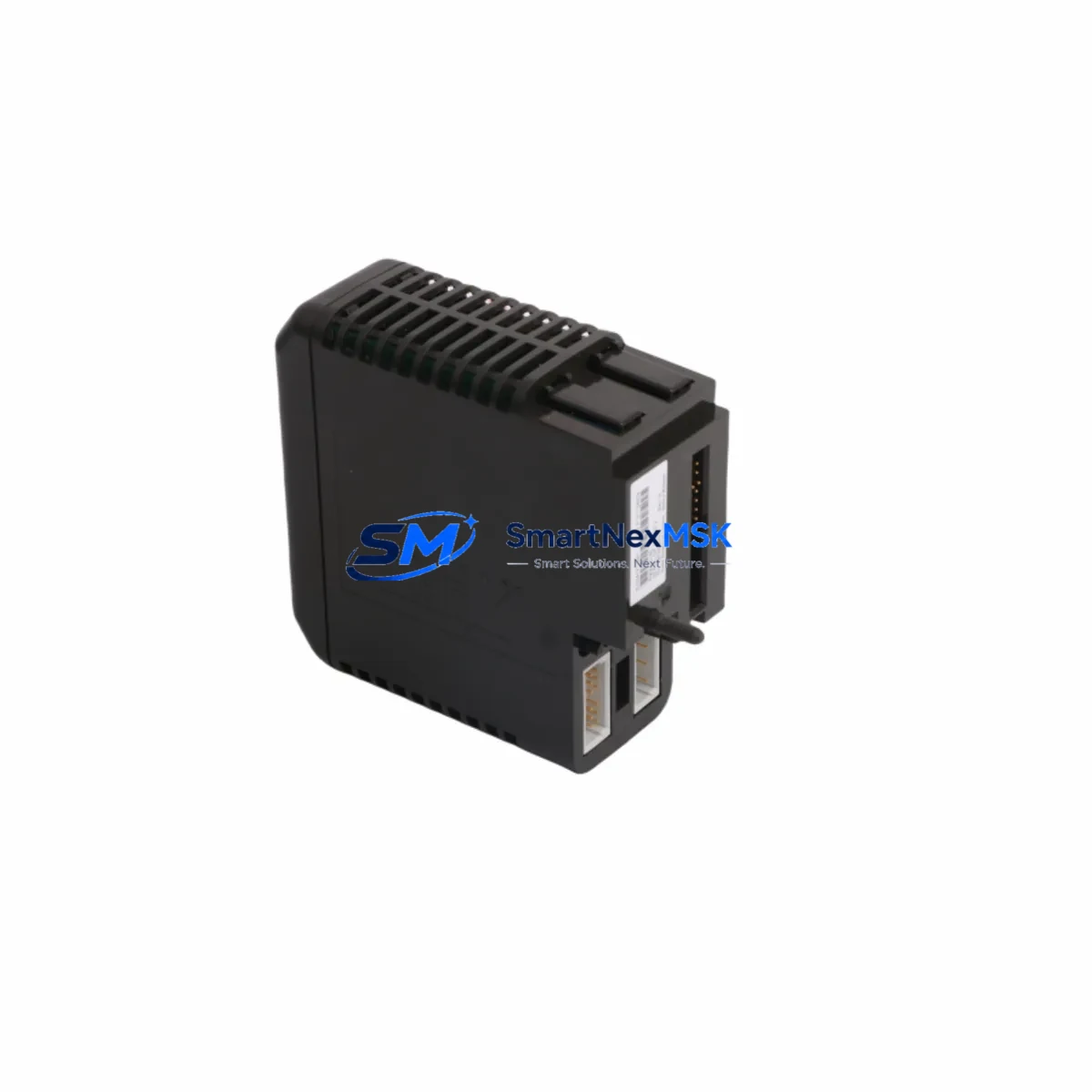
Emerson KJ3241X1-BA1 Retrofit-Ready Serial Interface for DeltaV S-Series Control Systems
The Emerson KJ3241X1-BA1 (alternate part number 12P2506X072) is a DeltaV S-Series Serial Interface Card engineered for seamless integration into existing distributed control system architectures. Whether you are replacing a failed legacy card, upgrading an aging control cabinet, or migrating from an obsolete DeltaV M-Series platform to the S-Series, this module delivers the communication reliability and protocol compatibility that industrial automation engineers demand. With support for both RS-232 and RS-485 serial protocols, the KJ3241X1-BA1 bridges legacy field devices and modern DeltaV controller nodes without requiring extensive rewiring or software reconfiguration.
Sourced from verified inventory and subject to full functional testing prior to dispatch, every unit ships with a 12-month warranty covering hardware defects and communication failures under normal operating conditions. Our stock is maintained to support urgent replacement scenarios, minimizing unplanned downtime on critical production lines.
Upgrade Compatibility Table
| Parameter | KJ3241X1-BA1 (12P2506X072) |
|---|---|
| Compatible Platform | Emerson DeltaV S-Series DCS |
| Communication Protocols | RS-232, RS-485 (2-wire & 4-wire) |
| Backplane Interface | DeltaV S-Series carrier / I/O subsystem backplane |
| Installation Type | Direct plug-in to S-Series I/O carrier — no adapter required |
| Replaces / Supersedes | Legacy DeltaV M-Series serial interface modules (verify carrier compatibility) |
| Terminal Wiring | Screw-terminal field wiring via S-Series I/O carrier; retain existing cable schedule |
| Module Addressing | Configured via DeltaV Explorer; node address assigned in controller database |
| Firmware Compatibility | Compatible with DeltaV v11.x and later; verify with DeltaV Upgrade Advisor |
| Commissioning Requirement | Download controller configuration after module swap; verify serial link diagnostics |
| Warranty | 12 months from date of shipment |
Retrofit Planning for Existing Automation Systems
A successful retrofit begins well before the module arrives on site. Engineers replacing the KJ3241X1-BA1 in an operational DeltaV environment should first audit the existing KJ2005X1-BA1 DeltaV S-Series Power Supply to confirm that the carrier rail has sufficient headroom to support the serial interface card’s current draw alongside co-installed I/O modules. Overloaded power rails are a leading cause of intermittent communication faults that are frequently misdiagnosed as card failures.
Next, review the field wiring schedule against the KJ3002X1-BB1 S-Series I/O Carrier terminal assignments. In many legacy installations, the RS-485 shield drain wire is landed incorrectly or omitted entirely, which introduces ground loops that degrade signal integrity at baud rates above 9600. Correcting the shield termination at the carrier before inserting the new KJ3241X1-BA1 eliminates a common source of post-replacement communication errors.
For plants migrating from older DeltaV M-Series architectures, the transition typically involves replacing the KJ1501X1-BA2 M-Series Controller with an MD-Plus or MQ Controller and re-homing serial device assignments within DeltaV Explorer. The KJ3241X1-BA1 slots into the S-Series subsystem and inherits the serial port parameters — baud rate, parity, stop bits, and device address — from the downloaded controller configuration. No manual DIP-switch setting is required, which reduces the risk of configuration drift during emergency replacements.
Where the serial link connects to a third-party device such as a Modbus RTU flow computer, a Yokogawa HART multiplexer, or a Honeywell UDC controller, engineers should capture the existing communication parameters from the DeltaV serial port diagnostic screen before powering down. This record serves as the baseline for post-replacement verification. After installing the KJ3241X1-BA1 and downloading the controller, open the DeltaV Diagnostics workspace and confirm that the serial port status transitions from “Not Communicating” to “Running” within the expected polling cycle.
Control cabinets undergoing broader upgrades often combine the KJ3241X1-BA1 replacement with installation of additional KJ3221X1-BA1 HART Analog Input or KJ3222X1-BA1 HART Analog Output modules to extend I/O capacity without adding a new controller node. In these cases, confirm that the DeltaV S-Series Vertical Carrier has sufficient open slots and that the controller’s licensed I/O channel count accommodates the expanded module count. Exceeding the licensed channel limit will prevent the controller download from completing successfully.
HMI graphics linked to serial device tags should be reviewed in DeltaV Operate after the replacement. Tag paths remain stable across module swaps provided the module name in DeltaV Explorer is preserved, but any HMI faceplates that display serial port status or device-level diagnostics should be tested in simulation mode before returning the loop to automatic control.
Downtime Control During System Migration
Minimizing production impact during a serial interface card replacement requires a structured hot-swap protocol. Begin by placing all control loops associated with the serial device in manual mode at the DeltaV workstation. This preserves the last good output value at the final control element and prevents process upsets caused by loss of the serial feedback signal during the card exchange.
Before removing the KJ3241X1-BA1, export the current controller configuration from DeltaV Explorer as a backup. This step takes less than two minutes and provides a recovery point if the replacement card exhibits unexpected behavior after download. The backup also captures the serial port parameter set, which can be used to verify that the downloaded configuration matches the pre-outage baseline.
Physical removal of the card from the S-Series carrier is a tool-free operation: release the ejector levers, slide the module out, insert the replacement KJ3241X1-BA1, and re-engage the levers until the card seats fully against the backplane connector. The DeltaV controller detects the new module within one scan cycle and begins the communication handshake automatically. Download the controller configuration, monitor the serial port diagnostic for link establishment, and return the affected loops to automatic control once the device status confirms normal communication. Total planned outage for a single card swap typically falls within a 15-to-30-minute window when pre-staging and configuration backup are completed in advance.
For multi-card replacements or full subsystem migrations, coordinate the outage window with the operations team and prepare a loop-by-loop restoration checklist. Assign one engineer to monitor DeltaV Diagnostics while a second manages field device status at the control cabinet. This two-person protocol reduces the risk of overlooking a failed link restoration before the system is returned to service.
Retrofit Support FAQ
Q1: Is the KJ3241X1-BA1 a direct drop-in replacement for the same part number from a different production batch?
Yes. The KJ3241X1-BA1 (12P2506X072) is form-fit-function compatible across all production revisions. No configuration changes are required when replacing one revision with another, provided the DeltaV controller firmware version meets the minimum compatibility level documented in the DeltaV Hardware Reference Manual.
Q2: Can this card replace a serial interface module from the DeltaV M-Series platform?
Not directly. The M-Series and S-Series use different carrier form factors and backplane connectors. Migration from M-Series to S-Series requires replacing the carrier assembly as well as the module. The KJ3241X1-BA1 is the correct S-Series serial interface card for the target platform; the M-Series serial module must be decommissioned separately. Contact our technical team for a full migration bill of materials.
Q3: What pre-shipment testing is performed on each unit?
Every KJ3241X1-BA1 unit undergoes functional verification including backplane connector integrity check, RS-232 and RS-485 loopback communication test, and firmware version confirmation before dispatch. A test report is available upon request. All units ship with a 12-month warranty covering hardware defects and communication failures under normal operating conditions.
Q4: How do I verify wiring compatibility before installing the replacement card?
Compare the field wiring termination on the existing S-Series I/O carrier against the KJ3241X1-BA1 terminal assignment diagram in the DeltaV S-Series Hardware Installation Guide. RS-485 installations should confirm 2-wire versus 4-wire topology, shield termination point, and end-of-line termination resistor status. RS-232 installations should verify that the TX, RX, and signal ground conductors are landed on the correct carrier terminals. No rewiring is required if the carrier and cable schedule are unchanged from the original installation.
© 2026 SMARTNEXMSK. All rights reserved.
Original Source: https://smartnexmsk.com
Contact: [email protected] | +86 18259474341



