
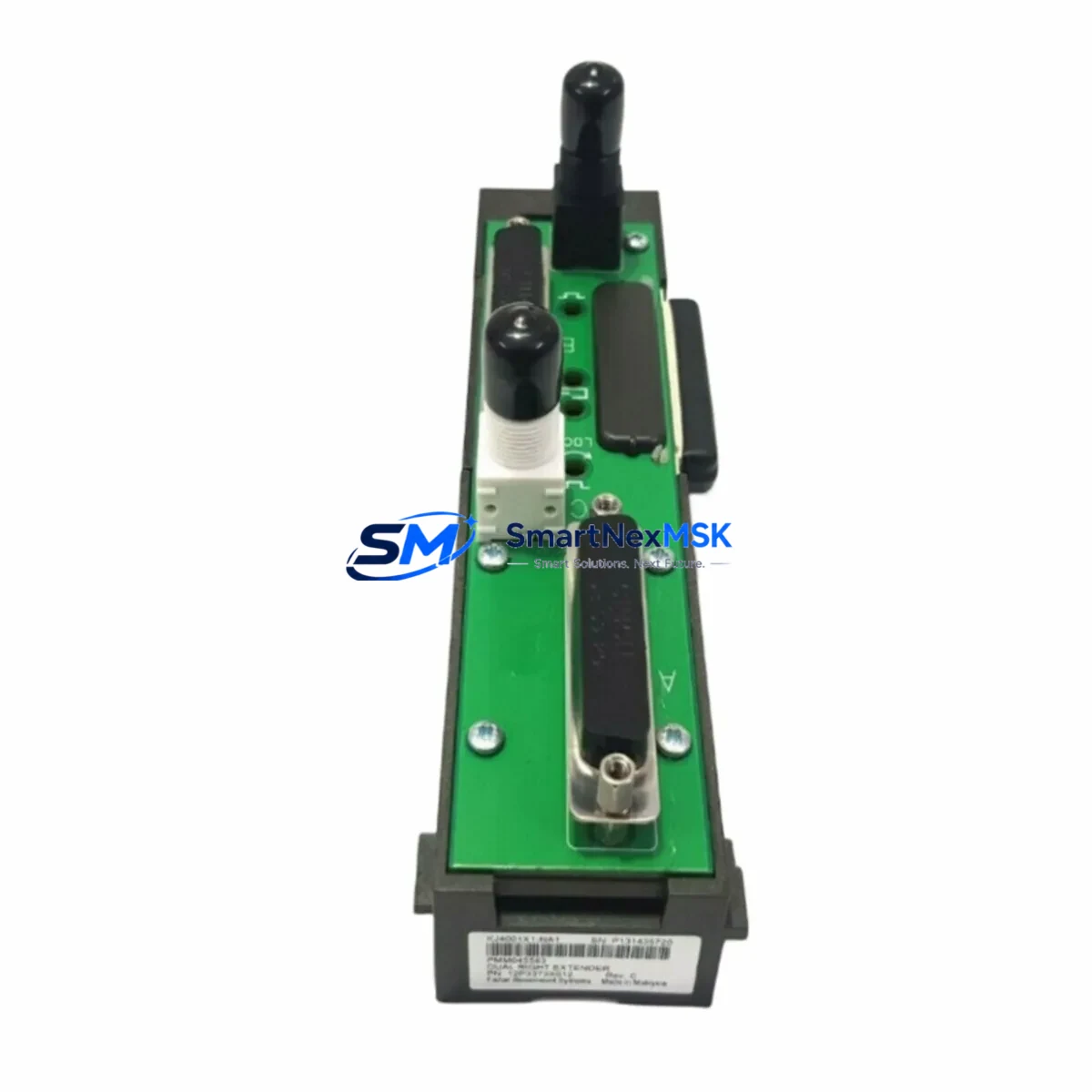
Emerson KJ4001X1-NA1 Retrofit-Ready Cable Extender for DeltaV Control Systems
The Emerson KJ4001X1-NA1 (12P3373X012) is a Right Cable Extender engineered for the Emerson DeltaV distributed control system (DCS) platform. As aging DeltaV installations approach end-of-support milestones, this component plays a critical role in extending the operational life of existing control cabinets, enabling seamless I/O expansion, and supporting phased migration strategies without requiring full system replacement.
Whether you are replacing a failed unit on a running production line, upgrading a legacy DeltaV S-series controller rack, or consolidating multiple I/O subsystems into a modernized control cabinet, the KJ4001X1-NA1 provides a direct, wiring-compatible retrofit path. It integrates without modification into existing backplane configurations, preserving your original program logic, HMI screen layouts, and FOUNDATION Fieldbus or HART communication links. All units are pre-shipment tested and covered by a 12-month warranty.
Upgrade Compatibility Table
| Parameter | Details |
|---|---|
| Part Number | KJ4001X1-NA1 / 12P3373X012 |
| Brand / Platform | Emerson / DeltaV DCS |
| Component Type | Right Cable Extender |
| Compatible Series | DeltaV S-series, M-series carrier assemblies |
| Backplane Interface | Standard DeltaV carrier backplane connector — no hardware modification required |
| Installation Requirement | Direct drop-in replacement; preserves existing terminal wiring |
| Communication Compatibility | HART, FOUNDATION Fieldbus H1, Profibus DP (platform-dependent) |
| Replacement Recommendation | Direct replacement for failed, obsolete, or end-of-life KJ4001X1-NA1 units |
| Commissioning Notes | Verify module address in DeltaV Explorer after installation; confirm I/O channel mapping before restart |
| Origin | China (CN) |
| Shipping | In-stock; global express shipping available; emergency orders dispatched within 24 hours |
| Warranty | 12-Month Warranty — manufacturing defects and functional failure under normal operating conditions |
Retrofit Planning for Existing Automation Systems
Successful integration of the KJ4001X1-NA1 into an existing DeltaV installation requires careful pre-installation planning. Before removing the failed or obsolete unit, engineers should document the current terminal wiring layout and confirm that the replacement cable extender’s connector orientation matches the physical cabinet layout — particularly in tight control cabinet configurations where right-side cable routing is constrained by adjacent modules such as the KJ3001X1-BA1 DeltaV I/O carrier or the KJ1501X1-BA1 power supply module.
Power budget verification is essential. The DeltaV system’s PS2 or PS6 power supply modules must have sufficient headroom to support the cable extender and any newly added I/O modules downstream. In older installations where the power supply has been running near capacity, adding an extender to support additional KJ3221X1-BA1 analog input modules or KJ3002X1-BA1 discrete I/O modules may require a power supply audit before commissioning.
Backplane slot addressing must be confirmed in DeltaV Explorer prior to installation. The module address assigned to the cable extender position must match the configuration database to avoid I/O channel mismatches that could trigger process alarms or controller faults. In multi-drop configurations where the extender bridges two carrier segments, verify that the DeltaV MD Plus controller or DeltaV M5Plus controller recognizes the extended I/O tree without requiring a full database download.
For sites migrating from older DeltaV versions to DeltaV v14 or v15, the cable extender’s physical installation is typically straightforward, but associated I/O module firmware versions must be validated. Modules such as the KJ3221X1-BA1 AI module may require firmware updates to maintain compatibility with the updated DeltaV controller firmware. Coordinate with your DeltaV system integrator to schedule firmware validation during a planned maintenance window to avoid unplanned downtime.
Communication link integrity should be verified after installation. If the extended I/O segment includes FOUNDATION Fieldbus H1 interface modules or HART multiplexer cards, confirm that the fieldbus segment remains within the maximum cable length specification and that device descriptors (DD files) are correctly loaded in the DeltaV system. For Profibus DP segments, verify that bus termination resistors are correctly positioned after the extender is inserted into the carrier chain.
HMI screen validation is a frequently overlooked step in cable extender replacements. After restoring the I/O segment, verify that all associated DeltaV Operate faceplates and graphic displays are reading live process values correctly. Any I/O channel that was offline during the replacement should be confirmed as active before returning the unit to automatic control mode. If your site uses a DeltaV Bulk Power Supply (BPS) to power field instruments, confirm that the BPS output voltage is stable after the carrier segment is re-energized.
Downtime Control During System Migration
Minimizing production downtime during a cable extender replacement or I/O segment migration is achievable with disciplined pre-staging and a structured cutover procedure. The recommended approach is to pre-configure the replacement KJ4001X1-NA1 offline, verify its physical condition and connector integrity, and prepare all required tools and documentation before the maintenance window begins.
Where the process allows, place the affected DeltaV controller in manual mode for all loops associated with the I/O segment being serviced. This preserves the last known output values at the field devices and prevents process upsets during the module swap. For critical control loops that cannot be placed in manual, coordinate with the operations team to implement temporary bypass strategies using the plant’s safety instrumented system (SIS) or manual control stations.
After installing the KJ4001X1-NA1, perform a controlled power cycle of the affected carrier segment rather than a full controller restart where possible. DeltaV’s hot-standby redundancy features — available on systems equipped with redundant DeltaV MD Plus controllers — allow the standby controller to maintain process control while the primary controller re-establishes communication with the extended I/O segment. This approach can reduce effective downtime to under five minutes for a single cable extender replacement.
All replacement units shipped by SMARTNEXMSK undergo pre-shipment functional testing to verify connector integrity, signal path continuity, and physical conformance to OEM specifications. Each unit is shipped with a test report and is covered by a 12-month warranty against manufacturing defects and functional failure under normal operating conditions. In-stock availability ensures that emergency replacement orders can be dispatched within 24 hours to minimize unplanned production losses.
Retrofit Support FAQ
Q1: Is the KJ4001X1-NA1 12P3373X012 a direct drop-in replacement for the original Emerson part?
Yes. The KJ4001X1-NA1 (12P3373X012) is a direct replacement for the original Emerson-manufactured unit. It uses the same connector footprint, physical dimensions, and backplane interface, requiring no hardware modification to the existing DeltaV carrier assembly. Existing terminal wiring connections are preserved without re-termination.
Q2: What commissioning steps are required after installing the replacement cable extender?
After physical installation, open DeltaV Explorer and verify that the module address for the cable extender position is correctly assigned and matches the existing configuration database. Perform an I/O channel scan to confirm that all downstream modules — including any KJ3221X1-BA1 analog input or KJ3002X1-BA1 discrete I/O modules — are recognized by the controller. Check DeltaV Operate faceplates for live process values before returning loops to automatic control.
Q3: Can this cable extender be used to expand I/O capacity in an existing DeltaV rack?
Yes. The KJ4001X1-NA1 is designed to extend the I/O carrier chain, enabling additional I/O modules to be added to an existing DeltaV controller segment. Before expanding I/O capacity, verify that the system’s power supply module — such as the KJ1501X1-BA1 — has sufficient capacity to support the additional load, and confirm that the DeltaV controller’s I/O channel count limit has not been reached.
Q4: What does the 12-month warranty cover, and how is it claimed?
The 12-month warranty covers manufacturing defects and functional failure under normal operating conditions from the date of shipment. If a warranty claim is required, contact SMARTNEXMSK at [email protected] with the order reference number and a description of the fault. A replacement unit or repair will be arranged promptly. The warranty does not cover damage resulting from incorrect installation, overvoltage, or physical mishandling.
© 2026 SMARTNEXMSK. All rights reserved.
Original Source: https://smartnexmsk.com
Contact: [email protected] | +86 18259474341



