
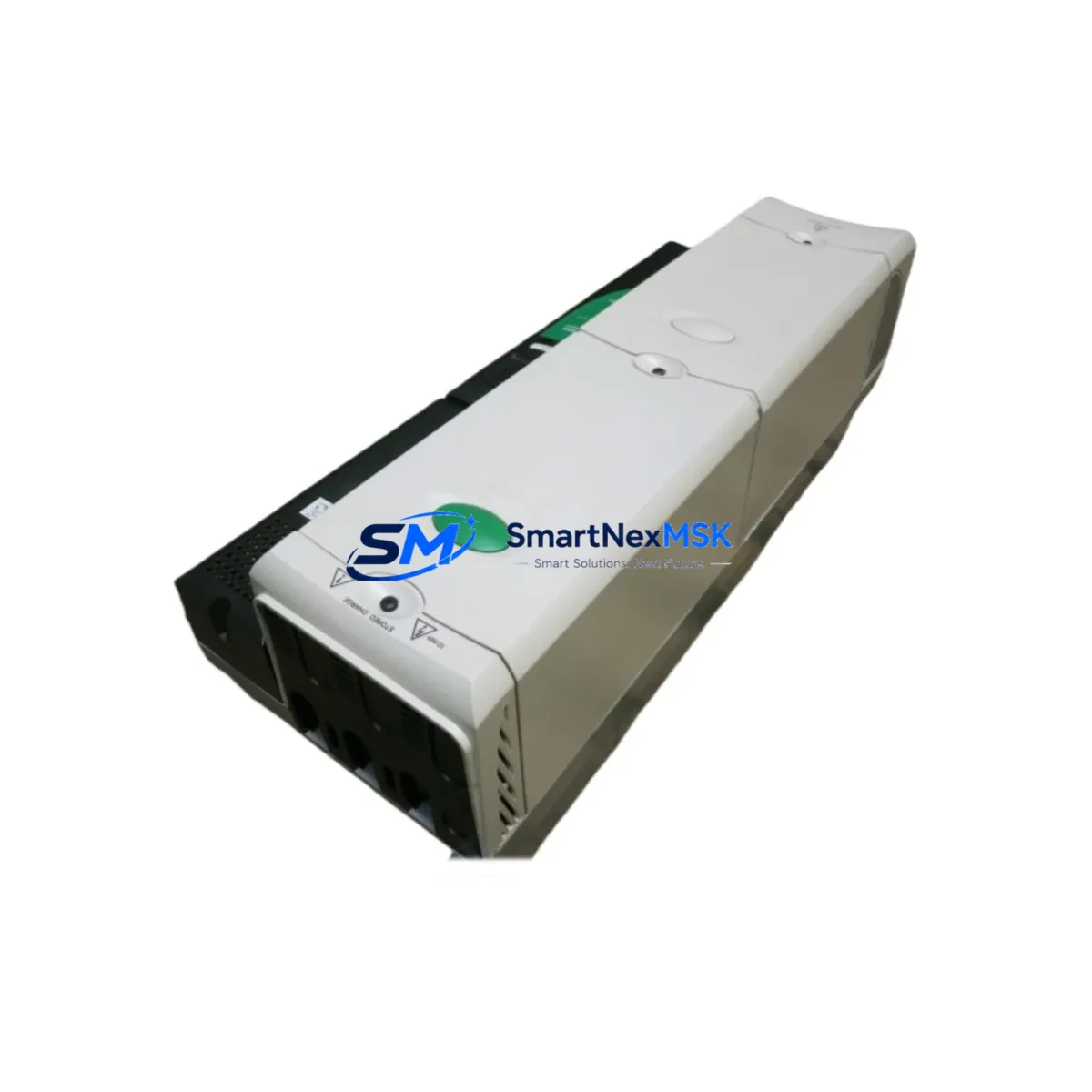
Emerson SPMA1602 Maintenance-Ready Spare for Ovation DCS Automation
The Emerson SPMA1602 is a 16-channel analog I/O module designed for the Ovation Distributed Control System (DCS) platform — one of the most widely deployed process automation architectures in power generation, water treatment, and continuous manufacturing facilities. For maintenance engineers managing aging Ovation cabinets, the SPMA1602 represents a critical spare: its failure can simultaneously disable multiple analog measurement loops, triggering unplanned shutdowns and costly production losses. Stocking a verified original replacement is the single most effective step toward reducing mean time to repair (MTTR) in Ovation-based control environments.
This listing supplies an original Emerson SPMA1602 module — not a third-party substitute — sourced, inspected, and dispatched with full functional testing documentation. Each unit ships with a 12-month warranty covering manufacturing defects and operational failures under normal service conditions. Global delivery is supported, with expedited options available for emergency maintenance situations.
Spare Maintenance Table
| Parameter | Specification |
|---|---|
| Part Number / SKU | SPMA1602 |
| Brand / Manufacturer | Emerson (Ovation Series) |
| Module Type | Analog I/O Module (16-Channel) |
| Platform Compatibility | Emerson Ovation DCS (v3.x and above) |
| Signal Types Supported | 4–20 mA, 0–10 VDC, thermocouple, RTD (configuration-dependent) |
| Channel Count | 16 (mixed input/output, configurable) |
| Backplane Interface | Ovation I/O backplane — direct drop-in replacement |
| Operating Voltage | 24 VDC (supplied via backplane) |
| Operating Temperature | 0°C to 60°C (32°F to 140°F) |
| Isolation | Channel-to-channel and channel-to-backplane isolation |
| Mounting | Ovation I/O carrier / backplane slot |
| Country of Origin | United States |
| Condition | Original, tested, ready-to-ship |
| Warranty | 12 Months — manufacturing defects & operational failure |
| Delivery | Standard and expedited global shipping available |
| Application Environment | Power generation, water/wastewater, oil & gas, chemical processing |
| Maintenance Recommendation | Inspect backplane connector pins, verify loop calibration post-swap, confirm firmware compatibility with Ovation controller version |
Maintenance Planning for Continuous Operation
When an SPMA1602 analog I/O module is flagged during a routine Ovation cabinet inspection or fails during operation, the replacement workflow rarely ends with the module itself. Experienced maintenance engineers treat an analog I/O fault as a trigger for a broader cabinet health review — because the root cause is often upstream or downstream of the module.
Begin by verifying the 24 VDC backplane power supply feeding the I/O carrier. A degraded power module — such as the Emerson SPPS0200 or equivalent Ovation power supply — can cause intermittent analog faults that mimic module failure. Confirm output voltage stability under load before installing the replacement SPMA1602. Alongside the power supply, inspect the Ovation I/O backplane or carrier assembly for bent connector pins, corrosion, or mechanical damage that could cause poor contact with the new module.
Next, audit the field wiring termination blocks connected to the SPMA1602’s analog channels. Loose or corroded terminal connections on the marshalling cabinet side are a common source of signal drift and channel faults. If the facility uses signal isolators or signal conditioners between field instruments and the I/O module — particularly in high-noise environments or where intrinsic safety barriers are required — verify that these devices are functioning within specification. A failed isolator can damage a replacement module within hours of installation.
For facilities running HART-enabled field instruments on the analog loops, confirm that the SPMA1602 replacement supports HART pass-through if the original configuration required it, and re-commission HART device descriptors in the Ovation Workstation after the swap. Review the Ovation Controller module (such as the OCR400 or OCR1100 series) for any latched diagnostic alarms related to the failed I/O module — these must be cleared and the I/O configuration re-downloaded before the new module will scan correctly.
During planned shutdowns, maintenance teams should also inspect adjacent modules in the same I/O cabinet: digital input/output modules (such as the SPDIO series), relay output modules, and communication interface modules that share the same backplane segment. A single cabinet inspection event is the most cost-effective time to identify and pre-order spares for modules showing early signs of wear — capacitor bulging, discoloration, or intermittent diagnostic flags in the Ovation historian.
For older Ovation installations approaching end-of-support lifecycle, consider maintaining a minimum spare inventory of one SPMA1602 per active cabinet, alongside spares for the Ovation power supply module, OCR-series controller, and at least one communication module (such as the SPCOM series) to cover the most common single-point failure scenarios. This spare parts strategy directly supports system longevity and reduces emergency procurement lead times from weeks to hours.
Site Replacement Workflow
Step 1 — Pre-replacement verification: Confirm the failed module’s part number (SPMA1602) against the Ovation I/O configuration in the Ovation Workstation. Note the slot address, carrier number, and drop number for post-installation re-commissioning. Export or document the current channel configuration (engineering units, ranges, HART device assignments) before powering down.
Step 2 — Safe isolation: Follow site lock-out/tag-out (LOTO) procedures. Place affected analog loops in manual mode at the Ovation Workstation or DCS operator station to prevent process upsets during the swap. Notify operations of the planned I/O interruption window.
Step 3 — Module removal and inspection: Remove the faulty SPMA1602 from the backplane carrier. Inspect the carrier connector and backplane for damage. Clean connector contacts if contamination is present. Do not force the replacement module if resistance is felt — inspect for bent pins first.
Step 4 — Installation and power-up: Seat the replacement SPMA1602 firmly into the carrier slot. Restore power to the cabinet. The Ovation controller should automatically detect the new module and begin scanning within the configured I/O scan cycle. Verify the module status LED indicates normal operation.
Step 5 — Re-commissioning and loop verification: In the Ovation Workstation, confirm the module is online and all 16 channels are scanning without diagnostic alarms. Perform a loop check on each active analog channel — verify 4–20 mA signal integrity, engineering unit scaling, and HART device communication if applicable. Return all loops to automatic control mode and document the replacement in the site maintenance management system (CMMS).
This workflow minimizes downtime to under two hours for a prepared maintenance team with the spare module on-site — compared to days or weeks when waiting for emergency procurement.
Spare Parts Support FAQ
Q1: Is this SPMA1602 an original Emerson module or a third-party compatible replacement?
This is an original Emerson SPMA1602 module — not a clone, refurbished third-party unit, or compatible substitute. Each unit is sourced from verified supply channels, functionally tested prior to dispatch, and supplied with a 12-month warranty. Original modules ensure full compatibility with Ovation firmware, diagnostic routines, and Emerson’s I/O configuration tools without the risk of undocumented behavioral differences.
Q2: How do I confirm compatibility with my specific Ovation DCS version before ordering?
The SPMA1602 is compatible with Ovation DCS platforms running version 3.x and above. To confirm compatibility with your specific controller firmware and I/O carrier revision, provide your Ovation system version and cabinet configuration details at the time of inquiry. Our technical team will verify compatibility before shipment. We recommend cross-referencing the module part number against your Ovation I/O configuration database or the Emerson Ovation hardware compatibility matrix.
Q3: What pre-shipment testing is performed on each SPMA1602 unit?
Each SPMA1602 undergoes functional testing prior to dispatch, including power-up verification, channel scan confirmation, and analog signal integrity checks across representative input/output ranges. Test results are documented and available upon request. Units that do not pass functional testing are not dispatched. The 12-month warranty covers failures arising from manufacturing defects or operational faults under normal service conditions from the date of receipt.
Q4: Can you support long-term or blanket spare parts orders for ongoing Ovation maintenance programs?
Yes. We support long-term supply agreements for facilities managing multiple Ovation cabinets or running extended maintenance programs. Blanket orders, scheduled delivery, and reserved inventory arrangements are available for the SPMA1602 and related Ovation I/O, power supply, and controller modules. Contact our sales team to discuss volume pricing, lead time commitments, and spare parts program structuring for your site’s maintenance schedule.
© 2026 SMARTNEXMSK. All rights reserved.
Original Source: https://smartnexmsk.com
Contact: [email protected] | +86 18259474341



