
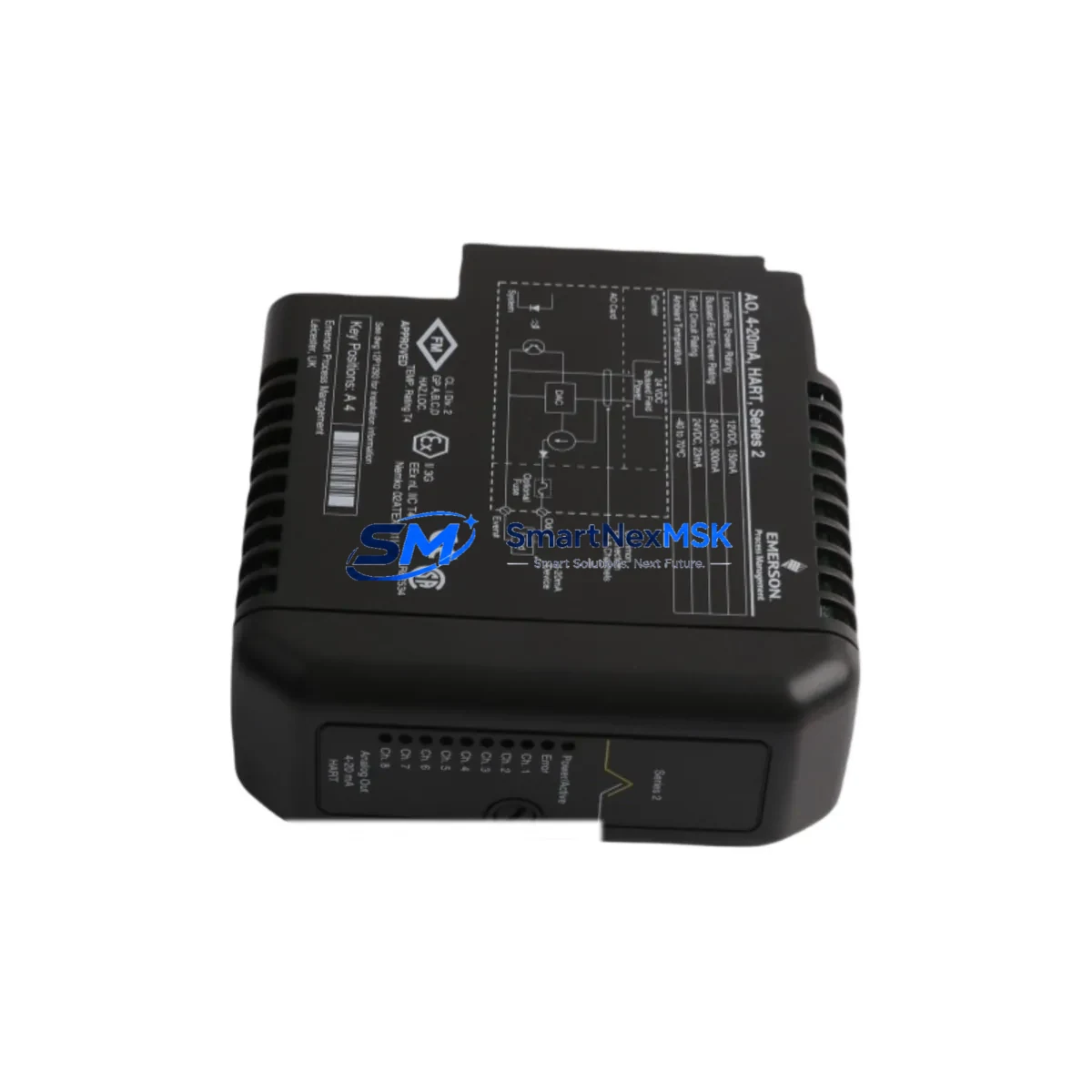
EMERSON VE4035S2B1 Retrofit-Ready DCS I/O Module for DeltaV Control Systems
The EMERSON VE4035S2B1 is a field-proven DCS I/O module engineered for seamless integration into Emerson DeltaV distributed control system architectures. As legacy automation infrastructure ages and OEM support windows close, the VE4035S2B1 has become a critical retrofit component for facilities managing aging DeltaV S-series and M-series controller nodes. Whether you are replacing a failed card in a live production environment, upgrading a control cabinet to extend operational life, or migrating I/O capacity from a discontinued module family, the VE4035S2B1 delivers the electrical compatibility, firmware alignment, and backplane interface integrity required for a controlled, low-risk cutover.
Industrial facilities across oil and gas, chemical processing, power generation, and pharmaceutical manufacturing rely on DeltaV I/O modules like the VE4035S2B1 to maintain continuous process control. When a module fails or reaches end-of-life, the replacement process demands careful attention to power rail capacity, terminal block wiring assignments, backplane slot addressing, module configuration parameters, and DeltaV Explorer node mapping. Skipping any of these verification steps risks process upsets, controller faults, or unplanned shuttime that can cost far more than the module itself.
SMARTNEXMSK maintains verified stock of the VE4035S2B1 with full functional testing, 12-month warranty coverage, and same-week dispatch to minimize your exposure window during planned or emergency maintenance events.
Upgrade Compatibility Table
| Parameter | VE4035S2B1 Specification | Retrofit Notes |
|---|---|---|
| Module Type | DCS I/O Module (DeltaV Series) | Direct replacement for same-series I/O slots |
| Backplane Interface | DeltaV standard backplane bus | Verify slot address matches original module assignment |
| Communication Protocol | DeltaV proprietary fieldbus / HART-capable | Confirm HART pass-through settings in DeltaV Explorer |
| Power Consumption | Per DeltaV carrier power budget | Audit carrier/power supply capacity before hot-swap |
| Terminal Wiring | Standard DeltaV marshalling terminal block | Cross-reference original I/O wiring schedule; verify signal type (AI/AO/DI/DO) |
| Installation | DIN-rail carrier or DeltaV I/O subsystem rack | No mechanical modification required for same-generation carriers |
| Firmware Compatibility | Compatible with DeltaV v11 and later | Confirm controller firmware version in DeltaV Diagnostics |
| Replacement Candidates | Discontinued same-function DeltaV I/O modules | Map old module tag to new module in DeltaV Explorer before cutover |
| Commissioning | DeltaV Explorer auto-recognition on power-up | Verify module health LED and channel diagnostics post-installation |
| Warranty | 12 Months | Covered from date of shipment; functional test report available on request |
Retrofit Planning for Existing Automation Systems
A successful VE4035S2B1 retrofit begins well before the module arrives on site. Start by pulling the existing I/O wiring schedule and confirming each channel’s signal type — analog input, analog output, discrete input, or discrete output — against the replacement module’s channel configuration. The DeltaV VE4035S2B1 mounts into a standard DeltaV I/O carrier, so verify that the installed carrier model (such as a VE4001S2T1B1 or equivalent marshalling carrier) is electrically and mechanically compatible before ordering.
Next, audit the power supply feeding the I/O subsystem. DeltaV power supplies such as the PS6 or PS8 series have defined current budgets per carrier rail. Adding or swapping modules without checking the power margin can cause brownout faults on adjacent modules including communication modules like the VE4002S2T1B1 or controller interface cards. Document the current draw of every module in the affected carrier before proceeding.
On the software side, open DeltaV Explorer and locate the existing module tag. Export the module’s parameter set and channel assignments before removal. After installing the VE4035S2B1, DeltaV Explorer should auto-recognize the module in the assigned slot. Re-import the parameter configuration, verify HART device descriptors if applicable, and confirm that all associated function blocks in Control Studio are referencing the correct I/O tags. If the system includes a DeltaV SIS safety controller or a redundant controller pair such as the MD Plus or MQ controller, ensure that the I/O assignment does not conflict with the safety I/O partition.
For facilities running older DeltaV versions, also check whether the VE4035S2B1 requires a firmware download from the controller on first recognition. This is common when replacing modules across major DeltaV version boundaries. Have the DeltaV Operate or DeltaV Diagnostics workstation connected and monitored throughout the cutover. If the plant uses a Profibus DP or FOUNDATION Fieldbus segment connected through a DeltaV fieldbus interface module such as the VE4018S2B1, confirm that the fieldbus segment remains unaffected during the I/O swap. Similarly, if an Ovation or third-party HMI is reading DeltaV OPC tags tied to this module’s channels, coordinate with the HMI team to suppress alarms during the cutover window and restore them only after channel diagnostics confirm healthy signal status.
Finally, prepare a pre-tested spare. SMARTNEXMSK ships the VE4035S2B1 with a functional test report confirming channel integrity, backplane communication, and LED status verification. This allows your maintenance team to bench-verify the replacement unit against a known-good DeltaV test rack before committing to a live cutover, reducing unplanned downtime risk to near zero.
Downtime Control During System Migration
Minimizing downtime during a DeltaV I/O module replacement requires a structured cutover plan that protects the original control logic, preserves field wiring integrity, and maintains process visibility throughout the swap. Begin by placing the affected DeltaV controller in manual mode for all loops tied to the VE4035S2B1’s channels. This prevents automatic control actions from responding to the momentary signal loss during module removal.
If the DeltaV system supports hot-standby redundancy through a redundant controller module pair, confirm whether the I/O carrier supports redundant I/O operation. Non-redundant I/O carriers will experience a brief signal interruption during module swap regardless of controller redundancy. Coordinate with the control room operator to hold setpoints manually during this window.
Before pulling the module, photograph the terminal block wiring and cross-reference against the wiring schedule. Label each wire if not already tagged. Remove the module, install the VE4035S2B1, and allow DeltaV Explorer to recognize the new module — typically within 30 to 60 seconds on a healthy backplane. Restore the parameter configuration, confirm channel diagnostics show healthy status, and return loops to automatic mode one at a time, verifying process variable readings against field instrumentation before each transfer. Document the cutover time, technician name, and post-installation diagnostic results for your maintenance management system. Total planned downtime for a single-module swap following this procedure is typically under 15 minutes.
Retrofit Support FAQ
Q1: Is the VE4035S2B1 a direct drop-in replacement for discontinued DeltaV I/O modules of the same function type?
In most cases, yes. The VE4035S2B1 is designed to fit standard DeltaV I/O carriers and communicate over the DeltaV backplane bus. However, you must verify that the carrier model, slot address, and channel signal type match the original module’s specification. SMARTNEXMSK can provide a compatibility confirmation based on your existing module part number and DeltaV version before shipment.
Q2: What commissioning steps are required after installing the VE4035S2B1?
After physical installation, DeltaV Explorer should auto-recognize the module. You will need to verify the module tag assignment, re-apply any custom channel parameters, confirm HART device descriptors if applicable, and check all associated function block references in Control Studio. Run a full channel diagnostic from DeltaV Diagnostics before returning loops to automatic mode.
Q3: Can the VE4035S2B1 be used in a DeltaV SIS safety system?
The VE4035S2B1 is a standard DCS I/O module and is not certified for use in DeltaV SIS safety-instrumented system partitions. Safety I/O requires dedicated SIS-certified modules. For standard process control I/O adjacent to a SIS partition, the VE4035S2B1 is fully applicable.
Q4: What does the 12-month warranty cover, and is a functional test report available?
The 12-month warranty covers manufacturing defects and functional failures under normal operating conditions from the date of shipment. SMARTNEXMSK performs pre-shipment functional testing on all VE4035S2B1 units including channel integrity verification, backplane communication check, and LED status confirmation. A functional test report is available upon request and can be included with the shipment documentation.
© 2026 SMARTNEXMSK. All rights reserved.
Original Source: https://smartnexmsk.com
Contact: [email protected] | +86 18259474341



