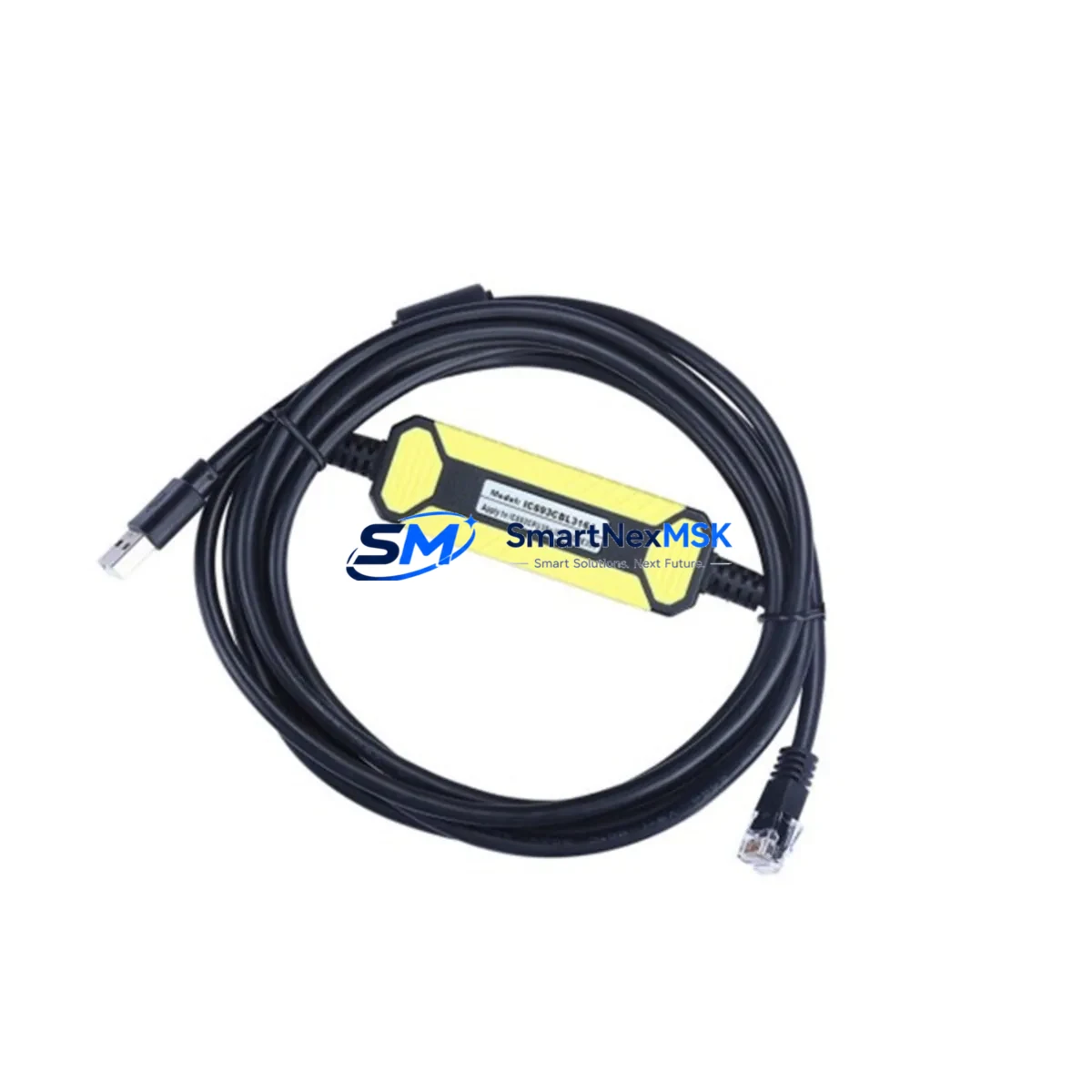
GE Fanuc IC693CBL316 Retrofit-Ready Programming Cable for Series 90-30 Control Systems
The GE Fanuc IC693CBL316 is a serial programming cable purpose-built for the GE Fanuc Series 90-30 programmable logic controller platform. As legacy Series 90-30 installations continue to operate across manufacturing, utilities, and process industries, the IC693CBL316 remains a critical interface component for engineers performing controller upgrades, program backups, firmware updates, and full system retrofits. Whether you are replacing a worn cable on an active production line or commissioning a refurbished IC693CPU374 or IC693CPU364 controller in a modernized control cabinet, this cable provides the reliable RS-232 serial link required between the programmer workstation and the PLC rack.
In retrofit and upgrade projects, the IC693CBL316 is typically the first component verified during pre-commissioning. Engineers connecting a laptop running GE Proficy Machine Edition or legacy Logicmaster 90 software to a Series 90-30 rack must confirm that the cable pinout matches the CPU’s serial port configuration. The IC693CBL316 is wired specifically for the 15-pin D-sub port found on IC693CPU series processors, distinguishing it from generic RS-232 cables that may cause communication faults or fail to establish a handshake with the controller.
During system migration from older Series 90-20 or Series Six architectures to the Series 90-30 platform, the IC693CBL316 plays a central role in program transfer and verification. Technicians use it to upload existing ladder logic from the legacy controller, validate I/O mapping against the new IC693MDL655 or IC693MDL752 discrete I/O modules, and confirm that analog signal scaling on IC693ALG221 or IC693ALG390 modules is correctly preserved. The cable also supports live monitoring of register values and fault diagnostics during initial power-up of the retrofitted rack.
Upgrade Compatibility Table
| Parameter | IC693CBL316 Specification |
|---|---|
| Compatible CPU Modules | IC693CPU364, IC693CPU374, IC693CPU311, IC693CPU313, IC693CPU323 |
| Interface Type | RS-232 Serial, 15-pin D-sub (CPU end) / DB-9 or DB-25 (PC end) |
| Compatible Software | GE Proficy Machine Edition, Logicmaster 90-30/20/Micro |
| Rack Compatibility | IC693CHS391, IC693CHS392, IC693CHS397 (5-slot, 10-slot, 12-slot baseplate) |
| Communication Protocol | Serial SNP / SNPX (Series 90 Native Protocol) |
| Installation Requirement | No driver installation required; standard COM port assignment |
| Replacement Recommendation | Direct drop-in replacement for OEM IC693CBL316; no configuration change needed |
| Commissioning Note | Verify COM port baud rate (19200 default) and SNP ID in Proficy ME before first connection |
| Warranty | 12-Month Warranty — covers manufacturing defects and connector integrity |
Retrofit Planning for Existing Automation Systems
A successful Series 90-30 retrofit begins well before the cable is plugged in. Project engineers must audit the existing rack configuration, documenting each module slot assignment across the IC693CHS391 or IC693CHS397 baseplate. Power budget calculations are essential: the IC693PWR321 or IC693PWR330 power supply must have sufficient capacity to support any newly added I/O modules or communication adapters introduced during the upgrade. Undersized power supplies are a leading cause of intermittent faults in retrofitted racks and must be addressed before the new configuration is loaded.
Terminal wiring adaptation is another critical step. When replacing a failed CPU or migrating from a different controller family, field wiring connected to IC693MDL655 24VDC discrete input modules or IC693MDL752 relay output modules must be verified against the new I/O reference table. Any changes to module slot positions will shift the I/O reference addresses in the PLC program, requiring a corresponding update in the ladder logic before the program is downloaded via the IC693CBL316 cable.
For systems incorporating IC693CMM321 or IC693CMM311 communications modules, engineers must verify that the Ethernet or serial network configuration is preserved during the CPU swap. SRTP and Modbus RTU settings stored in the communications module are independent of the CPU program and must be re-entered or backed up separately. Similarly, if the control system interfaces with a QuickPanel or third-party HMI via serial link, the HMI tag database and screen logic must be validated against the updated PLC register map after the retrofit is complete.
Analog I/O calibration is frequently overlooked during retrofits. Modules such as the IC693ALG221 4-channel analog input and IC693ALG390 analog output require channel-by-channel scaling verification after a CPU replacement. Use the IC693CBL316 cable and Proficy Machine Edition’s online monitoring tools to compare live analog values against field instrument readings before releasing the system to production.
Downtime Control During System Migration
Minimizing unplanned downtime during a Series 90-30 migration requires a structured pre-cutover checklist. Before removing the existing CPU, use the IC693CBL316 to perform a full program upload and save the verified backup to at least two separate storage locations. Document all I/O force tables, fault tables, and reference table values that may be active during normal operation, as these are not always preserved in a standard program backup.
Where production schedules permit only a narrow maintenance window, engineers should pre-configure the replacement CPU offline using a bench rack equipped with the same baseplate and power supply model as the production system. Load the verified program, configure the hardware reference table to match the production slot assignments, and confirm that the SNP communication parameters are set correctly before the cutover window opens. This approach reduces live commissioning time to a cable swap, a program download via IC693CBL316, and a final I/O verification scan — typically achievable within 30 to 60 minutes for a standard 10-slot rack.
For systems where continuous control is required, consider a staged migration strategy: introduce the new CPU in a parallel rack, verify program execution against simulated I/O, and perform a hot-cutover at a scheduled process hold point. The IC693CBL316 cable supports this workflow by allowing simultaneous monitoring of both the legacy and replacement controllers during the transition period, provided each is connected to a separate COM port on the engineering workstation.
After cutover, retain the IC693CBL316 cable on-site for a minimum of 72 hours to support rapid fault diagnosis if unexpected program behavior is observed. Field technicians should be briefed on the cable’s COM port assignment and baud rate settings to avoid delays during emergency troubleshooting.
Retrofit Support FAQ
Q1: Is the IC693CBL316 a direct replacement for the original GE Fanuc cable, or does it require any configuration changes?
The IC693CBL316 is a direct drop-in replacement for the OEM cable. No driver installation or configuration change is required. Simply assign the correct COM port in Proficy Machine Edition or Logicmaster 90, set the baud rate to 19200 (default for SNP protocol), and the cable will establish communication with any compatible IC693CPU series processor immediately.
Q2: Can this cable be used to program Series 90-30 CPUs that have been in storage or are being returned to service after an extended shutdown?
Yes. The IC693CBL316 is the correct interface for initializing or re-commissioning any Series 90-30 CPU, including units returning from storage. Before connecting, verify that the CPU’s battery-backed RAM is intact (check the BAT LED indicator) and that the existing program has not been lost. If the program memory is blank, use the cable to download the verified backup program before enabling I/O outputs.
Q3: What should I verify regarding wiring and terminal compatibility when using this cable during a module replacement?
The IC693CBL316 connects to the CPU’s serial programming port and does not interact with field wiring terminals. However, during any module replacement in the same retrofit project, verify that terminal block wiring on I/O modules such as the IC693MDL655 or IC693MDL752 matches the updated I/O reference table in the replacement program. Miswired terminals are a common source of post-retrofit faults that can be quickly diagnosed using the cable’s online monitoring capability in Proficy Machine Edition.
Q4: What does the 12-month warranty cover, and what is the shipping lead time?
The 12-month warranty covers manufacturing defects, connector integrity, and cable continuity failures under normal operating conditions. Each unit undergoes pre-shipment functional testing to verify signal continuity and connector fit before dispatch. Standard orders ship within 1–3 business days. Expedited shipping options are available for urgent retrofit and breakdown recovery situations. Contact our sales team for availability confirmation on time-critical projects.
© 2026 SMARTNEXMSK. All rights reserved.
Original Source: https://smartnexmsk.com
Contact: [email protected] | +86 18259474341