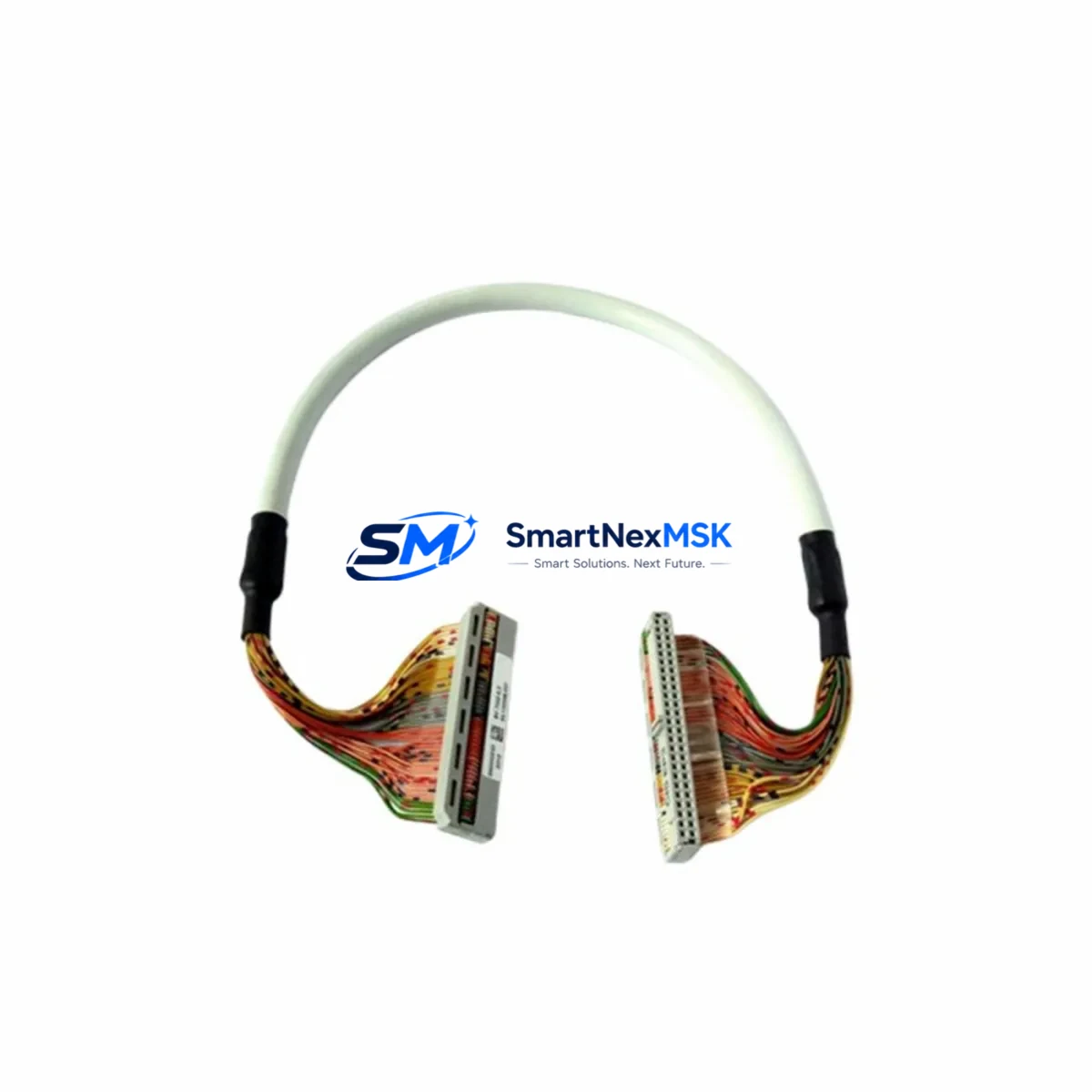
HIMA BV7032-0,5 Retrofit-Ready Ribbon Cable for HIMatrix Control Systems
The HIMA BV7032-0,5 is a factory-specification flat ribbon cable designed for internal interconnection within HIMA’s HIMatrix and HIQuad safety PLC platforms. As legacy control systems age and original spare parts become increasingly difficult to source, the BV7032-0,5 serves as a critical retrofit component enabling engineers to restore, upgrade, and extend the operational life of existing safety-rated automation architectures without requiring a full controller replacement.
This cable is engineered to maintain signal integrity across the internal backplane connections of HIMatrix safety controllers, including the HIMatrix F3 DIO 20/8 01 and HIMatrix F3 DIO 8/8 01 I/O modules. It is equally applicable in HIQuad rack-based configurations where internal ribbon interconnects are subject to mechanical fatigue, thermal cycling, or connector wear over extended service periods. Engineers undertaking a control cabinet overhaul or a safety system lifecycle extension will find the BV7032-0,5 indispensable for maintaining certified SIL3 signal paths between processor and I/O layers.
When planning a retrofit around this cable, technicians must verify the following before installation: the power supply capacity of the existing HIMA PS 01 or PS 02 power supply module to confirm it can sustain the full I/O load after restoration; the terminal wiring layout on adjacent F3 DIO modules to ensure no cross-wiring has occurred during prior maintenance; the backplane interface slot alignment on the HIMatrix rack to confirm the ribbon connector pitch matches the target module generation; and the module address configuration as set in the SILworX engineering software to avoid address conflicts after the cable swap.
Program compatibility is a key concern during any HIMatrix retrofit. Before replacing the BV7032-0,5, engineers should archive the current SILworX project file, verify the firmware version on the HIMatrix F3 CPU 01 or F3 CPU 04 central processing unit, and confirm that the restored I/O module will be recognized without requiring a full project recompile. In most cases, a hot-swap of the ribbon cable — with the system in maintenance mode — preserves the existing program logic and HMI screen mappings without requiring re-download.
HMI integration should also be reviewed during the retrofit window. If the plant uses a HIMA HIVision operator interface or a third-party SCADA system communicating via PROFIBUS DP or Modbus TCP through a HIMatrix COM 01 communication module, the engineer must confirm that the I/O tag addresses referenced in the HMI project remain consistent after the cable replacement. Any change in module slot position will require corresponding updates to the HMI variable table and communication link configuration.
For systems undergoing a broader migration from HIQuad to HIMatrix architecture, the BV7032-0,5 is often part of a staged upgrade that also involves replacing the HIQuad Q-CPU processor card, re-terminating field wiring to new HIMatrix F3 AI 8/1 01 analog input modules, and reconfiguring the safety communication network using safeethernet protocol. In these scenarios, the ribbon cable replacement is typically completed during the same planned shutdown window as the backplane and rack swap, minimizing total downtime.
Commissioning after installation follows HIMA’s standard field verification procedure: power-on self-test confirmation via the CPU status LEDs, I/O channel scan in SILworX diagnostic view, functional test of all connected field devices, and sign-off on the safety function test record. Customers sourcing the BV7032-0,5 from SMARTNEXMSK receive a unit that has passed pre-shipment continuity and insulation resistance testing, with results documented in the accompanying inspection report.
Upgrade Compatibility Table
| Parameter | Details |
|---|---|
| Compatible Platforms | HIMatrix F3, HIQuad Q-Series |
| Connector Type | Flat ribbon IDC, factory-crimped |
| Cable Length | 0.5 m (as per SKU designation) |
| Signal Integrity | SIL3-rated internal interconnect |
| Installation Requirement | No tools required; slot-and-lock backplane connector |
| Communication Compatibility | Compatible with safeethernet, PROFIBUS DP, Modbus TCP via COM modules |
| Replacement Recommendation | Direct drop-in for worn or damaged OEM ribbon cables |
| Commissioning Note | Verify module address and SILworX project integrity post-installation |
| Origin | Germany (HIMA Paul Hildebrandt GmbH) |
| Warranty | 12-Month Warranty — covered against manufacturing defects |
Retrofit Planning for Existing Automation Systems
A successful retrofit using the BV7032-0,5 requires a structured pre-outage checklist. Begin by documenting the current rack layout, noting the slot positions of all installed modules including the HIMatrix F3 DIO 20/8 01 digital I/O modules, F3 AI 8/1 01 analog input modules, and any installed F3 COM 01 communication modules. Photograph the existing ribbon cable routing before removal to ensure correct reinstallation orientation — the polarization key on the IDC connector prevents reversal, but cable routing through the cabinet must be preserved to avoid strain on adjacent terminal blocks.
Power supply verification is non-negotiable. The HIMA PS 01 or PS 02 power supply module must be confirmed to deliver stable 24 VDC within ±10% tolerance under full I/O load. If the existing power supply is approaching end-of-life, it is advisable to replace it concurrently with the ribbon cable to avoid a second unplanned outage. Similarly, inspect the HIMatrix rack backplane connector pins for oxidation or mechanical damage before seating the new BV7032-0,5.
For sites running older HIQuad Q-CPU systems being migrated to HIMatrix, the ribbon cable replacement is often accompanied by re-termination of field cables onto new HIMatrix F3 DIO terminal bases, reconfiguration of the HIMatrix F3 CPU 04 processor, and update of the safeethernet peer list to reflect the new controller IP address. A programming cable such as the HIMA K-D SUB 9/RJ45 serial adapter may be required for initial CPU configuration before the Ethernet link is established.
Downtime Control During System Migration
Minimizing downtime during a BV7032-0,5 replacement requires advance preparation. The replacement cable should be on-site and pre-inspected before the planned maintenance window. The SILworX project should be backed up to a secure engineering workstation, and a printed I/O assignment table should be available for the field technician in case the laptop cannot be connected during the outage.
Where process conditions allow, the HIMatrix system can be placed in maintenance mode via SILworX, which suspends safety function execution while preserving the loaded program in CPU memory. This allows the ribbon cable to be replaced without a full CPU cold-start, significantly reducing the time required to restore normal operation. After cable replacement, the system is returned to run mode, and the diagnostic view in SILworX is used to confirm all I/O channels are reporting correctly before the maintenance window is closed.
For critical processes where even a brief interruption is unacceptable, a parallel HIMatrix system can be pre-configured and held in standby, with field wiring transferred to the standby rack during the outage window. This approach is particularly effective in petrochemical and power generation applications where the HIMatrix safety system is integrated with a Yokogawa or Emerson DCS via hardwired interlock signals. Once the BV7032-0,5 is replaced and verified, the primary system is restored and the standby rack is returned to cold-standby status.
Retrofit Support FAQ
Q1: Is the BV7032-0,5 a direct replacement for the original HIMA ribbon cable in my HIMatrix rack?
Yes. The BV7032-0,5 is manufactured to HIMA’s original specification and is a direct drop-in replacement for the factory-installed ribbon cable in HIMatrix F3 and HIQuad Q-Series racks. No modification to the backplane or module housing is required.
Q2: What commissioning steps are required after replacing the ribbon cable?
After installation, perform a power-on self-test and confirm all CPU and I/O status LEDs indicate normal operation. Open SILworX and navigate to the diagnostic view to verify all I/O channels are active and reporting expected values. Run a functional test of all connected field devices and document the results in the site maintenance log before returning the system to service.
Q3: Will replacing the BV7032-0,5 affect my existing SILworX program or HMI configuration?
In the vast majority of cases, no. Provided the replacement cable is installed in the same slot position and the module addresses remain unchanged, the SILworX program and HMI variable mappings will continue to function without modification. If the module slot position changes during the retrofit, the SILworX project must be updated to reflect the new hardware configuration and re-downloaded to the CPU.
Q4: What warranty coverage is provided with this cable?
All BV7032-0,5 cables supplied by SMARTNEXMSK are covered by a 12-month warranty against manufacturing defects from the date of shipment. Each unit undergoes pre-shipment continuity and insulation resistance testing. Warranty claims are processed within 5 business days, with replacement units dispatched from stock upon confirmation of the defect.
© 2026 SMARTNEXMSK. All rights reserved.
Original Source: https://smartnexmsk.com
Contact: [email protected] | +86 18259474341