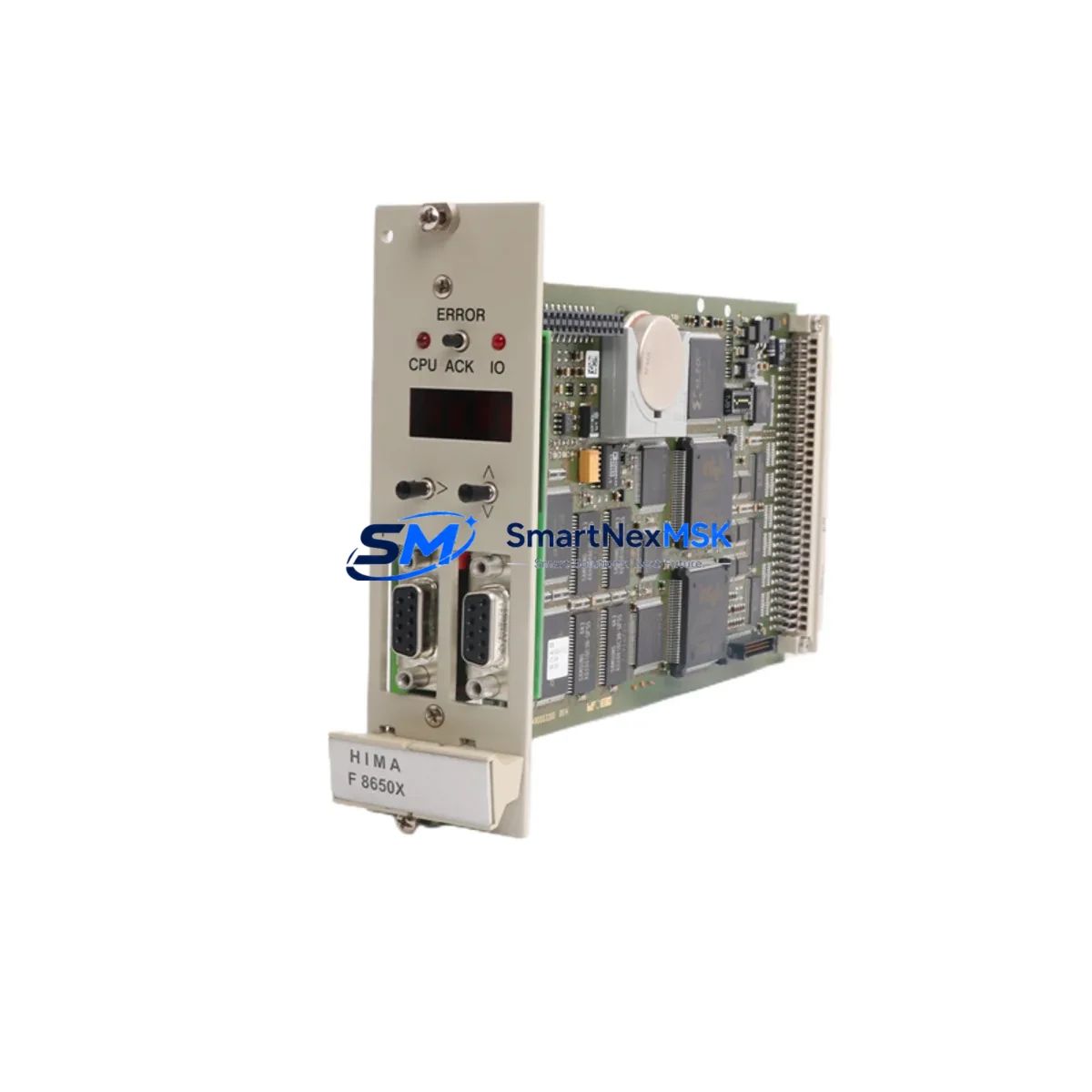
HIMA F8650X Maintenance-Ready Spare for HIMax Automation
The HIMA F8650X is a safety-rated CPU module designed for the HIMax platform — one of the most widely deployed SIL 3-certified safety PLC architectures in process automation, oil & gas, chemical, and power generation industries. When a safety controller goes offline, every minute of unplanned downtime carries operational, regulatory, and safety risk. Holding a verified, tested F8650X spare in your maintenance inventory is the most direct way to eliminate CPU-related downtime from your risk register.
This unit is sourced as an original HIMA component, fully tested prior to dispatch, and backed by a 12-month warranty. It is suitable for direct replacement in HIMax safety systems operating under IEC 61508 and IEC 61511 requirements. Whether you are managing a planned turnaround, responding to a fault alarm, or building out your critical spare parts list, the F8650X provides the confidence of OEM-grade hardware with the availability of a specialist distributor.
Spare Maintenance Table
| Parameter | Specification / Detail |
|---|---|
| Part Number / SKU | F8650X |
| Manufacturer | HIMA Paul Hildebrandt GmbH |
| Platform / Series | HIMax Safety PLC |
| Module Type | Central Processing Unit (CPU) Module |
| Safety Integrity Level | SIL 3 (IEC 61508 / IEC 61511) |
| Country of Origin | Germany |
| Compatibility | HIMax safety controller backplanes; replaces legacy F8650 series CPU variants |
| Communication Interfaces | Ethernet-based safety bus; supports HIMA SafeEthernet protocol |
| Operating Temperature | 0 °C to +60 °C (typical industrial cabinet environment) |
| Installation | Hot-swap capable in redundant HIMax configurations; follow HIMA commissioning procedure |
| Application Environments | Oil & gas, petrochemical, power generation, offshore platforms, pipeline ESD systems |
| Maintenance Recommendation | Inspect annually; verify firmware revision compatibility before installation; test in offline rig if available |
| Warranty | 12 Months — covers manufacturing defects; includes pre-shipment functional test report |
| Condition | Original spare — tested, inspected, and ready for site deployment |
Maintenance Planning for Continuous Operation
A CPU module replacement in a HIMax safety system is rarely an isolated event. Experienced maintenance engineers know that when the F8650X is flagged for replacement — whether due to a diagnostic fault, firmware incompatibility, or end-of-life planning — it is the right moment to audit the surrounding hardware in the same safety controller chassis.
Begin with the HIMax power supply modules (such as the F8621A or F8622A series). CPU faults are sometimes triggered by marginal power rail voltages rather than CPU failure itself. Verify that the 24 VDC input to the backplane is within tolerance and that the power supply’s internal diagnostics show no latent faults. If the power supply is approaching its recommended service interval, replace it concurrently to avoid a second outage.
Next, inspect the HIMax I/O modules connected to the same backplane. Digital input modules (DI) and digital output modules (DO) in the HIMax family — including F3 DI and F3 DO variants — should be checked for channel-level diagnostics, wiring integrity, and terminal block condition. Loose field wiring on I/O terminals is a common source of spurious trips that are incorrectly attributed to CPU faults.
The SafeEthernet communication modules and associated network switches that carry safety-bus traffic between HIMax controllers and remote I/O stations deserve attention during any CPU swap. Verify that MAC address tables and IP configurations are correctly restored after the new F8650X is commissioned. Communication module firmware should match the CPU firmware revision to avoid protocol handshake failures.
For systems with HIMax HMI interfaces or operator panels connected via OPC or Modbus, confirm that the HMI tag database reconnects cleanly after the CPU is replaced. HMI communication timeouts during the switchover window can generate nuisance alarms that complicate the restart sequence.
Do not overlook signal isolators and barriers on the field wiring side. Zener barriers and galvanic isolators protecting analog inputs to the safety system should be tested for correct output levels. A degraded isolator can introduce signal drift that the new CPU will flag as a process fault immediately after startup.
Finally, check the fuse holders and terminal blocks within the control cabinet. Fuses protecting the 24 VDC distribution rail, along with DIN-rail terminal blocks carrying field signals, should be inspected for corrosion, heat discoloration, or mechanical looseness. These passive components are frequently overlooked in spare parts planning but are a leading cause of intermittent faults in aging safety cabinets.
Maintaining a coordinated spare parts kit — F8650X CPU, power supply module, one or two I/O modules, communication module, and a set of fuses and terminal blocks — allows your team to address the most common HIMax failure modes in a single planned maintenance window rather than multiple reactive callouts.
Site Replacement Workflow
Step 1 — Pre-replacement verification: Confirm the installed firmware version on the existing F8650X via the HIMA SILworX engineering tool. Download the current project backup and store it on an offline engineering workstation before any hardware is touched.
Step 2 — Safety bypass and isolation: Follow your site’s Management of Change (MOC) and Safety Instrumented System (SIS) bypass procedures. Notify the control room and obtain the required work permits. Place the affected safety loop in manual or bypass mode per your site’s SIS bypass register.
Step 3 — Module extraction: In a redundant HIMax configuration, the F8650X can be replaced without a full system shutdown. Remove the faulty CPU module from its slot, taking care to observe ESD precautions. Label the slot position before removal.
Step 4 — New module installation: Insert the replacement F8650X into the correct backplane slot. The HIMax system will automatically detect the new module and begin synchronization with the redundant CPU. Monitor the SILworX diagnostic display for synchronization completion status.
Step 5 — Firmware and project validation: Confirm that the replacement module’s firmware is compatible with the loaded project. If a firmware update is required, perform it using the SILworX tool before returning the system to automatic mode.
Step 6 — Functional test and bypass removal: Perform a channel-level functional test on critical I/O points. Remove the safety bypass, confirm that all diagnostic LEDs show healthy status, and document the replacement in your maintenance management system (CMMS).
This workflow minimizes exposure time, maintains system integrity, and ensures full traceability — critical requirements for SIL 3 safety systems under IEC 61511 management of functional safety.
Spare Parts Support FAQ
Q1: What is the expected service life of the HIMA F8650X, and when should I plan for replacement?
HIMA safety CPU modules are designed for long service life in industrial environments, but most maintenance programs plan for proactive replacement at 10–15 years of continuous operation, or earlier if diagnostic faults become frequent. We recommend holding at least one F8650X spare per installed HIMax system to support both planned and emergency replacement scenarios.
Q2: How do I verify compatibility between the F8650X spare and my existing HIMax system?
Compatibility is determined by the HIMax backplane generation and the SILworX project firmware version. Provide your existing CPU’s hardware revision and firmware version when ordering, and our technical team will confirm compatibility before shipment. All units are pre-tested against documented HIMax system parameters prior to dispatch.
Q3: What does the 12-month warranty cover, and what documentation is provided with the shipment?
The 12-month warranty covers manufacturing defects and functional failures under normal operating conditions. Each shipment includes a pre-shipment test report, a certificate of conformity, and packaging that meets ESD and transport protection standards. Warranty claims are processed with full technical support from our team.
Q4: Can the F8650X be used to replace older F8650 series CPU variants in legacy HIMax installations?
In most cases, yes — the F8650X is the current-generation replacement for earlier F8650 series CPUs. However, backplane slot compatibility and firmware version alignment must be confirmed for your specific installation. Contact our technical team with your system’s hardware generation details for a definitive compatibility assessment before ordering.
© 2026 SMARTNEXMSK. All rights reserved.
Original Source: https://smartnexmsk.com
Contact: [email protected] | +86 18259474341