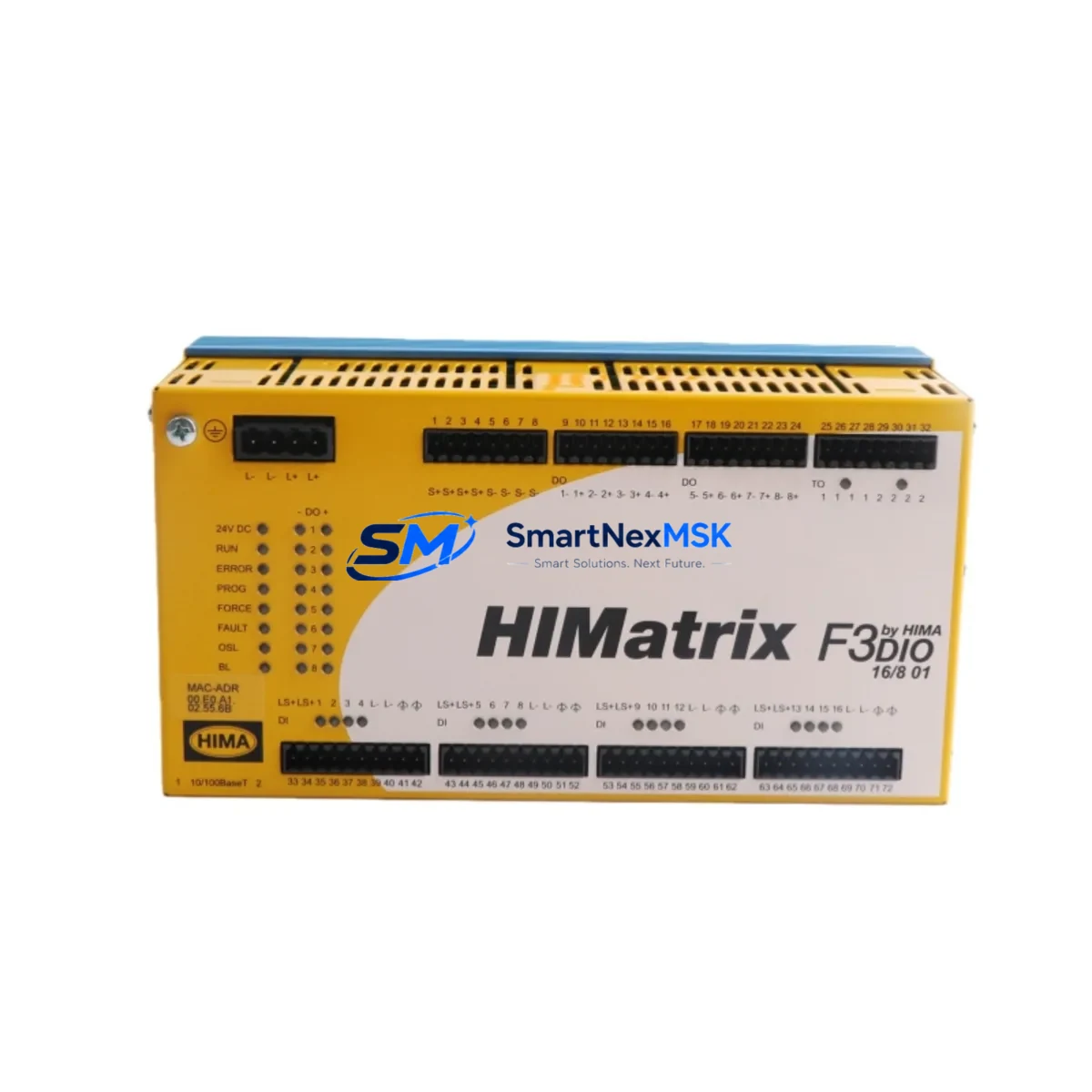
HIMA F3 DIO 16/801 Retrofit-Ready Digital I/O for F3 Series Control Systems
The HIMA F3 DIO 16/801 is a SIL 3-certified digital input/output module engineered for seamless integration into HIMA’s F3 Series safety control platforms, including HIMax and HIMatrix architectures. As legacy safety systems approach end-of-life and original spare parts become increasingly scarce, the F3 DIO 16/801 serves as a verified, drop-in retrofit solution for facilities managing aging distributed control systems (DCS), emergency shutdown systems (ESD), and safety instrumented systems (SIS).
Whether you are replacing a failed module in an active safety loop, upgrading a control cabinet to extend operational life, or migrating from an older HIMA F3 platform to a modernized HIMax rack configuration, the F3 DIO 16/801 delivers the electrical and functional compatibility required to maintain process continuity without rewriting safety logic or reconfiguring your entire control architecture.
Upgrade Compatibility Table
| Parameter | F3 DIO 16/801 Specification | Retrofit Notes |
|---|---|---|
| Module Type | Digital I/O, 16-channel | Direct slot replacement in F3 Series backplane |
| Safety Integrity Level | SIL 3 (IEC 61508) | Maintains existing SIL 3 loop certification |
| Backplane Interface | F3 Series proprietary bus | Compatible with HIMax and HIMatrix racks; verify slot addressing |
| Communication Protocol | HIMA SafeEthernet / internal bus | No protocol migration required for same-platform replacement |
| Terminal Wiring | Screw-type field terminals | Retain existing field wiring; verify terminal torque spec |
| Power Supply Requirement | 24 VDC (via backplane) | Confirm PSM (Power Supply Module) capacity before hot-swap |
| Module Address | Configured via ELOP II / SILworX | Re-assign module address in project; download and verify |
| Installation Type | Rack-mounted, F3 backplane | No mechanical modification required |
| Replacement Compatibility | HIMax, HIMatrix F3 Series | Confirm firmware version compatibility with system controller |
| Warranty | 12-Month Warranty | Covered from date of shipment; includes functional test certificate |
Retrofit Planning for Existing Automation Systems
Successful integration of the F3 DIO 16/801 into an existing safety system begins with a thorough pre-retrofit assessment. Engineers should start by auditing the current rack configuration — identifying the backplane slot position, verifying that the F3 BU 0885 or equivalent backplane unit supports the module footprint, and confirming that the installed F3 PSM 2 10/801 power supply module provides sufficient current headroom for the additional I/O load.
Terminal wiring is a critical checkpoint. Field cables connected to the legacy module must be documented before removal, including signal type (digital input or output), voltage level, and loop function. In ESD and fire-and-gas (F&G) applications, each channel’s safe state must be confirmed against the cause-and-effect matrix before the module is powered down. The F3 DIO 16/801 uses the same screw-terminal field connector format as predecessor modules, allowing direct re-termination without adapter plates.
For facilities running HIMatrix F35 or HIMatrix F60 controllers, the module address must be reassigned within the SILworX engineering environment. After physical installation, engineers should perform a full download of the safety application, followed by a channel-by-channel I/O force test to confirm signal integrity across all 16 channels. Where the system includes a F3 COM 1 10/801 communication module for Modbus or PROFIBUS connectivity, verify that the communication link remains stable after the module swap and that the HMI tag mapping reflects the updated I/O addresses.
In multi-rack HIMax installations, the F3 DIO 16/801 may be installed alongside F3 AI 8/801 analog input modules and F3 DO 8/801 digital output modules within the same chassis. Confirm that the rack’s total power budget accommodates all installed modules simultaneously. Where a F3 RCI 10/801 remote communication interface is in use, ensure that the module’s network node configuration is preserved during the replacement procedure to avoid disrupting the safety network topology.
Programming cable access via HIMA ELOP II or SILworX is required for module commissioning. Ensure the engineering workstation has the correct project version loaded and that a pre-tested backup of the safety application is archived before initiating any download to the controller.
Downtime Control During System Migration
Minimizing unplanned downtime is the primary operational concern when replacing safety I/O modules in live production environments. For the F3 DIO 16/801, the recommended approach is a planned maintenance window during a scheduled process shutdown, allowing engineers to perform the physical swap, re-termination, module addressing, and functional test within a single controlled outage.
Where hot-swap capability is supported by the HIMax or HIMatrix platform configuration, the module can be replaced without a full system power-down, provided the safety application is in a state that permits I/O bypass for the affected channels. Before initiating a hot-swap, confirm that the process safety requirements allow temporary bypass of the associated safety functions, and that the bypass is authorized and documented per your site’s management of change (MOC) procedure.
To protect original program logic, always archive the current SILworX project — including all module configurations, I/O assignments, and communication parameters — before making any hardware changes. After the replacement module is installed and addressed, perform a controlled download and verify that the safety application resumes execution without fault codes. Conduct a loop check on all 16 channels, confirm HMI display values match field instrument readings, and verify that all safety function outputs respond correctly to simulated demand conditions before releasing the system back to normal operation.
For facilities with strict uptime requirements, SMARTNEXMSK maintains verified stock of the F3 DIO 16/801 and can support expedited shipment to reduce the gap between module failure and system restoration. Each unit ships with a functional test certificate and is covered by a 12-month warranty from the date of delivery.
Retrofit Support FAQ
Q1: Is the HIMA F3 DIO 16/801 a direct drop-in replacement for the same module in an existing HIMax or HIMatrix rack?
Yes. The F3 DIO 16/801 is designed for direct slot replacement within F3 Series backplanes used in HIMax and HIMatrix systems. No mechanical modification is required. After physical installation, the module address must be configured in SILworX and a safety application download performed to complete commissioning.
Q2: What wiring changes are needed when replacing a failed F3 DIO 16/801?
In most cases, no wiring changes are required. The F3 DIO 16/801 uses the same screw-terminal field connector format as the original module. Document all existing field connections before removal, re-terminate to the same terminal positions on the replacement module, and verify signal continuity before powering up.
Q3: How do I verify compatibility between the replacement module and my current system firmware?
Compatibility is confirmed by cross-referencing the module’s hardware revision with the firmware version running on your HIMax or HIMatrix controller. SMARTNEXMSK provides the module’s hardware revision documentation with each shipment. If you require assistance confirming compatibility with your specific system version, contact our technical team with your controller firmware version and project SILworX version number.
Q4: What does the 12-month warranty cover, and is a functional test certificate included?
The 12-month warranty covers manufacturing defects and functional failures under normal operating conditions, effective from the date of shipment. Each F3 DIO 16/801 unit is tested prior to dispatch and ships with a functional test certificate confirming that all 16 I/O channels have been verified. Warranty claims are processed directly through SMARTNEXMSK’s after-sales support team.
© 2026 SMARTNEXMSK. All rights reserved.
Original Source: https://smartnexmsk.com
Contact: [email protected] | +86 18259474341