
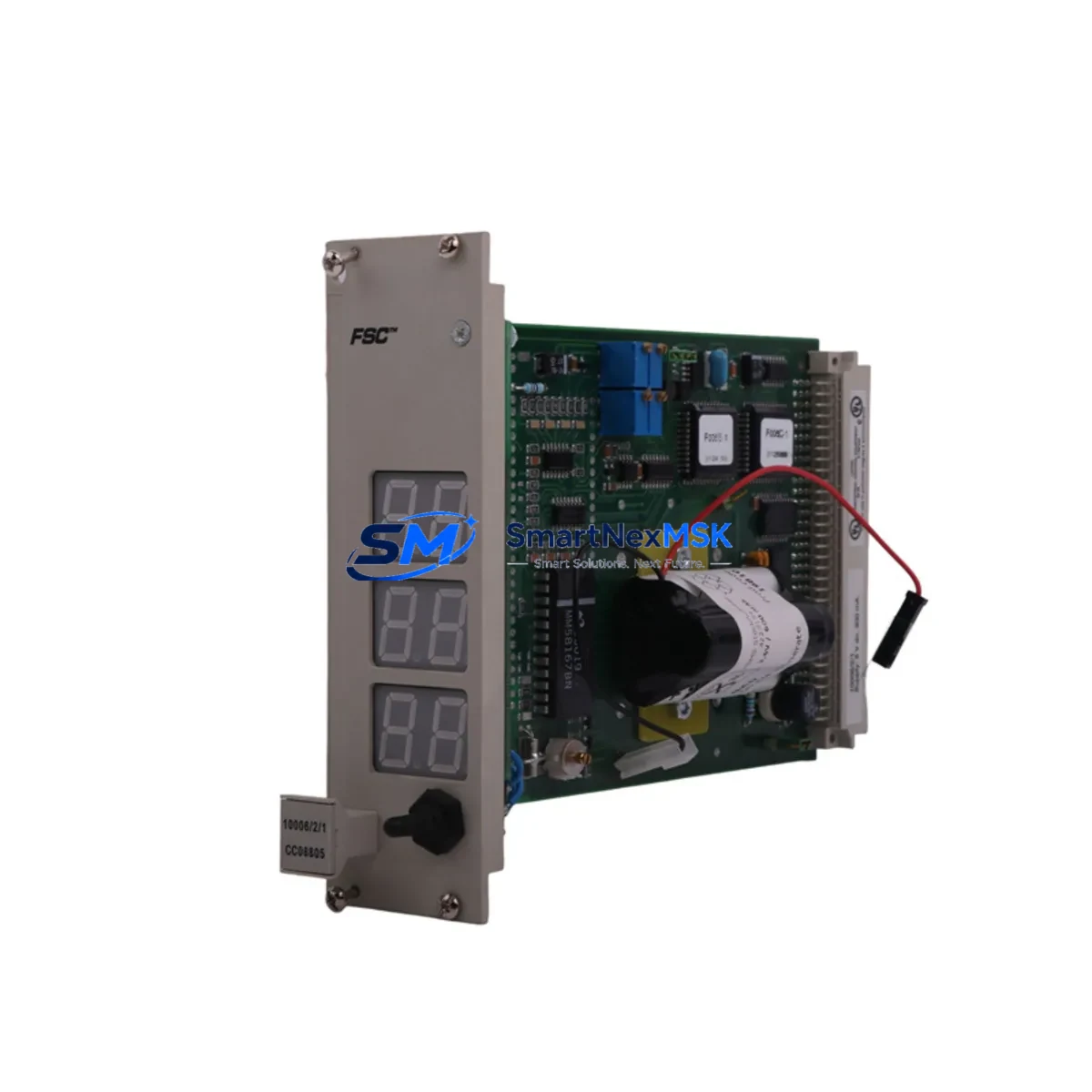
Honeywell 10006/2/1 Retrofit-Ready DBM for TDC 3000 Control Systems
The Honeywell 10006/2/1 is a Data Backup Module (DBM) engineered for the TDC 3000 Distributed Control System platform — one of the most widely deployed process automation architectures in refining, petrochemical, and power generation industries. As legacy TDC 3000 installations approach end-of-support milestones, the 10006/2/1 remains a critical component for maintaining data integrity, real-time clock synchronization, and configuration backup across the control network. SMARTNEXMSK maintains verified stock of this module to support planned retrofits, emergency replacements, and phased system upgrades without forcing a full platform migration.
Whether your facility is executing a targeted module swap, upgrading a control cabinet, or migrating from an older TDC 3000 node to a more current Honeywell Experion PKS architecture, the 10006/2/1 provides a reliable, drop-in solution that preserves existing program logic, HMI screen configurations, and communication link integrity during the transition period.
Upgrade Compatibility Table
| Parameter | Details |
|---|---|
| Compatible Platform | Honeywell TDC 3000 (LCN / UCN / HG) |
| Module Function | Data Backup Module (DBM) — real-time clock, configuration backup |
| Backplane Interface | TDC 3000 standard card cage / backplane slot |
| Communication Compatibility | LCN (Local Control Network) protocol compatible |
| Installation Requirement | Direct slot insertion; no firmware flash required for standard replacement |
| Replacement Recommendation | Direct replacement for failed or end-of-life 10006/2/1 DBM units |
| Commissioning Note | Verify module address assignment and real-time clock re-synchronization post-installation |
| Warranty | 12-Month Warranty — functional test report available upon request |
Retrofit Planning for Existing Automation Systems
Replacing the 10006/2/1 within an active TDC 3000 environment requires careful pre-work to avoid unplanned downtime or data loss. Before pulling the existing module, engineers should document the current module address configuration using the TDC 3000 Engineering Console and confirm that the replacement unit carries the same hardware revision level. The backplane slot assignment must match the original installation — misaddressed DBM modules can cause the Local Control Network to fail to recognize the node, triggering a cascade of alarm conditions across connected AM (Application Modules) and HPM (High-Performance Process Manager) nodes.
Power supply capacity is a frequently overlooked factor in DBM retrofits. The TDC 3000 card cage power supply — typically a Honeywell 10006/1/1 or equivalent redundant power module — must be verified to have sufficient headroom to support the replacement DBM without voltage sag on the backplane bus. In aging installations, capacitor degradation in the power supply can cause intermittent resets of the DBM, which may be misdiagnosed as a module fault rather than a power quality issue.
Terminal wiring on the card cage should be inspected and re-torqued during the replacement window. Oxidized or loose connections on the backplane interface can introduce communication errors on the LCN segment, affecting not only the DBM but also adjacent modules such as the Honeywell NIM (Network Interface Module) and any connected UCN (Universal Control Network) nodes. If the installation includes a Honeywell Data Hiway Gateway or a Plant Network Interface, those communication links should be verified for continuity after the DBM swap is complete.
For facilities planning a broader migration toward Honeywell Experion PKS, the 10006/2/1 can serve as a bridging component — maintaining TDC 3000 data backup functions while Experion C300 controllers and EHPM (Experion High-Performance Process Manager) modules are staged for parallel commissioning. During this transition, HMI screens built on the Honeywell GUS (Global User Station) or later Universal Station platforms should be validated against the new control node addressing before cutover. Programming cables and configuration tools such as the Honeywell Control Builder or legacy TDC 3000 Engineering Console will be required for address reassignment and logic verification.
I/O expansion considerations are also relevant when the DBM replacement is part of a broader control cabinet upgrade. If the retrofit includes adding Honeywell LLMUX (Low-Level Multiplexer) cards or expanding analog I/O through additional HPM I/O Link modules, the DBM’s backup scope should be updated to include the new node configurations before the system is returned to full production mode.
Downtime Control During System Migration
Minimizing process interruption during a TDC 3000 DBM replacement begins with a structured pre-outage checklist. At least 48 hours before the planned maintenance window, a full configuration backup should be extracted from the existing 10006/2/1 using the TDC 3000 backup utilities and stored on an isolated engineering workstation. This backup captures all node parameters, module addresses, and real-time clock offsets that will need to be restored or verified after the new module is seated.
During the swap itself, the LCN segment carrying the DBM node should be isolated where possible to prevent the temporary node absence from triggering system-wide alarms on connected AM, HPM, or NIM modules. If the installation uses redundant LCN cabling, the secondary path should be confirmed active before the primary node is taken offline. The replacement 10006/2/1 from SMARTNEXMSK is shipped with a functional test report confirming that the real-time clock, backup battery, and backplane communication circuits have been verified prior to dispatch — reducing the risk of installing a non-functional unit during a live maintenance window.
After seating the replacement module, the commissioning sequence should follow the TDC 3000 standard node initialization procedure: power-on self-test confirmation, LCN node address acknowledgment, real-time clock synchronization with the system master clock, and a full configuration restore from the pre-outage backup. Total elapsed time for a straightforward DBM swap in a well-documented TDC 3000 installation is typically 2–4 hours, including verification. SMARTNEXMSK’s technical team is available to support remote commissioning guidance during the installation window.
Retrofit Support FAQ
Q1: Is the Honeywell 10006/2/1 a direct drop-in replacement for my existing DBM?
Yes, for standard TDC 3000 card cage installations. The 10006/2/1 is designed for direct slot replacement. You should verify the hardware revision level matches your existing installation and confirm the module address assignment before powering up. No firmware reflashing is required for a standard like-for-like swap.
Q2: What wiring or terminal changes are needed during installation?
The 10006/2/1 connects via the TDC 3000 backplane — there are no field terminal connections specific to the DBM itself. However, we recommend inspecting and re-torquing all card cage backplane connector screws and verifying LCN cable terminations at the NIM during the same maintenance window to eliminate latent connection issues.
Q3: How is compatibility with my TDC 3000 system verified before shipment?
Each 10006/2/1 unit supplied by SMARTNEXMSK undergoes a functional bench test covering power-on self-test, real-time clock operation, backup battery charge status, and backplane communication circuit continuity. A test report is included with shipment. If you provide your system’s hardware revision and node configuration details, our technical team can confirm compatibility before the order is placed.
Q4: What does the 12-month warranty cover?
The 12-month warranty covers all functional defects in the 10006/2/1 module under normal operating conditions within a TDC 3000 environment. If the module fails to pass the TDC 3000 node initialization sequence or exhibits real-time clock or backup circuit faults within the warranty period, SMARTNEXMSK will provide a replacement unit at no additional cost. Warranty claims are supported by the functional test report issued at the time of shipment.
© 2026 SMARTNEXMSK. All rights reserved.
Original Source: https://smartnexmsk.com
Contact: [email protected] | +86 18259474341



