
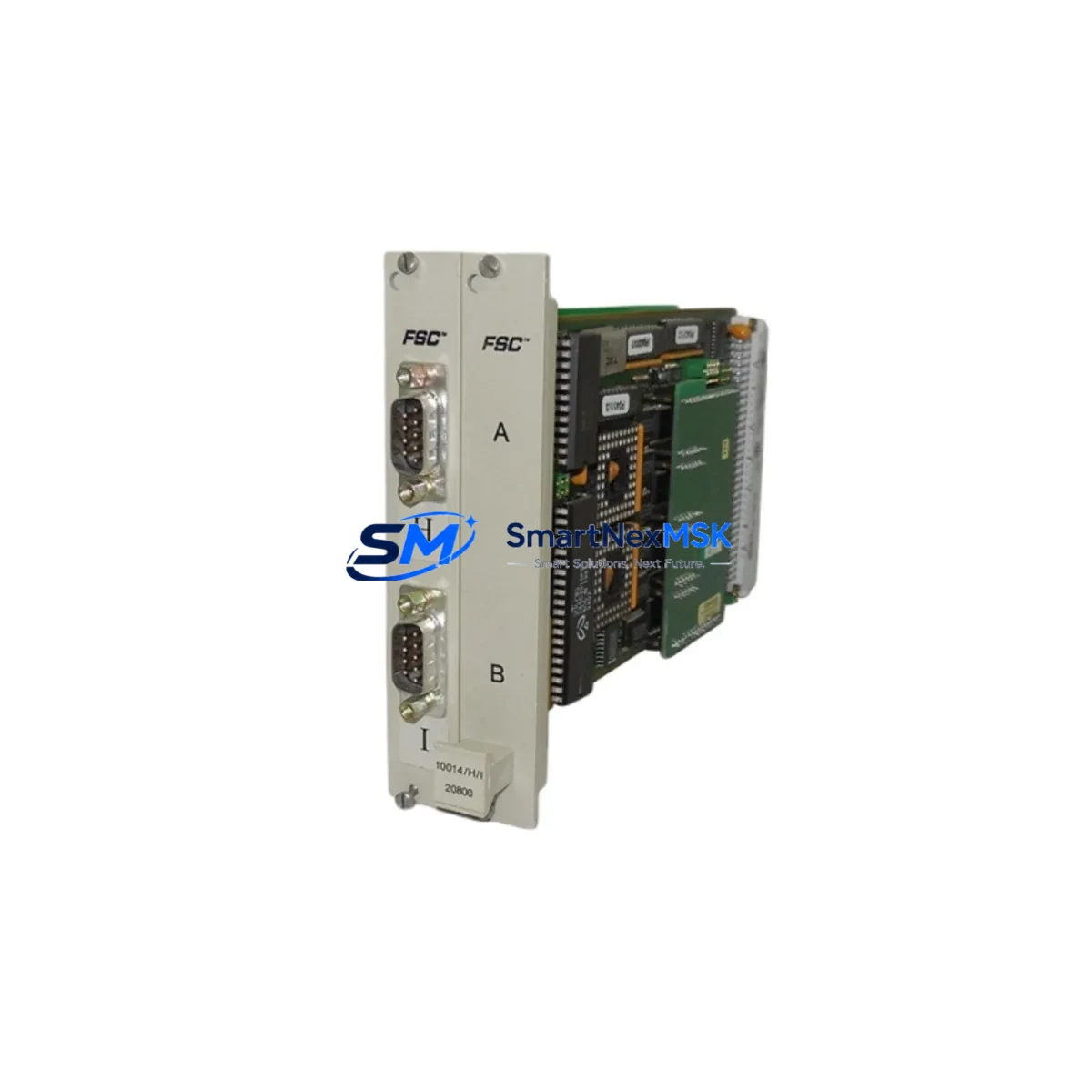
Honeywell 10024/H/I Maintenance-Ready Spare FSC Automation
The Honeywell 10024/H/I is a Safety PLC CPU Module designed for the FSC (Fail Safe Controller) series — Honeywell’s proven safety automation platform widely deployed in oil & gas, petrochemical, power generation, and process industries. As a maintenance-ready original spare, the 10024/H/I is engineered to support rapid replacement during planned shutdowns, emergency corrective maintenance, and long-term system life extension programs. Holding this module in your critical spare inventory is a fundamental strategy for reducing unplanned downtime and protecting SIL 3-rated safety loops from extended exposure.
For maintenance engineers managing FSC-based safety systems, the 10024/H/I CPU module is the central processing unit responsible for executing the safety application logic, managing I/O communication, and maintaining the system’s functional safety integrity. When this module shows signs of degradation — such as diagnostic fault codes, watchdog trips, communication timeouts, or unexpected CPU resets — immediate replacement with a verified original spare is the safest and fastest path to restoring system availability.
Spare Maintenance Table
| Parameter | Specification |
|---|---|
| Part Number / SKU | 10024/H/I |
| Brand | Honeywell |
| Series | FSC (Fail Safe Controller) |
| Module Type | Safety PLC CPU Module |
| Safety Integrity Level | SIL 3 (IEC 61508 certified) |
| Operating Voltage | 24 VDC (nominal, via FSC backplane) |
| Communication Interface | FSC internal bus; compatible with FSC network modules |
| Compatibility | Honeywell FSC series safety controllers; replaces earlier 10024 CPU variants |
| Installation | DIN-rail mounted FSC chassis; hot-swap capable in redundant configurations |
| Operating Temperature | 0°C to +60°C |
| Application Environment | Process safety, ESD, F&G, burner management, turbine control |
| Maintenance Recommendation | Inspect every 12 months; replace on first diagnostic fault; keep 1–2 units in critical spare stock |
| Origin | USA |
| Warranty | 12 Months — tested and verified before shipment |
Maintenance Planning for Continuous Operation
When replacing the Honeywell 10024/H/I CPU module, a disciplined maintenance engineer will not stop at the CPU alone. The FSC safety controller operates as an integrated system, and a CPU replacement event is the ideal opportunity to inspect and verify the condition of all associated components in the same control cabinet or safety loop.
Begin with the FSC power supply module (such as the 10006/1/1 or equivalent) — confirm output voltage stability and check for capacitor aging or thermal stress indicators. A degraded power supply is a common root cause of CPU instability and should be treated as a co-suspect during any CPU fault investigation. Alongside the power supply, inspect the FSC backplane and chassis for corrosion, loose connector seating, and backplane bus integrity.
Next, verify the FSC I/O modules connected to the CPU — digital input modules, digital output modules, and analog input modules should all be checked for channel-level diagnostics. Any I/O module reporting persistent faults or showing signs of contact wear should be flagged for replacement during the same maintenance window. Pay particular attention to FSC relay output modules used in ESD and shutdown circuits, as relay contact degradation can compromise the safety function even when the CPU is operating correctly.
Communication integrity is equally critical. Inspect the FSC communication module (Modbus, PROFIBUS, or Ethernet gateway variants) for firmware version compatibility with the replacement CPU. Mismatched firmware between the CPU and communication modules is a known source of post-replacement communication faults. If the system uses signal isolators or safety barriers on field input circuits, verify their calibration and isolation resistance — these components are often overlooked during CPU-focused maintenance events but are essential to maintaining SIL loop integrity.
For systems with redundant CPU configurations, confirm that the standby CPU module (a second 10024/H/I or compatible variant) is synchronized and fault-free before taking the primary CPU offline. Also review the FSC HMI or operator station connection — whether via a dedicated FSC workstation or a third-party SCADA interface — to ensure that alarm and status displays remain functional throughout the replacement procedure. Finally, inspect terminal blocks, fuse holders, and field wiring terminations in the same cabinet; loose terminations and blown fuses are frequently discovered during CPU replacement events and should be corrected before returning the system to service.
Site Replacement Workflow
The 10024/H/I is designed to replace earlier FSC CPU variants with minimal configuration changes, making it well-suited for life extension programs on aging FSC installations. Before beginning the replacement, download and archive the current safety application from the existing CPU using the FSC engineering workstation. Verify that the application version, I/O configuration, and safety parameters are fully backed up and documented.
During installation, seat the replacement 10024/H/I firmly into the FSC chassis slot, ensuring all backplane connectors are fully engaged. Power up the system and allow the CPU to complete its self-diagnostic cycle before loading the application. In redundant configurations, perform a controlled switchover test to confirm that the replacement CPU assumes control correctly and that the standby unit synchronizes without fault.
Post-replacement, conduct a full I/O loop check on all safety-critical channels, verify communication link status with the DCS or SCADA host, and confirm that all safety function tests pass before returning the system to operational mode. Document the replacement in the site maintenance management system (CMMS) and update the spare parts inventory to reflect the consumed unit — and initiate a replenishment order to maintain your critical spare buffer.
Spare Parts Support FAQ
Q1: Is the Honeywell 10024/H/I compatible with all FSC chassis configurations?
The 10024/H/I is designed for the Honeywell FSC series and is compatible with standard FSC chassis configurations. Compatibility with specific chassis generations and I/O module combinations should be verified against your site’s FSC system documentation. We recommend providing your existing CPU part number and system configuration details when ordering to confirm direct interchangeability.
Q2: What is the recommended spare stock level for the 10024/H/I?
For critical process safety applications, maintaining a minimum of one to two 10024/H/I units in on-site spare inventory is standard practice. Sites operating multiple FSC systems or those with extended lead times from their primary supplier should consider holding additional units. Our long-term supply program supports scheduled replenishment to keep your spare parts buffer current.
Q3: How is the 10024/H/I tested before shipment?
Every unit is functionally tested and inspected prior to dispatch. Testing covers power-on self-diagnostics, communication interface verification, and visual inspection for physical integrity. Units are shipped with test documentation and are covered by a 12-month warranty from the date of delivery.
Q4: Can the 10024/H/I be used to replace an older 10024 CPU variant in an existing FSC system?
The /H/I designation indicates a specific hardware and firmware revision. In most FSC installations, the 10024/H/I can serve as a direct replacement for earlier 10024 variants, but firmware compatibility with the existing safety application and I/O modules should be confirmed before installation. Our technical support team can assist with compatibility verification based on your system’s current configuration.
© 2026 SMARTNEXMSK. All rights reserved.
Original Source: https://smartnexmsk.com
Contact: [email protected] | +86 18259474341



