
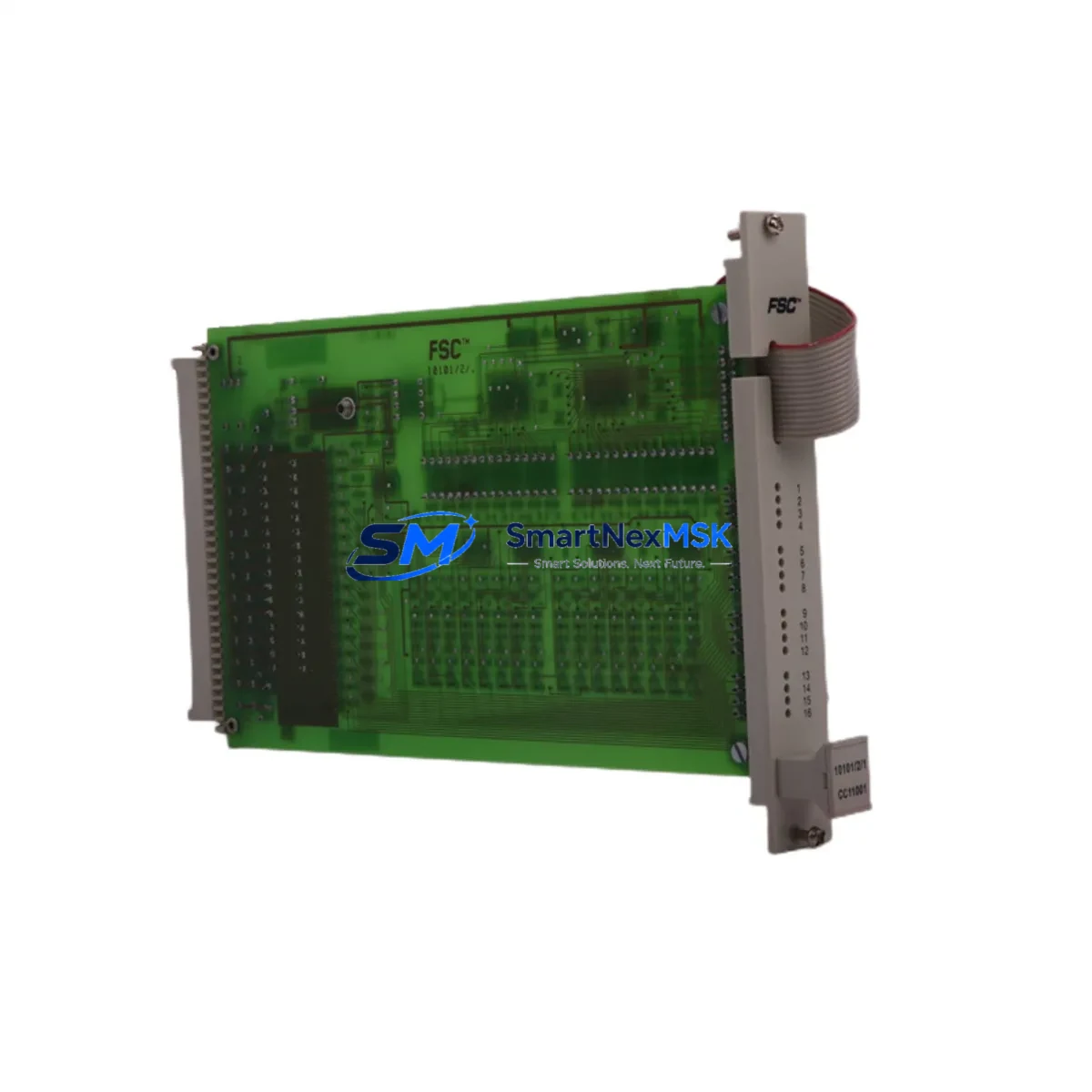
Honeywell 10101/2/1 Retrofit-Ready Digital Input for TDC 3000 TPS Control Systems
The Honeywell 10101/2/1 is a digital input module engineered for the TDC 3000 and TPS Distributed Control System platforms — two of the most widely deployed process automation architectures in refining, petrochemical, and power generation facilities worldwide. As Honeywell progressively phases out legacy TDC 3000 hardware, procurement teams and control system engineers face mounting pressure to source verified replacement modules that maintain full backward compatibility with existing backplane wiring, I/O addressing schemes, and application software. The 10101/2/1 remains one of the most sought-after retrofit components for facilities that are not yet ready for a full migration to Experion PKS or a third-party DCS platform.
This module accepts 24 VDC discrete field signals and interfaces directly with the TDC 3000 High-Performance Process Manager (HPPM) and the original Process Manager (PM) backplane. Before installation, engineers should confirm the existing backplane slot assignment, verify that the field termination assembly (FTA) wiring matches the 10101/2/1 terminal layout, and cross-check the module address configured in the UCN (Universal Control Network) node table. Mismatched module addresses are the most common cause of communication faults during retrofit commissioning and can be resolved through the Engineering Workstation (EWS) configuration utility without modifying field wiring.
Upgrade Compatibility Table
| Parameter | Specification / Recommendation |
|---|---|
| Compatible Platform | Honeywell TDC 3000, TPS (Total Plant Solution) |
| Module Type | Digital Input (DI), 24 VDC field signal |
| Backplane Interface | TDC 3000 HPPM / PM card cage — direct slot insertion |
| FTA Compatibility | Verify terminal block wiring against existing FTA model before swap |
| Communication Protocol | UCN (Universal Control Network) — no protocol migration required |
| Module Address | Must match existing node table entry in EWS configuration |
| Replacement Scope | Drop-in for failed or end-of-life 10101/2/1 units; no firmware update required |
| HMI Impact | No HMI faceplate changes required if tag database is preserved |
| Power Consumption | Confirm card cage power budget before adding modules to shared backplane |
| Commissioning | Force I/O point in EWS, verify field signal, release to automatic — typical <30 min per module |
| Warranty | 12-Month Warranty — covers manufacturing defects and functional failure under normal operating conditions |
Retrofit Planning for Existing Automation Systems
A successful TDC 3000 retrofit begins well before the module arrives on site. The first step is a full audit of the card cage population — identifying which slots carry the 10101/2/1 and which adjacent slots hold related components such as the Honeywell 10101/2/2 digital output module, the 10101/1/1 analog input module, or the 51304485-100 power supply module that feeds the cage. Understanding the power budget of the shared backplane is critical: adding a replacement module to a cage already running near its rated capacity can trigger nuisance trips on the power supply, masking the root cause of the original fault.
Field termination assemblies connected to the 10101/2/1 typically use the Honeywell 10101/2/1-FTA or equivalent terminal block assemblies. Engineers should photograph the existing wiring before removal and verify that signal commons, shield grounds, and surge protection devices are correctly reinstated after the swap. In facilities where the TDC 3000 communicates upstream to a Honeywell Experion PKS server via the Server for NIM (Network Interface Module), the NIM configuration should be reviewed to confirm that the replaced module’s tag references remain intact in the Experion point database.
For plants running parallel migration strategies — where TDC 3000 and Experion PKS coexist on the same UCN — the 10101/2/1 replacement must be validated against both the legacy Application Module (AM) control strategy and any mirrored Experion control module that reads the same I/O point. Control engineers should also verify that the Honeywell GUS (Global User Station) or the newer Experion Flex Station HMI displays the correct point state after module replacement, as stale cached values can create false confidence during post-commissioning checks.
In brownfield projects where the TDC 3000 backplane is being partially upgraded to accommodate additional I/O capacity, the 10101/2/1 is often installed alongside Honeywell 51304516-100 series I/O link interface modules and Honeywell 51401642-150 redundant controller modules. Ensuring that the I/O link address space does not conflict with newly added modules is a mandatory pre-commissioning step that is frequently overlooked in fast-track retrofit schedules.
Downtime Control During System Migration
Minimizing unplanned downtime during a TDC 3000 module replacement requires a structured hot-swap protocol. Where the process permits, the affected I/O point should be placed in manual mode at the Application Module level before the physical swap, preserving the last known output state and preventing the control loop from driving field devices to a fail-safe position unnecessarily. The replacement 10101/2/1 should be bench-tested against a known-good signal source before installation to confirm that the module is functional and that the 24 VDC input threshold is within specification.
Once the module is seated in the backplane, the EWS operator should initiate a module load sequence and monitor the UCN diagnostic display for communication acknowledgment. If the module fails to appear on the UCN within 60 seconds, the most likely causes are an incorrect slot address, a backplane connector seating issue, or a power supply fault on the cage. Resolving these conditions in sequence — rather than simultaneously — reduces the risk of introducing additional faults during the diagnostic process.
For facilities with strict change management requirements, the entire replacement procedure — from manual mode engagement to return-to-automatic confirmation — can typically be completed within a two-hour maintenance window, provided that the replacement module has been pre-staged, the FTA wiring diagram is available, and the EWS operator has the necessary access credentials. Documenting the as-found and as-left module status in the plant’s CMMS system closes the work order and provides an audit trail for regulatory compliance.
Retrofit Support FAQ
Q1: Is the Honeywell 10101/2/1 a direct drop-in replacement for a failed unit in my TDC 3000 system?
Yes. The 10101/2/1 is designed for direct slot replacement in TDC 3000 HPPM and PM card cages. No firmware update or hardware modification is required. Confirm the backplane slot address in the EWS node table matches the replacement unit before powering the cage.
Q2: What wiring checks should I perform before swapping the module?
Verify that the field termination assembly (FTA) terminal layout matches the 10101/2/1 pinout, confirm that signal commons and shield grounds are correctly connected, and check that any surge protection devices on the FTA are intact. Photograph the existing wiring before removal to ensure accurate reinstatement.
Q3: Will replacing the 10101/2/1 affect my HMI displays or control strategy?
No changes to HMI faceplates or control strategy are required if the module address and tag database remain unchanged. After installation, force the I/O point in the EWS to verify correct signal reading, then release to automatic. Monitor the GUS or Experion Flex Station display to confirm the point state is accurate before closing the work order.
Q4: What warranty and post-shipment support is provided?
All 10101/2/1 units supplied by SMARTNEXMSK carry a 12-month warranty covering manufacturing defects and functional failure under normal operating conditions. Each module undergoes functional testing prior to shipment. If a unit fails within the warranty period, we provide a replacement or full refund. Our technical team is available to support commissioning queries via email or phone.
© 2026 SMARTNEXMSK. All rights reserved.
Original Source: https://smartnexmsk.com
Contact: [email protected] | +86 18259474341



