
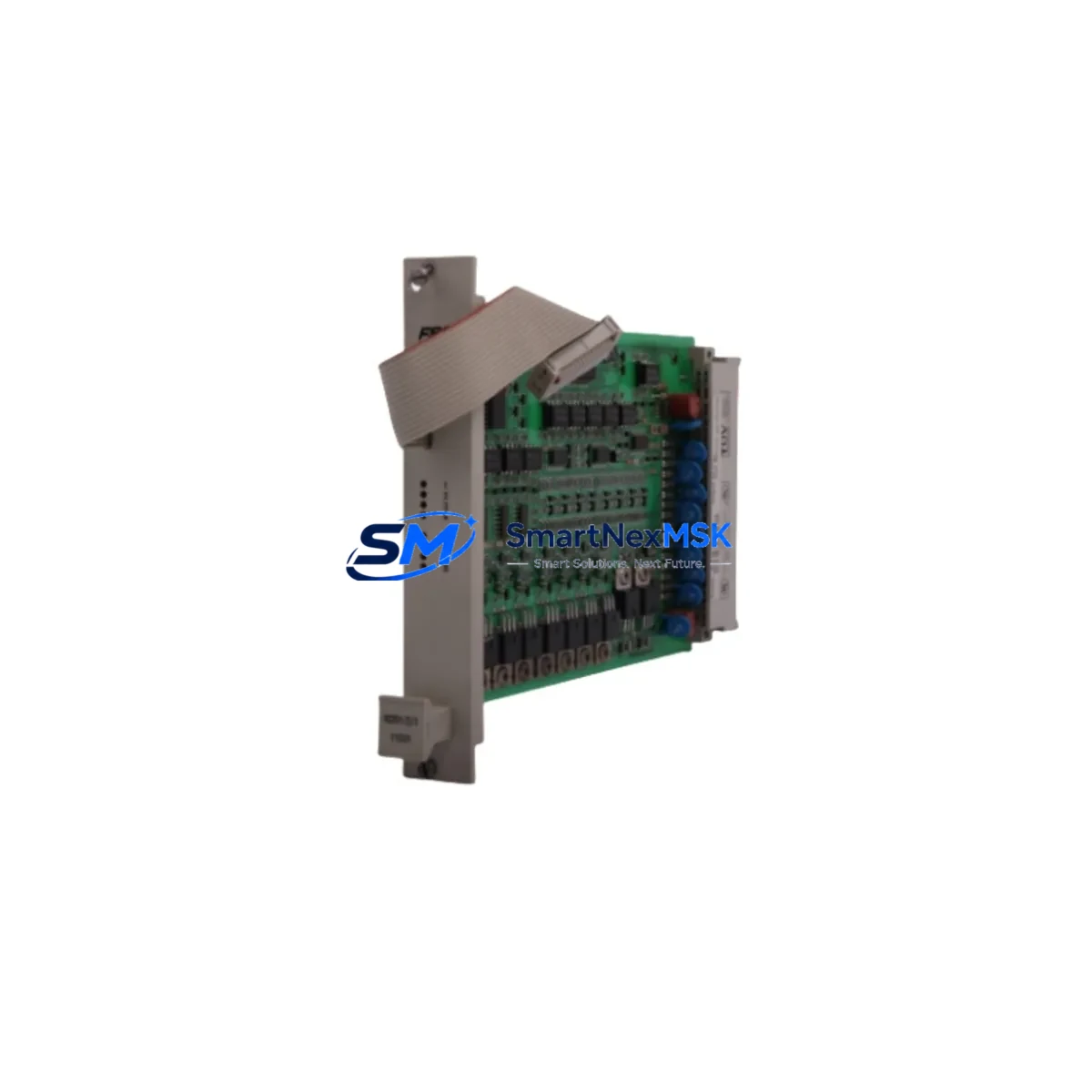
Honeywell 10209/2/1 Retrofit-Ready DO Module for TDC 3000 Control Systems
The Honeywell 10209/2/1 is a Digital Output (DO) module engineered for the TDC 3000 Distributed Control System and the FSC (Fail Safe Controller) platform — two of the most widely deployed legacy control architectures in the refining, petrochemical, and power generation industries. As original equipment manufacturers phase out support for these platforms, facilities worldwide are confronting the challenge of sourcing verified replacement modules that maintain full backward compatibility without triggering costly full-system migrations. The 10209/2/1 addresses this need directly: it is a retrofit-ready, drop-in replacement that preserves existing wiring, backplane addressing, and program logic while restoring full digital output functionality to aging control cabinets.
Whether your facility is executing a planned upgrade cycle, responding to an unplanned module failure, or building a strategic spare-parts inventory to protect against extended lead times, the 10209/2/1 is available from verified stock with a 12-month warranty and pre-shipment functional testing. Each unit undergoes output channel verification, power rail integrity checks, and backplane communication validation before dispatch.
Upgrade Compatibility Table
| Parameter | Details |
|---|---|
| Compatible Platform | Honeywell TDC 3000, FSC (Fail Safe Controller) |
| Module Type | Digital Output (DO) |
| Backplane Interface | TDC 3000 standard backplane slot — direct plug-in replacement |
| Output Channels | Discrete digital outputs; channel count per OEM specification |
| Power Requirements | Supplied via backplane power rail; verify PSU capacity before hot-swap |
| Terminal Wiring | Compatible with existing field wiring terminations; no rewiring required for direct replacement |
| Communication Compatibility | TDC 3000 UCN / LCN bus compatible; FSC safety bus compatible |
| Module Addressing | Hardware address set via backplane slot position; verify against existing I/O map |
| Program Compatibility | No control logic changes required for direct replacement; verify tag assignments in HMI |
| Replacement Recommendation | Direct drop-in for failed or end-of-life 10209/2/1 units |
| Commissioning Notes | Confirm output channel states before enabling; perform loop check on all connected field devices |
| Warranty | 12 months from date of shipment; covers manufacturing defects and functional failure |
Retrofit Planning for Existing Automation Systems
A successful retrofit of the Honeywell 10209/2/1 into an operating TDC 3000 or FSC environment requires systematic pre-work across several engineering disciplines. The process typically begins with a power budget review: the TDC 3000 power supply module — commonly a PM-series unit such as the Honeywell 621-9937 or equivalent — must have sufficient headroom to support the replacement DO module without causing voltage sag on adjacent I/O cards. If the existing power supply is already operating near capacity, a parallel power supply or a dedicated rail for the new module may be required before the swap proceeds.
Terminal block and field wiring verification is the next critical step. In most TDC 3000 installations, field wiring connects to the module through a marshalling cabinet and a field termination assembly (FTA). The 10209/2/1 uses the same FTA interface as its predecessors, meaning existing cable runs and terminal assignments remain valid. However, technicians should inspect terminal screws for corrosion and verify wire labeling against the as-built I/O schedule before proceeding.
Backplane slot assignment and module addressing must be confirmed against the existing I/O configuration database. In TDC 3000 architecture, the module address is determined by its physical slot position on the I/O Link (IOL) or Extended Controller (EC) backplane. Replacing the 10209/2/1 in the same slot preserves the original address, eliminating the need for database changes. If the module is being relocated — for example, as part of a cabinet consolidation — the new slot address must be updated in the TDC 3000 configuration and in any associated Honeywell HMI displays built on the GUS (Global User Station) or Station platform.
Communication link integrity should be validated before and after the swap. TDC 3000 systems rely on the Universal Control Network (UCN) and Local Control Network (LCN) for inter-module communication. If the 10209/2/1 is installed in an FSC safety system, the FSC communication bus — which interfaces with the Safety Manager or legacy FSC processor — must be verified for continuity and correct termination. A Honeywell FSC communication module or the FSC processor card itself may need to be inspected if communication faults persist after module replacement.
For facilities also managing Honeywell HC900 hybrid controllers, Series C I/O modules, or Experion PKS migration projects alongside TDC 3000 maintenance, the 10209/2/1 retrofit can be coordinated with broader platform consolidation efforts. Related components frequently required during the same maintenance window include Honeywell digital input modules (DI), analog input modules (AI), analog output modules (AO), the TDC 3000 controller card, UCN interface modules, and the LCN node interface card. HMI engineering workstations running Honeywell’s Configuration Studio or the legacy Engineer’s Workbench may also require tag database updates to reflect any changes in module addressing or channel assignments.
Downtime Control During System Migration
Minimizing unplanned downtime during a DO module replacement in a live TDC 3000 or FSC environment requires a structured change management approach. The recommended sequence begins with a pre-outage simulation: using the TDC 3000 configuration tools, engineers should export the current I/O configuration and verify that all output tags associated with the 10209/2/1 are documented, including their normal-state values, interlock assignments, and any associated safety function designations in the FSC logic.
Where process conditions permit, output channels should be placed in manual mode and field devices driven to their safe-state positions before the module is removed. This protects against spurious output transitions during the physical swap. In FSC applications, the safety function associated with the affected DO channels must be formally bypassed in accordance with the site’s Management of Change (MOC) and Safety Instrumented System (SIS) bypass procedures before any hardware work begins.
The physical replacement of the 10209/2/1 is straightforward: the module is extracted from its backplane slot, the replacement unit is inserted, and the backplane connector is seated firmly. Power-up diagnostics should be observed on the module’s status LEDs and confirmed in the TDC 3000 operator console. Output channels should be individually verified by commanding each output from the console and confirming field device response before returning the loop to automatic control. This channel-by-channel loop check, combined with a review of the HMI alarm summary for any unexpected fault indications, constitutes the minimum acceptance test before the module is returned to service.
For facilities with strict change control requirements, a full functional test report — documenting each output channel’s commanded state, field device response, and communication status — should be completed and archived as part of the maintenance record. All units supplied by SMARTNEXMSK include a pre-shipment test certificate confirming that the module passed functional verification prior to dispatch.
Retrofit Support FAQ
Q1: Is the Honeywell 10209/2/1 a direct replacement for the original module without any configuration changes?
Yes, when installed in the same backplane slot, the 10209/2/1 is a direct drop-in replacement. The module address is determined by slot position, so no database changes are required. HMI tag assignments and control logic remain valid. The only recommended action is a post-installation loop check to confirm all output channels are functioning correctly.
Q2: What wiring or terminal changes are needed during replacement?
No rewiring is required for a same-slot replacement. The 10209/2/1 uses the same field termination assembly (FTA) interface as the original module. Technicians should inspect existing terminal connections for corrosion or loose screws and re-torque as needed, but no new cable runs or terminal reassignments are necessary.
Q3: How is compatibility with the FSC safety bus verified before installation?
Compatibility is confirmed by matching the module part number to the FSC system’s hardware configuration list and verifying that the firmware revision of the replacement unit is within the supported range specified in the FSC system documentation. SMARTNEXMSK provides the module’s hardware revision with each shipment. If firmware verification is required, the FSC engineering workstation can be used to query the module’s revision after installation.
Q4: What does the 12-month warranty cover, and what is the process for a warranty claim?
The 12-month warranty covers manufacturing defects and functional failure under normal operating conditions from the date of shipment. It does not cover damage resulting from incorrect installation, overvoltage, or physical impact. To initiate a warranty claim, contact SMARTNEXMSK at [email protected] with the order reference, module serial number, and a description of the fault. A replacement unit will be dispatched upon fault confirmation, with return shipping of the defective module arranged by agreement.
© 2026 SMARTNEXMSK. All rights reserved.
Original Source: https://smartnexmsk.com
Contact: [email protected] | +86 18259474341



