
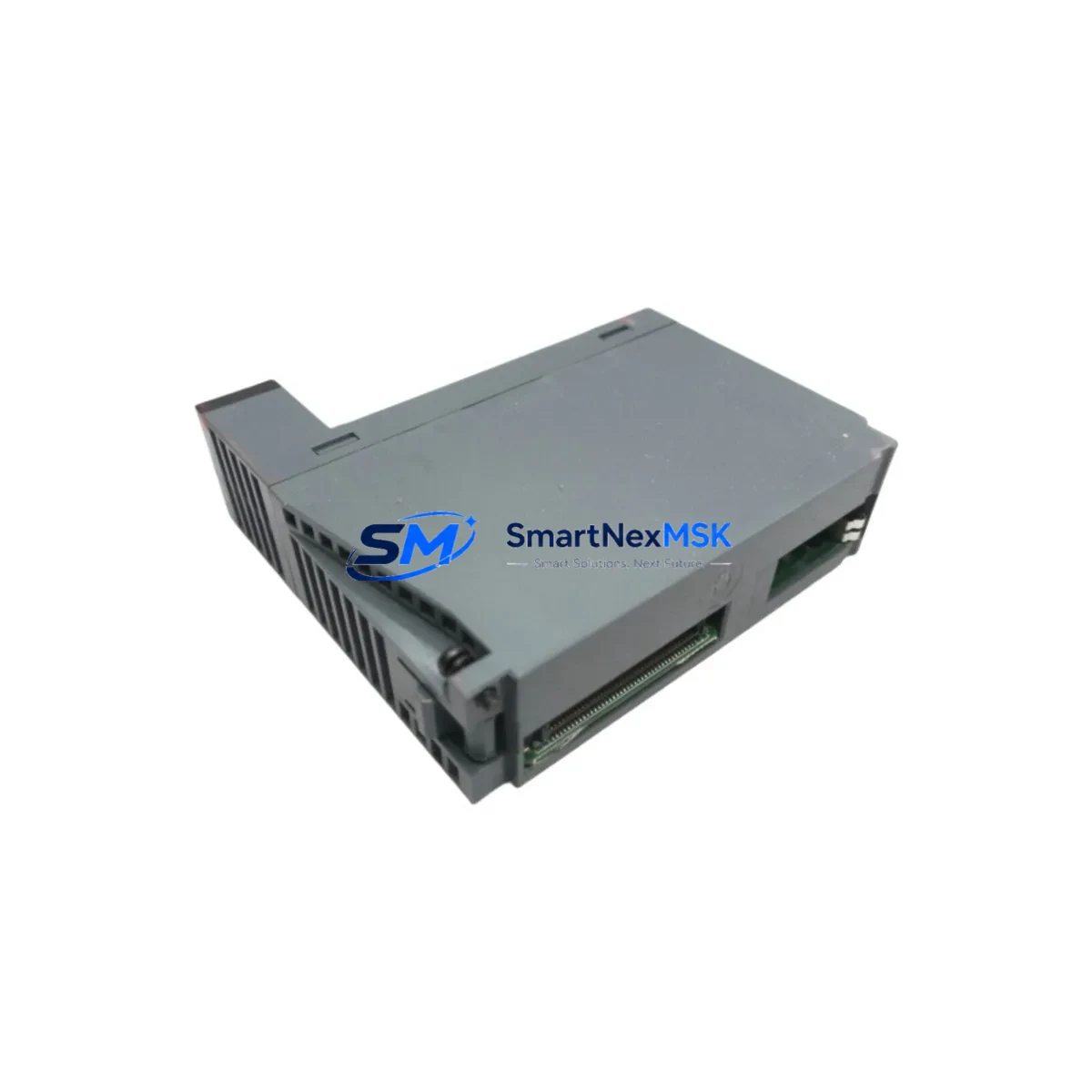
Honeywell 2MLI-A12A-CC Retrofit-Ready DI Module for Experion PKS Control Systems
The Honeywell 2MLI-A12A-CC is a DCS Digital Input Module engineered for seamless integration into Experion PKS distributed control system architectures. Designed as a direct retrofit replacement for aging or discontinued Honeywell DI modules, the 2MLI-A12A-CC supports legacy panel upgrades, I/O expansion projects, and control cabinet modernization without requiring full system redesign. Whether you are replacing a failed module in a running plant or executing a planned migration from an older Honeywell TDC 3000 or PlantScape platform, this module delivers verified compatibility, reduced commissioning time, and a 12-month warranty backed by pre-shipment functional testing.
Sourced directly from authorized supply channels and inspected prior to dispatch from Xiamen, each 2MLI-A12A-CC unit is tested for channel integrity, backplane communication, and signal response before shipment. In-stock availability supports urgent replacement scenarios where minimizing unplanned downtime is the primary operational priority.
Upgrade Compatibility Table
| Parameter | Details |
|---|---|
| SKU / Part Number | 2MLI-A12A-CC |
| Brand | Honeywell |
| Compatible Platform | Experion PKS (C200, C300 Controllers) |
| Legacy Replacement Path | Honeywell TDC 3000, PlantScape, FSC Series |
| Module Type | DCS Digital Input (DI) |
| Backplane Interface | Experion PKS standard I/O backplane — direct slot insertion |
| Wiring Compatibility | Terminal block wiring retained from legacy DI modules; no re-termination required in most retrofit scenarios |
| Communication Protocol | FTE (Fault Tolerant Ethernet) via Experion PKS backplane bus |
| Installation Requirement | Standard DIN-rail or rack-mount chassis; compatible with IOTA termination assemblies |
| Commissioning Note | Module address assignment via Experion Configuration Studio; verify channel tag mapping before hot-swap |
| Replacement Recommendation | Confirm power budget on existing IOTA and chassis PSU before insertion; check 24 VDC field power rail capacity |
| Warranty | 12 months from shipment date — covers manufacturing defects and functional failure under normal operating conditions |
Retrofit Planning for Existing Automation Systems
Successful integration of the Honeywell 2MLI-A12A-CC into an existing control system begins with a thorough pre-retrofit audit. Engineers should first verify the available slot positions within the Experion PKS I/O chassis and confirm that the associated IOTA termination assembly (such as the MC-TAIH02 or MC-TAIH12 series) is present and undamaged. The IOTA carries the field wiring and must match the module type — a DI IOTA must be paired with a DI module.
Power capacity is a critical checkpoint. The chassis power supply module — typically a Honeywell CC-PWR01 or CC-PWR02 — must have sufficient headroom to support the additional DI module load. Review the chassis power budget spreadsheet or use Experion Configuration Studio to calculate total draw before insertion. Overloading the PSU rail is a common cause of intermittent faults during post-retrofit commissioning.
For plants migrating from Honeywell TDC 3000 High-Performance Process Manager (HPPM) or from PlantScape Server environments, the 2MLI-A12A-CC provides a forward-compatible I/O path into the Experion PKS architecture. During this migration, the Honeywell C300 Controller typically serves as the new processing node, replacing the older AM/APP modules. Engineers should export the existing CL (Control Language) logic and re-engineer it in Control Builder as Function Block or Sequential Function Chart programs before the cutover date.
Field wiring from the legacy system can often be re-used if the signal type (dry contact, wet contact, or NAMUR) matches the new module’s input specification. Confirm terminal numbering against the 2MLI-A12A-CC wiring diagram and cross-reference with the existing marshalling cabinet drawings. Where signal conditioning is required, inline signal isolators or barriers may be inserted without modifying the module itself.
Communication continuity during the migration window is maintained by keeping the Experion PKS Server (typically running on a redundant pair of Application Nodes) online while individual I/O chassis are upgraded slot by slot. The FTE switch infrastructure — including Cisco IE series managed switches configured for Honeywell FTE — must remain stable throughout. Any changes to VLAN configuration or switch firmware during the retrofit window should be avoided.
HMI displays built in Experion Station or legacy GUS (Global User Station) environments will require point re-association after the new module is commissioned. Verify that all DI channel tags are correctly mapped in the Experion database and that alarm setpoints, engineering units, and display faceplates reflect the updated I/O configuration. Where Honeywell Safety Manager or FSC (Fail-Safe Controller) modules share the same control cabinet, ensure that the DI retrofit does not affect the safety loop integrity or SIL rating of adjacent circuits.
For I/O expansion projects — rather than direct replacement — the 2MLI-A12A-CC can be added to an existing chassis with available slots, or a new Experion PKS Remote I/O chassis can be installed in the field junction box. In either case, the ENIM (Ethernet Network Interface Module) or EICM (Ethernet I/O Communication Module) must be configured to recognize the new node address before the module is powered on.
Downtime Control During System Migration
Minimizing production downtime during a DCS module replacement or system migration requires a structured cutover plan. For the Honeywell 2MLI-A12A-CC, the recommended approach is a hot-standby swap where the replacement module is pre-configured offline using Experion Configuration Studio and loaded with the correct module address, channel assignments, and I/O parameters before it is inserted into the chassis.
Where the process cannot tolerate any interruption, a parallel wiring strategy is used: the new module and IOTA are wired in parallel with the existing circuit, verified for signal integrity, and then switched over at a planned maintenance window — typically during a scheduled shift change or low-production period. This approach preserves the original program logic in the C300 or C200 Controller and avoids the need for a full controller download during the cutover.
Before the physical swap, operators should place the affected control loops in manual mode at the Experion Station and confirm that all downstream actuators (valves, motors, drives) are in a safe state. The module replacement itself typically takes under 15 minutes for a trained technician. After insertion, the Experion system will automatically detect the new module if the chassis address and IOTA type are correctly matched. A channel-by-channel functional test — verifying each DI point against a known field signal — should be completed before returning loops to automatic control.
Post-commissioning, review the Experion alarm journal and system event log for any communication faults, missed scans, or channel errors. A 24-hour monitoring period is recommended before closing the retrofit work order. All test records, wiring changes, and configuration exports should be archived in the plant document management system to support future audits and maintenance cycles.
Retrofit Support FAQ
Q1: Is the Honeywell 2MLI-A12A-CC a direct drop-in replacement for discontinued Honeywell DI modules in Experion PKS?
In most Experion PKS installations, the 2MLI-A12A-CC is a functionally compatible replacement for equivalent DI modules within the same I/O family. Confirm the IOTA termination assembly type and chassis slot compatibility before installation. Where the original module used a different IOTA variant, an adapter or replacement IOTA may be required.
Q2: What wiring changes are needed when replacing a legacy DI module with the 2MLI-A12A-CC?
In most cases, existing field wiring can be retained at the IOTA terminal block without modification. Verify that the signal type (dry contact, 24 VDC wet contact, or NAMUR proximity) matches the 2MLI-A12A-CC input specification. If the legacy module used a different terminal assignment, re-termination at the IOTA may be required — always cross-reference the wiring diagram before powering the new module.
Q3: How is the module address configured after installation?
The 2MLI-A12A-CC module address is assigned through Experion Configuration Studio. After physical installation, the module will appear in the I/O chassis view. Assign the correct slot address, verify channel tag mapping, and perform a download to the associated C200 or C300 Controller. Confirm that all DI channel tags are visible and scanning correctly in the Experion Station before returning to automatic control.
Q4: What does the 12-month warranty cover, and what pre-shipment testing is performed?
Each 2MLI-A12A-CC unit undergoes functional testing prior to shipment, including backplane communication verification, channel integrity checks, and signal response validation. The 12-month warranty covers manufacturing defects and functional failure under normal operating conditions from the date of shipment. Units showing physical damage from improper installation or electrical overstress are not covered. Contact [email protected] for warranty claims or technical support.
© 2026 SMARTNEXMSK. All rights reserved.
Original Source: https://smartnexmsk.com
Contact: [email protected] | +86 18259474341



