
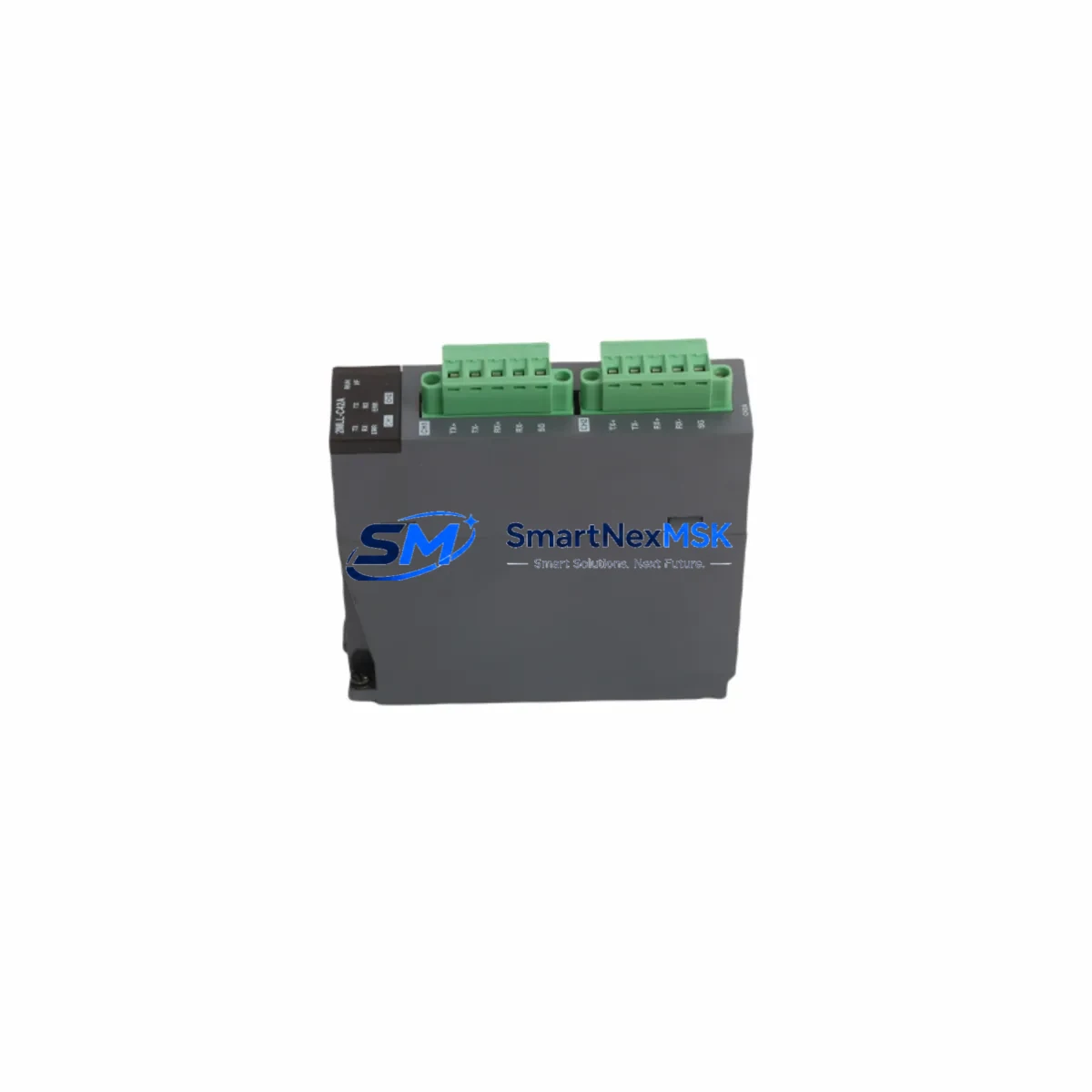
Honeywell 2MLL-C42A-CC Retrofit-Ready Communications Adapter for 2MLL Series Control Systems
The Honeywell 2MLL-C42A-CC is a retrofit-ready communications adapter engineered for seamless integration into legacy and active 2MLL Series fire detection and life safety control systems. As aging infrastructure reaches end-of-service milestones, facilities managers and system integrators increasingly rely on verified drop-in replacements like the 2MLL-C42A-CC to extend operational life, restore communication integrity, and bridge the gap between discontinued hardware and modern network architectures — all without requiring a full panel replacement.
Whether you are replacing a failed communications module in a critical facility, upgrading a multi-loop panel to support expanded I/O capacity, or migrating from legacy serial protocols to contemporary network topologies, the 2MLL-C42A-CC delivers the compatibility, reliability, and documentation traceability that industrial and life safety environments demand.
Upgrade Compatibility Table
| Parameter | Details |
|---|---|
| Compatible Series | Honeywell 2MLL Series fire detection control panels |
| Module Function | Communications adapter — panel-to-network and panel-to-device signaling |
| Installation Type | Direct backplane or chassis slot mounting; no mechanical modification required |
| Interface Compatibility | Compatible with existing 2MLL Series backplane connector pinout |
| Communication Protocol | Supports legacy 2MLL Series communication protocol; verify firmware revision before installation |
| Replacement Suitability | Drop-in replacement for discontinued or failed 2MLL-C42A-CC units; no panel re-programming required in standard configurations |
| Commissioning Notes | Confirm loop address assignments, verify terminal wiring polarity, and perform full communication link test post-installation |
| Firmware Compatibility | Verify panel firmware version supports current 2MLL-C42A-CC hardware revision |
| Warranty | 12-Month Warranty — covers manufacturing defects and functional failures under normal operating conditions |
| Condition | New / Surplus New — factory-tested prior to shipment |
Retrofit Planning for Existing Automation Systems
Successful integration of the 2MLL-C42A-CC into an existing 2MLL Series installation begins with a thorough pre-retrofit audit. Before removing the failed or obsolete communications adapter, technicians should document the current terminal wiring layout, capture all loop device addresses, and export any available panel configuration files from the associated Honeywell 2MLL Series fire alarm control panel.
In multi-loop installations, the 2MLL-C42A-CC typically operates alongside other modules sharing the same backplane or chassis rack. Common co-installed components include the Honeywell 2MLL-CPU (central processing unit), 2MLL-PSU (panel power supply unit), and 2MLL-ANX (annunciator network expander). When replacing the communications adapter, it is essential to verify that the backplane bus remains undamaged and that adjacent modules — particularly the CPU and power supply — are not inadvertently disturbed during extraction.
For facilities operating mixed-generation equipment, the retrofit may also involve interfacing the 2MLL-C42A-CC with Honeywell XLS Series or Silent Knight SK-5208 panels via gateway devices. In these scenarios, protocol translation hardware or a dedicated Honeywell HPFF8 power supply module may be required to maintain stable communication across system boundaries. Technicians should also confirm that any connected Honeywell FlexNet network cards or 2MLL-NET network interface modules are running compatible firmware before bringing the upgraded communications link online.
Terminal wiring adaptation is a critical step. The 2MLL-C42A-CC uses a defined terminal block layout for SLC (Signaling Line Circuit) connections, power input, and ground reference. When replacing an older revision of the same module, wire-for-wire substitution is generally straightforward; however, when migrating from a different communications adapter model, a full terminal mapping comparison against the original wiring diagram is mandatory. Pay particular attention to shield grounding on SLC loops, as improper grounding is a leading cause of communication faults in retrofitted systems.
I/O expansion during the retrofit window is a common value-add opportunity. If the facility’s loop capacity is approaching its limit, this is an appropriate time to evaluate adding a Honeywell 2MLL-LCM (loop control module) or additional 2MLL Series addressable input/output modules to the panel. These additions should be planned before the retrofit commences to minimize the number of system interruptions.
Downtime Control During System Migration
Minimizing downtime during a 2MLL-C42A-CC replacement requires disciplined pre-planning and a structured cutover sequence. Begin by scheduling the replacement during a low-occupancy or planned maintenance window, and coordinate with the facility’s fire safety officer to ensure that manual watch procedures are in place for the duration of the panel outage.
Before powering down the panel, export or photograph all current configuration data, including device addresses, zone assignments, and any custom cause-and-effect logic programmed into the Honeywell 2MLL Series control panel. If the panel supports configuration backup via a programming interface or Honeywell Fire Finder XLS compatible software, perform a full backup to a secure local storage device.
During the physical swap, handle the 2MLL-C42A-CC with appropriate ESD precautions. Seat the module firmly into the backplane connector, verify that all retaining hardware is secured, and reconnect terminal wiring in strict accordance with the documented wiring layout. After power restoration, allow the panel to complete its initialization sequence before initiating a full system communication test.
Post-installation verification should include a point-by-point loop device poll to confirm that all addressable devices — detectors, modules, and notification appliances — are responding correctly on the SLC. Any devices that fail to respond should be investigated at the field level before the system is returned to normal supervisory mode. Document all test results and retain them as part of the facility’s fire system maintenance record.
By following this structured approach, most 2MLL-C42A-CC replacements can be completed within a single maintenance window, with the system returned to full supervisory status the same day. All units supplied by SMARTNEXMSK are factory-tested and shipped with a 12-month warranty, reducing the risk of repeat downtime from component failure.
Retrofit Support FAQ
Q1: Is the Honeywell 2MLL-C42A-CC a direct drop-in replacement for the original module?
In standard 2MLL Series configurations, yes. The 2MLL-C42A-CC is designed to occupy the same backplane slot and use the same terminal wiring layout as the original communications adapter. However, we recommend verifying the panel firmware version and hardware revision compatibility before installation, particularly in panels that have undergone prior modifications or firmware updates.
Q2: What commissioning steps are required after installing the 2MLL-C42A-CC?
After seating the module and restoring power, perform a full panel initialization and run a complete SLC device poll. Verify that all loop devices are recognized at their correct addresses, confirm that communication links to any networked panels or annunciators are active, and test all cause-and-effect outputs. Record all test results in the system maintenance log before returning the panel to normal supervisory mode.
Q3: Can the 2MLL-C42A-CC be used to upgrade an older 2MLL Series panel to support additional I/O or communication paths?
The 2MLL-C42A-CC is primarily a communications adapter and does not independently expand I/O capacity. For I/O expansion, additional addressable modules or a loop control module should be added to the panel. However, replacing a failed or outdated communications adapter with the 2MLL-C42A-CC can restore communication paths that are prerequisite to enabling expanded I/O modules already installed in the system.
Q4: What does the 12-month warranty cover, and what is the process for a warranty claim?
The 12-month warranty covers manufacturing defects and functional failures under normal operating conditions from the date of shipment. All units are factory-tested prior to dispatch. To initiate a warranty claim, contact SMARTNEXMSK with your order reference, a description of the fault, and any available diagnostic data from the panel. Replacement or repair will be arranged promptly to minimize system downtime.
© 2026 SMARTNEXMSK. All rights reserved.
Original Source: https://smartnexmsk.com
Contact: [email protected] | +86 18259474341



