
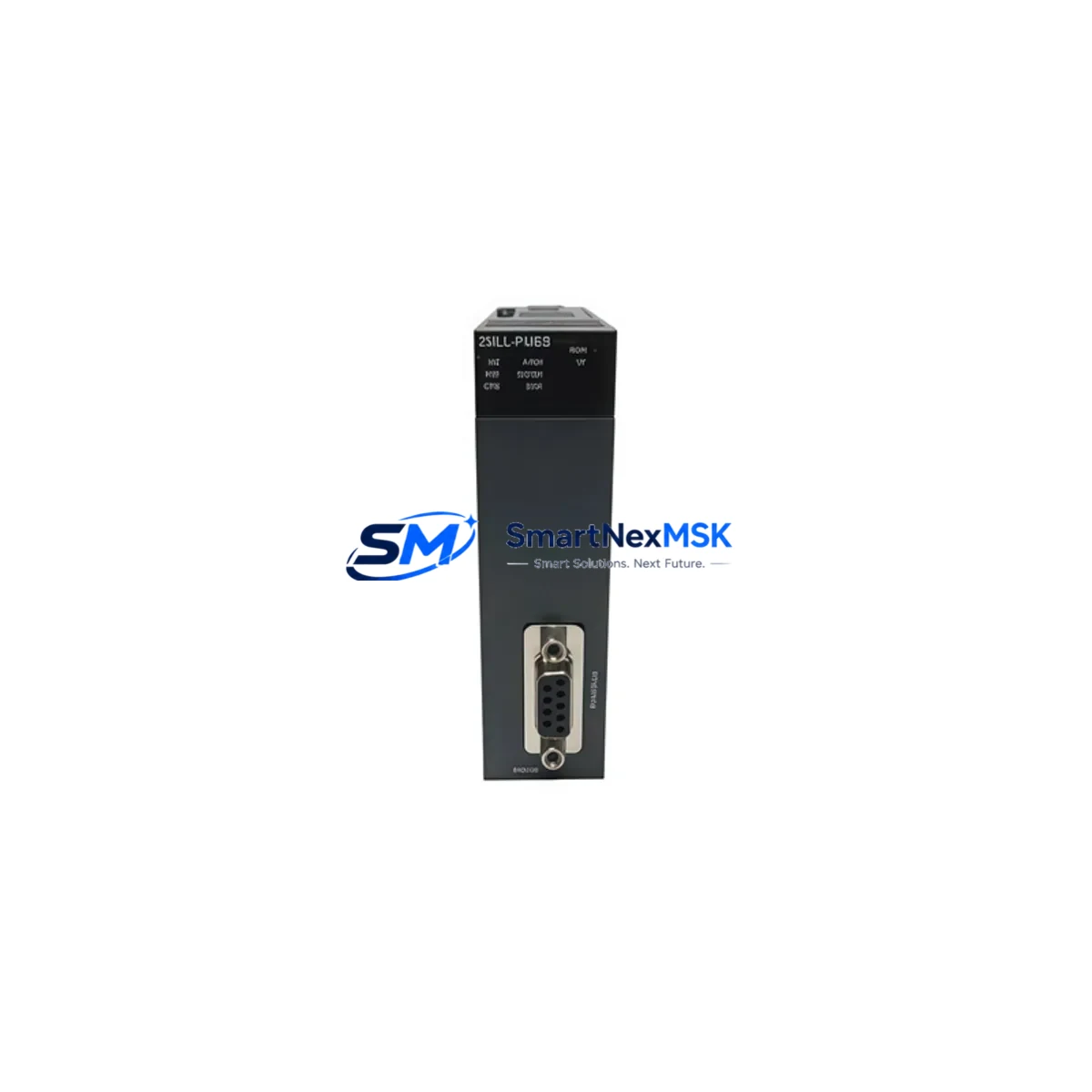
Honeywell 2MLL-DMEB Retrofit-Ready DeviceNet Master for HC900 Control Systems
The Honeywell 2MLL-DMEB is a DeviceNet Master Communication Module designed for integration within the HC900 Hybrid Controller platform. As legacy automation systems approach end-of-life and original spare parts become increasingly scarce, the 2MLL-DMEB serves as a critical retrofit component for engineers tasked with sustaining, upgrading, or migrating existing DeviceNet-based control architectures. Whether you are replacing a failed unit on an active production line, modernizing a control cabinet, or executing a phased migration from an older Honeywell system, this module provides the communication backbone required to maintain field device connectivity without redesigning the entire control strategy.
The 2MLL-DMEB occupies a dedicated communication slot within the HC900 controller rack and functions as the DeviceNet Master, managing cyclic and explicit messaging to downstream slave devices including variable frequency drives, smart valve positioners, distributed I/O blocks, and field instruments. Its compatibility with the HC900 rack backplane ensures that replacement installations do not require new rack hardware, reducing both procurement lead time and installation complexity. Engineers familiar with the HC900 Designer configuration software will find that the module’s node addressing, scan list configuration, and I/O mapping parameters are consistent with earlier DeviceNet master revisions, minimizing the need for program restructuring during a swap-out.
Upgrade Compatibility Table
| Parameter | Details |
|---|---|
| Compatible Platform | Honeywell HC900 Hybrid Controller |
| Module Type | DeviceNet Master Communication Module |
| Rack Interface | HC900 backplane slot (communication module position) |
| Network Protocol | DeviceNet (CAN-based, IEC 62026-3) |
| Baud Rate Support | 125 kbps / 250 kbps / 500 kbps |
| Max Slave Nodes | Up to 63 DeviceNet slave nodes |
| Wiring Compatibility | Standard 5-wire DeviceNet trunk/drop topology; compatible with existing field cabling |
| Replacement Recommendation | Direct replacement for failed or end-of-life 2MLL-DMEB units in HC900 racks |
| Configuration Tool | HC900 Designer (Honeywell); no firmware re-flash required for like-for-like swap |
| Commissioning Notes | Verify node MAC ID, scan list integrity, and EDS file alignment post-installation |
| Warranty | 12 months from date of shipment |
| Origin | China (Xiamen) |
Retrofit Planning for Existing Automation Systems
A successful retrofit begins well before the 2MLL-DMEB arrives on site. The first step is a thorough audit of the existing HC900 rack configuration. Identify the current slot assignment of the DeviceNet master, document the rack’s power budget using the HC900 Power Supply module specifications, and confirm that the existing HC900-CPUE or HC900-CPUR controller firmware version supports the 2MLL-DMEB revision you are installing. In systems where the HC900 rack is populated with a mix of analog input modules such as the HC900-AI8, digital output modules, and the DeviceNet master, the total rack current draw must be recalculated to ensure the installed power supply — typically the HC900-PS1 or HC900-PS2 — can sustain the additional load without triggering under-voltage faults.
On the network side, review the existing DeviceNet trunk cable routing, termination resistors at both ends of the trunk, and the drop cable lengths to each slave node. Devices such as Honeywell SmartLine transmitters configured as DeviceNet slaves, or third-party drives connected via DeviceNet adapters, must retain their original MAC IDs and I/O sizes to avoid scan list mismatches after the master module is replaced. If the original 2MLL-DMEB stored a local scan list in non-volatile memory, that configuration must be re-entered or downloaded via HC900 Designer after the new module is seated in the rack.
For sites that are simultaneously upgrading the HMI layer — for example, migrating from an older Honeywell Station Designer panel to a current Experion PKS or third-party SCADA — the DeviceNet data tags mapped in the HC900 function block program must be verified against the new HMI tag database. Any renaming or reordering of DeviceNet I/O blocks in the controller program will require corresponding updates in the HMI graphics and alarm configuration. Planning this mapping exercise in advance, ideally during a scheduled maintenance window, prevents unexpected tag loss or alarm suppression during cutover.
Where the retrofit scope extends to replacing legacy Honeywell UDC controllers or standalone loop controllers previously networked via RS-485 Modbus with a unified HC900 platform, the 2MLL-DMEB enables consolidation of field device communication onto a single DeviceNet segment. This reduces the number of serial communication cards required in the control cabinet and simplifies the overall network topology. Pair the 2MLL-DMEB with the appropriate HC900 Ethernet module for supervisory connectivity, and the control cabinet upgrade delivers both field-level DeviceNet integration and plant-level OPC-DA or Modbus TCP access from a single HC900 rack.
Downtime Control During System Migration
Minimizing unplanned downtime during a DeviceNet master replacement requires a structured hot-swap or cold-swap procedure depending on the HC900 redundancy configuration. In non-redundant HC900 systems, the controller must be placed in a safe hold state before the 2MLL-DMEB is removed. Export the full HC900 Designer project file — including the DeviceNet scan list, function block program, and I/O configuration — to a backup location before any hardware is disturbed. This backup serves as the recovery baseline if the new module requires a full configuration download.
For sites running redundant HC900 controllers with a HC900-CPUR redundancy pair, the DeviceNet master module swap can be sequenced to occur on the standby controller first, allowing the active controller to maintain field device communication throughout the procedure. Once the standby controller has been verified with the new 2MLL-DMEB — confirmed by a clean DeviceNet network scan showing all expected slave nodes online — a controlled switchover transfers control to the upgraded standby unit. The previously active controller then undergoes the same module replacement, restoring full redundancy with minimal process interruption.
After installation, the commissioning sequence should include a DeviceNet network health check using the HC900 Designer diagnostic view, verification of all slave node status indicators, a cyclic data integrity test across all mapped I/O points, and a review of the HC900 event log for any communication fault codes. Document the post-commissioning node status and I/O scan times as a baseline for future maintenance reference. All units supplied by SMARTNEXMSK are pre-tested prior to shipment and covered by a 12-month warranty, reducing the risk of infant failure during the critical post-retrofit commissioning period.
Retrofit Support FAQ
Q1: Is the 2MLL-DMEB a direct drop-in replacement for an existing HC900 DeviceNet master module?
Yes. The 2MLL-DMEB is designed for direct slot replacement within the HC900 rack. No rack modification or backplane adapter is required. After seating the module, re-download the HC900 Designer project to restore the DeviceNet scan list and I/O configuration. Verify MAC ID assignments and EDS file compatibility for all connected slave devices before returning the system to automatic mode.
Q2: What wiring changes are needed when replacing the DeviceNet master?
In a like-for-like replacement, no field wiring changes are required. The DeviceNet trunk cable connects to the module’s 5-pin open-style connector using the standard pin assignment (V+, V−, CAN_H, CAN_L, Shield). Confirm that trunk termination resistors (121 Ω) remain in place at both ends of the DeviceNet segment and that drop cable lengths comply with the DeviceNet specification for the selected baud rate.
Q3: How is compatibility with existing HC900 firmware and program logic verified?
Check the HC900 Designer release notes for the minimum firmware version required by the 2MLL-DMEB. Upload the current controller program before replacement and compare the DeviceNet I/O block definitions against the new module’s supported I/O sizes. If the existing program was developed on an older HC900 Designer version, open and re-validate the project in the current software release to identify any deprecated function blocks or changed parameter defaults before downloading to the upgraded hardware.
Q4: What does the 12-month warranty cover, and what pre-shipment testing is performed?
Every 2MLL-DMEB unit supplied by SMARTNEXMSK undergoes functional testing prior to dispatch, including power-on self-test verification, backplane communication check, and DeviceNet port continuity confirmation. The 12-month warranty covers manufacturing defects and functional failures under normal operating conditions. Units that fail within the warranty period are replaced or repaired at no charge. Warranty claims are processed through [email protected] with proof of purchase and a fault description.
© 2026 SMARTNEXMSK. All rights reserved.
Original Source: https://smartnexmsk.com
Contact: [email protected] | +86 18259474341



