
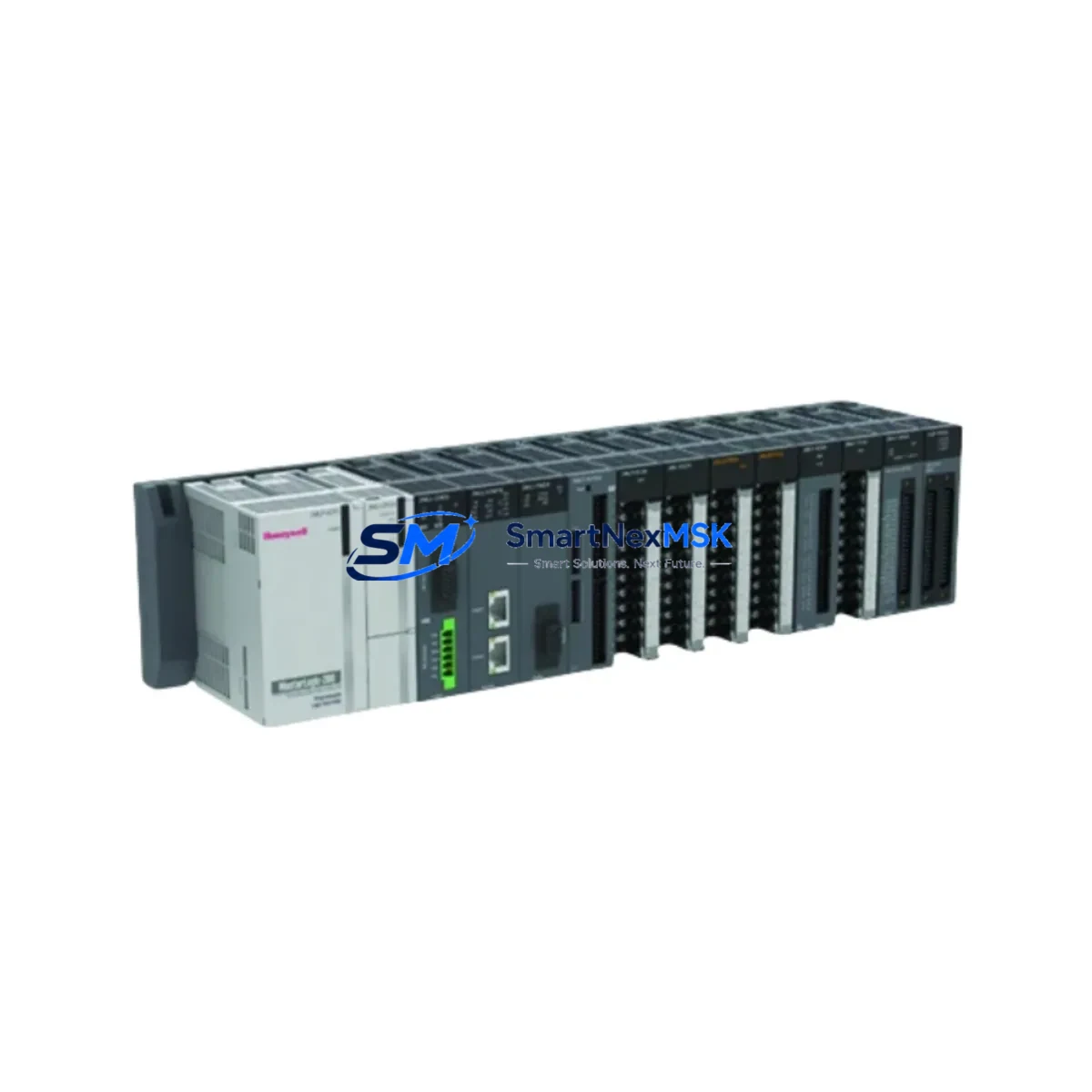
Honeywell 2MLQ-SS2A-CC Spare MasterLogic Automation: Redundant Controller Replacement for Industrial Uptime
The Honeywell 2MLQ-SS2A-CC is a CC-Link redundant controller module designed for the MasterLogic PLC platform — a proven architecture widely deployed in process manufacturing, utilities, and discrete automation facilities. When this module fails or reaches end-of-life, the consequences are immediate: loss of redundancy, increased risk of unplanned downtime, and potential process shutdown. Sourcing a maintenance-ready spare before failure occurs is the single most effective strategy for protecting continuous operation.
At SMARTNEXMSK, every 2MLQ-SS2A-CC unit is sourced as an original Honeywell component, inspected, and tested prior to shipment. We support maintenance engineers and procurement teams who need reliable, spec-accurate replacements with documented compatibility and a 12-month warranty — not refurbished unknowns or grey-market substitutes.
Spare Maintenance Table
| Parameter | Specification / Value |
|---|---|
| Part Number / SKU | 2MLQ-SS2A-CC |
| Brand | Honeywell |
| Series | MasterLogic (ML200 / ML300) |
| Module Type | CC-Link Redundant Controller Module |
| Communication Protocol | CC-Link (Control & Communication Link) |
| Redundancy Mode | Hot-standby redundant CPU/controller |
| Power Supply Compatibility | MasterLogic rack-mounted DC power supply (24 VDC bus) |
| Backplane / Rack Compatibility | MasterLogic ML200/ML300 base units and expansion racks |
| Operating Temperature | 0°C to 55°C (32°F to 131°F) |
| Storage Temperature | -25°C to 70°C |
| Relative Humidity | 5% to 95% non-condensing |
| Mounting | DIN rail / rack slot insertion |
| Application Environment | Industrial process control, utilities, discrete manufacturing |
| Maintenance Recommendation | Replace in pairs for redundant systems; verify firmware version match before hot-swap |
| Origin | USA (Honeywell OEM) |
| Warranty | 12 Months — tested before shipment |
Maintenance Planning for Continuous Operation
Replacing the 2MLQ-SS2A-CC is rarely an isolated task. In a MasterLogic redundant control architecture, the controller module sits at the center of a tightly integrated electrical and communication ecosystem. A thorough maintenance plan should address every component that interacts with this module during normal operation and during the switchover event that redundancy is designed to handle.
Begin with the MasterLogic DC power supply module feeding the rack. A degraded power supply is one of the most common root causes of controller faults that appear to be module failures. Verify output voltage stability under load before condemning the 2MLQ-SS2A-CC itself. Alongside the power supply, inspect the rack backplane for oxidized connector pins or mechanical damage — a faulty backplane slot can cause intermittent communication errors that mimic controller failure.
On the CC-Link network side, check the CC-Link master station module and all CC-Link remote I/O slave units connected to the same network segment. A degraded termination resistor or a failing slave device can generate bus errors that stress the redundant controller pair. Inspect shielded CC-Link cables and verify that cable lengths and termination impedances comply with the CC-Link specification for your installation.
For the I/O subsystem, review the condition of digital input/output modules and analog I/O modules installed in the same rack or expansion chassis. Aging I/O modules with high channel error rates can generate excessive interrupt loads on the controller. Similarly, inspect relay output modules for contact wear — relay modules in high-cycle applications often reach end-of-life before the controller itself and should be part of any planned maintenance window that involves the 2MLQ-SS2A-CC.
Communication integrity beyond CC-Link should also be verified. If the MasterLogic system interfaces with a SCADA or DCS via Modbus, Ethernet/IP, or PROFIBUS communication modules, confirm that those gateway modules are functioning correctly and that their firmware is compatible with the replacement controller version. A firmware mismatch between the active and standby controller modules is a known cause of failed redundancy switchover — always confirm version parity before closing the maintenance work order.
Finally, if the control cabinet houses a Honeywell HMI panel or operator station connected to the MasterLogic network, verify that the HMI communication driver is re-established after the controller replacement. Document the cabinet inspection in your maintenance log, including the condition of terminal blocks, fuse holders, and signal isolators on the I/O wiring side. These passive components are frequently overlooked but are critical to signal integrity in long-running industrial installations.
Site Replacement Workflow
Step 1 — Pre-replacement verification: Confirm the replacement 2MLQ-SS2A-CC firmware version matches the active controller. Download the current PLC program backup before any physical intervention. Notify the operations team and obtain a maintenance window or confirm that the redundant system can absorb a single-module swap without process interruption.
Step 2 — Safe removal: In a hot-standby redundant system, force the standby module to active status before removing the faulty unit. This ensures process continuity. Power down only the affected rack slot if the system design permits; otherwise follow your site-specific lockout/tagout (LOTO) procedure.
Step 3 — Module installation: Insert the 2MLQ-SS2A-CC into the correct rack slot. Verify that the module is fully seated and that the backplane connector is engaged. Apply power and observe the module status LEDs — the RUN and LINK indicators should illuminate within the expected startup sequence.
Step 4 — Redundancy re-establishment: Confirm that the newly installed module has synchronized with the active controller and that the redundancy status indicator shows a healthy standby state. Perform a manual switchover test if the maintenance window permits, to validate that the replacement module can assume active control without process upset.
Step 5 — Documentation and stock replenishment: Record the replacement in the equipment maintenance log. Immediately initiate a purchase order for a new spare 2MLQ-SS2A-CC to restore your on-hand inventory. A single-unit spare strategy for a redundant controller is insufficient — best practice is to maintain at least one tested spare per installed pair.
Spare Parts Support FAQ
Q1: Is the 2MLQ-SS2A-CC still available as a new original spare, or only as a refurbished unit?
SMARTNEXMSK supplies original Honeywell 2MLQ-SS2A-CC units sourced through authorized industrial channels. Each unit is inspected and tested before shipment. We do not supply refurbished or remanufactured modules unless explicitly requested and clearly labeled as such. All units ship with a 12-month warranty covering manufacturing defects and functional failure under normal operating conditions.
Q2: How do I verify compatibility between the replacement module and my existing MasterLogic system?
Compatibility depends on three factors: rack/backplane generation (ML200 vs. ML300), firmware version of the active controller, and CC-Link network configuration. Provide your existing module’s label information — including the full part number, revision code, and firmware version if visible — when placing your order. Our technical team will confirm compatibility before shipment. If you are unsure of your system generation, the rack model number and the existing module’s hardware revision are sufficient for verification.
Q3: What is your lead time, and can you support emergency same-day or next-day dispatch?
For in-stock units, standard dispatch is within 1–2 business days with full test documentation. Emergency dispatch for critical downtime situations is available — contact [email protected] or call +86 18259474341 directly to confirm stock availability and arrange priority shipment. We ship globally via DHL, FedEx, and UPS with tracking provided on all orders.
Q4: What does the 12-month warranty cover, and what is the claims process?
The 12-month warranty covers functional failure of the module under normal industrial operating conditions as specified by Honeywell. It does not cover damage caused by incorrect installation, overvoltage events, or physical mishandling. To initiate a warranty claim, contact [email protected] with your order number, a description of the failure symptom, and photos of the module and installation environment. We will arrange return shipping and either replace the unit or issue a credit at our discretion.
© 2026 SMARTNEXMSK. All rights reserved.
Original Source: https://smartnexmsk.com
Contact: [email protected] | +86 18259474341



