
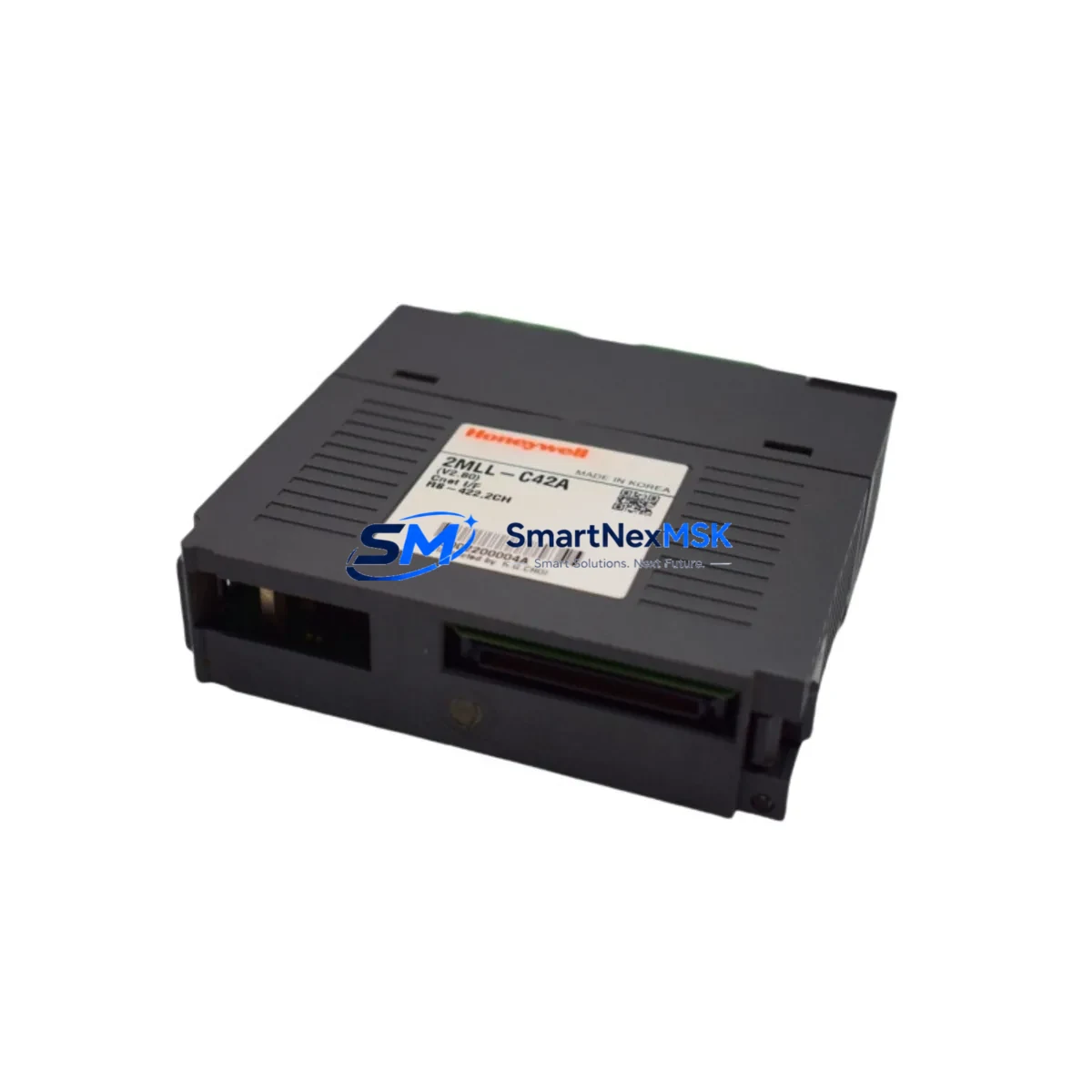
Honeywell 2MLR-CPUH/T-CC Maintenance-Ready Spare for Experion PKS Automation
The Honeywell 2MLR-CPUH/T-CC is a redundant CPU module engineered for the Experion PKS (Process Knowledge System) distributed control system platform. In industrial facilities running continuous processes — refining, petrochemical, power generation, and advanced manufacturing — this module serves as the primary processing core for control strategy execution, I/O scanning, historian data collection, and network communication. When this CPU fails or degrades, the entire control loop is at risk. Maintaining a verified, tested spare on-site is not optional; it is a fundamental element of any serious maintenance strategy.
For maintenance engineers and spare parts procurement teams, the 2MLR-CPUH/T-CC represents a high-criticality line item. Its redundant architecture (the /T-CC suffix denotes the redundancy-capable, C300 controller family variant) means it is typically deployed in hot-standby pairs. A failure in one unit triggers automatic failover to the secondary — but only if the secondary is healthy. Routine inspection of both primary and secondary CPU modules during planned shutdowns is essential to confirm firmware version alignment, battery status, and communication link integrity.
This listing provides an original, factory-sourced Honeywell 2MLR-CPUH/T-CC spare module, fully tested prior to shipment and backed by a 12-month warranty. It is suitable for direct replacement in existing Experion PKS C300 controller cabinets without requiring system reconfiguration, provided firmware compatibility is confirmed before installation.
Spare Maintenance Table
| Parameter | Specification / Detail |
|---|---|
| Part Number / SKU | 2MLR-CPUH/T-CC |
| Brand | Honeywell |
| Series / Platform | Experion PKS — C300 Controller Family |
| Module Type | Redundant CPU / Controller Module |
| Redundancy Support | Hot-standby redundancy (primary/secondary pair) |
| Communication Interface | FTE (Fault Tolerant Ethernet) — dual-port |
| Power Supply Compatibility | 24 VDC backplane power (via C300 controller chassis) |
| Operating Temperature | 0°C to 60°C (32°F to 140°F) |
| Mounting | DIN-rail / C300 controller chassis slot |
| Firmware | Confirm target firmware version before replacement |
| Application Environment | Continuous process industries: refining, chemical, power, pulp & paper |
| Condition | Original spare — tested before shipment |
| Warranty | 12 months from date of shipment |
| Compatibility | Experion PKS R400 and above (verify with site engineer) |
| Replacement Scope | Direct module swap; no chassis modification required |
Maintenance Planning for Continuous Operation
Replacing a 2MLR-CPUH/T-CC in the field is rarely an isolated task. Experienced maintenance engineers know that a CPU module failure is often a symptom of broader cabinet health issues, and a planned replacement is the ideal opportunity to inspect and verify the condition of surrounding components.
Start with the C300 controller chassis and backplane. Inspect backplane connectors for oxidation or mechanical damage before seating the new CPU. Next, verify the CC-PWRR01 redundant power supply module — power instability is a leading cause of premature CPU failure in Experion PKS cabinets. Both the primary and secondary power feeds should be measured under load before the new CPU is commissioned.
The CC-TCNT01 communication interface module and associated FTE network switches should be checked for link errors and port status. A degraded FTE link can cause the redundant CPU pair to lose synchronization, negating the value of the redundancy architecture. If the site runs FOUNDATION Fieldbus or PROFIBUS segments, inspect the corresponding interface modules (such as the CC-PCF901 or CC-PFB901) for alarm history and communication statistics.
I/O health is equally important. Review the C300-connected I/O link modules and any associated CC-TAIX11 analog input or CC-TDOB11 digital output modules for diagnostic faults logged during the period leading up to the CPU event. Signal integrity issues at the I/O level can generate excessive controller load and contribute to CPU stress over time.
For sites using Experion PKS Series C Safety Manager integration, confirm that the safety network communication path remains intact after the CPU swap. Additionally, inspect terminal blocks and field wiring terminations in the same cabinet for loose connections, which can introduce noise into analog signal chains and trigger nuisance alarms post-replacement.
Finally, if the site operates an Experion Station HMI or Honeywell Uniformance historian, verify that the new CPU re-establishes its server connection and that all control strategies resume normal scan rates within the expected commissioning window.
Site Replacement Workflow
Step 1 — Pre-replacement verification: Confirm the replacement 2MLR-CPUH/T-CC firmware version matches the secondary (standby) CPU currently installed. Mismatched firmware versions will prevent redundancy synchronization. Download the current firmware version from the Experion PKS server before proceeding.
Step 2 — Controlled failover: If replacing the primary CPU while the system is live, initiate a controlled switchover to the secondary CPU via the Experion PKS Control Builder or Station console. Confirm the secondary has assumed primary control before proceeding.
Step 3 — Module extraction: Power down the controller chassis slot (if hot-swap is not supported for this firmware revision). Remove the failed 2MLR-CPUH/T-CC by releasing the module locking tabs. Document the slot position and any LED fault codes before removal.
Step 4 — Installation and seating: Insert the replacement module firmly into the chassis slot until the locking tabs engage. Restore slot power and observe the module LED sequence. A healthy startup sequence will progress from initialization through communication link establishment within 60–90 seconds.
Step 5 — Redundancy re-establishment: Monitor the Experion PKS Station for redundancy status. The newly installed module should synchronize with the primary and return to hot-standby status. Confirm via Control Builder that both CPUs show “Synchronized” state before closing the maintenance work order.
Step 6 — Post-replacement audit: Log the replacement in the site CMMS, update the spare parts inventory record, and initiate a procurement request to replenish the consumed spare. A single-spare strategy for a redundant CPU pair leaves the system exposed; maintaining at least one verified spare at all times is the recommended practice.
Spare Parts Support FAQ
Q1: Is this 2MLR-CPUH/T-CC compatible with all Experion PKS software releases?
The 2MLR-CPUH/T-CC is compatible with Experion PKS R400 and later releases. Compatibility with specific minor releases depends on the firmware version loaded on the module. We recommend confirming the target firmware version with your site DCS engineer before ordering. Our technical team can assist with firmware version matching upon request.
Q2: How is the module tested before shipment?
Each 2MLR-CPUH/T-CC spare undergoes functional power-on testing and communication interface verification prior to shipment. Modules are inspected for physical integrity, connector condition, and LED diagnostic response. A test report is available upon request for quality-critical procurement processes.
Q3: What does the 12-month warranty cover?
The 12-month warranty covers manufacturing defects and functional failures under normal operating conditions. It does not cover damage resulting from incorrect installation, overvoltage events, or environmental conditions outside the module’s rated specifications. Warranty claims are processed with return shipment coordination and replacement dispatch within agreed lead times.
Q4: Can this module replace older Honeywell C300 CPU variants?
The 2MLR-CPUH/T-CC is a specific variant within the C300 controller family. Direct substitution for earlier C300 CPU part numbers requires firmware and hardware revision verification. In some cases, a chassis slot configuration change may be required. We recommend providing your existing module’s full part number and firmware label when inquiring about cross-compatibility to ensure a correct match before shipment.
© 2026 SMARTNEXMSK. All rights reserved.
Original Source: https://smartnexmsk.com
Contact: [email protected] | +86 18259474341



