
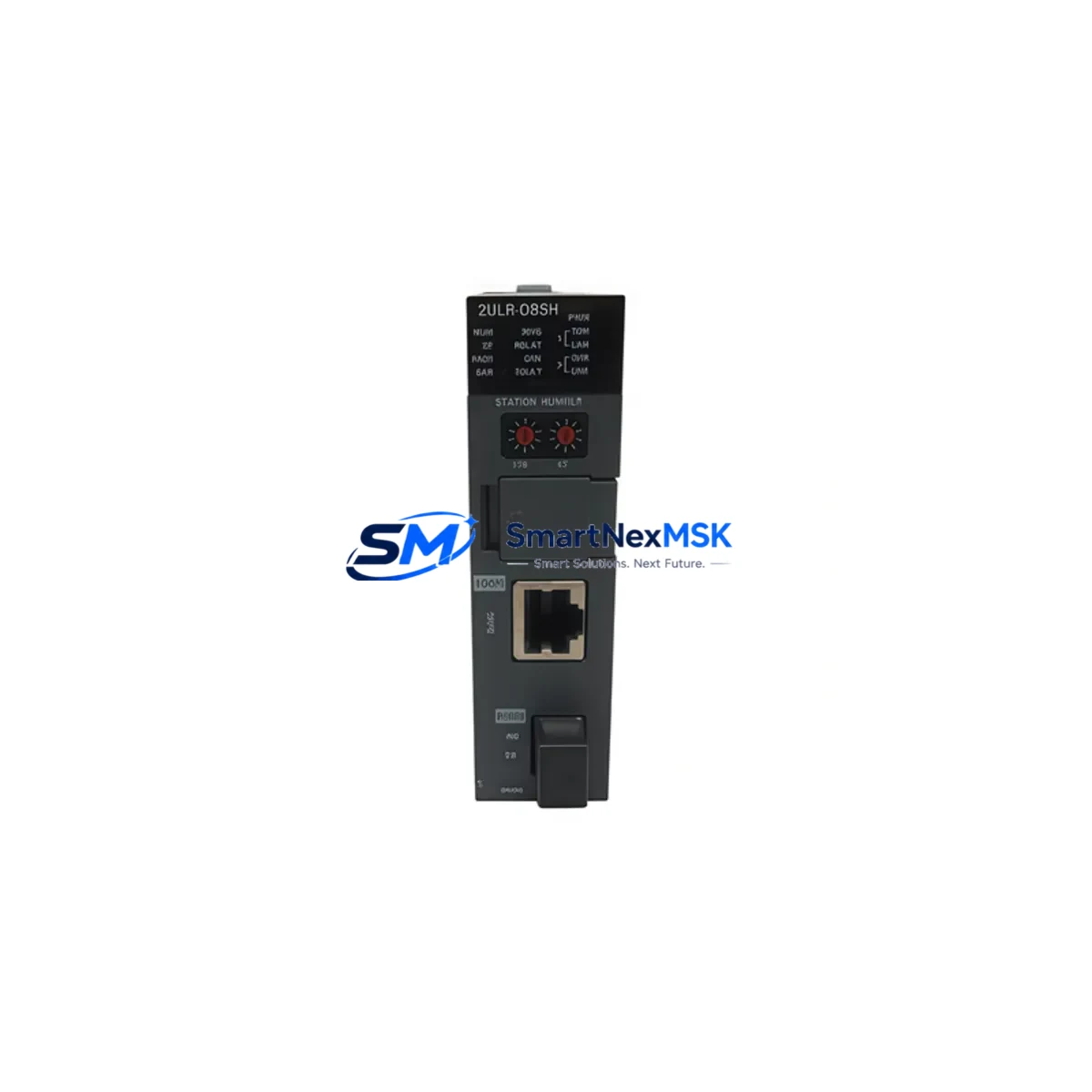
Honeywell 2MLR-DBSHS-CC Retrofit-Ready Driver for HC900 Control Systems
The Honeywell 2MLR-DBSHS-CC is a high-reliability expansion driver module engineered for seamless integration into HC900 Hybrid Controller systems. As legacy automation infrastructure ages and OEM support windows close, the 2MLR-DBSHS-CC has become a critical component in retrofit projects across process industries including oil & gas, chemical processing, power generation, and water treatment. Whether you are replacing a failed unit on an active production line, upgrading a control cabinet to extend service life, or migrating from an end-of-life platform, this module provides the electrical compatibility, communication integrity, and mechanical fit required for a controlled, low-risk transition.
The HC900 platform is widely deployed in hybrid control applications where both discrete and continuous process control are required within a single rack architecture. The 2MLR-DBSHS-CC functions as a driver interface module within this architecture, supporting the backplane communication bus and enabling coordinated I/O expansion across the rack. When sourcing a replacement for this module, engineers must verify backplane slot compatibility, confirm the firmware revision supported by the HC900 Controller Module (C30, C50, or C70 variants), and ensure that the replacement unit carries the same hardware revision to avoid configuration mismatches in the HC Designer programming environment.
Upgrade Compatibility Table
| Parameter | Details |
|---|---|
| Compatible Platform | Honeywell HC900 Hybrid Controller Series |
| Compatible Controllers | HC900 C30, C50, C70 Controller Modules |
| Backplane Interface | HC900 standard rack backplane bus |
| Rack Compatibility | HC900 4-slot, 8-slot, and 12-slot rack assemblies |
| Communication Protocol | Modbus TCP/IP, Ethernet (via HC900 controller); internal backplane bus |
| Installation Requirement | Power-off installation recommended; DIN rail or rack-mount per HC900 chassis |
| Replacement Scope | Direct drop-in for failed or end-of-life 2MLR-DBSHS-CC units |
| Firmware Compatibility | Verify HC Designer project revision before hot-swap; cold-swap preferred |
| Commissioning Tool | HC Designer (Honeywell); no additional programming cable required for module swap |
| Warranty | 12-Month Warranty — covers manufacturing defects and functional failure under normal operating conditions |
Retrofit Planning for Existing Automation Systems
A successful retrofit begins well before the replacement module arrives on site. For HC900-based control systems, the first step is a full rack audit: document every module installed in the chassis, including the HC900 Power Supply Module, the Controller Module (C30, C50, or C70), all I/O modules (analog input, analog output, digital input, digital output), and any communication modules such as the Ethernet Communication Module or the Modbus Serial Communication Module. This documentation becomes the baseline for your spare parts list and your commissioning checklist.
When the 2MLR-DBSHS-CC is identified as the failed or degraded component, the replacement procedure requires the following pre-installation verifications: confirm that the HC900 rack power supply is rated for the total module load after replacement; inspect the backplane connector on the rack for bent pins or corrosion; verify that the slot address assigned to the original module in the HC Designer configuration matches the physical slot position in the rack; and confirm that the HC900 Controller Module firmware version is compatible with the replacement hardware revision.
In systems where the HC900 is integrated with a Honeywell Experion PKS or a third-party SCADA platform via OPC DA/UA or Modbus TCP, the communication link must be validated after module replacement. If the system uses a Remote I/O Expansion Rack connected via the HC900 Remote I/O Communication Module, verify that the remote rack addressing is unaffected by the local rack module swap. For sites running HC900 in conjunction with a Honeywell UDC3500 or UDC2800 loop controller on the same Modbus network, confirm that the network polling sequence is not disrupted during the replacement window.
Terminal wiring on adjacent I/O modules — particularly 16-channel Analog Input Modules and 16-channel Digital Output Modules — should be photographed and labeled before any rack work begins. Field wiring terminations on HC900 I/O modules use removable terminal blocks, which simplifies module swap without disturbing field cables, but the terminal block must be re-seated correctly after the new module is installed. Torque specifications for terminal screws should be followed per the HC900 Hardware Installation Guide to prevent intermittent contact faults after commissioning.
Downtime Control During System Migration
Minimizing unplanned downtime during a module replacement on an active HC900 system requires a structured approach to change management. Begin by scheduling the replacement during a planned maintenance window and notifying all stakeholders — operations, process engineering, and safety — in advance. Before powering down the rack, export the current HC Designer project file and save a timestamped backup to a secure location. This preserves the full program logic, PID tuning parameters, alarm setpoints, and I/O tag assignments that will be needed to verify system integrity after the swap.
If the HC900 system is running in a redundant controller configuration (C50R or C70R), the replacement can often be performed on the standby controller first, allowing the primary controller to maintain process control throughout the procedure. After the standby controller is restored and synchronized, a controlled switchover transfers control to the newly commissioned unit, and the primary controller can then be serviced. This approach reduces the process interruption to the duration of the switchover event — typically less than one scan cycle — rather than a full system shutdown.
For non-redundant systems, the replacement window should be planned to coincide with a natural process break or a scheduled batch changeover. During the outage, the sequence is: save and export the HC Designer project, power down the rack, replace the 2MLR-DBSHS-CC module, power up the rack, verify that the controller re-establishes communication with all I/O modules, download the project if required, and perform a controlled process restart. HMI screens connected via Ethernet to the HC900 controller should be monitored during restart to confirm that all tag values are updating correctly and that no communication fault alarms are active before returning the system to automatic mode.
Retrofit Support FAQ
Q1: Is the 2MLR-DBSHS-CC a direct replacement for the original Honeywell part, and will it work without reprogramming?
A: Yes, the 2MLR-DBSHS-CC is a direct form-fit-function replacement for the original Honeywell module of the same part number. In most cases, no reprogramming is required — the HC900 controller will recognize the replacement module automatically upon power-up, provided the slot address and hardware revision are consistent with the existing HC Designer configuration. If the controller prompts for a configuration download, use the previously saved project file to restore the configuration.
Q2: What wiring checks are required before installing the replacement module?
A: Before installation, inspect the backplane slot for physical damage, verify that the rack power supply output voltage is within specification (typically 24 VDC for HC900 I/O racks), and confirm that all field wiring terminal blocks on adjacent modules are secure. No direct field wiring connects to the 2MLR-DBSHS-CC itself — it interfaces exclusively via the backplane bus — so terminal wiring work is limited to adjacent I/O modules disturbed during rack access.
Q3: How is the replacement module tested before shipment, and what does the 12-month warranty cover?
A: Every unit undergoes functional testing prior to shipment, including backplane communication verification and power-on self-test validation. The 12-month warranty covers manufacturing defects and functional failures under normal operating conditions. It does not cover damage resulting from incorrect installation, overvoltage events, or physical mishandling. Warranty claims are processed through SMARTNEXMSK with a standard RMA procedure.
Q4: Can this module be used in an HC900 system that has been upgraded to a newer firmware revision?
A: Compatibility with newer HC900 firmware revisions depends on the hardware revision of the replacement module. Before ordering, provide your HC900 controller firmware version and the hardware revision of the original module (found on the module label) to confirm compatibility. SMARTNEXMSK technical support can assist with revision matching to ensure a successful installation.
© 2026 SMARTNEXMSK. All rights reserved.
Original Source: https://smartnexmsk.com
Contact: [email protected] | +86 18259474341



