
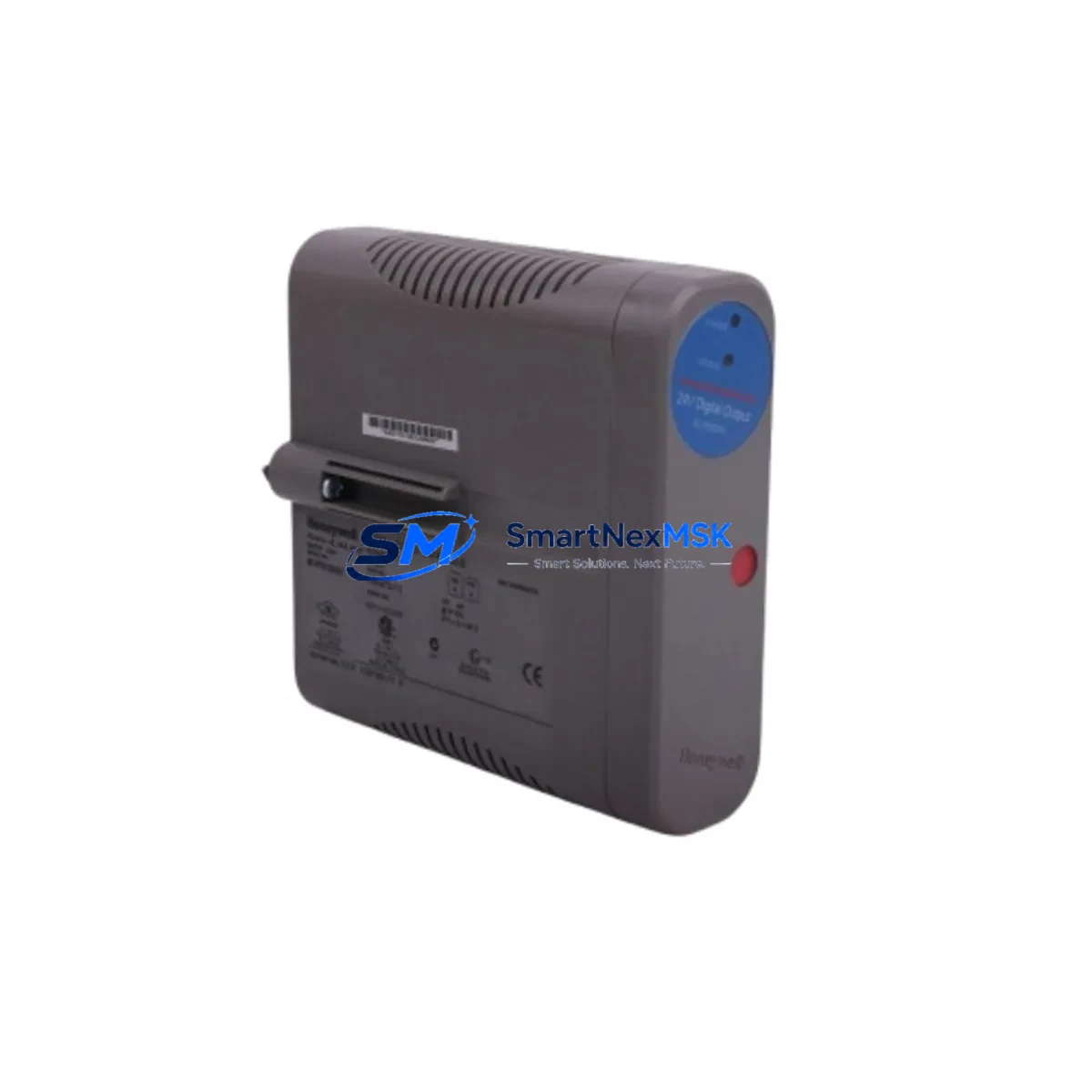
Honeywell 38001704-100 Retrofit-Ready Analog Input Module for TDC 3000 Control Systems
The Honeywell 38001704-100 is a retrofit-ready Analog Input (AI) module engineered for seamless integration into legacy TDC 3000 and PlantScape distributed control system architectures. As Honeywell progressively phases out older DCS hardware, facilities running continuous process operations — including refining, petrochemical, power generation, and specialty chemical plants — face increasing pressure to source reliable replacement modules that maintain full backward compatibility without requiring costly re-engineering of control logic or field wiring.
This module is sourced from verified industrial supply channels, fully tested against factory specifications, and backed by a 12-month warranty. Each unit undergoes pre-shipment functional verification to confirm analog signal acquisition accuracy, channel isolation integrity, and backplane communication stability before dispatch.
Upgrade Compatibility Table
| Parameter | Details |
|---|---|
| Part Number | 38001704-100 |
| Brand | Honeywell |
| Compatible Series | TDC 3000, PlantScape, Experion PKS (legacy rack) |
| Module Type | Analog Input (AI) |
| Backplane Interface | TDC 3000 standard IOP/FTA backplane connector |
| Signal Range | 4–20 mA / 1–5 VDC (field-configurable) |
| Channel Count | Typically 8 or 16 channels (per series configuration) |
| Installation Requirement | Direct slot replacement — no rack modification required |
| Communication Compatibility | UCN / LCN backplane protocol |
| Replacement Recommendation | Drop-in for discontinued 38001704-series AI modules |
| Commissioning Notes | Verify module address via NIM/UCN node configuration; confirm FTA wiring map before hot-swap |
| Warranty | 12 Months — covers functional defects under normal operating conditions |
Retrofit Planning for Existing Automation Systems
Replacing the Honeywell 38001704-100 within an active TDC 3000 environment requires a structured approach that accounts for the interdependencies between hardware, firmware, and control logic. Before initiating a swap, engineers should audit the existing Field Termination Assembly (FTA) wiring to confirm that terminal block assignments match the replacement module’s channel map. Mismatched wiring between the FTA and the AI module is one of the most common causes of signal errors following a retrofit.
The module occupies a standard IOP slot within the TDC 3000 High-Performance Process Manager (HPM) or Advanced Process Manager (APM) rack. When planning the replacement, verify that the rack’s power supply — typically a Honeywell 51190076-100 or equivalent HPM power module — can sustain the additional load if multiple modules are being replaced simultaneously. Overloaded backplane power is a frequently overlooked failure point during multi-module retrofit campaigns.
For facilities migrating toward Experion PKS, the 38001704-100 can serve as an interim solution while the control strategy is being ported from TDC 3000 Application Modules to Experion’s Control Execution Environment (CEE). During this transition period, the Honeywell UCN Interface Module and associated Network Interface Module (NIM) must remain operational to bridge legacy UCN nodes with the Experion server. Confirm that the NIM firmware version supports the module address range assigned to the 38001704-100 in the existing database.
I/O expansion during a retrofit often involves adding Honeywell 51304485-100 analog output modules or 51309276-175 digital input modules to the same HPM rack. When mixing module types, always re-validate the rack’s slot assignment table in the Control Builder or legacy Engineering Workstation (EWS) to prevent address conflicts. If the facility uses Honeywell HC900 hybrid controllers in satellite control panels, ensure that the UCN-to-HC900 gateway configuration is updated to reflect any changes in the AI module’s tag database.
HMI screen updates are a critical but often deferred step in retrofit projects. After replacing the 38001704-100, verify that all associated Honeywell GUS (Global User Station) or Experion Flex Station displays correctly reference the new module’s process variable tags. Stale tag references can cause operators to act on incorrect data during the post-commissioning period. Where facilities have migrated to third-party SCADA platforms, confirm that the OPC DA/UA server configuration reflects the updated tag structure.
Communication link integrity should be validated using the Honeywell UCN Diagnostic Tool or equivalent network analyzer before returning the system to automatic control. Pay particular attention to token-passing timing on the UCN segment — adding or replacing modules can occasionally introduce latency that affects scan cycle performance on adjacent Process Manager (PM) nodes.
Downtime Control During System Migration
Minimizing unplanned downtime during a TDC 3000 module replacement requires pre-staging the Honeywell 38001704-100 as a tested, ready-to-install spare before the maintenance window opens. All configuration data — including module address, channel scaling parameters, engineering unit conversions, and alarm limits — should be exported from the EWS and stored offline prior to the swap. This ensures that if the replacement module requires re-initialization, the configuration can be reloaded without manual re-entry.
Where process conditions permit, place affected control loops in manual mode at the operator station before removing the existing AI module. This prevents the controller from responding to invalid input signals during the hardware transition. For critical loops where manual operation is not feasible, coordinate with the operations team to implement temporary field bypasses or use portable signal simulators to maintain a valid 4–20 mA input to the controller during the swap interval.
After installing the 38001704-100, perform a channel-by-channel signal verification against the field instrument readings before returning loops to automatic. Confirm that the module’s self-diagnostics report no faults via the HPM Status Display and that all channels are reporting within expected engineering unit ranges. Document the as-found and as-left signal values for each channel as part of the maintenance record. Once all channels are verified, return control loops to automatic mode sequentially rather than simultaneously to avoid process upsets from simultaneous setpoint deviations.
Retrofit Support FAQ
Q1: Is the Honeywell 38001704-100 a direct drop-in replacement for other 38001704-series modules?
Yes. The 38001704-100 is designed as a direct slot replacement for other variants within the 38001704 series. However, confirm the FTA model number and wiring configuration before installation, as some FTA variants are channel-count specific. If the existing FTA is a 16-channel model, verify that the replacement module supports the same channel density.
Q2: What commissioning steps are required after installing the module?
After physical installation, verify the module address assignment in the UCN/NIM configuration, confirm FTA terminal wiring against the as-built drawings, perform a signal loop check on all active channels, and validate that the HPM Status Display shows the module as healthy. If the module was previously configured in the EWS database, reload the configuration file and confirm tag assignments before returning to automatic control.
Q3: Can this module be used in an Experion PKS environment?
The 38001704-100 is natively compatible with TDC 3000 HPM and APM racks. In Experion PKS environments that retain legacy TDC 3000 I/O racks via the C300 controller’s EUCN interface, the module can continue to operate without modification. For full Experion native I/O migration, consult Honeywell’s migration guide for transitioning from IOP-based I/O to Series C I/O modules.
Q4: What does the 12-month warranty cover?
The 12-month warranty covers functional defects arising under normal operating conditions, including signal acquisition failures, backplane communication errors, and channel isolation faults. Each unit is pre-shipment tested and ships with a test report. Warranty claims are processed via our sales team with a target replacement dispatch of 5 business days upon fault confirmation.
© 2026 SMARTNEXMSK. All rights reserved.
Original Source: https://smartnexmsk.com
Contact: [email protected] | +86 18259474341



