
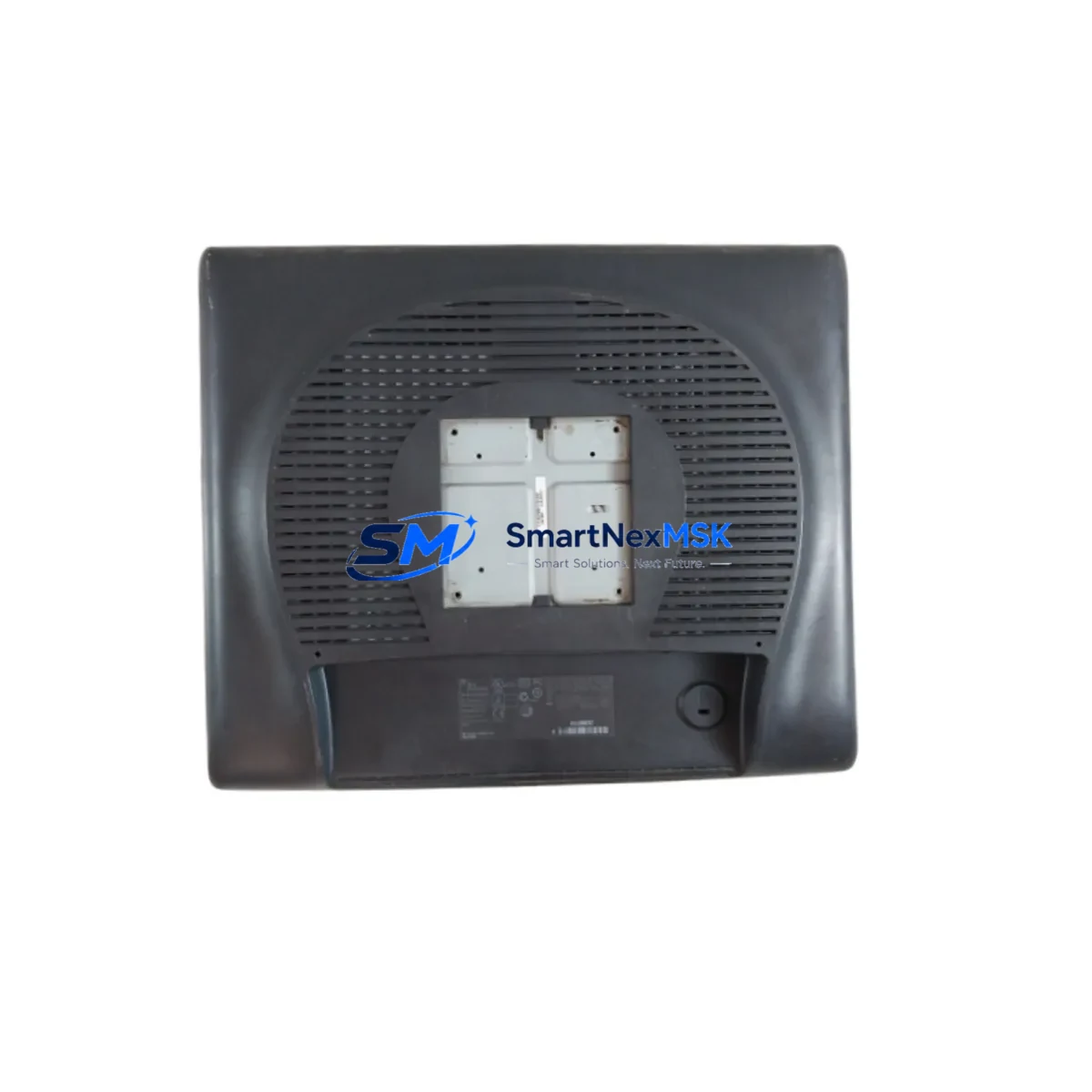
Honeywell 51153996-100 ET1915L-8CWA-1-RGNM-G Retrofit-Ready HMI for Experion PKS Control Systems
The Honeywell 51153996-100 ET1915L-8CWA-1-RGNM-G is a 19-inch industrial HMI monitor engineered for seamless integration into Honeywell Experion PKS (Process Knowledge System) distributed control environments. As legacy HMI panels reach end-of-life or become increasingly difficult to source, this unit serves as a verified drop-in replacement that preserves existing operator interface layouts, alarm displays, and process graphics without requiring a full DCS overhaul. Whether you are managing a refinery, chemical plant, power generation facility, or continuous manufacturing line, this monitor delivers the display performance and industrial-grade durability required for 24/7 control room operation.
Facilities running older Experion PKS R400 or R430 stations frequently encounter display failures caused by aging CCFL backlights, cracked touch overlays, or degraded video signal boards. The ET1915L-8CWA-1-RGNM-G addresses these failure modes directly, offering a current-production replacement that maintains compatibility with the Experion Station software environment and existing HMI graphic pages built in Display Builder or HMIWeb Display Builder. Engineers can swap the unit at the operator workstation without modifying the underlying control strategy, PLC ladder logic, or function block diagrams residing in the C300 Controller or C200 Controller.
Upgrade Compatibility Table
| Parameter | Details |
|---|---|
| SKU / Part Number | 51153996-100 ET1915L-8CWA-1-RGNM-G |
| Brand | Honeywell |
| Series Compatibility | Experion PKS R400 / R430 / R500 Operator Stations |
| Display Size | 19-inch Industrial TFT LCD |
| Touch Technology | Capacitive / Resistive (model-dependent) |
| Video Interface | VGA / DVI (verify existing station output) |
| Power Input | 100–240 VAC, 50/60 Hz (verify UPS capacity) |
| Mounting | Panel-mount / VESA 100×100 mm |
| Communication Compatibility | Compatible with Experion PKS FTE (Fault Tolerant Ethernet) network topology |
| Replacement Recommendation | Direct replacement for end-of-life 51153996-series HMI panels |
| Commissioning Notes | Verify display resolution settings in Experion Station configuration; recalibrate touch if applicable |
| Warranty | 12-Month Warranty — covers hardware defects under normal industrial operating conditions |
Retrofit Planning for Existing Automation Systems
A successful retrofit of the 51153996-100 ET1915L-8CWA-1-RGNM-G begins well before the physical swap. Maintenance engineers should audit the existing operator station to confirm the video output type — most Experion PKS workstations running on HP or Dell industrial PCs output VGA or DVI signals, and the replacement monitor must match or be adapted accordingly. If the control room uses a multi-monitor configuration managed through an Experion Station server, each display node must be individually verified against the station’s display assignment table.
Power supply integrity is a critical pre-check. The UPS units feeding the operator consoles — often Honeywell-qualified APC or Eaton rack-mount models — must have sufficient remaining capacity to support the replacement monitor’s inrush and steady-state draw. In older control rooms where the UPS battery strings have not been replaced in the past three to five years, this is an opportune moment to schedule a parallel UPS refresh.
For facilities also upgrading from older Experion PKS R400 to R500, the migration path often involves replacing not just the HMI monitors but also the underlying Experion Application Server nodes, the FTE network switches, and in some cases the C300 Controller modules housed in the Series C I/O chassis. Engineers should cross-reference the I/O termination assemblies — particularly the Honeywell 51304485-150 or similar FTA (Field Termination Assembly) boards — to confirm that signal wiring remains compatible after the station upgrade. The Honeywell CC-PAIX01 analog input module and CC-PDOB01 digital output module are commonly encountered in the same control cabinets and should be inventoried as part of the broader retrofit scope.
Communication link verification is equally important. Experion PKS relies on the FTE dual-redundant Ethernet backbone, and any new operator station hardware must be enrolled correctly in the FTE network configuration tool. If the site is also migrating SCADA communications from older OPC DA to OPC UA, the Experion server licensing and network firewall rules will need to be updated in parallel. Facilities using Modbus TCP or PROFIBUS DP for field device integration should confirm that the existing Honeywell ControlEdge HC900 or legacy TDC 3000 gateway configurations remain unaffected by the HMI swap.
In control cabinets where the HMI is co-located with the main PLC rack, engineers should also inspect the Honeywell 51401642-150 power supply module and the backplane connectors of the Series C I/O chassis. Loose backplane connections are a common source of intermittent faults that surface during post-retrofit commissioning and are easily mistaken for software incompatibilities. Labeling all terminal blocks and documenting the existing wiring with photographs before disconnecting any cables will significantly reduce troubleshooting time during the cutover window.
Downtime Control During System Migration
Minimizing unplanned downtime is the primary concern for any production facility undertaking an HMI replacement. The recommended approach for swapping the 51153996-100 ET1915L-8CWA-1-RGNM-G is to pre-stage the replacement unit in the maintenance workshop, apply all required display driver updates, and perform a full power-on test before bringing it to the control room floor. This pre-commissioning step — which typically takes two to four hours — eliminates the risk of discovering a configuration issue during the live cutover window.
The physical swap itself, assuming the mounting footprint and video connector type are confirmed in advance, can be completed in under 30 minutes per station. The Experion PKS control strategy continues to execute on the C300 or C200 Controller throughout the HMI replacement; the controller does not require a restart, and field I/O scanning is uninterrupted. Operators can temporarily monitor the process through a redundant operator station or through the Experion Web-based Flex Station client on a laptop connected to the FTE network, maintaining full alarm visibility and control capability during the swap.
After the new monitor is physically installed and powered on, the commissioning technician should verify that all HMIWeb display pages render correctly at the configured resolution, that touch calibration is accurate across the full screen area, and that alarm banner colors and acknowledgment functions operate as expected. Any custom display pages built in Display Builder should be spot-checked against the original screenshots captured during the pre-outage audit. The entire post-installation verification sequence can typically be completed within one hour, bringing total planned downtime per station to under two hours — well within a standard planned maintenance window.
For multi-station control rooms, a rolling replacement strategy — swapping one monitor at a time while keeping adjacent stations operational — allows the facility to maintain continuous process oversight throughout the upgrade campaign. This approach is particularly effective in refineries and chemical plants where regulatory requirements mandate continuous monitoring of critical process variables.
Retrofit Support FAQ
Q1: Is the 51153996-100 ET1915L-8CWA-1-RGNM-G a direct replacement for my existing Honeywell Experion PKS operator station monitor?
A: Yes. The ET1915L-8CWA-1-RGNM-G is designed as a form-fit-function replacement for the 51153996-series HMI panels used in Experion PKS operator stations. The mounting dimensions, video interface, and power requirements are compatible with standard Experion workstation configurations. Minor adjustments to display resolution settings within the Experion Station software may be required after installation.
Q2: What wiring and interface checks should I perform before installation?
A: Confirm the video output type (VGA or DVI) on the existing operator PC, verify that the power feed from the UPS is within the monitor’s rated input range (100–240 VAC), and check that the panel cutout or VESA mounting bracket matches the 19-inch form factor. Document all existing cable connections with photographs before disconnecting anything. If the monitor includes a touch interface, plan for a touch calibration step after installation.
Q3: Will replacing the HMI monitor affect my Experion PKS control strategy or PLC program?
A: No. The HMI monitor is a display peripheral connected to the Experion Operator Station PC. Replacing it does not affect the control strategy executing on the C300 or C200 Controller, the I/O scanning cycle, or any field device communications. The Experion server and all connected controllers remain fully operational during the monitor swap.
Q4: What does the 12-month warranty cover, and how is it handled?
A: The 12-month warranty covers hardware defects in materials and workmanship under normal industrial operating conditions. Each unit undergoes pre-shipment functional testing — including power-on verification, display uniformity check, and touch interface calibration — before dispatch. In the event of a warranty claim, contact [email protected] with the order reference and a description of the fault. Replacement or repair will be arranged promptly to minimize impact on your operations.
© 2026 SMARTNEXMSK. All rights reserved.
Original Source: https://smartnexmsk.com
Contact: [email protected] | +86 18259474341



