
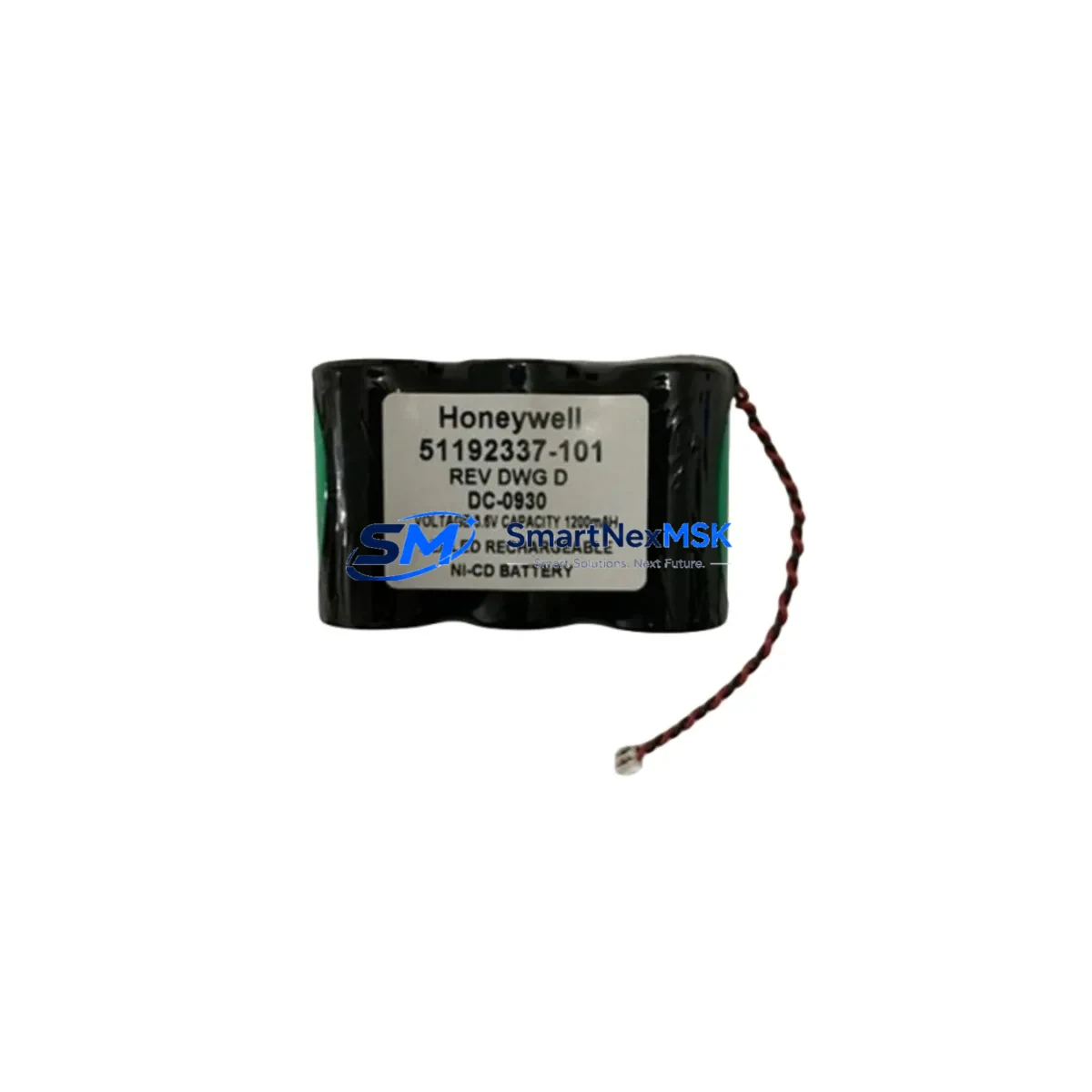
Honeywell 51192337-101 Retrofit-Ready Backup Battery for TDC3000 Control Systems
The Honeywell 51192337-101 is a backup battery pack engineered for sustained operation within Honeywell TDC3000 and TPS (Total Plant Solution) distributed control systems. As legacy TDC3000 installations approach end-of-support milestones and original Honeywell spare parts become increasingly scarce, the 51192337-101 remains one of the most critical consumable components for maintaining SRAM data retention, controller memory backup, and uninterrupted process continuity during power interruptions. This listing provides a verified retrofit-compatible replacement unit, fully tested prior to shipment, backed by a 12-month warranty, and available from in-stock inventory for rapid deployment.
Industrial facilities running TDC3000 platforms — including refineries, chemical plants, power generation stations, and pulp and paper mills — frequently encounter the challenge of sourcing reliable backup batteries as the original Honeywell supply chain for discontinued components tightens. The 51192337-101 directly addresses this gap, offering a drop-in replacement that preserves existing wiring harness connections, maintains compatibility with the standard TDC3000 card cage and Universal Control Network (UCN) architecture, and requires no firmware or configuration changes upon installation.
Upgrade Compatibility Table
| Parameter | Details |
|---|---|
| Compatible Platform | Honeywell TDC3000, TPS (Total Plant Solution) |
| Replaces / Supersedes | 51192337-101 (OEM), legacy TDC3000 battery modules |
| Installation Type | Drop-in; no hardware modification required |
| Connector / Interface | Standard TDC3000 battery harness connector; verify polarity before installation |
| Communication Compatibility | No impact on UCN, LCN, or Ethernet Supervisory Network (ESN) communications |
| Rack / Backplane Fit | Compatible with standard TDC3000 card cage and HPM (High-Performance Manager) enclosures |
| Retrofit Recommendation | Replace proactively during scheduled maintenance; do not wait for battery fault alarm |
| Commissioning Notes | Perform memory backup via Honeywell Engineering Workstation (EWS) before swap; verify CL (Control Language) program integrity post-installation |
| Warranty | 12 Months from date of shipment |
Retrofit Planning for Existing Automation Systems
A successful TDC3000 battery retrofit begins well before the physical swap. Engineers should first audit the full controller inventory across all HPM, AM (Application Module), and HM (History Module) nodes to identify which units are running on aging batteries. In parallel, it is advisable to verify that the Honeywell Universal Station (US) or Global User Station (GUS) HMI displays are showing accurate battery status tags, and that no latent alarms are masked in the Alarm Summary Display.
During pre-replacement planning, confirm that the Local Control Network (LCN) fiber optic cabling and UCN coaxial segments are intact, as any communication disruption during a battery swap on a live controller can trigger spurious process alarms or, in worst cases, an unplanned controller restart. Where possible, schedule the battery replacement during a planned process hold or low-load window. If the facility operates redundant HPM pairs, the battery on the standby HPM should be replaced first, with a full switchover test completed before touching the primary unit.
For sites that are simultaneously upgrading from TDC3000 to the Honeywell Experion PKS platform, the 51192337-101 battery replacement is often part of a phased migration strategy. During such migrations, the existing AM and HPM modules continue to run legacy CL programs while new Experion C300 controllers are commissioned in parallel. Maintaining reliable battery backup on the legacy TDC3000 nodes is essential to prevent data loss during the transition period. Engineers should also verify that the Honeywell Data Hiway (DH) interface modules and any third-party Modbus or HART field device gateways remain powered and communicating correctly throughout the retrofit window.
I/O expansion projects that add new Honeywell PM I/O Link modules or Smart Transmitter Interface Modules (STIM) to an existing TDC3000 rack should always include a battery health check as part of the commissioning checklist. A degraded 51192337-101 battery in a controller that is simultaneously managing expanded I/O can lead to unpredictable SRAM retention behavior, particularly during momentary power dips common in heavy industrial environments.
Downtime Control During System Migration
Minimizing unplanned downtime during a TDC3000 battery replacement requires a structured pre-work protocol. Before any physical intervention, the engineering team should perform a full database backup from the Honeywell Engineering Workstation (EWS), capturing all CL programs, point database configurations, and display graphics. This backup should be stored on both the EWS local drive and an off-system archive to protect against simultaneous workstation failure.
During the swap itself, the replacement 51192337-101 unit should be at ambient temperature and verified for charge state before installation. The actual connector exchange on a powered-down controller module typically takes under five minutes, but the surrounding preparation — including notifying the control room operator, placing the affected HPM in manual fallback mode where process safety permits, and confirming that redundant controllers have assumed control — accounts for the majority of the maintenance window. Post-installation, the controller should be powered up and monitored for a minimum of 15 minutes to confirm stable CL program execution, correct I/O scanning, and normal UCN communication heartbeat before returning the loop to automatic control.
For facilities where continuous operation is mandatory, a hot-standby HPM pair configuration allows the battery on one unit to be replaced with zero process impact, provided the switchover has been tested and documented within the preceding 90 days. This approach effectively reduces the operational risk of the 51192337-101 replacement to near zero and is the recommended practice for critical process units such as reactor control, compressor surge control, and boiler management systems.
Retrofit Support FAQ
Q1: Is the 51192337-101 a direct drop-in replacement for the original Honeywell battery, or are there wiring modifications required?
The 51192337-101 is designed as a direct replacement using the original TDC3000 battery harness connector. No wiring modifications are required. However, technicians should verify connector polarity and inspect the harness for insulation degradation before installation, particularly on systems that have been in service for more than 10 years.
Q2: How do I verify compatibility with my specific TDC3000 controller module before ordering?
Compatibility can be confirmed by cross-referencing the battery part number printed on the existing unit inside the HPM or AM enclosure with the 51192337-101 designation. Additionally, the Honeywell TDC3000 hardware manual for your specific controller revision will list the approved battery part numbers. If you are uncertain, provide your controller model and revision number to our technical team at [email protected] for pre-order verification.
Q3: What commissioning steps are required after installing the replacement battery?
After physical installation, power up the controller module and allow it to complete its self-diagnostic cycle. Verify on the Honeywell Universal Station or GUS display that the battery status tag returns to a healthy state. Confirm that all CL program blocks are executing normally and that UCN communication with peer controllers and the LCN gateway is re-established. A full EWS database comparison between the pre-swap backup and the live controller database is recommended to confirm data integrity.
Q4: What warranty coverage is provided, and what does it include?
All 51192337-101 units supplied by SMARTNEXMSK are covered by a 12-month warranty from the date of shipment. The warranty covers manufacturing defects and premature failure under normal operating conditions. Each unit undergoes pre-shipment functional testing. Warranty claims are processed via [email protected] with proof of purchase and a failure description. Expedited replacement units are available for critical process applications.
© 2026 SMARTNEXMSK. All rights reserved.
Original Source: https://smartnexmsk.com
Contact: [email protected] | +86 18259474341



