
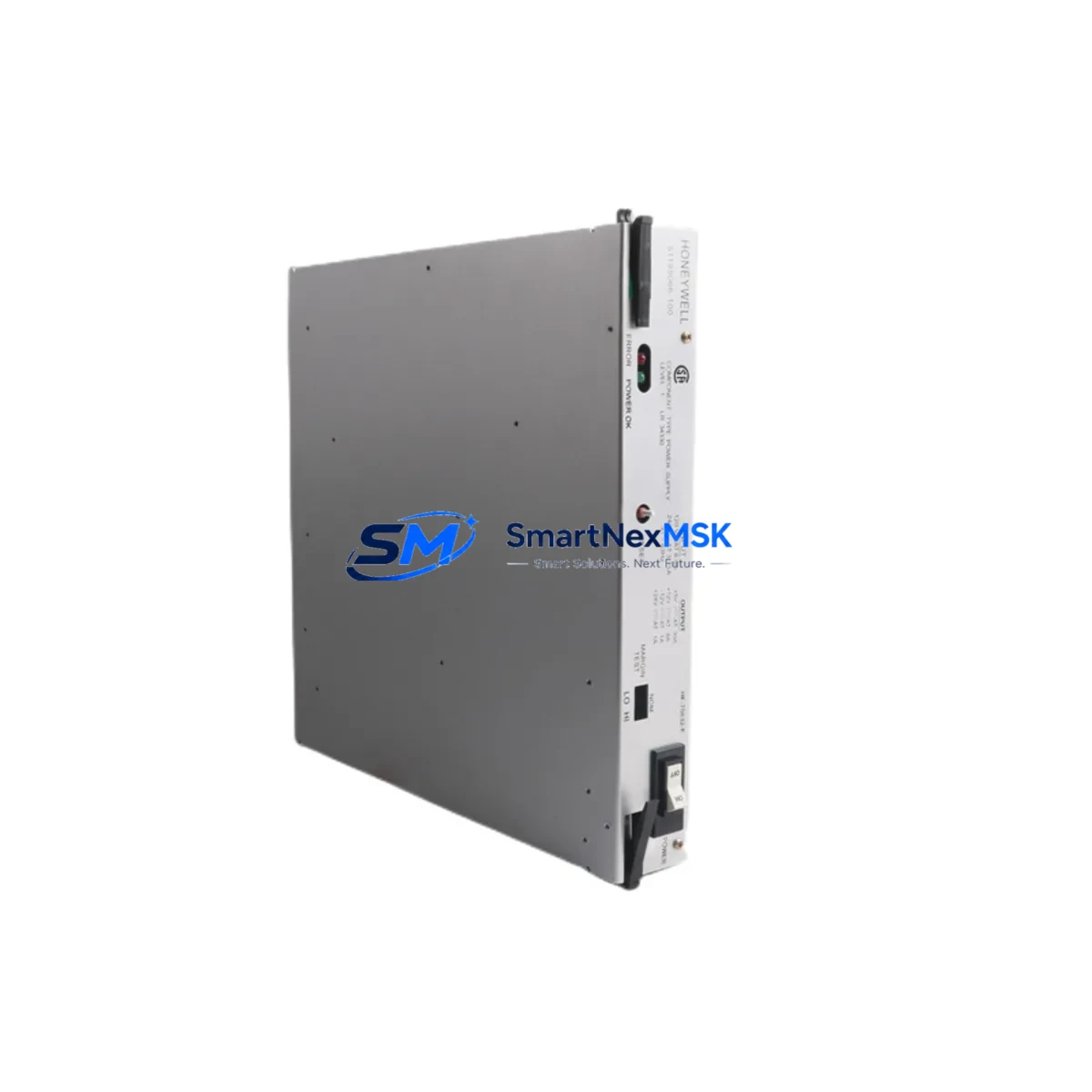
Honeywell 51195066-100 Retrofit-Ready Redundant DC Power Supply for TDC 3000 Control Systems
The Honeywell 51195066-100 is a redundant DC power supply module engineered for the TDC 3000 Distributed Control System platform — one of the most widely deployed process automation architectures in refining, petrochemical, and continuous manufacturing environments. As Honeywell progressively phases out legacy TDC 3000 hardware, sourcing a verified, tested replacement for the 51195066-100 has become a critical priority for plant engineers managing aging control infrastructure.
This module delivers stable, redundant DC power to the TDC 3000 Universal Control Network (UCN) and Local Control Network (LCN) cabinets. It is designed for direct drop-in replacement of the original OEM unit, maintaining full compatibility with existing backplane connectors, cabinet rail mounting, and power distribution architecture. Whether you are executing a planned outage, responding to an unplanned failure, or building a spare-parts inventory for long-term system continuity, the 51195066-100 is a proven solution.
Each unit shipped by SMARTNEXMSK undergoes pre-shipment functional testing, visual inspection, and output voltage verification. All units are covered by a 12-month warranty against manufacturing defects and functional failure under normal operating conditions.
Upgrade Compatibility Table
| Parameter | Details |
|---|---|
| Part Number | 51195066-100 |
| Brand | Honeywell |
| Compatible Platform | TDC 3000 DCS (UCN / LCN Cabinets) |
| Module Function | Redundant DC Power Supply |
| Replaces / Supersedes | Original Honeywell 51195066-100 OEM unit (discontinued) |
| Backplane Interface | Direct plug-in to TDC 3000 standard power backplane |
| Mounting | Standard TDC 3000 cabinet rail — no mechanical modification required |
| Communication Compatibility | Fully compatible with UCN and LCN power distribution architecture |
| Redundancy Mode | Hot-standby redundant power configuration supported |
| Commissioning Notes | Verify output voltage levels, confirm redundancy switchover logic, check cabinet grounding continuity |
| Pre-Shipment Testing | Functional output test, visual inspection, voltage verification |
| Warranty | 12 Months — covers functional failure under normal operating conditions |
| Lead Time | In stock — ships within 2 business days |
Retrofit Planning for Existing Automation Systems
Replacing the 51195066-100 in an operational TDC 3000 environment requires careful pre-work to avoid unplanned downtime or configuration loss. The power supply module sits at the foundation of the cabinet’s power distribution chain, feeding downstream modules including the Honeywell 51304485-100 UCN Interface Module, 51401469-200 Advanced Process Manager (APM), and associated 51196653-100 I/O Link Interface cards. Any interruption to the power rail during replacement can affect the operational state of these modules and may require a controlled restart sequence.
Before beginning the swap, engineers should document the current power rail voltage readings at the backplane distribution bus. The TDC 3000 cabinet typically uses a Honeywell 51190543-100 Power Entry Module at the AC input stage; confirm that this upstream module is functioning correctly and that the AC input voltage is within specification before attributing a fault to the DC supply module itself.
For systems running redundant power configurations, the 51195066-100 operates in a hot-standby pair. Before removing the failed unit, verify that the standby module has assumed the active role and that the Honeywell 51309288-175 Power Monitor Card (where installed) is reporting a healthy status on the remaining supply. This prevents a single-point-of-failure condition during the physical swap.
Wiring and terminal connections on the TDC 3000 power supply are made via the cabinet’s internal power distribution harness rather than field-wiring terminals, so no field rewiring is required for a like-for-like replacement. However, if the retrofit is part of a broader cabinet upgrade — for example, migrating from TDC 3000 to Honeywell Experion PKS — the power architecture changes significantly. In that scenario, the 51195066-100 serves as a bridge supply to keep legacy I/O modules operational during a phased migration, while new Experion C300 controllers and EHPM (Experion Hybrid Process Manager) nodes are brought online in parallel.
For sites also managing Honeywell 51304516-100 Data Hiway Interface or 51401196-100 Hiway Gateway modules, note that these communication modules are sensitive to power rail stability. A degraded or intermittently failing power supply can manifest as spurious communication errors on the Data Hiway before a hard power fault is detected. Replacing the 51195066-100 proactively as part of a scheduled maintenance window is strongly recommended when these symptoms appear.
If the retrofit scope includes I/O expansion — adding 51309276-175 Analog Input or 51309280-175 Analog Output cards to an existing APM — confirm that the total power budget of the cabinet is recalculated after the new supply is installed. The 51195066-100 has a defined output current capacity; exceeding this with additional I/O cards without a corresponding power upgrade will result in undervoltage conditions and unpredictable module behavior.
Downtime Control During System Migration
Minimizing downtime during a TDC 3000 power supply replacement begins with a structured pre-outage checklist. Before the maintenance window opens, back up all controller configurations from the Advanced Process Manager (APM) and Logic Manager (LM) nodes using the Honeywell Engineering Workstation. Confirm that the backup files are readable and complete — a corrupted backup discovered after a module swap is one of the most common causes of extended outages in legacy DCS environments.
During the swap, keep the replacement 51195066-100 at ambient temperature for at least 30 minutes before installation if it has been stored in a cold environment. Cold-soaked electronics can exhibit condensation on internal components, which may cause transient faults during initial power-up. Once installed, allow the module to complete its internal self-test sequence — indicated by the status LED transitioning from amber to green — before restoring the redundant pair configuration.
After power is restored, verify that all downstream modules — including UCN Interface, APM, and I/O Link cards — have returned to their pre-outage operational states. Check the Honeywell operator console for any alarm conditions that may have been triggered by the power interruption. In most cases, process alarms generated during the outage window can be acknowledged and cleared without affecting the control program logic, as the APM retains its configuration in non-volatile memory.
For sites where continuous process control is mandatory and a cold swap is not acceptable, a hot-swap procedure using the redundant power module path is possible if the standby supply is confirmed healthy. In this case, the failed module can be removed and replaced while the standby unit maintains the power rail — a procedure that eliminates process interruption entirely when executed correctly. SMARTNEXMSK recommends confirming this procedure with your site’s DCS maintenance engineer before execution, as cabinet-specific wiring configurations may affect the feasibility of a live swap.
Retrofit Support FAQ
Q1: Is the 51195066-100 a direct drop-in replacement for the original Honeywell OEM unit?
Yes. The 51195066-100 is a form-fit-function replacement for the original OEM module. It uses the same backplane connector, cabinet rail mounting dimensions, and output voltage specifications. No mechanical modification or firmware update is required for a like-for-like swap in a standard TDC 3000 cabinet configuration.
Q2: What commissioning steps are required after installation?
After physical installation, verify DC output voltage at the backplane distribution bus using a calibrated multimeter. Confirm that the redundancy switchover logic is functioning by checking the Power Monitor Card status (if installed). Acknowledge any power-related alarms on the operator console and confirm that all downstream modules — UCN Interface, APM, I/O Link — have returned to normal operational status. No software configuration changes are required for a like-for-like replacement.
Q3: Can this module be used during a phased migration from TDC 3000 to Experion PKS?
Yes. The 51195066-100 is commonly used as a bridge power supply during phased TDC 3000 to Experion PKS migrations, where legacy I/O modules must remain operational while new Experion C300 controllers and EHPM nodes are brought online. It maintains the existing power architecture for legacy modules without requiring cabinet redesign during the transition period.
Q4: What does the 12-month warranty cover?
The 12-month warranty covers functional failure of the module under normal operating conditions, including output voltage failure, internal component failure, and failure to pass the original pre-shipment functional test criteria. It does not cover damage resulting from incorrect installation, overvoltage conditions, physical impact, or operation outside the module’s specified environmental ratings. Warranty claims are processed directly through SMARTNEXMSK with a target response time of 2 business days.
© 2026 SMARTNEXMSK. All rights reserved.
Original Source: https://smartnexmsk.com
Contact: [email protected] | +86 18259474341



