
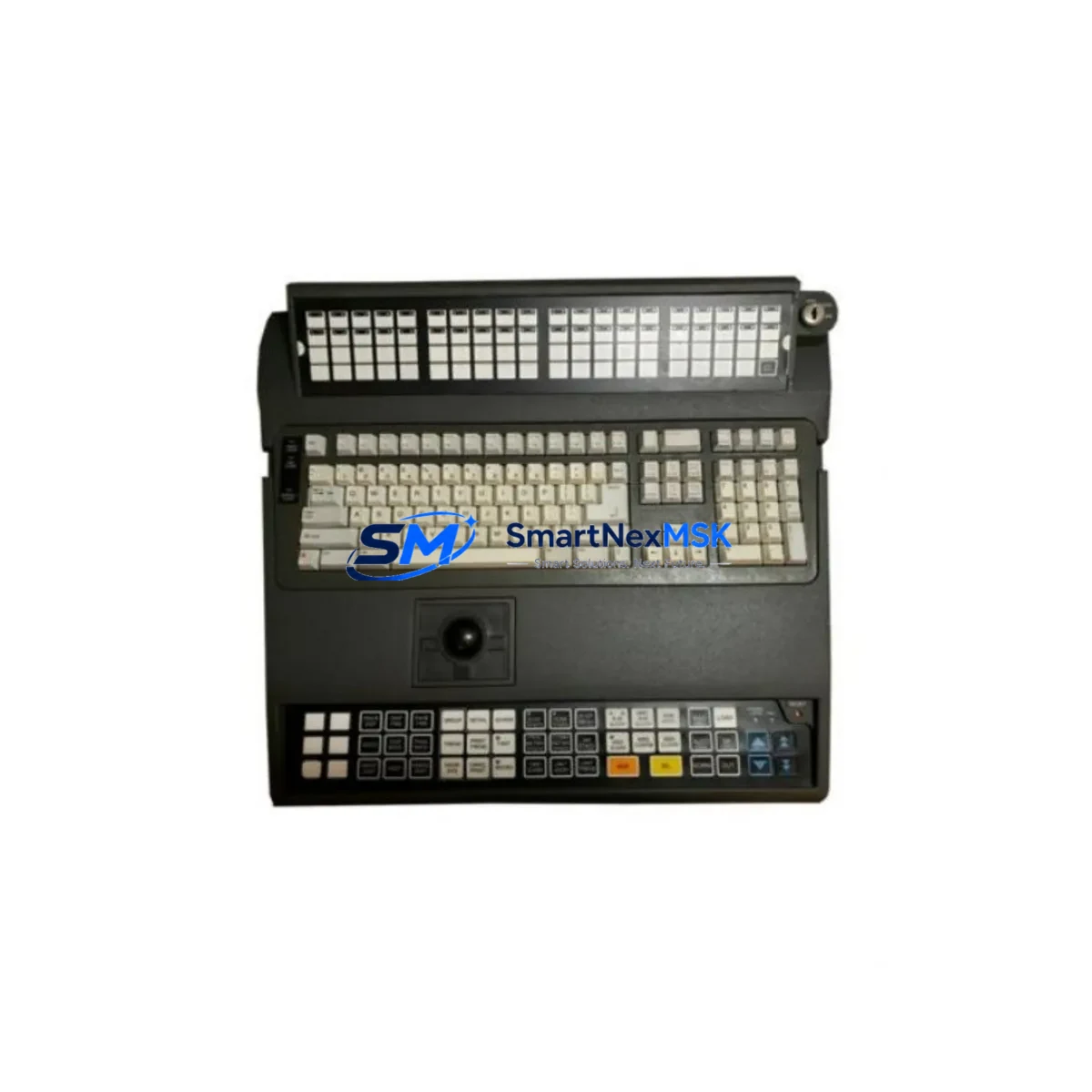
Honeywell 51196694-300 Retrofit-Ready HMI Keypad for Experion PKS Control Systems
The Honeywell 51196694-300 is a purpose-built HMI Keypad module designed for seamless integration into Experion PKS (Process Knowledge System) operator stations. As legacy DCS platforms age and OEM support windows close, facilities running TDC 3000, PlantScape, or early-generation Experion PKS architectures increasingly face the challenge of sourcing compatible operator interface hardware. The 51196694-300 addresses this directly — providing a verified drop-in replacement that preserves existing wiring, panel cutouts, and HMI screen logic without requiring a full operator station overhaul.
Whether you are managing a refinery control room, a chemical batch process, or a power generation facility, the 51196694-300 enables your team to restore operator interface functionality quickly, reduce unplanned downtime, and defer costly full-system migrations. Our inventory is sourced from controlled environments, fully inspected prior to shipment, and backed by a 12-month warranty covering manufacturing defects and functional failures under normal operating conditions.
Upgrade Compatibility Table
| Parameter | Details |
|---|---|
| SKU / Part Number | 51196694-300 |
| Brand | Honeywell |
| Compatible Platform | Experion PKS (C200, C300, ACE Node) |
| Legacy System Compatibility | TDC 3000, PlantScape, Experion R100–R500 |
| Module Type | HMI Operator Keypad |
| Interface / Connection | Panel-mount, ribbon cable / proprietary connector |
| Installation Requirement | Matches OEM panel cutout; no mechanical modification required |
| Communication Compatibility | FTE (Fault Tolerant Ethernet) backbone compatible |
| Replacement Recommendation | Direct drop-in for worn, cracked, or non-responsive OEM keypads |
| Commissioning Notes | No firmware re-flash required; HMI display mapping preserved |
| Warranty | 12 Months — covers functional defects under normal use |
| Origin | USA |
| Condition | New / Refurbished-Tested (specify at order) |
Retrofit Planning for Existing Automation Systems
Replacing the 51196694-300 keypad within a live Experion PKS environment requires careful pre-work to avoid disrupting process control continuity. Before removal, engineers should document the current HMI screen assignments, alarm acknowledgment key mappings, and any custom function key configurations stored in the Experion Station Configuration Utility. In most installations, the keypad interfaces directly with the Experion Operator Station chassis — typically an ES series workstation — via a proprietary ribbon connector routed through the front panel assembly.
Power isolation is the first step: confirm that the operator station is placed in a safe state and that the associated C300 Controller or C200 Controller node has been placed in manual mode or handed off to a redundant control path before the keypad is disconnected. For facilities running redundant FTE networks, the Fault Tolerant Ethernet Switch should remain active throughout the swap to maintain server-to-controller communication.
Technicians should also verify that the replacement 51196694-300 unit matches the revision level of the outgoing module. In multi-station control rooms, it is common to find a mix of Experion R400 and R500 software releases running simultaneously across different operator stations. Confirm the station’s software release via the Experion Configuration Studio before installation. If the station is running an older HMIWeb Display Builder configuration, test all custom faceplates and group displays after keypad replacement to confirm touch-zone alignment is preserved.
For facilities also upgrading adjacent hardware, this retrofit is frequently performed alongside replacement of the Honeywell 51196653-100 Operator Station Power Supply, the 51304485-100 FTE Network Interface Card, and the 51401469-100 Series C I/O Link module. In control cabinets where the Experion PKS chassis shares rack space with a Honeywell HC900 Hybrid Controller or a Safety Manager SC module, ensure that the keypad replacement does not disturb the backplane seating of neighboring modules. A torque-verified re-seating of all adjacent modules is recommended after the swap.
For sites migrating from TDC 3000 Universal Stations to Experion PKS operator environments, the 51196694-300 keypad is a key component in the operator interface layer of the migration. Combined with updated Experion Server licensing and reconfigured HMIWeb displays, this keypad allows operators to maintain familiar control room ergonomics while the underlying control strategy is transitioned to the new platform. Pairing this with a Honeywell 51309288-225 Experion Server Node or a refreshed ACE (Application Control Environment) node ensures the full operator-to-controller communication chain is restored without gaps.
Downtime Control During System Migration
Minimizing downtime during an HMI keypad replacement on a live Experion PKS system begins with a structured pre-outage checklist. The goal is to reduce the physical swap window to under 30 minutes while ensuring that no process alarms are missed and no control outputs are left in an unattended state during the transition.
First, coordinate with the control room supervisor to schedule the replacement during a low-activity process window — ideally during a planned maintenance hold or a shift changeover. Place the affected operator station in a “display-only” advisory role by routing critical alarm acknowledgment to a secondary station running the same Experion PKS server. This ensures that the Safety Manager SC or the Emergency Shutdown System (ESD) logic remains monitored throughout the swap.
During the physical replacement, keep the Experion Server and FTE network fully powered. The 51196694-300 keypad is a non-intelligent peripheral — it does not hold process data or controller logic — so its removal does not interrupt the C300 or C200 controller execution cycle. After installation, perform a full key-function test using the Experion Station Diagnostics utility before returning the station to active operator use. Verify that alarm acknowledgment, setpoint entry, and mode change functions all respond correctly. Log the replacement in your site’s maintenance management system with the module serial number and installation date to support your 12-month warranty claim if needed.
For multi-station control rooms, stagger keypad replacements across stations rather than performing simultaneous swaps. This preserves at least one fully functional operator interface at all times and allows the team to validate the first replacement before proceeding to the next unit.
Retrofit Support FAQ
Q1: Is the 51196694-300 a direct replacement for the original Honeywell OEM keypad in my Experion PKS operator station?
Yes. The 51196694-300 is dimensionally and electrically compatible with the original OEM keypad. It uses the same panel cutout dimensions, connector type, and key layout. No mechanical modification or firmware update is required for standard Experion PKS operator station installations running R200 through R500 software releases.
Q2: What wiring or termination changes are needed during installation?
None under standard conditions. The 51196694-300 connects via the existing ribbon cable harness inside the operator station front panel. Technicians should inspect the ribbon cable for wear or connector damage before re-use. If the cable shows signs of delamination or pin corrosion, replacement of the cable assembly is recommended before installing the new keypad.
Q3: How do I verify compatibility with my specific Experion PKS software release?
Check the Experion Station Configuration Utility for the installed software release version. The 51196694-300 is compatible with Experion PKS R200 through R500. For installations running R100 or legacy PlantScape releases, contact our technical team with your station model number and software version for a compatibility confirmation before ordering.
Q4: What does the 12-month warranty cover, and how do I make a claim?
The 12-month warranty covers all manufacturing defects and functional failures under normal operating conditions, including key response failures, connector faults, and display interface errors attributable to the module itself. To initiate a warranty claim, contact us with your order number, installation date, and a description of the fault. We will arrange advance replacement shipment to minimize your downtime, with return of the defective unit within 30 days of receipt of the replacement.
© 2026 SMARTNEXMSK. All rights reserved.
Original Source: https://smartnexmsk.com
Contact: [email protected] | +86 18259474341



