
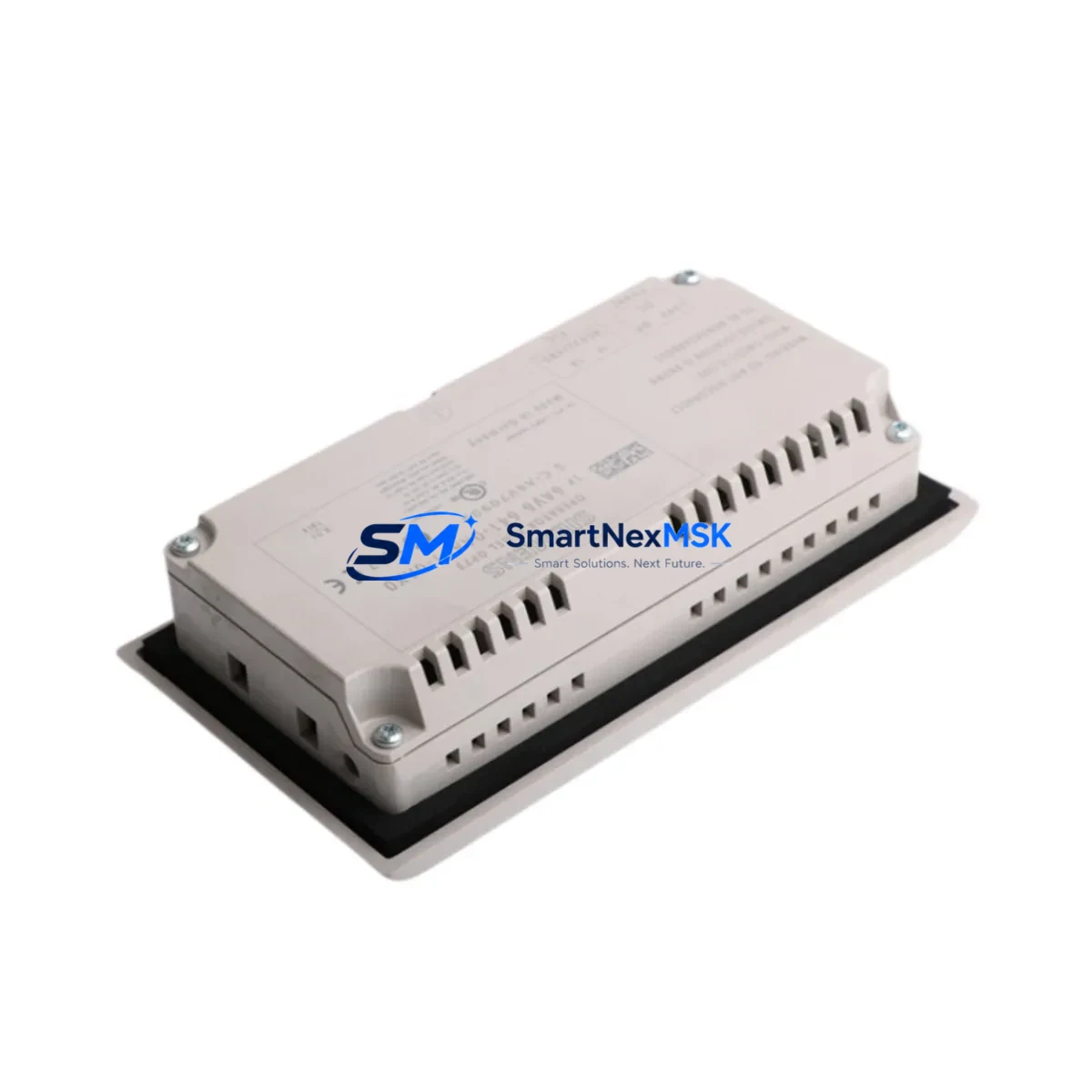
Honeywell 51196694-904 Maintenance-Ready Spare for TDC 3000 Automation
The Honeywell 51196694-904 is an original Keyboard Interface Module engineered for the TDC 3000 and TPS Distributed Control System (DCS) platforms — one of the most widely deployed process automation architectures in refining, petrochemical, and continuous manufacturing facilities worldwide. As legacy TDC 3000 systems continue to operate well beyond their original design life, maintaining a verified, tested spare of the 51196694-904 is a critical element of any responsible maintenance strategy. Unplanned failure of the keyboard interface layer can isolate operators from the HMI console, disrupt process visibility, and trigger costly emergency shutdowns. Sourcing a pre-tested, original-specification replacement eliminates the guesswork and lead-time risk that define most DCS emergency procurement scenarios.
This unit ships fully tested against Honeywell factory electrical parameters, with a 12-month warranty covering component integrity and functional performance. Each module undergoes pre-shipment verification to confirm signal continuity, interface logic, and connector condition — ensuring it is ready for immediate installation upon arrival at your facility.
Spare Maintenance Table
| Parameter | Specification / Detail |
|---|---|
| Part Number | 51196694-904 |
| Brand | Honeywell |
| Series / Platform | TDC 3000 / TPS DCS |
| Module Type | Keyboard Interface Module |
| Compatibility | Honeywell TDC 3000, TPS, Universal Station (US), Enhanced Universal Station (EUS) |
| Interface | Operator keyboard bus interface for HMI console connectivity |
| Installation | Direct drop-in replacement; no firmware reconfiguration required for same-revision systems |
| Operating Environment | Industrial control room; temperature 0–55°C, humidity 5–95% non-condensing |
| Origin | United States |
| Condition | Original spare; tested pre-shipment |
| Warranty | 12 Months |
| Lead Time | In stock — ships within 1–3 business days |
| Maintenance Recommendation | Inspect connector pins and keyboard bus cable annually; replace if oxidation or intermittent signal loss is detected |
Maintenance Planning for Continuous Operation
When a maintenance or reliability engineer schedules replacement of the 51196694-904 Keyboard Interface Module, the scope of inspection should extend beyond the module itself. The keyboard interface sits at the intersection of the operator console, the HMI bus, and the underlying DCS processor network — meaning adjacent components are subject to the same age-related degradation and should be evaluated concurrently.
Begin with the Universal Station (US) or Enhanced Universal Station (EUS) power supply module. Aging capacitors in the station power supply are a common root cause of intermittent keyboard interface faults that are misdiagnosed as module failures. Verify output voltage stability under load before condemning the 51196694-904. Similarly, inspect the 51196653-100 or equivalent HMI bus cable assembly for insulation cracking, connector corrosion, and continuity — a degraded cable can cause the same operator lockout symptoms as a failed interface module.
For facilities running TDC 3000 with the Local Control Network (LCN), the Network Interface Module (NIM) and associated LCN coaxial tap assemblies should be checked for signal integrity. A marginal NIM can produce keyboard timeout errors that appear to originate from the interface module. If the control cabinet houses a History Module (HM) or Application Module (AM), verify that their communication status is nominal — cascading faults from these modules can mask the true source of HMI unresponsiveness.
On the I/O side, confirm that Process Manager (PM) I/O link cards and associated FTA (Field Termination Assembly) wiring are intact. Loose terminations on the FTA can generate spurious alarms that overload the operator console and contribute to perceived keyboard interface degradation. Inspect relay output modules in the same cabinet for contact wear, particularly in high-cycle applications such as compressor control or batch sequencing.
For facilities with redundant power distribution, verify that the UPS feeding the TDC 3000 cabinet is within its rated capacity and that the power distribution module (PDM) outputs are within tolerance. A sagging PDM output is a known contributor to intermittent module resets across the TDC 3000 platform. Maintaining a spare 51304453-150 or equivalent PDM alongside the 51196694-904 is a recognized best practice in long-term TDC 3000 lifecycle management.
Finally, if the facility uses Honeywell PHD (Process Historian Data) or a third-party data historian connected via the LCN, confirm that historian polling rates are not saturating the network during the replacement window. Elevated LCN traffic during maintenance can complicate post-replacement functional verification.
Site Replacement Workflow
Replacing the 51196694-904 in a live TDC 3000 environment requires coordination between the control room operator, the maintenance technician, and — where applicable — the process safety team. The following workflow is designed to minimize downtime and ensure a clean return to service.
Step 1 — Pre-replacement verification: Confirm the fault is isolated to the Keyboard Interface Module by testing the operator console on an alternate station if available. Document the current system revision and firmware level of the installed module before removal.
Step 2 — Spare confirmation: Verify that the replacement 51196694-904 matches the revision level of the installed unit. For TDC 3000 systems, revision mismatches between keyboard interface modules and the Universal Station firmware can cause initialization failures. Contact your system integrator or Honeywell service representative if revision data is unavailable.
Step 3 — Safe removal: Follow your facility’s lockout/tagout (LOTO) procedure for the affected console. Disconnect the keyboard bus cable before removing the module. Inspect the connector housing for damage during removal.
Step 4 — Installation and reconnection: Seat the replacement module firmly and reconnect the keyboard bus cable. Restore power to the station and observe the initialization sequence. A successful initialization will restore operator console functionality within the normal boot cycle.
Step 5 — Functional verification: Confirm keyboard input, display response, and alarm acknowledgment functions are operating normally. Log the replacement in your CMMS with the module serial number, installation date, and technician ID.
Step 6 — Spare replenishment: Immediately initiate procurement of a replacement spare to restore your buffer stock. For critical DCS platforms like TDC 3000, a minimum of one verified spare per console type is the recommended inventory posture.
Spare Parts Support FAQ
Q: Is the 51196694-904 a direct drop-in replacement for all TDC 3000 Universal Station variants?
A: The 51196694-904 is compatible with the standard TDC 3000 Universal Station (US) and Enhanced Universal Station (EUS) configurations. Compatibility with specific firmware revisions should be confirmed against your system’s revision history. For TPS-era stations, the module is functionally equivalent but revision verification is recommended before installation in production.
Q: What pre-shipment testing is performed on this module?
A: Each 51196694-904 unit undergoes electrical continuity testing, connector integrity inspection, and functional interface verification prior to shipment. Units that do not meet original Honeywell electrical specifications are not dispatched. A test report is available upon request for critical applications.
Q: What does the 12-month warranty cover?
A: The 12-month warranty covers manufacturing defects, component failure under normal operating conditions, and functional non-conformance to the original Honeywell specification. It does not cover damage resulting from incorrect installation, overvoltage events, or environmental conditions outside the rated operating range. Warranty claims are processed within 5 business days of receipt of the returned unit.
Q: How should this module be stored if not immediately installed?
A: Store the 51196694-904 in its original anti-static packaging in a dry, temperature-controlled environment (10–40°C, <70% RH). Avoid stacking heavy items on the module packaging. For long-term storage exceeding 12 months, re-inspect connector contacts for oxidation before installation and consider re-testing before deployment in a critical application.
© 2026 SMARTNEXMSK. All rights reserved.
Original Source: https://smartnexmsk.com
Contact: [email protected] | +86 18259474341



