
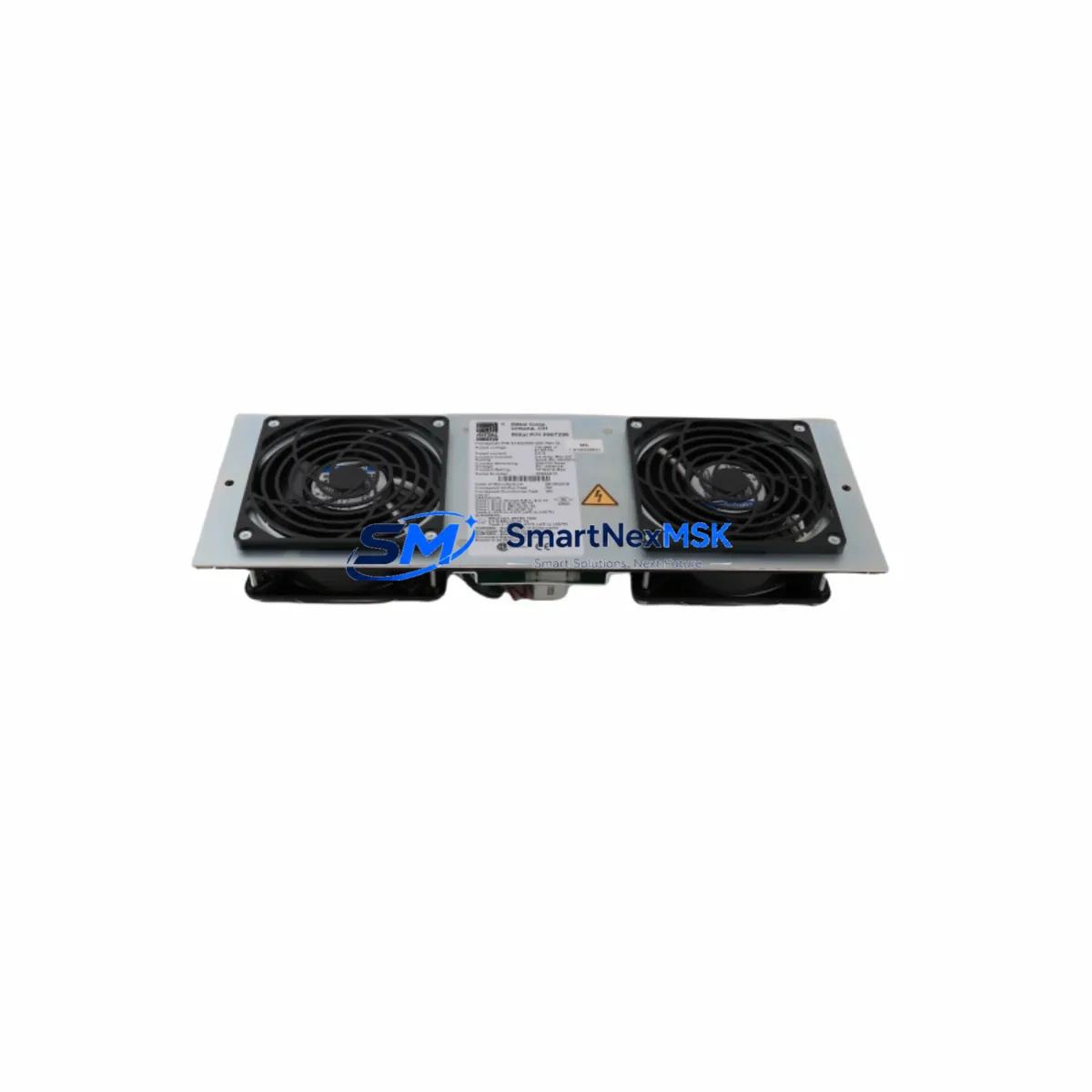
Honeywell 51199948-100 Retrofit Fan for TDC 3000 Control Systems
The Honeywell 51199948-100 Fan Assembly (cross-reference: 51199947-275) is a retrofit-ready cabinet cooling unit engineered for direct replacement in Honeywell TDC 3000 Distributed Control System enclosures. As TDC 3000 platforms continue to operate well beyond their original design lifecycle in refineries, chemical plants, and power generation facilities, maintaining reliable thermal management inside the control cabinet is critical to system uptime. A failed or degraded fan assembly is one of the most common causes of unplanned shutdowns in legacy DCS environments — overheating can cascade into processor faults, I/O module failures, and complete loss of control loop integrity.
This unit is sourced from verified supply channels, functionally tested prior to shipment, and backed by a 12-month warranty. It is designed to drop into existing TDC 3000 cabinet mounting positions without mechanical modification, making it the preferred choice for maintenance engineers who need to restore cooling capacity quickly and confidently.
Upgrade Compatibility Table
| Parameter | Details |
|---|---|
| Part Number | 51199948-100 |
| Cross-Reference SKU | 51199947-275 |
| Compatible Platform | Honeywell TDC 3000 DCS |
| Application | Control Cabinet Thermal Management / Cooling |
| Mounting Interface | Direct drop-in replacement — no bracket modification required |
| Electrical Interface | Standard DCS cabinet power rail; verify 24VDC or 120VAC supply per cabinet spec |
| Communication Impact | None — passive cooling component; no firmware or addressing required |
| Retrofit Recommendation | Replace in pairs during planned maintenance; inspect adjacent fan slots simultaneously |
| Commissioning Note | Verify airflow direction and connector polarity before energizing |
| Warranty | 12 Months — tested before shipment |
Retrofit Planning for Existing Automation Systems
When planning a fan assembly replacement in a TDC 3000 cabinet, maintenance and procurement engineers should treat this as an opportunity to conduct a broader thermal and electrical audit of the enclosure. The 51199948-100 fan typically operates alongside other critical cabinet components whose condition directly affects system reliability after the retrofit.
Begin by inspecting the TDC 3000 Power Supply Module (such as the MC-PDPY22 or equivalent 24VDC rail supply) to confirm it is delivering stable voltage within tolerance — a degraded power supply can cause premature fan motor failure even after replacement. Check the UCN (Universal Control Network) communication cables and their termination points inside the cabinet; heat stress from a failed fan often accelerates insulation degradation on signal wiring.
The Honeywell HPM (High-Performance Process Manager) cards seated in the cabinet backplane are particularly sensitive to thermal excursions. After fan replacement, verify that all HPM I/O link modules and their associated FTA (Field Termination Assembly) panels are securely seated and show no signs of heat discoloration on connector pins. Similarly, inspect the LCN (Local Control Network) interface cards — including any K2LCN or NIM modules — for thermal stress indicators before returning the system to service.
If the cabinet houses Honeywell AM (Application Module) or HM (History Module) processors, confirm that their ventilation slots are unobstructed after the fan swap. For cabinets with integrated Honeywell GUS (Global User Station) or operator interface connections, verify that HMI communication links remain stable during the restart sequence. In multi-cabinet configurations, also check the cabinet-to-cabinet LCN coaxial trunk cables and their tap connectors, as vibration from a failing fan can loosen these connections over time.
Finally, review the terminal block assemblies and DIN rail-mounted fuse holders within the cabinet for any signs of heat-induced oxidation. Replacing the fan without addressing compromised terminations can result in intermittent I/O faults that are difficult to diagnose after the system is back online.
Downtime Control During System Migration
Replacing the 51199948-100 fan assembly in an operating TDC 3000 system requires careful sequencing to minimize control interruption. Where the process permits, schedule the replacement during a planned maintenance window and coordinate with the control room operator to place affected control loops in manual mode before opening the cabinet.
Before removing the failed unit, photograph the existing wiring and connector orientation. The fan assembly connects to the cabinet power distribution rail — confirm the supply voltage matches the replacement unit’s rated input. In redundant-fan configurations (where two fan positions exist), the system may tolerate a brief single-fan operation period, but this should not be extended beyond the minimum time required for the swap.
After installing the 51199948-100, power up the cabinet and verify airflow using a handheld anemometer or by confirming the cabinet internal temperature returns to normal operating range within 10–15 minutes. Monitor the TDC 3000 system console for any thermal alarm clearances before returning control loops to automatic mode. Document the replacement in the site maintenance log, including the serial number of the installed unit and the date of service, to support future warranty claims and lifecycle tracking.
For sites planning a broader TDC 3000 to Experion PKS migration, the fan replacement can be executed independently of the migration timeline — the 51199948-100 is compatible with both legacy TDC 3000 cabinets and transitional hybrid enclosures used during phased Experion upgrades.
Retrofit Support FAQ
Q1: Is the 51199948-100 a direct replacement for 51199947-275?
Yes. The 51199947-275 is the cross-reference part number for the same fan assembly. Both part numbers refer to the same physical unit and are interchangeable in TDC 3000 cabinet applications. Confirm the mounting frame dimensions and connector type match your specific cabinet revision before installation.
Q2: Does replacing the fan require any software changes or module re-addressing in the TDC 3000?
No. The 51199948-100 is a passive mechanical component with no firmware, node address, or configuration parameters. Replacement does not require any changes to the TDC 3000 database, HPM configuration, or LCN network settings. The system will not generate a hardware change alarm for this component.
Q3: How is the unit tested before shipment?
Each 51199948-100 unit undergoes functional rotation testing and electrical continuity verification prior to dispatch. Units are inspected for bearing noise, connector integrity, and blade balance. A test report is available upon request. All units are covered by a 12-month warranty from the date of shipment.
Q4: Can you supply multiple units for a planned maintenance stock program?
Yes. SMARTNEXMSK maintains inventory of the 51199948-100 and can fulfill both single-unit emergency orders and bulk procurement for planned maintenance programs. Lead times and volume pricing are available upon inquiry. Long-term supply agreements are supported for sites with ongoing TDC 3000 maintenance requirements.
© 2026 SMARTNEXMSK. All rights reserved.
Original Source: https://smartnexmsk.com
Contact: [email protected] | +86 18259474341



