
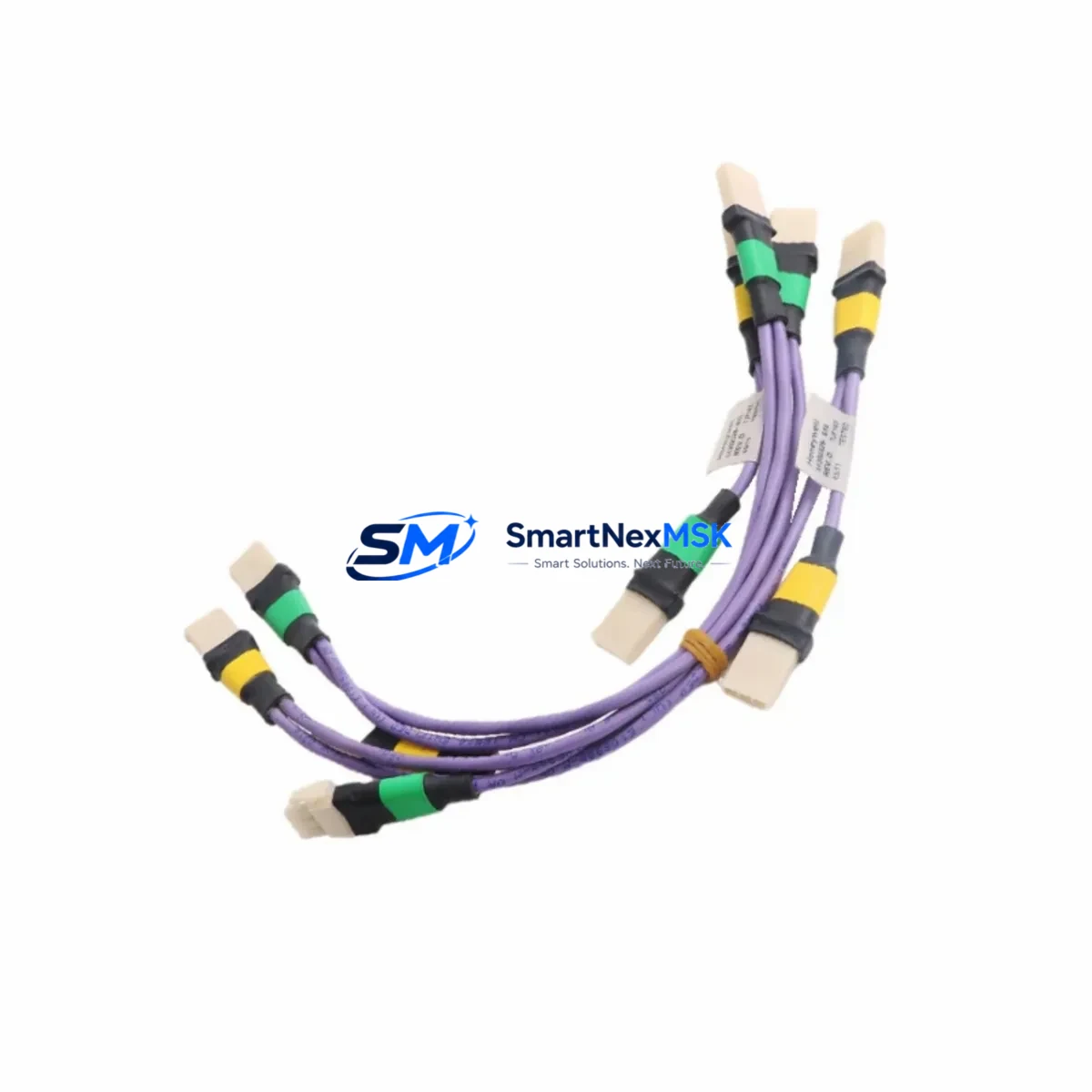
Honeywell 51202329-616 Retrofit-Ready I/O Link Cable for TDC-3000 & Experion PKS Control Systems
The Honeywell 51202329-616 is a factory-specification I/O Link Violet Header Cable engineered for seamless compatibility with Honeywell TDC-3000 and Experion PKS distributed control systems. As legacy TDC-3000 installations approach end-of-support milestones and plant operators accelerate migration toward Experion PKS and Experion HS platforms, maintaining a reliable supply of tested, drop-in replacement cables is critical to sustaining production continuity. This cable assembly is stocked, individually tested, and backed by a 12-month warranty — making it the preferred choice for retrofit engineers, MRO procurement teams, and system integrators managing aging DCS infrastructure.
Upgrade Compatibility Table
| Parameter | Details |
|---|---|
| Part Number / SKU | 51202329-616 |
| Cable Type | I/O Link Violet Header Cable |
| Compatible Platforms | Honeywell TDC-3000, Experion PKS, Experion HS |
| Interface / Connector | Violet header termination; direct plug-in replacement |
| Installation Requirement | No hardware modification required; matches OEM pin-out and cable routing |
| Communication Compatibility | Supports TDC I/O Link protocol; compatible with UCN and LCN backplane architectures |
| Replacement Recommendation | Direct drop-in for degraded, broken, or missing OEM cables in existing cabinets |
| Commissioning Notes | Verify cable seating at both I/O module and backplane header; confirm link status in Honeywell Console Station or Experion Station after installation |
| Warranty | 12-Month Warranty — covers manufacturing defects and functional failure under normal operating conditions |
| Origin | China (CN) |
Retrofit Planning for Existing Automation Systems
Replacing the 51202329-616 cable is rarely an isolated task. In most TDC-3000 retrofit projects, the cable replacement is part of a broader cabinet audit that involves inspecting the High-Performance Process Manager (HPPM) or Advanced Process Manager (APM) controller cards, verifying the integrity of the Universal Control Network (UCN) coaxial trunk, and confirming that I/O termination assemblies — such as the 51304485-100 or 51304485-150 series — remain within specification. Engineers should also check the condition of the Local Control Network (LCN) fiber optic links and associated 51401288-100 LCN Interface Modules, as degraded optical connections frequently accompany cable failures in high-cycle environments.
When the retrofit scope extends to I/O expansion or module migration, the 51202329-616 cable must be re-routed to accommodate new I/O Link Extender Modules or replacement FTA (Field Termination Assembly) panels. In Experion PKS environments, this often involves coordinating with the C300 Controller or C200 Controller configuration to ensure that the I/O link address assignments remain consistent with the existing Control Builder database. Any address conflict between legacy TDC I/O modules and newly installed Experion Series C I/O modules must be resolved before the cable is energized.
Power supply capacity is another critical checkpoint. The 51202329-616 cable connects I/O modules that draw regulated 24 VDC from the cabinet power distribution bus. Before installation, confirm that the existing Honeywell Power Supply Module — typically a 51109684-175 or equivalent — can sustain the additional load introduced by any new I/O modules added during the retrofit. Overloaded power rails are a leading cause of intermittent I/O link faults that are frequently misdiagnosed as cable failures.
For projects involving communication protocol migration — for example, transitioning from HART-only field devices to Foundation Fieldbus or PROFIBUS PA — the I/O link cable infrastructure must support the updated FIM (Fieldbus Interface Module) or Series 2 FIM installations. The 51202329-616 cable’s violet header designation indicates it is rated for the standard I/O link segment; engineers should verify that the target FIM slot on the backplane accepts this cable type before finalizing the retrofit bill of materials.
HMI continuity is equally important. When replacing cables in a live TDC-3000 system, operators should confirm that Honeywell GUS (Global User Station) or Experion Station displays remain responsive during the swap window. If the system uses an older 51401584-100 series Operator Keyboard or a legacy Universal Station, the I/O link interruption window should be coordinated with the shift supervisor to minimize process impact. Programming cables such as the MC-TPPR03 or equivalent Experion engineering workstation cables should be on hand to re-download any controller logic that may require a warm restart after the cable replacement.
Downtime Control During System Migration
Minimizing unplanned downtime during a TDC-3000 or Experion PKS cable replacement requires a structured pre-outage checklist. Before removing the 51202329-616 cable, engineers should export a full backup of the affected controller’s database using Honeywell’s Control Builder or the legacy TDC Engineering Console. This backup preserves all loop configurations, alarm setpoints, and I/O channel assignments, ensuring that a rapid restore is possible if the replacement cable introduces an unexpected link fault.
During the physical swap, the I/O link segment served by this cable should be placed in manual control mode at the DCS console to prevent spurious output changes from propagating to field devices. After the new 51202329-616 cable is seated and the module is powered, the link status indicator on the associated I/O module — typically an LED on the front face of the FTA or I/O Link Extender — should confirm an active connection within 30 seconds. If the link fails to establish, re-seating the violet header connector at both ends and verifying the backplane slot assignment in the system configuration resolves the majority of post-installation faults.
For multi-cabinet retrofits where several I/O link cables are being replaced in sequence, staggering the replacement by cabinet zone — rather than replacing all cables simultaneously — preserves partial system operability and allows the control room team to monitor process variables continuously. This approach also simplifies fault isolation if a newly installed cable exhibits a marginal connection, as the affected zone can be identified without taking the entire DCS offline.
Retrofit Support FAQ
Q1: Is the 51202329-616 a direct replacement for the original Honeywell OEM cable in TDC-3000 systems?
Yes. The 51202329-616 is manufactured to OEM specification with the same violet header termination, pin-out, and cable length as the original Honeywell assembly. No wiring modification or adapter is required for installation in existing TDC-3000 or Experion PKS cabinets.
Q2: How is the cable tested before shipment?
Each 51202329-616 unit undergoes continuity testing and connector integrity inspection prior to packaging. Units are individually verified against the OEM wiring diagram to confirm correct pin assignment across all conductors. A test report is available upon request for quality-controlled procurement processes.
Q3: What should I verify during commissioning after installing the replacement cable?
After installation, confirm that the I/O link status LED on the associated module is active, verify that all I/O channels on the connected FTA or termination panel are reporting correctly in the Experion Station or TDC Console Station, and check that no new diagnostic alarms have been generated in the system event log. If a warm restart of the controller is required, ensure the Control Builder database backup is available before initiating the restart sequence.
Q4: What does the 12-month warranty cover?
The 12-month warranty covers manufacturing defects, connector failure, and functional non-performance under normal DCS operating conditions. Warranty claims are processed with proof of purchase and a fault description. Replacement units are dispatched from our Xiamen warehouse, with expedited shipping available for critical production environments.
© 2026 SMARTNEXMSK. All rights reserved.
Original Source: https://smartnexmsk.com
Contact: [email protected] | +86 18259474341



