
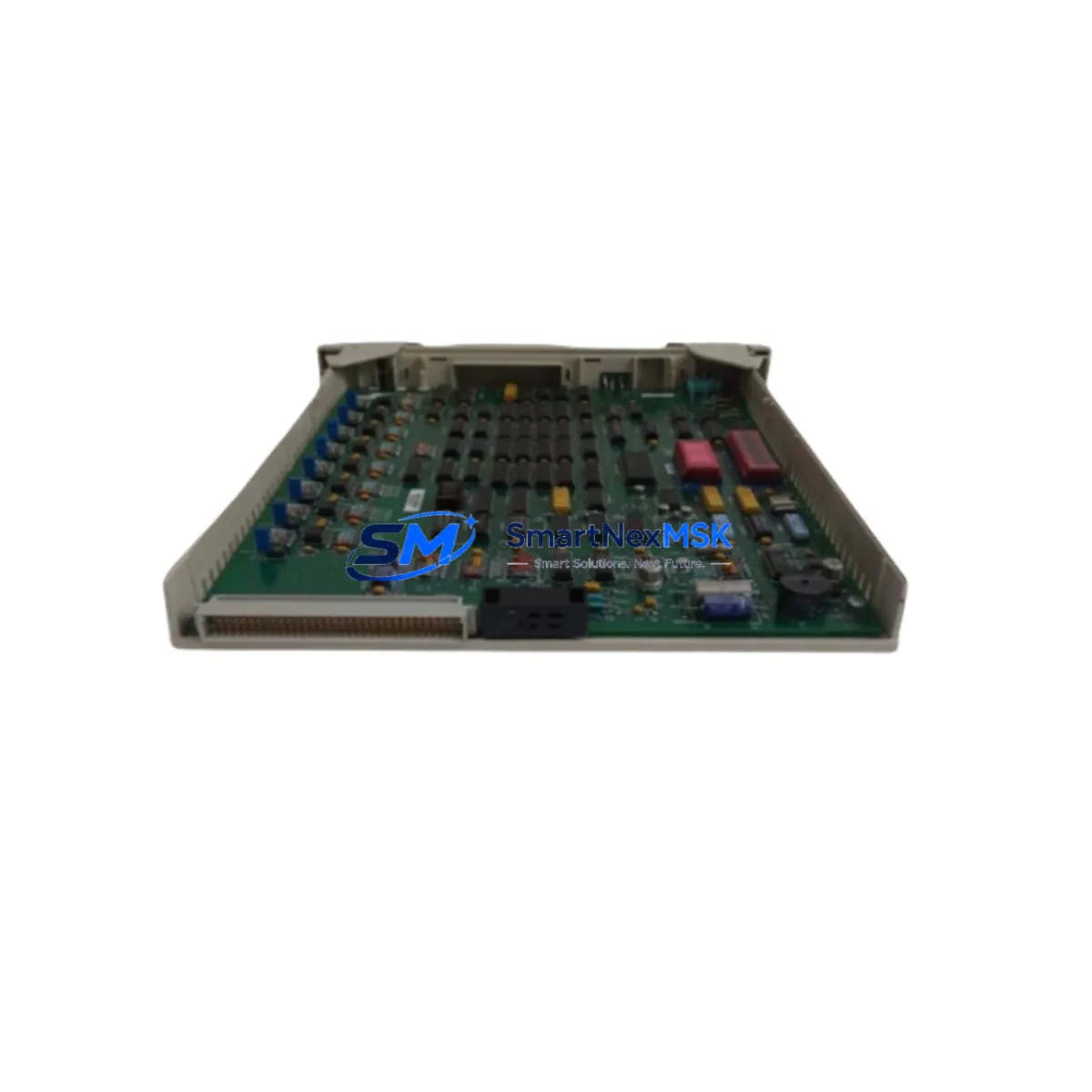
Honeywell 51304386-150 Retrofit-Ready Pulse Input Module for Experion PKS Control Systems
The Honeywell 51304386-150 is a Pulse Input Module engineered for the Experion PKS distributed control system platform. Designed to accept high-frequency pulse signals from flow meters, turbine meters, and rotating machinery, this module delivers reliable signal conditioning and accurate process data to the Experion PKS controller. For facilities operating legacy C200, C300, or C200E controllers on aging backplanes, the 51304386-150 represents a proven retrofit path that preserves existing field wiring, terminal block layouts, and process logic without requiring a full system overhaul.
Whether you are replacing a failed unit on an active production line, upgrading a control cabinet that has exceeded its service life, or migrating from an older TDC 3000 or PlantScape platform to Experion PKS, the 51304386-150 integrates directly into the IOTA carrier and Series-C I/O chassis. Its compatibility with the FIM (Field Interface Module) architecture means that channel-to-channel isolation, pulse accumulation registers, and frequency measurement ranges are preserved across the swap, minimizing the risk of process upsets during commissioning.
Upgrade Compatibility Table
| Parameter | Detail |
|---|---|
| SKU / Part Number | 51304386-150 |
| Brand | Honeywell |
| Series / Platform | Experion PKS (C200 / C200E / C300) |
| Module Type | Pulse Input Module |
| Carrier / IOTA Compatibility | Series-C IOTA carrier; standard I/O chassis backplane |
| Signal Input Type | Pulse / Frequency (flow meters, turbine meters, encoders) |
| Communication Interface | FIM bus; compatible with FTE (Fault Tolerant Ethernet) network |
| Replaces / Supersedes | Legacy TDC 3000 pulse input cards; PlantScape pulse I/O modules |
| Installation Requirement | Hot-swap capable on supported chassis; verify power budget before insertion |
| Commissioning Note | Confirm module address assignment in Experion Configuration Studio before power-up |
| Warranty | 12-Month Warranty — covered against manufacturing defects and functional failure |
Retrofit Planning for Existing Automation Systems
A successful retrofit begins well before the module arrives on site. Engineers replacing the 51304386-150 in an active Experion PKS cabinet should start by auditing the existing I/O chassis and backplane slot assignments. The Series-C chassis supports mixed I/O populations, so confirming that the target slot is configured for pulse input — rather than analog input or digital I/O — prevents address conflicts that can cause the C200E controller to flag a hardware mismatch alarm.
Power budget verification is a critical pre-installation step. The 51304386-150 draws its operating power from the chassis backplane, which is fed by the Honeywell PS-IOTA power supply or an equivalent redundant power module. Before inserting the replacement module, measure the available headroom on the 24 VDC bus. If the cabinet also houses a 51309512-175 Analog Input Module, a 51304485-100 Digital Output Module, or a 51305907-175 Analog Output Module on the same chassis, the cumulative load must remain within the rated capacity of the power supply. Exceeding this limit can cause intermittent resets across all modules in the chassis.
Terminal block wiring should be documented before removal of the failed module. The 51304386-150 uses a standard IOTA carrier with screw-terminal field connections. Photograph or sketch the existing wiring, noting shield drain connections and signal polarity for each pulse channel. If the field device is a turbine flow meter or a magnetic pickup sensor, confirm the input voltage range and pulse amplitude match the module’s accepted signal levels. Mismatched signal levels are a common source of erratic pulse counts after a module swap.
For sites migrating from a TDC 3000 HPM (High-Performance Manager) or a legacy PM (Process Manager) rack, the transition to Experion PKS I/O requires mapping the old tag database to the new Experion point configuration. The 51304386-150 supports accumulator and rate measurement modes, both of which must be configured in Experion Configuration Studio to match the original control strategy. If the original program used a Honeywell 51401642-100 FIM or a 51304453-100 communication module to bridge legacy I/O to the Experion network, verify that the FTE switch configuration and node addressing are updated to include the new module’s slot address before going live.
HMI screen updates are often overlooked during module replacements. If the control room runs Experion Station or a third-party SCADA connected via OPC, confirm that the pulse input tag names and engineering unit scaling are consistent between the old and new module configurations. A mismatch in pulse-per-unit scaling will cause flow totalization errors that may not be immediately visible to operators but will accumulate over time in batch records and historian data.
Downtime Control During System Migration
Minimizing unplanned downtime during a pulse input module replacement requires a structured pre-outage checklist. Before taking the affected I/O chassis offline, export the current Experion controller checkpoint to a backup file using Experion Configuration Studio. This preserves the running program logic, PID tuning parameters, and accumulator values so that the controller can be restored to its exact pre-outage state if the replacement encounters an unexpected issue.
Where process conditions allow, consider placing the affected control loops in manual mode at the Experion Station operator console before removing the 51304386-150. This prevents the C200 or C300 controller from generating spurious output commands to downstream actuators — such as control valves or variable-frequency drives — while the pulse input channel is offline. For continuous processes where manual mode is not feasible, coordinate with the operations team to identify a safe hold condition and communicate the expected outage window clearly.
After installing the replacement module, perform a channel-by-channel verification using the Experion Station diagnostic display. Confirm that each pulse input channel reports a live signal within the expected frequency range before returning the loops to automatic control. If the site uses a Honeywell 51309218-175 redundant controller pair, verify that the standby controller has also recognized the new module before releasing the primary controller to automatic. This two-step verification prevents a failover event from exposing a configuration mismatch on the standby node.
All units supplied by SMARTNEXMSK are function-tested prior to shipment. Each 51304386-150 is verified for pulse channel integrity, backplane communication, and power consumption within specification. This pre-shipment testing, combined with the 12-month warranty, ensures that the replacement module performs correctly from the first power-up, reducing the risk of a repeat outage caused by a defective spare.
Retrofit Support FAQ
Q1: Is the 51304386-150 a direct drop-in replacement for older Honeywell pulse input cards used in TDC 3000 or PlantScape systems?
The 51304386-150 is designed for the Experion PKS platform and uses the Series-C IOTA carrier interface. It is not a direct plug-in replacement for TDC 3000 HPM pulse cards, which use a different backplane connector and card format. Migration from TDC 3000 to Experion PKS requires installing the appropriate IOTA carrier and updating the Experion configuration database to recognize the new I/O point addresses. SMARTNEXMSK can advise on the correct carrier and associated components for your specific migration path.
Q2: What wiring changes are required when replacing a failed pulse input module with the 51304386-150?
If the replacement module is installed in the same IOTA carrier slot as the failed unit, field wiring at the terminal block does not need to be changed. The IOTA carrier retains all field connections independently of the module. If the carrier itself is also being replaced, re-terminate field cables according to the original wiring diagram, paying close attention to signal polarity and shield grounding. Verify pulse signal amplitude at the terminal block before inserting the module to avoid input circuit damage.
Q3: How do I verify that the 51304386-150 is correctly recognized by the Experion PKS controller after installation?
After module insertion, open Experion Configuration Studio and navigate to the I/O chassis view for the affected controller. The module should appear in its assigned slot with a green status indicator. If the slot shows a mismatch or fault, confirm that the module type configured in the database matches the physical module installed. Download the updated configuration to the controller and perform a channel test using the Experion Station diagnostic panel to confirm live pulse signal reception on each active channel.
Q4: What does the 12-month warranty cover, and what is the process for a warranty claim?
The 12-month warranty covers manufacturing defects and functional failures under normal operating conditions. It does not cover damage caused by incorrect installation, overvoltage, or physical mishandling. To initiate a warranty claim, contact SMARTNEXMSK at [email protected] with the order reference, a description of the observed fault, and any available diagnostic data from Experion Station. Replacement or repair will be arranged promptly to minimize impact on your production schedule.
© 2026 SMARTNEXMSK. All rights reserved.
Original Source: https://smartnexmsk.com
Contact: [email protected] | +86 18259474341



