
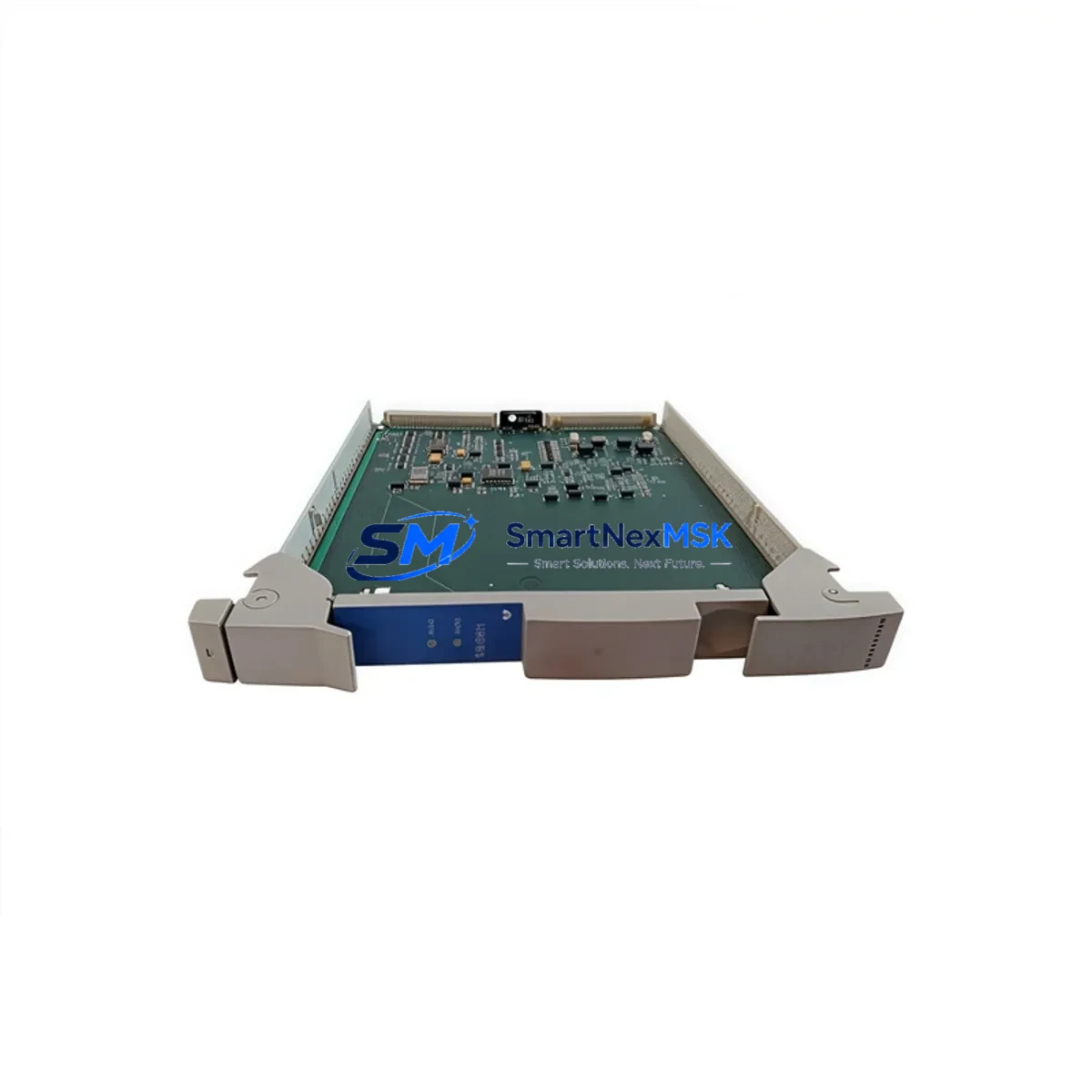
Honeywell 51304419-100 Retrofit-Ready I/O Link Extender for TDC 3000 Control Systems
The Honeywell 51304419-100 I/O Link Extender is a critical retrofit component for facilities operating legacy TDC 3000 and High-Performance Manager (HPM) distributed control systems. As Honeywell progressively phases out TDC 3000-era hardware, the 51304419-100 remains one of the most sought-after replacement modules for engineers managing aging control cabinets, I/O subsystem expansions, and communication link restorations. Whether you are executing a planned system upgrade or responding to an unplanned module failure, this extender provides a verified drop-in solution that preserves your existing wiring infrastructure and minimizes engineering rework.
Designed to extend the I/O link between the HPM processor and remote I/O cabinets, the 51304419-100 supports the proprietary Honeywell I/O Link protocol used across TDC 3000 installations. It is fully compatible with the standard HPM backplane and integrates directly with existing FTA (Field Termination Assembly) wiring without requiring panel modifications. Engineers replacing a failed extender can typically complete the swap within a single maintenance window, provided the module address configuration and link parameters are verified in advance using the Honeywell Engineering Workstation (EWS) or Universal Control Network (UCN) diagnostic tools.
Upgrade Compatibility Table
| Parameter | Details |
|---|---|
| Compatible Platform | Honeywell TDC 3000, HPM (High-Performance Manager) |
| Module SKU | 51304419-100 |
| Interface | Honeywell I/O Link (proprietary) |
| Backplane Compatibility | Standard HPM card cage / backplane |
| FTA Wiring | Compatible with existing FTA terminal blocks — no rewiring required |
| Communication Protocol | UCN (Universal Control Network) compatible |
| Installation Requirement | Module address must match original configuration; verify via EWS before power-up |
| Replacement Scope | Direct drop-in for failed or end-of-life 51304419-100 units |
| Commissioning Note | Confirm HPM processor firmware version compatibility prior to installation |
| Warranty | 12-Month Warranty — covers manufacturing defects and functional failure |
Retrofit Planning for Existing Automation Systems
Successful retrofit of the 51304419-100 into an operating TDC 3000 environment requires systematic pre-installation planning. Begin by auditing the existing HPM card cage to confirm available slot positions and backplane integrity. The I/O Link Extender occupies a dedicated slot and must not conflict with adjacent modules such as the HPM Processor Card (51401288-100) or the I/O Link Interface Module (51304485-100). Verify that the HPM power supply module — typically a 51109218-100 or equivalent — provides sufficient capacity to support the additional extender load without exceeding the card cage power budget.
Terminal wiring from the FTA panels should be documented and photographed before any module removal. The 51304419-100 uses the same terminal mapping as its predecessors, but field engineers should cross-reference the as-built drawings against the current Honeywell TDC 3000 I/O Link Wiring Manual to confirm signal assignments, especially for analog input channels connected through HLAI (High-Level Analog Input) or LLAI (Low-Level Analog Input) modules. If the retrofit scope includes expanding I/O capacity, additional FTA panels and associated cable assemblies may be required alongside the extender replacement.
For sites migrating from older TDC 3000 configurations toward Experion PKS, the 51304419-100 can serve as an interim bridge component, maintaining I/O link continuity while the UCN backbone and C200/C300 controllers are staged for cutover. During this transition, the Honeywell SCADA Interface Module and associated OPC server configurations should be validated to ensure that HMI display pages referencing I/O points served by this extender continue to receive live data without tag remapping. Communication link integrity between the HPM and the Application Module (AM) should also be verified using the UCN diagnostic utilities available through the Honeywell Console Station.
Downtime Control During System Migration
Minimizing unplanned downtime is the primary concern when replacing the 51304419-100 in a live production environment. The recommended approach is to schedule the replacement during a planned maintenance window and prepare a pre-tested spare module with the correct address jumper settings configured offline. Before removing the failed extender, use the HPM diagnostic display to confirm which I/O points are served by the affected link and notify the control room operators to switch affected loops to manual mode.
Once the replacement module is seated and the card cage is powered, the HPM processor will automatically attempt to re-establish the I/O link. Monitor the UCN status display for link recovery confirmation before returning loops to automatic control. If the link does not recover within the expected initialization period, verify the module address configuration and inspect the backplane connector for contamination or pin damage. Retain the original program logic backup — stored on the Honeywell Engineering Workstation — throughout the procedure to enable rapid restoration if a configuration discrepancy is detected. A full functional test of all I/O points served by the extender should be completed before the maintenance window is closed, including verification of analog signal scaling, discrete input status, and alarm setpoint integrity.
Retrofit Support FAQ
Q1: Is the 51304419-100 a direct replacement for all I/O Link Extender variants used in TDC 3000 HPM systems?
The 51304419-100 is the primary I/O Link Extender variant for standard HPM configurations. Before ordering, confirm the exact part number from the existing module label or the HPM hardware configuration report generated by the Engineering Workstation. Some installations may use revision-specific variants; our technical team can assist with cross-reference verification prior to shipment.
Q2: What commissioning steps are required after installing the replacement module?
After physical installation, verify the module address matches the original configuration, confirm backplane seating, and power up the card cage. Monitor the HPM diagnostic display for I/O link establishment. Perform a point-by-point functional check of all I/O channels served by the extender. Document the commissioning results and update the as-built records accordingly.
Q3: Can the 51304419-100 be used in a mixed TDC 3000 / Experion PKS migration environment?
Yes. The 51304419-100 is compatible with hybrid architectures where TDC 3000 HPM subsystems operate in parallel with Experion PKS C200 or C300 controllers during phased migration. It maintains I/O link continuity for legacy HPM-managed points while the migration proceeds, reducing the risk of process disruption during cutover.
Q4: What does the 12-month warranty cover?
All units are subject to pre-shipment functional testing and are covered by a 12-month warranty against manufacturing defects and functional failure under normal operating conditions. Warranty claims are supported by our technical team with replacement or repair options. Contact [email protected] for warranty registration and support procedures.
© 2026 SMARTNEXMSK. All rights reserved.
Original Source: https://smartnexmsk.com
Contact: [email protected] | +86 18259474341



