
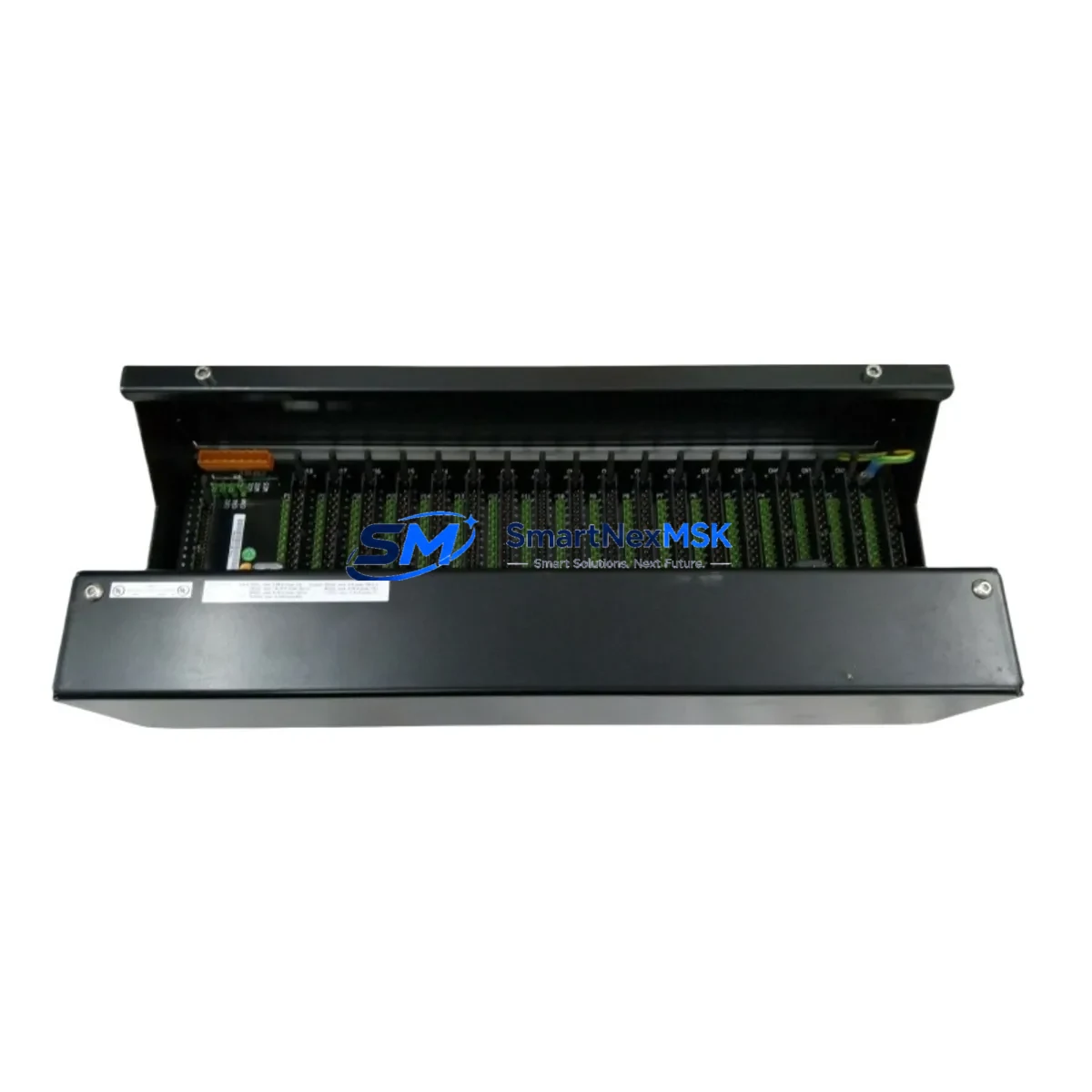
Honeywell 51305341-100 Retrofit-Ready Analog Input Module for TDC 3000 / TPS Control Systems
The Honeywell 51305341-100 is a proven analog input module designed for seamless integration into legacy TDC 3000 and TPS (Total Plant Solution) distributed control systems. As aging DCS infrastructure reaches end-of-life, facilities across petrochemical, refining, power generation, and continuous process industries increasingly rely on verified retrofit-ready replacements to extend operational life without full system overhauls. The 51305341-100 addresses this need directly — offering a drop-in hardware replacement path that preserves existing field wiring, terminal assignments, and control logic while restoring full I/O functionality to the process loop.
Whether you are recovering from an unplanned module failure, executing a planned spare-parts replenishment strategy, or undertaking a phased control cabinet upgrade, the 51305341-100 is engineered to minimize engineering rework and reduce commissioning time on the plant floor. Each unit shipped by SMARTNEXMSK undergoes pre-shipment functional verification and is backed by a 12-month warranty covering hardware defects under normal operating conditions.
Upgrade Compatibility Table
| Parameter | Details |
|---|---|
| Compatible Platform | Honeywell TDC 3000, TPS (Total Plant Solution) |
| Module Type | Analog Input Module |
| Replaces / Supersedes | 51305341-100 (OEM equivalent); compatible with same backplane slot |
| Backplane Interface | Standard TDC 3000 / TPS card cage backplane connector |
| Terminal Wiring | Retains original field terminal block assignments — no rewiring required |
| Communication Compatibility | Compatible with LCN (Local Control Network) and UCN (Universal Control Network) architectures |
| Installation Requirement | Standard card cage slot insertion; confirm slot address via NIM/HPM configuration |
| Commissioning Notes | Verify module address in HMIWeb or GUS console; re-download point parameters if required |
| Retrofit Recommendation | Suitable for direct swap in HPM (High-Performance Process Manager) and PM (Process Manager) environments |
| Warranty | 12 months from date of shipment — hardware defects under normal use |
Retrofit Planning for Existing Automation Systems
Successful integration of the 51305341-100 into an operating TDC 3000 or TPS environment requires systematic pre-installation planning. Before pulling the failed or degraded module, engineers should document the current slot address, confirm the card cage type (whether a standard PM card file or an HPM card file), and verify that the replacement module’s firmware revision is compatible with the installed NIM (Network Interface Module) version. In multi-cage configurations, the HPM’s I/O Link must be checked to ensure the replacement module will be recognized at the correct logical address without requiring a full HPM reload.
Field wiring connected to the existing terminal assembly should be photographed and labeled before any physical removal. The 51305341-100 uses the same terminal block footprint as its predecessors, so in most installations the existing field termination assembly (FTA) can remain in place. However, if the FTA itself shows signs of corrosion or contact wear — common in installations exceeding 15 years — concurrent replacement with a compatible Honeywell FTA (such as the 51304485-100 or 51304485-150 series) is advisable to prevent intermittent signal faults after the module swap.
Power budget verification is a critical step often overlooked during single-module replacements. The card cage power supply — typically a Honeywell 51401288-100 or equivalent redundant power supply unit — must have sufficient headroom to support the replacement module’s current draw. In aging systems where multiple modules have been added over time, the power supply may already be operating near capacity. A simple current audit of all installed modules in the affected card file should be completed before the retrofit window opens.
For sites running Honeywell’s HMIWeb Display Builder or legacy GUS (Global User Station) consoles, the analog input points associated with the 51305341-100 should be verified in the system database. If the module replacement involves a slot address change — even temporarily — the associated process points may go into a bad-status condition until the module is re-recognized and the point parameters are re-downloaded from the HPM. Coordinating with the control room operator to place affected loops in manual mode before the swap prevents spurious control actions during the transition.
In systems where the TDC 3000 communicates upstream to a Honeywell Experion PKS historian or a third-party OPC DA/UA server, the communication link should be monitored during and after the module swap. The UCN (Universal Control Network) coaxial segment serving the affected HPM should remain stable during a hot-swap if the system is configured for redundant I/O; in non-redundant configurations, a brief I/O interruption is expected and should be communicated to operations in advance. Companion modules commonly involved in the same retrofit scope include the Honeywell 51304516-100 analog output module, the 51309288-175 digital input module, and the 51309288-225 digital output module — all of which share the same card cage infrastructure and may be candidates for concurrent replacement during the same planned maintenance window.
For sites planning a broader migration from TDC 3000 to Experion PKS or a hybrid architecture, the 51305341-100 can serve as a bridge component, maintaining analog I/O continuity while the control strategy is migrated loop by loop. In this context, the module often operates alongside a C300 Controller or an EPKS Series C I/O chassis during the transition period, allowing engineers to validate the new control logic against live process data before cutting over fully.
Downtime Control During System Migration
Minimizing unplanned downtime is the primary operational concern when replacing modules in a live TDC 3000 or TPS environment. The recommended approach is to pre-stage the 51305341-100 replacement unit in the control room at least 24 hours before the scheduled maintenance window, allowing the module to thermally equilibrate to the cabinet environment and giving the engineering team time to complete a final pre-swap checklist.
Before initiating the physical swap, all process loops served by the affected analog input channels should be placed in manual control mode at the operator console. This prevents the HPM from issuing automatic control outputs based on stale or bad-quality input data during the module removal and re-insertion sequence. The operator should confirm that all downstream final control elements — control valves, variable speed drives, or other actuators — are in a safe, stable position before the module is pulled.
The physical module swap itself typically takes under five minutes for an experienced technician familiar with TDC 3000 card cage mechanics. After re-insertion, the HPM will automatically attempt to re-initialize the module and re-establish communication over the I/O Link. The engineer should monitor the system status display on the HMIWeb console or GUS for module health indicators, confirming that all analog input channels return to a good-quality status before returning loops to automatic control.
Original program logic stored in the HPM’s control database is not affected by a module swap at the hardware level — the control strategy, tuning parameters, alarm limits, and engineering unit conversions remain intact in the HPM memory. This is a key advantage of the TDC 3000 / TPS architecture: hardware replacement does not require re-engineering the control strategy, significantly reducing the risk of introducing configuration errors during the recovery process. Total elapsed downtime for a single-module swap in a well-prepared environment is typically 30 to 90 minutes, including pre-swap loop isolation, physical replacement, post-swap verification, and return to automatic control.
Retrofit Support FAQ
Q1: Is the 51305341-100 a direct drop-in replacement for the original Honeywell module of the same part number?
Yes. The 51305341-100 supplied by SMARTNEXMSK is functionally equivalent to the original Honeywell OEM module. It uses the same backplane connector, the same terminal block footprint, and the same I/O Link communication protocol. In the vast majority of TDC 3000 and TPS installations, no hardware modifications, adapter brackets, or wiring changes are required. Minor firmware revision differences between production batches are normal and do not affect functional compatibility in standard HPM and PM configurations.
Q2: What commissioning steps are required after installing the replacement module?
After physical installation, the HPM will attempt automatic module recognition. The engineer should verify module status in the HMIWeb Display Builder or GUS console within 2–3 minutes of insertion. If the module does not self-initialize, a manual point parameter download from the HPM may be required using the Honeywell Control Builder or equivalent engineering tool. Confirm that all analog input channels display good-quality engineering unit values before returning loops to automatic. No changes to the control strategy database are required for a like-for-like module replacement.
Q3: How is field wiring handled during the replacement — do I need to re-terminate any cables?
In standard TDC 3000 / TPS installations using a dedicated Field Termination Assembly (FTA), the field wiring connects to the FTA rather than directly to the module. The 51305341-100 plugs into the same FTA interface as the original module, so field wiring remains undisturbed. If your installation uses direct wiring to the module’s terminal block (non-FTA configuration), photograph and label all connections before removal and re-terminate to the same positions on the replacement module. Terminal assignments are identical between production revisions.
Q4: What does the 12-month warranty cover, and what is the return process?
The 12-month warranty covers hardware defects arising under normal operating conditions from the date of shipment. It does not cover damage resulting from incorrect installation, overvoltage events, physical impact, or operation outside the module’s specified environmental ratings. To initiate a warranty claim, contact SMARTNEXMSK at [email protected] with the order reference number, a description of the observed fault, and any available diagnostic screenshots from the HMIWeb or GUS console. Our technical team will assess the claim and arrange replacement or repair within the warranty period.
© 2026 SMARTNEXMSK. All rights reserved.
Original Source: https://smartnexmsk.com
Contact: [email protected] | +86 18259474341



