
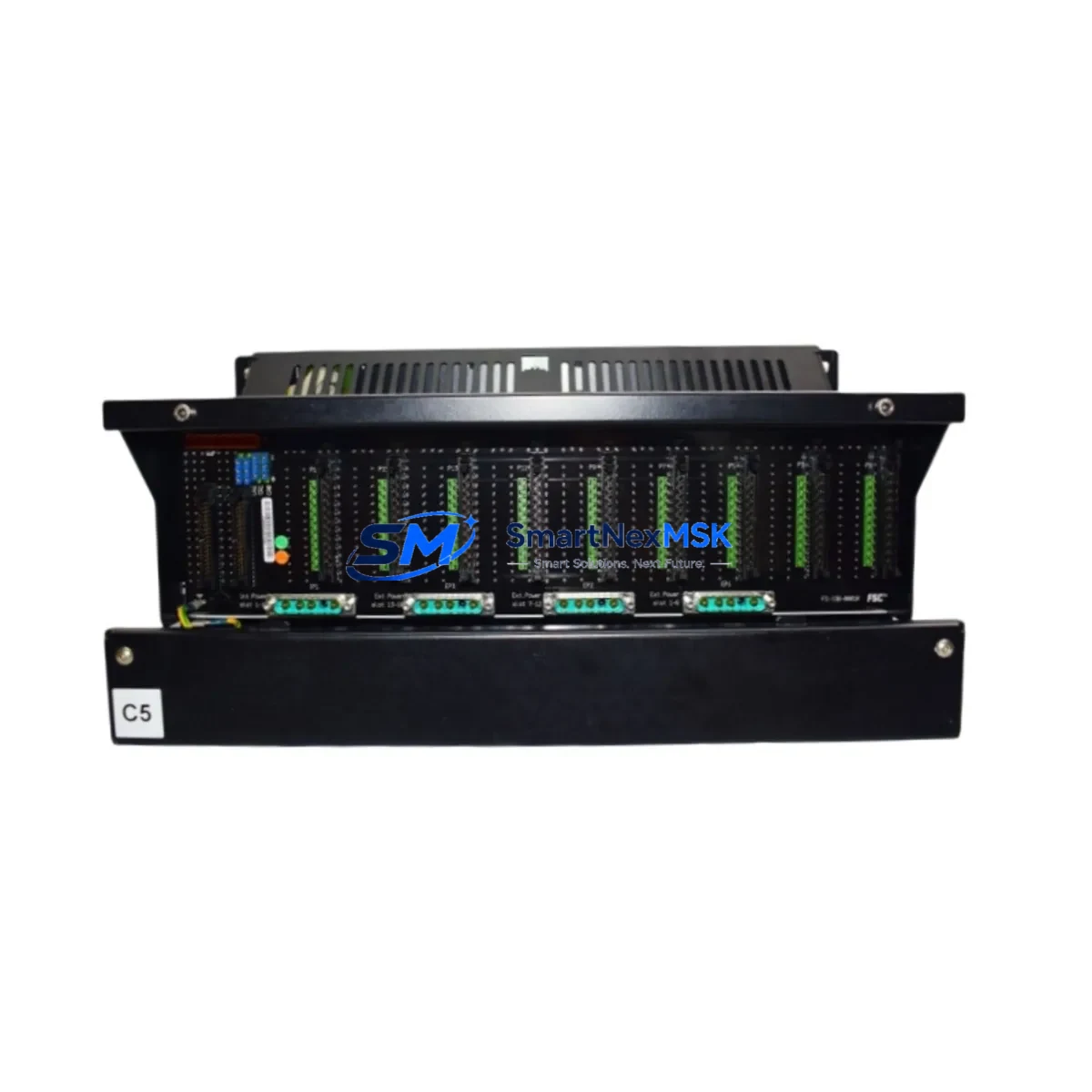
Honeywell 51305980-260 Maintenance-Ready Spare for TDC 3000 Automation
The Honeywell 51305980-260 is an original Fieldbus Interface Module (FIM) designed for the TDC 3000 and Experion PKS Distributed Control System platforms. In industrial facilities where continuous process control is non-negotiable — refineries, chemical plants, power generation units, and pulp & paper mills — this module serves as a critical communication bridge between the process controller and field instrumentation. Unplanned downtime caused by a failed FIM can cascade across entire control loops, making a verified, tested spare unit an essential component of any proactive maintenance strategy.
Sourced directly from authorized channels and subjected to pre-shipment functional testing, the 51305980-260 is supplied as a genuine Honeywell original spare — not a counterfeit or refurbished substitute. Each unit ships with a 12-month warranty and full traceability documentation, giving maintenance engineers and procurement teams the confidence to stock it as a long-term replacement asset.
Spare Maintenance Table
| Parameter | Specification |
|---|---|
| Part Number | 51305980-260 |
| Manufacturer | Honeywell Process Solutions |
| Module Type | Fieldbus Interface Module (FIM) |
| Compatible Systems | TDC 3000, Experion PKS, PlantScape |
| Communication Protocol | Honeywell Data Hiway / Universal Control Network (UCN) |
| Mounting | Card cage / backplane slot installation |
| Power Supply | Supplied via backplane (24 VDC nominal) |
| Operating Temperature | 0°C to 60°C |
| Humidity | 5% to 95% RH, non-condensing |
| Weight | 1,600 g (approx.) |
| Origin | United States |
| Condition | Original / New Surplus / Tested |
| Pre-Shipment Test | Yes — functional verification performed |
| Warranty | 12 Months |
| Lead Time | In stock — ships within 2 business days |
Maintenance Planning for Continuous Operation
When a 51305980-260 Fieldbus Interface Module is flagged during a control cabinet inspection or routine point-check, experienced maintenance engineers know that the FIM rarely fails in isolation. A thorough replacement workflow should include inspection of the surrounding system components to prevent repeat failures and ensure full loop integrity after the module is swapped.
Begin by verifying the backplane and card cage for corrosion, bent connector pins, or thermal stress marks — a degraded backplane can damage a new FIM within weeks of installation. Check the Honeywell 51304485-100 Power Supply Module that feeds the card cage; voltage sag or ripple is a common root cause of FIM communication faults. If the system uses a 51401584-100 UCN Interface Card, inspect its firmware revision and connector integrity, as UCN topology errors can mimic FIM failures during diagnostics.
On the field side, verify the FOUNDATION Fieldbus segment terminators and trunk cable continuity. A missing or double-terminated segment will prevent the replacement FIM from establishing device communication. Inspect signal isolators and intrinsic safety barriers — particularly in hazardous area installations — since a failed barrier can suppress field device signals even after the FIM is replaced. If the plant uses Honeywell 51196694-100 or 51309512-125 I/O Link Interface Modules, confirm their status in the system configuration tool before declaring the FIM as the sole fault source.
For facilities running legacy TDC 3000 architectures, also audit the 51401196-100 Highway Gateway Module and any associated 51304516-100 Communication Controller cards. These components share the same Data Hiway infrastructure and can exhibit intermittent faults that are misdiagnosed as FIM failures. Checking terminal blocks and field wiring terminations in the marshalling cabinet is equally important — loose or oxidized connections introduce noise that degrades fieldbus signal quality and accelerates module wear.
Finally, if the plant HMI is running on an Experion PKS station, verify that the Experion server node has not flagged the FIM address as a persistent fault in the system event log. Clearing stale fault records and re-commissioning the module address after replacement ensures the control system recognizes the new hardware without requiring a full controller restart.
Site Replacement Workflow
Step 1 — Isolation & Permit: Obtain a work permit and isolate the affected control loop at the field junction box. Confirm that the process is in a safe hold state or that bypass measures are in place before opening the control cabinet.
Step 2 — Module Extraction: Power down the card cage slot if hot-swap is not supported on your TDC 3000 revision. Use an ESD wrist strap. Carefully extract the 51305980-260 by releasing the ejector levers and sliding the card out along the guide rails. Label the failed unit with the date and fault description for RMA or failure analysis.
Step 3 — Visual Inspection: Before inserting the replacement unit, inspect the backplane connector for bent pins, debris, or burn marks. Clean with dry compressed air if necessary.
Step 4 — Module Installation: Align the replacement 51305980-260 with the card guide rails and slide it firmly into the slot until the ejector levers click into the locked position. Restore power to the slot.
Step 5 — System Verification: From the Experion PKS or TDC 3000 operator console, confirm that the FIM address comes online and that all associated field devices are communicating. Check the system event log for any residual fault codes. Perform a loop check on at least two field instruments connected to the restored segment before returning the loop to automatic control.
Step 6 — Documentation: Record the replacement in the plant CMMS (Computerized Maintenance Management System), update the spare parts inventory, and reorder a replacement unit to restore buffer stock levels.
Spare Parts Support FAQ
Q1: Is the 51305980-260 compatible with both TDC 3000 and Experion PKS systems?
Yes. The 51305980-260 Fieldbus Interface Module is designed for Honeywell’s TDC 3000 platform and is also compatible with Experion PKS and PlantScape systems that share the same UCN/Data Hiway architecture. Always verify the firmware revision of your controller against Honeywell’s compatibility matrix before installation.
Q2: What does the 12-month warranty cover?
The warranty covers manufacturing defects and functional failures under normal operating conditions for 12 months from the date of shipment. Units that fail due to installation errors, overvoltage events, or physical damage are assessed on a case-by-case basis. Contact [email protected] to initiate a warranty claim.
Q3: How is the module tested before shipment?
Each 51305980-260 unit undergoes a pre-shipment functional verification that includes power-on self-test confirmation, communication interface check, and visual inspection for physical defects. A test report is available upon request for critical plant applications.
Q4: Can I use this module as a long-term stock spare for an aging TDC 3000 system?
Absolutely. With Honeywell having transitioned TDC 3000 to end-of-life support, maintaining a buffer stock of critical modules like the 51305980-260 is a best practice for extending system life. We maintain ongoing inventory of this and related TDC 3000 spare parts to support long-term supply continuity for plants committed to legacy system operation.
© 2026 SMARTNEXMSK. All rights reserved.
Original Source: https://smartnexmsk.com
Contact: [email protected] | +86 18259474341



