
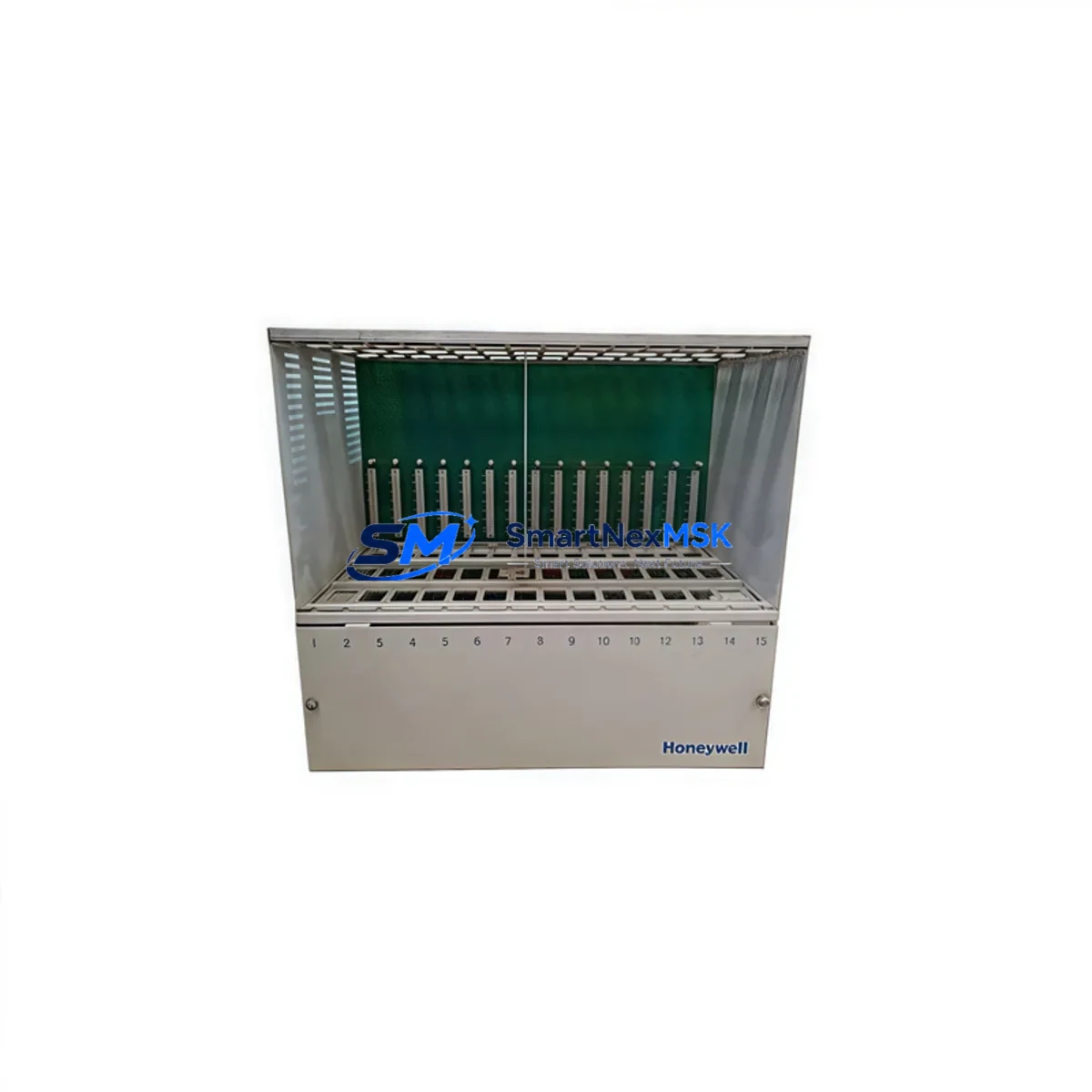
Honeywell 51401406-100 Spare for TDC 3000 Automation: Spare Replacement & Industrial Downtime Risk Control
The Honeywell 51401406-100 is an original I/O File Chassis designed for the TDC 3000 Distributed Control System — one of the most widely deployed DCS platforms in continuous process industries including refining, petrochemical, pulp and paper, and power generation. As aging TDC 3000 systems remain in active service across global facilities, maintaining a verified, system-compatible spare chassis is a critical element of any responsible maintenance strategy. This unit is sourced as an original Honeywell component, fully tested prior to shipment, and backed by a 12-month warranty to support both planned maintenance cycles and emergency replacement scenarios.
For maintenance engineers managing legacy DCS infrastructure, the 51401406-100 chassis serves as the physical backbone of the I/O subsystem — housing I/O Link modules, power distribution, and field termination assemblies. A failed or degraded chassis can take an entire I/O file offline, resulting in loss of field signal visibility and potential process shutdown. Stocking a pre-verified replacement chassis significantly reduces mean time to repair (MTTR) and supports rapid restoration of control loop integrity.
Spare Maintenance Table
| Parameter | Specification / Detail |
|---|---|
| Part Number | 51401406-100 |
| Brand | Honeywell |
| Series / Platform | TDC 3000 DCS |
| Component Type | I/O File Chassis |
| Compatibility | TDC 3000 I/O Link subsystem; compatible with standard TDC 3000 I/O modules and power supplies |
| Mounting | Rack-mount, standard TDC 3000 cabinet rail |
| Operating Environment | Industrial control room / DCS cabinet; standard IEC 61131-2 environmental conditions |
| Weight | 1,200 g (approx.) |
| Origin | United States (Original Honeywell) |
| Condition | Original spare, pre-shipment tested |
| Warranty | 12 Months |
| Shipping | Global express; ESD-safe packaging |
| Maintenance Recommendation | Inspect chassis backplane connectors and slot guides annually; replace if corrosion or mechanical wear is detected |
Maintenance Planning for Continuous Operation
When a TDC 3000 I/O File Chassis such as the 51401406-100 is flagged for replacement — whether during a scheduled turnaround or an unplanned fault event — experienced maintenance engineers know that the chassis itself is rarely the only component requiring attention. A thorough inspection of the surrounding I/O subsystem is essential to prevent repeat failures and ensure full restoration of control capability.
Begin by verifying the TDC 3000 I/O Link Power Supply (such as the 51401288-100 or equivalent) that feeds the chassis. A degraded power supply is a common root cause of chassis-level faults and should be load-tested before the replacement chassis is commissioned. Inspect the I/O Link Interface Module seated in the chassis for signs of overheating or connector wear — these modules handle all communication between the chassis and the High-Level Network (HLN) or UCN, and a marginal interface module will cause intermittent I/O dropouts even with a new chassis installed.
Check all I/O modules housed within the file — analog input cards (e.g., 51304485-150), analog output cards, and digital I/O modules — for proper seating and connector integrity. Loose or corroded module connectors are a frequent source of signal errors that may be misdiagnosed as chassis faults. While the chassis is removed, this is also the ideal time to inspect field termination assemblies (FTAs) and associated marshalling cabinet wiring for insulation degradation, loose terminations, or moisture ingress.
For facilities running extended TDC 3000 systems, consider auditing the UCN Node Interface Module and Application Module (AM) communication paths. A chassis replacement that restores I/O connectivity but leaves a degraded UCN interface unaddressed will result in continued process alarms. Additionally, review the status of any redundant I/O Link cables — cable shield continuity and connector seating should be verified with a cable tester before the system is returned to service.
Procurement engineers should note that the 51401406-100 chassis is compatible with the broader TDC 3000 I/O file ecosystem. When building or refreshing a spare parts inventory for a TDC 3000 installation, it is advisable to stock complementary components including I/O Link power supplies, representative I/O module types for each signal category in use, FTA fuse assemblies, and at least one spare I/O Link Interface Module. This multi-component approach to spare parts management ensures that any single-point failure in the I/O subsystem can be resolved within a single maintenance window.
Site Replacement Workflow
Replacing the Honeywell 51401406-100 I/O File Chassis on an active TDC 3000 system requires careful coordination to minimize process impact. The following workflow reflects best practices for industrial DCS chassis replacement:
1. Pre-Replacement Preparation: Obtain a current I/O assignment list for the file being replaced. Confirm that all field devices connected to this chassis are either in manual control mode or that the process can tolerate a temporary loss of automatic control for the affected loops. Notify the control room operator and obtain a work permit.
2. Module Documentation: Before removing any modules, photograph or document the slot assignments of all I/O modules in the chassis. Label each module with its slot number using ESD-safe labels. This prevents reinstallation errors that could cause incorrect field signal routing.
3. Power-Down Sequence: De-energize the I/O file by switching off the dedicated I/O Link power supply for this chassis. Do not rely solely on the main cabinet breaker — verify with a multimeter that the chassis backplane is de-energized before proceeding.
4. Chassis Removal and Inspection: Remove all I/O modules in slot order and store them in ESD-safe trays. Disconnect the I/O Link cable(s) and power supply connectors. Remove the chassis from the cabinet rail. Inspect the replacement 51401406-100 chassis for shipping damage, backplane connector condition, and slot guide integrity before installation.
5. Reinstallation and Verification: Install the replacement chassis, reconnect power and I/O Link cables, and reinstall all I/O modules in their documented slot positions. Power up the chassis and verify that all modules are recognized by the TDC 3000 system. Check for any fault indicators on the I/O Link Interface Module and confirm that field signal values are reading correctly in the operator console before returning loops to automatic control.
This structured approach reduces the risk of configuration errors, minimizes downtime, and ensures that the replacement chassis is fully validated before the process is returned to automatic operation. For legacy TDC 3000 systems where original Honeywell documentation may be incomplete, our technical team can provide application guidance based on the specific chassis configuration and I/O file layout.
Spare Parts Support FAQ
Q1: Is the 51401406-100 still available as a new original spare, or only as refurbished stock?
The 51401406-100 is available as an original Honeywell spare sourced from authorized distribution and verified surplus channels. Each unit undergoes pre-shipment functional testing to confirm backplane integrity and connector condition. Units are supplied with documentation confirming origin and test status. Refurbished units are clearly identified as such — we do not represent refurbished stock as new original unless confirmed by the manufacturer.
Q2: How do I verify compatibility with my specific TDC 3000 I/O file configuration before ordering?
The 51401406-100 is a standard TDC 3000 I/O File Chassis compatible with the full range of TDC 3000 I/O Link modules. To confirm compatibility with your specific installation, provide your existing chassis part number, the I/O Link power supply model in use, and the I/O module types currently installed. Our technical team will cross-reference your configuration and confirm fit before shipment.
Q3: What does the 12-month warranty cover, and what is the process for a warranty claim?
The 12-month warranty covers manufacturing defects and functional failures under normal operating conditions as defined by Honeywell’s TDC 3000 system specifications. Physical damage caused by incorrect installation, overvoltage, or environmental conditions outside the rated operating range is excluded. To initiate a warranty claim, contact our support team with the order reference, a description of the fault, and any available diagnostic data from the TDC 3000 system. Replacement or repair will be arranged within the warranty period at no additional cost.
Q4: Can you support long-term supply for TDC 3000 spare parts beyond a single order?
Yes. We maintain ongoing sourcing relationships for TDC 3000 components and can support blanket purchase agreements, scheduled delivery programs, and emergency stock reservation for facilities with active TDC 3000 installations. For sites managing planned phase-out or life extension programs, we can assist with identifying alternative or cross-compatible components where original parts are no longer available from the manufacturer.
© 2026 SMARTNEXMSK. All rights reserved.
Original Source: https://smartnexmsk.com
Contact: [email protected] | +86 18259474341



