
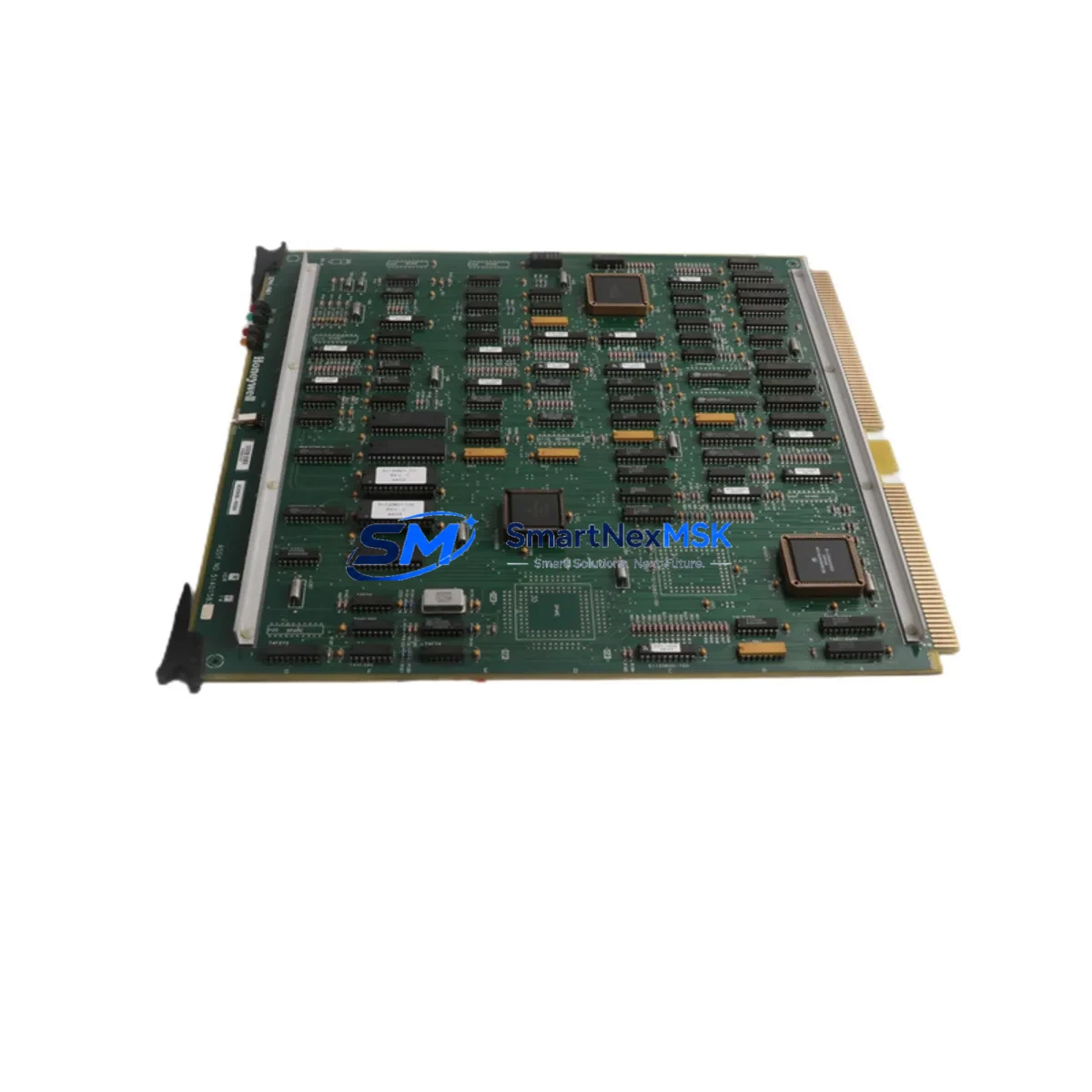
Honeywell 51401583-200 Retrofit-Ready Network Interface Card for TDC 3000 TPS Control Systems
The Honeywell 51401583-200 is a Network Interface Card (NIC) engineered for seamless integration into legacy TDC 3000 and TPS (Total Plant Solution) Distributed Control System architectures. As aging DCS infrastructure reaches end-of-support milestones, facilities across petrochemical, refining, power generation, and continuous process industries are actively seeking verified replacement modules that preserve existing control logic, minimize engineering rework, and eliminate the risk of unplanned downtime. The 51401583-200 addresses all of these requirements as a direct retrofit-ready replacement for obsolete or failed NIC modules within the Honeywell Universal Control Network (UCN) and Local Control Network (LCN) environments.
This module serves as the communication backbone between the process controllers and the operator stations in TDC 3000 and TPS platforms. When a NIC fails or becomes unavailable due to discontinuation, the entire control loop dependent on that network segment is at risk. Sourcing a verified 51401583-200 with documented compatibility testing is therefore a critical procurement decision — not merely a spare parts exercise. Each unit supplied by SMARTNEXMSK undergoes pre-shipment functional verification, including power-on diagnostics, communication handshake testing, and visual inspection of all edge connectors and backplane interface pins.
Upgrade Compatibility Table
| Parameter | Details |
|---|---|
| Compatible Platform | Honeywell TDC 3000, TPS (Total Plant Solution) |
| Network Type | Universal Control Network (UCN), Local Control Network (LCN) |
| Module Function | Network Interface Card — process controller to operator station communication |
| Backplane Interface | Standard TDC 3000 / TPS card cage backplane slot (verify slot assignment before installation) |
| Installation Requirement | Hot-swap not supported; controlled shutdown recommended before card replacement |
| Communication Compatibility | UCN coaxial network; verify termination resistors and network segment addressing |
| Replacement Recommendation | Direct replacement for failed or EOL 51401583-200 units; confirm firmware revision with site engineer |
| Commissioning Note | Module address must be configured via DIP switch or software parameter to match original node assignment |
| Warranty | 12-Month Warranty — covers manufacturing defects and functional failure under normal operating conditions |
| Pre-Shipment Testing | Power-on diagnostics, communication handshake, backplane connector inspection |
Retrofit Planning for Existing Automation Systems
Replacing the 51401583-200 NIC is rarely an isolated task. In most TDC 3000 and TPS retrofit projects, the NIC replacement is part of a broader control system modernization effort that involves multiple interdependent components. Before initiating the swap, the site engineering team should audit the full card cage configuration, including the presence of the Honeywell 51401566-100 Power Entry Module, which supplies regulated DC power to the NIC and adjacent cards. A degraded power supply is frequently the root cause of NIC communication faults and should be inspected or replaced concurrently.
The card cage or chassis housing the 51401583-200 must also be evaluated. TDC 3000 card cages such as the Honeywell 51190494-200 Universal Station Card File provide the physical backplane and slot assignments that determine module addressing. If the cage itself has corroded backplane contacts or damaged slot connectors, simply replacing the NIC will not restore reliable communication. In parallel, the Honeywell 51401396-100 Data Hiway Interface module and any associated Honeywell 51304485-100 coaxial network cables and terminators should be inspected to ensure the UCN segment is electrically sound before the new NIC is commissioned.
For sites migrating from TDC 3000 toward the Honeywell Experion PKS platform, the 51401583-200 may serve as an interim solution while the full migration is planned in phases. During this transition, the Honeywell 51401469-200 Application Module and Honeywell 51401468-200 History Module often remain in service alongside the new NIC, and their program databases must be backed up before any network reconfiguration. The Honeywell 51401584-200 NIM (Network Interface Module) is a closely related component that may also require replacement or reconfiguration during the same maintenance window.
HMI operator stations running the Honeywell Universal Station or GUS (Global User Station) software must be verified for compatibility with the restored network segment. After the NIC is installed and addressed, the operator station should re-establish its UCN connection automatically; however, display points and group displays referencing the affected controller should be validated to confirm data refresh rates and alarm states are functioning correctly. If the site uses a Honeywell 51401544-200 Operator Interface Module, its configuration files should be archived prior to the retrofit to allow rapid restoration in the event of a commissioning issue.
Downtime Control During System Migration
Minimizing process downtime during a NIC replacement requires disciplined pre-work. The recommended approach is to schedule the replacement during a planned maintenance window, coordinate with the process operations team to place affected control loops in manual mode, and document all current module parameters — including node address, network segment ID, and any custom configuration — before powering down the card cage.
The original program logic residing in the associated Application Module (AM) or Process Manager (PM) is not stored on the NIC itself, so the control database is preserved during the card swap. However, the NIC’s node address and UCN segment parameters must be re-entered or verified after installation. Having a printed or digitally archived copy of the original configuration sheet eliminates the risk of address conflicts on the network segment, which can cause communication faults across multiple controllers simultaneously.
Once the 51401583-200 is seated and powered, the UCN diagnostic tools within the TDC 3000 or TPS engineering console should be used to confirm that the new NIC is visible on the network, that its node address matches the original assignment, and that all downstream I/O modules — including any Honeywell 51304516-100 series analog input cards or digital output modules — are reporting correctly. A full loop check on critical control loops should be completed before returning the system to automatic mode. Total replacement time for a prepared team with a verified spare unit is typically two to four hours, making the 51401583-200 one of the more manageable retrofit tasks in a TDC 3000 modernization program.
Retrofit Support FAQ
Q: Is the 51401583-200 a direct drop-in replacement for my existing NIC without firmware changes?
A: In most cases, yes. The 51401583-200 is designed as a direct replacement within TDC 3000 and TPS card cages. However, you should confirm the firmware revision level with your site engineer, as some later TPS revisions introduced firmware-dependent features. SMARTNEXMSK can provide the revision details of the unit prior to shipment upon request.
Q: What wiring or termination changes are required during installation?
A: The 51401583-200 uses the standard TDC 3000 backplane interface — no field wiring changes are required at the card level. You should verify that the UCN coaxial cable termination resistors at both ends of the network segment are intact and correctly rated (typically 75 Ω), as improper termination is a common cause of post-replacement communication instability.
Q: How do I verify compatibility before committing to the replacement?
A: Provide your existing module’s part number, revision suffix, and TPS/TDC 3000 system revision to our technical team at [email protected]. We will cross-reference against our compatibility database and confirm suitability before shipment. Each unit is tested prior to dispatch to ensure functional integrity.
Q: What does the 12-month warranty cover, and what is the claims process?
A: The 12-month warranty covers manufacturing defects and functional failure under normal operating and storage conditions. It does not cover damage resulting from incorrect installation, overvoltage, or physical mishandling. To initiate a warranty claim, contact [email protected] with your order reference, a description of the fault, and photographic evidence of the installation. Replacement or repair will be arranged within five business days of claim approval.
© 2026 SMARTNEXMSK. All rights reserved.
Original Source: https://smartnexmsk.com
Contact: [email protected] | +86 18259474341



