
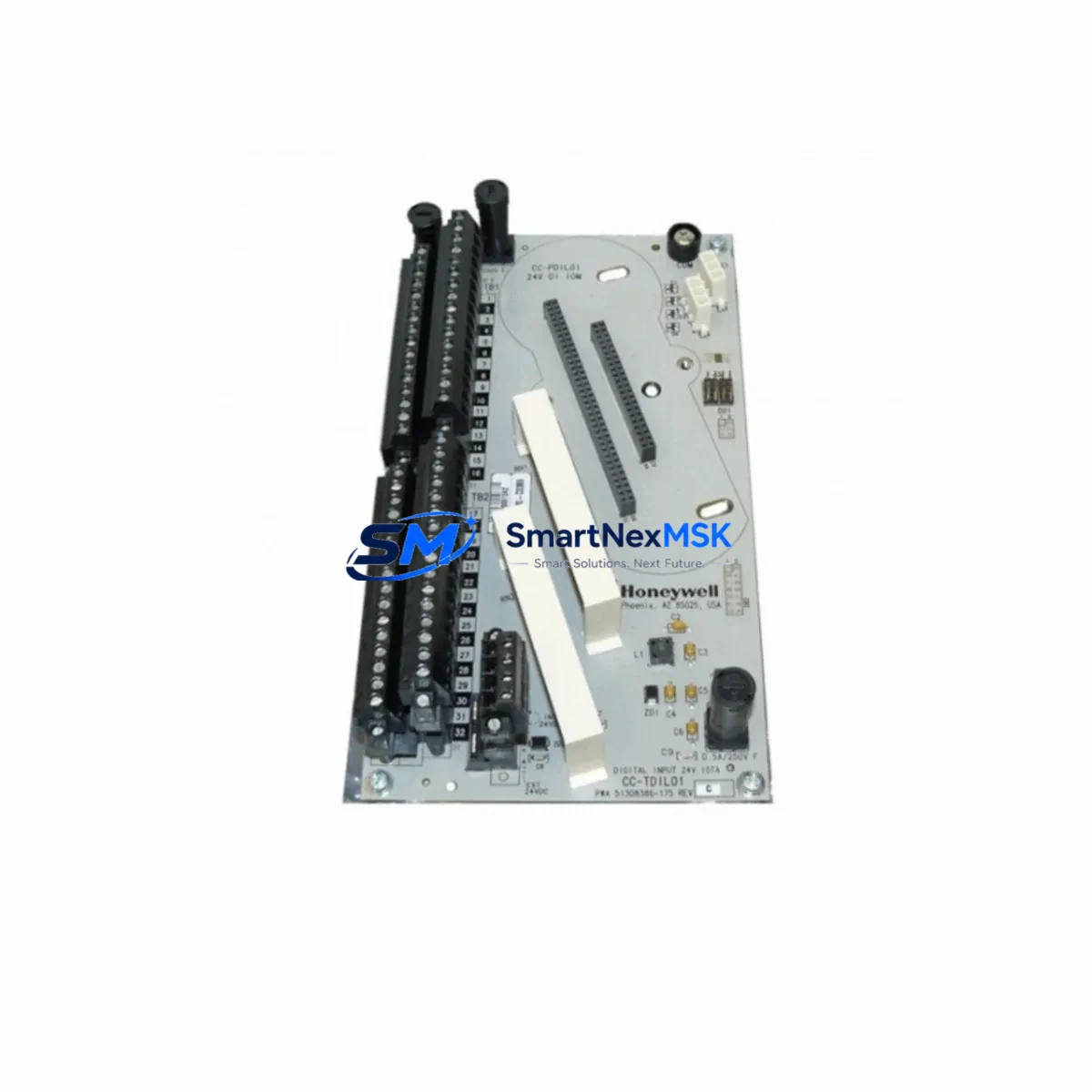
Honeywell 51402497-200 TP-DSOEP1-100 Retrofit-Ready Operator Keyboard for TPS Control Systems
The Honeywell 51402497-200 (TP-DSOEP1-100) is a purpose-built operator keyboard module designed for the TotalPlant Solution (TPS) distributed control system platform. As legacy TPS installations approach end-of-support milestones, this module remains a critical interface component for operators managing process control, alarm acknowledgment, and HMI interaction across refining, petrochemical, power generation, and continuous manufacturing environments. Whether you are sourcing a direct replacement for a failed unit, building a spare-parts buffer ahead of a planned shutdown, or executing a phased control-system modernization, the 51402497-200 TP-DSOEP1-100 provides a verified drop-in solution that preserves existing operator workflows and minimizes retraining requirements.
Procurement teams and control-system engineers working on TPS retrofit projects frequently encounter the challenge of maintaining operational continuity while transitioning aging infrastructure. The TP-DSOEP1-100 keyboard interfaces directly with the TPS Universal Station (US) and Global User Station (GUS) operator consoles, maintaining full compatibility with the existing backplane wiring, console enclosure mounting, and communication links to the Hiway Gateway and Local Control Network (LCN). Because the physical connector pinout and communication protocol remain consistent with the original factory specification, no firmware patching or address reconfiguration is required for a like-for-like swap.
Upgrade Compatibility Table
| Parameter | Details |
|---|---|
| Part Number | 51402497-200 / TP-DSOEP1-100 |
| Brand | Honeywell Process Solutions |
| Platform / Series | TotalPlant Solution (TPS) DCS |
| Module Function | Operator Keyboard Interface |
| Compatible Consoles | Universal Station (US), Global User Station (GUS) |
| Backplane Interface | TPS LCN-compatible backplane connector |
| Communication Protocol | Local Control Network (LCN) |
| Replaces / Supersedes | Earlier TP-DSOEP1 revisions; consult Honeywell TPS hardware compatibility matrix |
| Installation Requirement | No address reconfiguration required for direct replacement |
| HMI Compatibility | Existing TPS HMI display pages remain unchanged |
| Commissioning Note | Verify LCN node address assignment and power rail voltage before hot-swap |
| Warranty | 12-Month Warranty — covers manufacturing defects and functional failure under normal operating conditions |
Retrofit Planning for Existing Automation Systems
A successful TPS retrofit begins well before the replacement module arrives on site. Engineers should start by auditing the existing console enclosure to confirm that the 24 VDC power supply rail — typically sourced from a Honeywell PS-1 or equivalent TPS power module — is delivering within specification. Voltage sag caused by aging capacitors in the power supply can cause intermittent keyboard faults that are misdiagnosed as module failures; replacing the power module in parallel with the keyboard unit eliminates this ambiguity.
Next, document the current LCN node address assigned to the operator station. In multi-console TPS installations, each Universal Station or Global User Station occupies a unique node address on the Local Control Network. The TP-DSOEP1-100 keyboard does not store node address data internally — addressing is managed at the station level — so the replacement keyboard will inherit the existing station configuration without modification. However, if the console is being relocated or if the LCN topology is being restructured as part of a broader upgrade that also involves a Hiway Gateway module or an Application Module (AM), node address conflicts must be resolved in the LCN configuration database before the new hardware is powered on.
Terminal wiring at the console backplane should be photographed and labeled before disconnection. TPS console enclosures often carry decades of field modifications, and undocumented jumper wires or auxiliary I/O connections to external relay panels or marshalling cabinets can create unexpected behavior if disturbed. Once the 51402497-200 TP-DSOEP1-100 is seated and secured, verify continuity on all signal lines before restoring power. If the installation includes a Honeywell Data Hiway (DHwy) segment connecting field controllers such as a Process Manager (PM) or Advanced Process Manager (APM) to the operator network, confirm that the Hiway Gateway remains online throughout the keyboard swap to avoid interrupting the control loop data path.
For sites running Honeywell HMIWeb Display Builder or legacy GUS display pages, no screen reconfiguration is necessary following a keyboard replacement. The operator interface layer is maintained at the station software level, not within the keyboard hardware. However, if the retrofit is being combined with a station software upgrade — for example, migrating from an older TPS release to a newer Experion PKS compatibility layer — HMI display validation should be scheduled as a separate commissioning task after the hardware swap is confirmed stable.
Sites that are simultaneously upgrading communication infrastructure, such as migrating from legacy coaxial LCN cabling to fiber-optic LCN segments using a Fiber LCN Interface Module, should sequence the keyboard replacement before the network migration to establish a known-good baseline. This approach isolates variables and simplifies fault diagnosis if issues arise during the network cutover. Engineers coordinating a broader cabinet upgrade may also need to account for the Honeywell 51401288-100 LCN Interface Card and any associated 51304485-100 cable assemblies when planning the physical layout of the replacement console.
Downtime Control During System Migration
Minimizing unplanned downtime is the primary operational constraint in any TPS keyboard replacement or broader control-system retrofit. The 51402497-200 TP-DSOEP1-100 is designed to support a rapid swap procedure: with the console enclosure de-energized, the keyboard module can be removed and replaced in under 15 minutes by a qualified technician familiar with TPS hardware. Pre-staging the replacement unit at the site — fully inspected and function-tested — eliminates the lead-time risk that is the most common cause of extended outages when legacy DCS components fail unexpectedly.
To protect existing control logic during the swap, ensure that all Process Manager (PM) and Advanced Process Manager (APM) controllers connected via the Data Hiway remain in their current operating mode. TPS field controllers operate autonomously from the operator console; a keyboard or console failure does not interrupt regulatory control loops, provided the controllers are not placed in manual mode by the operator prior to the swap. Communicate clearly with the operations team that process control will be maintained at the controller level throughout the keyboard replacement window.
If the site operates a redundant operator station configuration — with a backup Universal Station or Global User Station available on the LCN — operators can transfer monitoring and alarm management responsibilities to the backup console before the primary keyboard is removed. This approach reduces the effective operator impact to near zero and allows the replacement to proceed without a formal process shutdown. After the new TP-DSOEP1-100 is installed and the console is restored to service, verify alarm display, operator input response, and LCN communication status before releasing the station back to the operations team.
All units supplied by SMARTNEXMSK are subject to pre-shipment functional testing, including power-on verification and interface continuity checks, to ensure that the module arrives ready for installation. The 12-month warranty covers manufacturing defects and functional failure under normal operating conditions, providing procurement teams with the confidence to maintain lean spare-parts inventories without accepting undue operational risk.
Retrofit Support FAQ
Q: Is the Honeywell 51402497-200 TP-DSOEP1-100 a direct drop-in replacement for earlier TP-DSOEP1 revisions?
A: In most TPS installations, yes. The TP-DSOEP1-100 revision maintains the same backplane connector, mounting footprint, and LCN communication interface as earlier TP-DSOEP1 variants. We recommend cross-referencing the Honeywell TPS hardware compatibility matrix for your specific console revision before ordering. Our technical team can assist with compatibility verification if you provide your console model and current hardware revision.
Q: What commissioning steps are required after installing the replacement keyboard?
A: For a like-for-like replacement within the same console enclosure, commissioning is minimal: restore power, confirm LCN node communication status at the station, verify operator input response across all key groups, and check alarm acknowledgment functionality. If the replacement is part of a broader upgrade involving a new Application Module (AM) or Hiway Gateway, additional LCN configuration validation will be required.
Q: How do I verify terminal wiring compatibility before installation?
A: Photograph and label all existing wiring at the console backplane before removal. The TP-DSOEP1-100 uses the standard TPS backplane connector pinout; no rewiring is required for a direct replacement. If your console has field modifications or auxiliary connections to external marshalling cabinets or relay panels, document these separately and verify continuity after installation before restoring power.
Q: What does the 12-month warranty cover, and what is the shipping lead time?
A: The 12-month warranty covers manufacturing defects and functional failure under normal operating conditions from the date of shipment. Units are pre-tested before dispatch. Standard lead time for in-stock units is 3–7 business days for international shipments; expedited options are available for urgent breakdown situations. Contact our team at [email protected] or +86 18259474341 to confirm current stock availability and shipping options.
© 2026 SMARTNEXMSK. All rights reserved.
Original Source: https://smartnexmsk.com
Contact: [email protected] | +86 18259474341



