
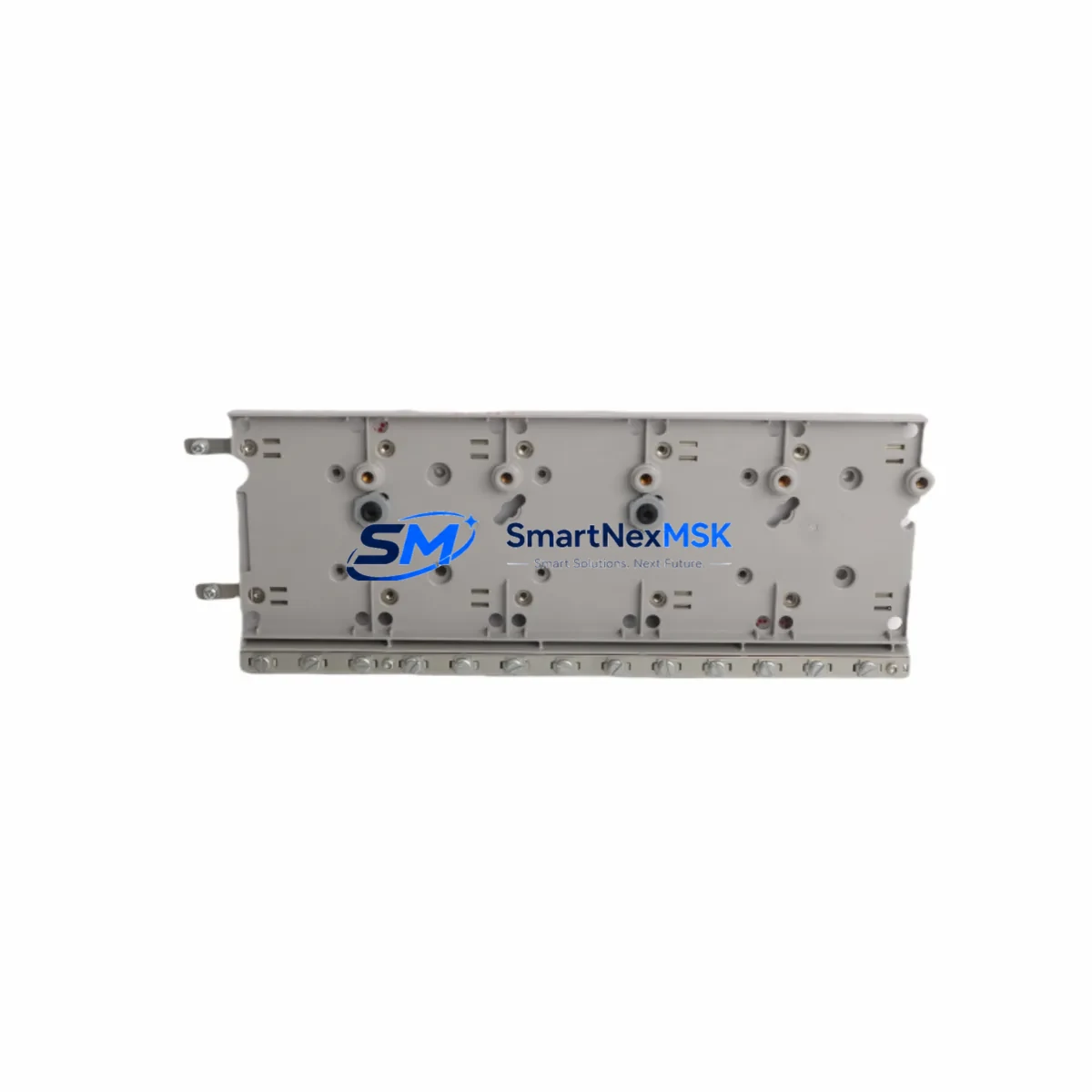
Honeywell 51403884-100 Retrofit-Ready DCS I/O Module for TDC 3000 Control Systems
The Honeywell 51403884-100 is a proven DCS I/O module engineered for seamless integration into legacy TDC 3000 distributed control system architectures. As industrial facilities face increasing pressure to extend the operational life of aging control infrastructure while managing capital expenditure, this module delivers a reliable, cost-effective retrofit path — enabling engineers to replace discontinued components without triggering a full platform migration.
Whether your facility is replacing a failed card in an active production loop, upgrading a control cabinet to meet revised safety standards, or consolidating I/O capacity across a multi-rack TDC 3000 installation, the 51403884-100 provides the electrical compatibility, backplane interface alignment, and firmware handshake characteristics required for a controlled, low-risk swap-in. The module is sourced from verified supply channels, undergoes pre-shipment functional testing, and is backed by a 12-month warranty covering manufacturing defects and operational failures under normal service conditions.
Upgrade Compatibility Table
| Parameter | Details |
|---|---|
| SKU / Part Number | 51403884-100 |
| Brand | Honeywell |
| Compatible Platform | TDC 3000 Distributed Control System |
| Module Type | DCS I/O Module |
| Backplane Interface | Compatible with standard TDC 3000 card cage backplane connectors |
| Installation Method | Direct card-slot insertion; no mechanical modification required |
| Communication Compatibility | Supports TDC 3000 internal LCN / UCN bus protocol |
| Replacement Suitability | Drop-in replacement for discontinued 51403884-series variants |
| Commissioning Notes | Module address assignment via DCS configuration console; verify I/O tag mapping before hot-swap |
| Warranty | 12 months from date of shipment |
| Pre-Shipment Testing | Functional burn-in and I/O channel verification performed |
| Country of Origin | United States |
Retrofit Planning for Existing Automation Systems
Successful integration of the 51403884-100 into an operating TDC 3000 system begins well before the physical card swap. Engineers should start by auditing the existing card cage configuration — confirming available slot positions, verifying that the Honeywell MC-PAIH03 power conditioner or equivalent power supply module is delivering stable 24 VDC rail voltage within tolerance, and checking that the backplane bus termination resistors are correctly seated.
Terminal wiring is a critical checkpoint. Field wiring connected to the outgoing module must be documented against the original loop drawings before disconnection. Where marshalling cabinets use Honeywell MC-TAIH22 terminal assembly or similar field termination assemblies, technicians should confirm that the wiring schedule matches the I/O channel assignments defined in the DCS database. Any discrepancy between physical wiring and the configured tag list will result in incorrect process variable readings after module replacement.
For facilities running Honeywell TDC 3000 Universal Control Network (UCN) segments, the replacement module must be assigned the same node address as its predecessor. This is performed through the Honeywell Universal Station (US) or Engineer’s Console using the system configuration utility. Failure to replicate the original node address will cause the DCS to flag the slot as an unrecognized device, preventing I/O scanning from resuming.
Where the control strategy references the replaced module’s I/O points in Honeywell Control Language (HCL) or Continuous Control Language (CCL) blocks, the program logic should be reviewed to confirm that no hardcoded slot references will conflict with the new module’s physical position. In multi-rack installations using Honeywell HPM (High-Performance Process Manager) controllers, the I/O assignment table within the HPM configuration must reflect the updated slot mapping before the module is brought online.
HMI screen updates are often overlooked during I/O module replacements. If the facility operates Honeywell GUS (Global User Station) or a third-party SCADA interface reading process values from the replaced I/O channel, operators should verify that display faceplate bindings and alarm setpoint references remain intact after the module swap. A brief offline simulation using the DCS’s built-in diagnostic tools can confirm that all downstream display elements are receiving valid engineering-unit values before returning the loop to automatic control.
Communication link integrity should also be validated. In systems where the TDC 3000 I/O subsystem interfaces with a Honeywell Data Hiway or a legacy Plant Loop segment, the replacement module’s communication parameters — baud rate, parity, and message framing — must match the network configuration stored in the LCN gateway. A Honeywell NIM (Network Interface Module) or equivalent gateway card may require a soft reset after the I/O module replacement to re-establish stable polling cycles.
Downtime Control During System Migration
Minimizing unplanned downtime during a TDC 3000 I/O module replacement requires a structured pre-outage preparation protocol. Before scheduling the maintenance window, the control team should place all affected loops in manual mode at the operator station, ensuring that field actuators — control valves, variable-speed drives, and interlock relays — are held at safe operating positions independent of DCS output signals.
A full backup of the DCS database, including the HPM configuration files, UCN node tables, and HCL/CCL program blocks, should be exported to a secure engineering workstation before any hardware is disturbed. This backup serves as the recovery baseline if the replacement module requires re-commissioning from a known-good configuration state.
The physical swap itself — removing the failed 51403884-100 and inserting the replacement — typically takes under 15 minutes in a properly labeled and documented card cage. The majority of the maintenance window is consumed by post-installation verification: confirming I/O channel continuity with a loop calibrator, checking that the DCS is scanning all configured tags without fault alarms, and stepping each affected loop through a manual output bump test to verify actuator response before returning to automatic control.
Where the facility’s safety instrumented system (SIS) shares I/O infrastructure with the TDC 3000 DCS, the SIS engineer must be present during the maintenance window to confirm that safety function bypass procedures are correctly applied and that the SIS logic solver — whether a Honeywell FSC (Fail-Safe Controller) or a third-party safety PLC — does not interpret the I/O module replacement as a process fault requiring an emergency shutdown initiation.
Post-replacement, a structured return-to-service checklist — covering loop checkout, alarm rationalization, historian data continuity, and operator notification — ensures that the control system is restored to its pre-outage functional state with full audit traceability.
Retrofit Support FAQ
Q1: Is the 51403884-100 a direct drop-in replacement for other 51403884-series modules?
The 51403884-100 is designed as a compatible replacement within the 51403884 product family for TDC 3000 applications. Before installation, confirm the slot type, backplane connector version, and I/O channel count against your existing system documentation. Minor hardware revision differences between sub-variants may require a configuration update at the DCS console rather than any physical modification.
Q2: What commissioning steps are required after installing the replacement module?
After physical installation, assign the module its original node or slot address via the Engineer’s Console or Universal Station. Verify that all I/O tags associated with the module are scanning correctly in the DCS database. Perform a loop check on each channel using a calibrator or signal simulator, and confirm that process values are displaying correctly at the operator station before returning loops to automatic mode.
Q3: How is wiring compatibility verified before the swap?
Cross-reference the field wiring schedule against the original loop drawings and the I/O channel assignment table in the DCS configuration. If the installation uses a marshalling cabinet with terminal assemblies, verify that the terminal block wiring matches the channel-to-tag mapping defined in the system database. Any rewiring required due to terminal pitch or connector type differences should be completed and tested before the module is powered.
Q4: What does the 12-month warranty cover, and what is the return process?
The 12-month warranty covers manufacturing defects and functional failures under normal operating conditions from the date of shipment. It does not cover damage resulting from incorrect installation, overvoltage events, or physical mishandling. To initiate a warranty claim, contact our sales team with the order reference, a description of the fault, and any available DCS diagnostic logs. Replacement or repair will be processed within the agreed service timeline.
© 2026 SMARTNEXMSK. All rights reserved.
Original Source: https://smartnexmsk.com
Contact: [email protected] | +86 18259474341



