
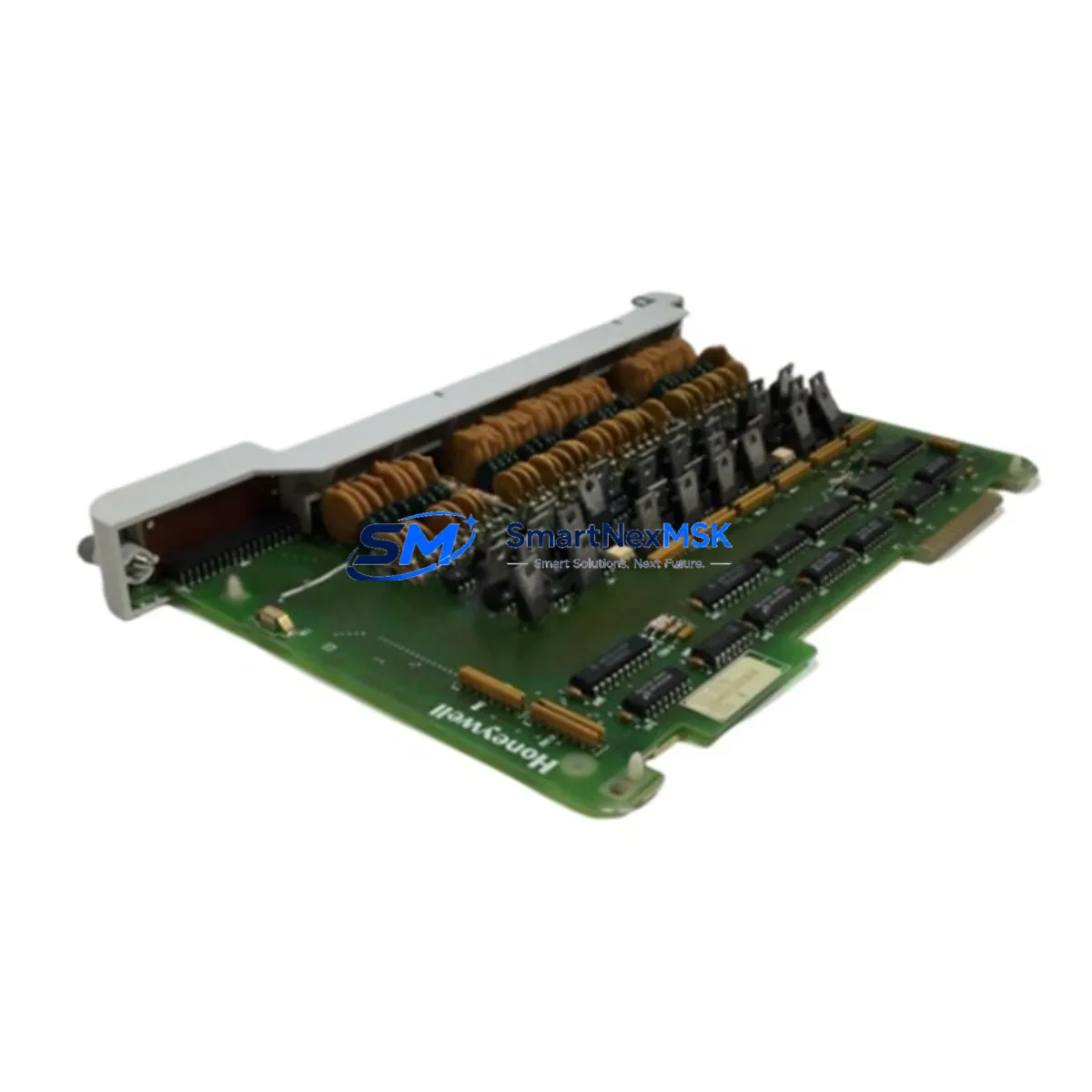
Honeywell 621-2200RC Retrofit-Ready Output for 620 Series Control Systems
The Honeywell 621-2200RC is a discrete output module engineered for the Honeywell 620 Series programmable logic controller platform — one of the most widely deployed legacy control architectures in process manufacturing, utilities, and continuous production environments. As the 620 Series approaches end-of-life support from the OEM, facilities relying on this platform face increasing pressure to source verified replacement modules that maintain full backward compatibility without requiring ladder logic rewrites, HMI screen redesigns, or backplane hardware changes.
This module delivers 16 discrete output channels with relay-isolated contacts, making it directly interchangeable with the original 621-2200RC installed base. Whether you are replacing a failed module on an emergency basis, building a critical-spare inventory ahead of a planned shutdown, or executing a phased modernization of an aging control cabinet, the 621-2200RC provides the electrical and mechanical compatibility needed to restore production continuity with minimal engineering intervention.
Upgrade Compatibility Table
| Parameter | Specification / Retrofit Note |
|---|---|
| Module SKU | 621-2200RC |
| Platform Compatibility | Honeywell 620 Series PLC (620-0016, 620-0032, 620-0064 chassis) |
| Output Type | Discrete relay output, 16 channels |
| Backplane Interface | Direct plug-in to 620 Series I/O backplane — no adapter required |
| Terminal Wiring | Screw-terminal field wiring connector; matches original pinout |
| Module Address | Configured via DIP switch on module face; retain original address settings from replaced unit |
| Program Compatibility | No ladder logic changes required; output coil addresses remain identical |
| HMI Screen Impact | None — tag names and I/O addresses unchanged |
| Communication Link | Compatible with 620 Series Modbus RTU and proprietary backplane bus |
| Installation Requirement | Power-down chassis before hot-swap; verify 24 VDC backplane supply before reinsertion |
| Commissioning | Force-test each output channel via programmer before returning to AUTO mode |
| Warranty | 12-Month Warranty — covers manufacturing defects and functional failure under normal operating conditions |
Retrofit Planning for Existing Automation Systems
A successful 621-2200RC replacement begins well before the module arrives on site. Engineers should pull the existing I/O configuration report from the Honeywell 620 CPU module (typically a 621-0001 or 621-0002 processor) and cross-reference every output coil address against the current HMI tag database. In most 620 Series installations, the HMI is connected via a Honeywell 621-9940 communication module using Modbus RTU over RS-485 — confirm that the baud rate, parity, and station address settings on this module are documented before any hardware is disturbed.
On the power side, verify that the Honeywell 621-6500 power supply module can sustain the inrush current when the new output module initializes. Relay output modules draw a brief surge at power-on; if the power supply is already operating near capacity due to a full chassis populated with input modules such as the 621-1100 discrete input module or the 621-3100 analog input module, a load calculation should be performed before proceeding.
For facilities that have already begun migrating portions of their control architecture to the Honeywell ControlEdge PLC platform, the 621-2200RC can continue to serve as a bridge output module in the legacy rack while new I/O is gradually added to the ControlEdge chassis. This hybrid approach allows production to continue uninterrupted while the migration is staged across planned maintenance windows. In such configurations, the Honeywell ControlEdge I/O module handles new process points while the 621-2200RC retains control of existing field devices — motors, solenoid valves, and alarm annunciators — that are not yet scheduled for rewiring.
Where the 620 Series rack is mounted in a shared control cabinet alongside third-party devices, pay attention to the backplane slot assignment. The 621-2200RC must occupy a slot designated for output modules in the chassis configuration; placing it in an input-only slot will cause a configuration fault on the CPU. Use the Honeywell 620 Series Programming Software (or compatible third-party Modbus configuration tool) to verify the I/O map before powering up. If the site uses a Honeywell 621-9900 programming cable for direct CPU connection, ensure the cable driver is installed on the engineering workstation before the maintenance window begins — driver installation during a live outage adds unnecessary downtime.
Finally, document the field wiring terminal assignments from the original module’s wiring diagram before removal. The 621-2200RC uses a removable screw-terminal connector block; label each wire with its terminal number and associated field device tag before disconnecting. This step alone eliminates the most common source of commissioning errors during output module replacements.
Downtime Control During System Migration
Minimizing unplanned downtime during a 621-2200RC swap requires a structured pre-outage checklist. Before the maintenance window opens, place the affected output channels in a safe state — typically by commanding all outputs to de-energized through the HMI or by switching the CPU to STOP mode with outputs held at their last state, depending on the process safety requirements. Export a full program backup from the 620 CPU using the programming software and store it on an isolated engineering laptop; this backup is your recovery path if the module swap triggers an unexpected CPU fault.
During the swap, keep the field wiring connector attached to the old module until the new 621-2200RC is physically seated in the backplane slot. Transfer the connector block directly from the old module to the new one — this preserves the wiring integrity and eliminates re-termination errors. After reinsertion, power up the chassis and observe the module status LED; a solid green indicates successful backplane communication. If the LED flashes red, check the DIP switch address settings against the original configuration record.
Once the module is online, perform a channel-by-channel force test from the programming terminal before returning the CPU to RUN mode. Verify that each field device — motor starter, control valve, or indicator lamp — responds correctly to the forced output state. Only after all 16 channels are confirmed should the CPU be returned to RUN and the HMI operator notified that the system is back in automatic control. This structured approach consistently achieves sub-30-minute swap times for experienced maintenance teams, even in high-density control cabinets.
Retrofit Support FAQ
Q: Is the 621-2200RC a direct drop-in replacement for the original Honeywell module of the same part number?
A: Yes. The 621-2200RC is mechanically and electrically identical to the original Honeywell production unit. It uses the same backplane connector, the same screw-terminal field wiring block, and the same DIP switch address scheme. No modifications to the chassis, wiring, or PLC program are required.
Q: What pre-shipment testing is performed on each unit?
A: Every 621-2200RC is bench-tested prior to shipment. Each of the 16 output relay channels is individually energized and verified for contact closure and release. The backplane interface is checked for correct signal integrity. A test report is available upon request for quality-assurance documentation purposes.
Q: What does the 12-month warranty cover?
A: The 12-month warranty covers manufacturing defects and functional failure under normal operating conditions from the date of shipment. It includes free replacement or repair of the module. The warranty does not cover damage resulting from incorrect installation, overvoltage events, or physical mishandling. Contact our technical team to initiate a warranty claim.
Q: Can this module be used in a 620 Series chassis that is also running newer Honeywell I/O alongside legacy modules?
A: The 621-2200RC is designed exclusively for the 620 Series backplane architecture. It cannot be installed in a ControlEdge or Experion chassis. However, in hybrid migration projects where the 620 Series rack remains active alongside a new control platform, the 621-2200RC continues to operate normally within its native chassis for the duration of the transition period.
© 2026 SMARTNEXMSK. All rights reserved.
Original Source: https://smartnexmsk.com
Contact: [email protected] | +86 18259474341



