
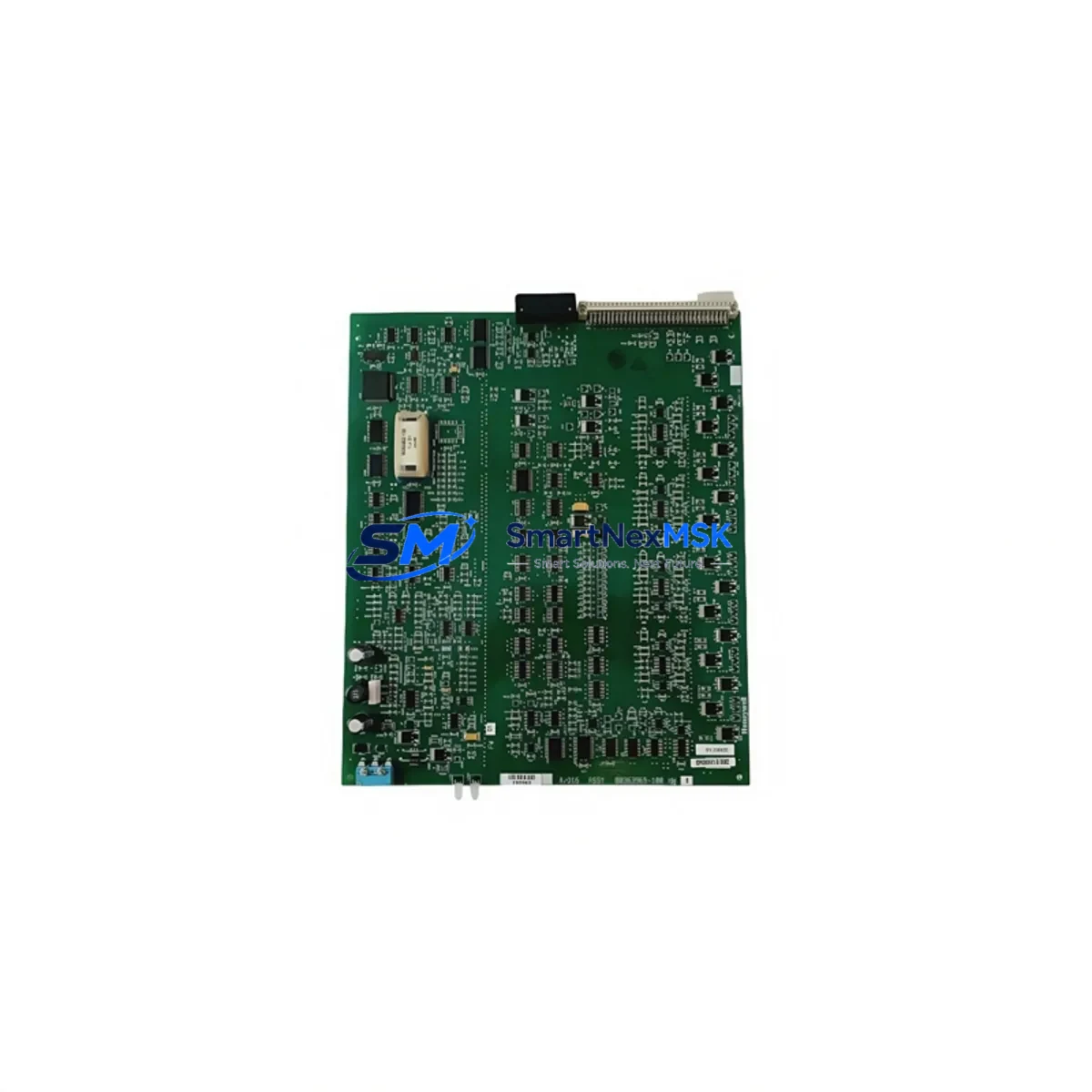
Honeywell 80363969-100 Retrofit-Ready Analog Output Module for TDC 3000 / HPM Control Systems
The Honeywell 80363969-100 is a retrofit-ready analog output module engineered for seamless integration into legacy TDC 3000 and High-Performance Manager (HPM) distributed control system architectures. As Honeywell progressively phases out older DCS hardware, facilities running TDC 3000 platforms face increasing pressure to source verified replacement modules that maintain signal integrity, backplane compatibility, and program continuity without triggering full-system overhauls. The 80363969-100 addresses this challenge directly — providing a drop-in upgrade path that preserves existing wiring infrastructure, I/O addressing, and control logic while delivering the reliability demanded by continuous-process industries including refining, petrochemicals, power generation, and specialty chemicals.
Upgrade Compatibility Table
| Parameter | Details |
|---|---|
| SKU / Part Number | 80363969-100 |
| Compatible Platform | Honeywell TDC 3000, HPM (High-Performance Manager) |
| Module Function | Analog Output (AO) |
| Backplane Interface | HPM I/O Link — compatible with standard HPM card file backplane |
| Signal Type | 4–20 mA current loop output |
| Installation Requirement | Direct card-slot insertion into HPM I/O card file; no bracket modification required |
| Communication Compatibility | Honeywell UCN (Universal Control Network) via HPM controller |
| Replacement Recommendation | Direct replacement for discontinued 80363969-series AO modules |
| Commissioning Notes | Verify module address via UCN node configuration; confirm AO channel scaling in Control Builder |
| Warranty | 12-Month Warranty — covers manufacturing defects and functional failure under normal operating conditions |
Retrofit Planning for Existing Automation Systems
Replacing the 80363969-100 within an active TDC 3000 environment requires a structured approach to avoid unplanned shutdowns and configuration drift. Before pulling the existing module, engineers should document the current I/O channel assignments, verify the HPM card file slot address, and confirm that the replacement module’s firmware revision is compatible with the installed HPM controller version. Power supply capacity within the card file must be assessed — the HPM Power Supply Module (e.g., 51401469-100 or equivalent) should be confirmed to have sufficient headroom to support the replacement AO module without triggering undervoltage faults on adjacent I/O cards.
Terminal wiring on the associated Field Termination Assembly (FTA) must be inspected prior to module swap. The FTA — typically a Honeywell 51304453-series or MC-TAOX12 type — carries the field-side 4–20 mA loop connections and must remain undisturbed during the hot-swap procedure if the system supports it. Confirm loop power source configuration: whether the AO channel is sourcing or sinking current determines how the field device (control valve positioner, I/P transducer, or variable frequency drive analog input) is wired at the terminal block.
Module address configuration is critical. In TDC 3000 / HPM architectures, each I/O module occupies a defined slot within the HPM card file, and the UCN node address is assigned at the HPM controller level. After physical installation of the 80363969-100, the engineer must verify that the module address in the system database matches the physical slot — mismatches will cause the HPM to flag the point as failed and suppress output to the field device. Use the Honeywell Control Builder or Universal Station (US) engineering console to confirm point status and force a module re-scan if necessary.
For facilities also upgrading HMI infrastructure alongside the I/O retrofit, ensure that HMI display faceplates referencing the affected AO points are updated to reflect any tag renaming or engineering unit changes. Legacy GUS (Global User Station) or newer Experion PKS Flex Station displays may require faceplate reconfiguration if the point database is migrated during the same maintenance window. Communication link integrity across the UCN should be verified using the Network Interface Module (NIM) diagnostics before returning the loop to automatic control.
Where the retrofit scope extends beyond a single AO module — for example, when upgrading an entire HPM card file or migrating from TDC 3000 to Experion PKS — additional components commonly involved include the HPM High-Performance Process Manager controller itself, redundant HPM controller pairs, Analog Input modules (80363968-series), Digital Output modules, the Local Control Panel (LCP), and the UCN coaxial cable plant. Planning for these interdependencies early reduces the risk of cascade failures during cutover.
Downtime Control During System Migration
Minimizing process downtime during an analog output module replacement on a live TDC 3000 system requires pre-staging the replacement 80363969-100, verifying it against the original module’s configuration offline, and coordinating the swap during a planned low-load window. Where the HPM supports hot-standby redundancy, the redundant controller can maintain output continuity while the primary card file is serviced — confirm redundancy status before proceeding.
Prior to removal, place the affected AO channel in manual mode at the operator station to freeze the output signal at its last value, preventing the field device from responding to a loss-of-signal condition. Document the manual output value and confirm with field operators that the controlled device (valve, drive, or damper) is in a safe hold position. After installing the 80363969-100, perform a channel-level output test by commanding a known engineering value from the operator console and verifying the corresponding milliamp signal at the field terminal with a calibrated loop calibrator. Return the channel to automatic control only after confirming stable, accurate output across the full 4–20 mA range.
Original program logic — including PID tuning parameters, output limits, alarm setpoints, and interlock references — must be preserved throughout the swap. No database download or controller reload should be performed unless specifically required by the firmware compatibility check, as this risks resetting tuning parameters to default values across all points in the HPM.
Retrofit Support FAQ
Q: Is the 80363969-100 a direct drop-in replacement for the original Honeywell TDC 3000 HPM analog output module?
A: Yes. The 80363969-100 is designed as a form-fit-function replacement for the original HPM AO module. It installs into the same card file slot, connects to the same FTA wiring, and is recognized by the HPM controller without requiring database modifications in most standard configurations. Verify firmware compatibility with your HPM controller revision before installation.
Q: What commissioning steps are required after installing the replacement module?
A: After physical installation, confirm the module address in the HPM system database, perform a module re-scan from the engineering console, command a test output value, and verify the 4–20 mA signal at the field terminal. Check for any alarm or fault messages on the UCN and confirm the point returns to normal status before switching back to automatic control.
Q: Can the 80363969-100 be used in a system that is being migrated from TDC 3000 to Experion PKS?
A: The 80363969-100 is designed for TDC 3000 / HPM architecture. In a phased migration to Experion PKS, it can continue to serve in the legacy HPM subsystem during the transition period. Full Experion PKS integration typically requires migration to C300 controller I/O or CHARM I/O infrastructure, which involves separate hardware planning.
Q: What does the 12-month warranty cover?
A: The 12-month warranty covers manufacturing defects and functional failure under normal operating conditions from the date of shipment. Each unit undergoes pre-shipment functional testing. Warranty claims are supported by our technical team — contact [email protected] with your order reference and fault description for rapid resolution.
© 2026 SMARTNEXMSK. All rights reserved.
Original Source: https://smartnexmsk.com
Contact: [email protected] | +86 18259474341



