
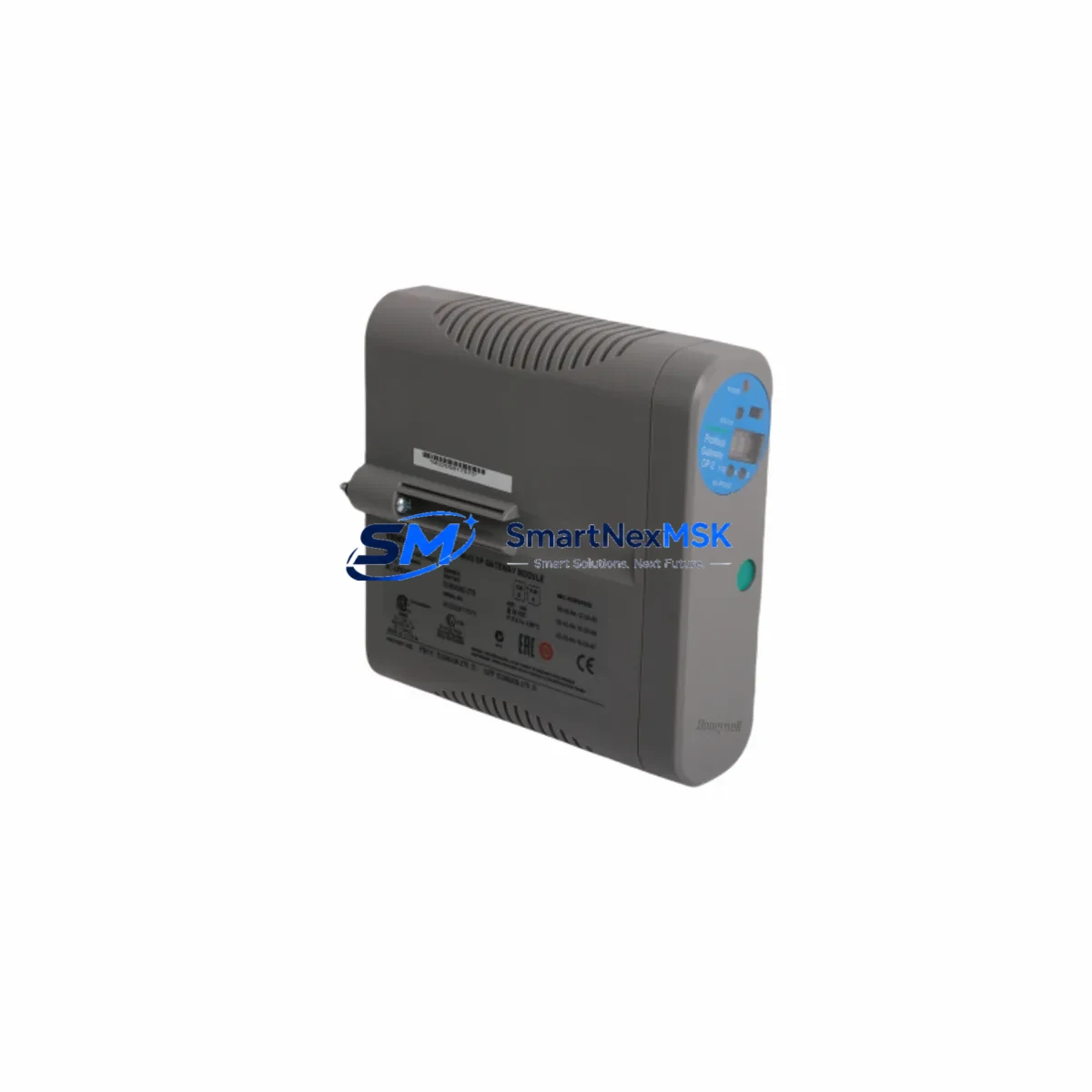
Honeywell 8C-IP0102 51454362-275 Retrofit-Ready I/O for Experion PKS Control Systems
The Honeywell 8C-IP0102 (part number 51454362-275) is a high-density analog input module designed for the Experion PKS distributed control system platform. As legacy DCS installations age and OEM support windows close, this module has become a critical retrofit component for facilities operating C200 and C300 controller-based architectures. Whether you are replacing a failed card, expanding an existing I/O chassis, or executing a phased migration from an older TDC 3000 or PlantScape system, the 8C-IP0102 provides a verified drop-in upgrade path with minimal engineering rework.
This module supports HART pass-through communication, enabling field device diagnostics and configuration without loop interruption — a key requirement when upgrading instrumentation in live process environments. It integrates directly into the Experion PKS Series C I/O chassis and communicates over the Fault-Tolerant Ethernet (FTE) backplane, maintaining redundancy and deterministic scan rates consistent with the original system design.
Before installation, engineers should verify power budget allocation on the existing C200 or C300 controller node. The 8C-IP0102 draws regulated 24 VDC from the backplane; confirm that the power supply module — typically an MC-PDPY22 or equivalent — has sufficient headroom after accounting for all populated slots. Terminal block wiring should be reviewed against the original loop drawings, as field wiring terminations on the 51454362-275 revision follow the standard 8-channel HART AI pinout. No rewiring is required when replacing a same-revision module.
Module address configuration is handled through the Experion PKS Control Builder software. When inserting a replacement 8C-IP0102 into an existing chassis slot, the module address is inherited from the chassis slot assignment — no manual DIP switch setting is required. However, if the module is being added to a new slot or a newly commissioned I/O Link, the Control Builder project must be updated to reflect the new hardware node address before downloading the configuration.
Upgrade Compatibility Table
| Parameter | Details |
|---|---|
| Compatible Controllers | Honeywell C200, C200E, C300 |
| Series Platform | Experion PKS Series C I/O |
| Communication Protocol | FTE (Fault-Tolerant Ethernet), HART pass-through |
| Backplane Interface | Series C I/O Link (CIOM-A chassis) |
| Channel Count | 8-channel analog input |
| Signal Range | 4–20 mA, HART-enabled |
| Power Supply Requirement | 24 VDC via backplane (verify MC-PDPY22 capacity) |
| Installation Type | Drop-in slot replacement, no rewiring required (same revision) |
| Address Configuration | Auto-assigned via chassis slot; Control Builder update required for new slots |
| Replacement Compatibility | Direct replacement for 51454362-275; verify revision suffix before ordering |
| Legacy Migration Path | TDC 3000 → PlantScape → Experion PKS upgrade path supported |
| Commissioning Requirement | Control Builder download + loop check + HART device scan |
| Warranty | 12-Month Warranty — tested and verified before shipment |
Retrofit Planning for Existing Automation Systems
A successful retrofit begins with a complete hardware audit of the existing I/O chassis. For Experion PKS installations, this means documenting every populated slot in the CIOM-A chassis, recording the module part numbers, revision codes, and current channel assignments. The 8C-IP0102 51454362-275 is commonly found alongside the 8C-TAIX12 terminal assembly, which provides the field wiring interface. Confirm that the terminal assembly revision matches the module revision before proceeding — mismatched assemblies can cause intermittent signal errors that are difficult to diagnose under live process conditions.
Power distribution is a frequent bottleneck in retrofit projects. The MC-PDPY22 power supply module supports a defined watt budget per chassis; adding new I/O modules or replacing lower-power legacy cards with higher-density units can push the chassis over its rated capacity. Always recalculate the power budget using the Experion PKS Hardware Planning Guide before finalizing the bill of materials. In some cases, an additional MC-PDPY22 or a chassis expansion using a CIOM-A extension may be required.
Communication continuity is equally critical. The 8C-IP0102 communicates over the FTE network, which requires a properly configured FTE switch — typically a Cisco IE 2000 or equivalent industrial-grade managed switch — with VLAN segmentation separating the FTE traffic from the plant LAN. During module replacement, the FTE link to the affected I/O Link should remain active; the C300 controller will flag the missing module as a hardware fault but will continue executing the control strategy using the last known values or configured fault states, depending on the block configuration in Control Builder.
For facilities migrating from older Honeywell platforms, the transition often involves replacing legacy HPM (High-Performance Manager) I/O cards with Series C I/O modules. This migration requires a parallel hardware commissioning phase where the new Experion PKS nodes are brought online alongside the existing TDC 3000 infrastructure. During this phase, the HMI displays — typically running Experion Station or a legacy GUS console — must be updated to reflect the new tag names and I/O addresses. The 8C-IP0102 supports the same 4–20 mA signal range as most legacy HPM analog input cards, simplifying the field wiring transition.
Programming compatibility should be verified before the cutover. Control Builder function blocks referencing the old I/O module addresses must be updated to point to the new 8C-IP0102 slot assignments. Regulatory control loops — PID blocks, cascade loops, and ratio controllers — should be placed in manual mode before the module swap and returned to automatic only after a successful loop check confirms signal integrity. Interlock logic referencing the affected channels should be reviewed and temporarily bypassed under a formal management of change (MOC) procedure.
Downtime Control During System Migration
Minimizing unplanned downtime is the primary engineering objective in any DCS retrofit. For the 8C-IP0102 replacement, the recommended approach is a hot-standby swap procedure: with the C300 controller in redundant mode and the FTE network active, the failed module can be removed and replaced without shutting down the controller or interrupting the FTE link. The controller will automatically re-scan the I/O Link upon module insertion and restore communication within the configured scan cycle — typically under 500 milliseconds for Series C I/O.
Before executing the swap, place all affected control loops in manual mode at the Experion Station operator console. Document the current process values and setpoints so that operators can restore automatic control quickly after the module is confirmed online. If the installation involves a non-redundant C200 controller, a brief controller restart may be required after the module is inserted and recognized by Control Builder — plan this restart during a scheduled low-production window to minimize process impact.
Original program logic should be preserved by exporting a full Control Builder project backup before any hardware changes. This backup serves as the recovery baseline if the new module configuration introduces unexpected behavior. The backup should include all function block diagrams, tag definitions, alarm configurations, and I/O assignments. Store the backup on a secure engineering workstation and verify the export checksum before proceeding with the physical swap.
Field control continuity can be maintained by configuring fault-state outputs on all affected analog input channels. In Control Builder, each AI block can be configured to hold the last good value or switch to a predefined safe value upon loss of signal. This configuration ensures that downstream control logic continues to operate within safe bounds during the brief period when the module is being replaced and re-commissioned.
Retrofit Support FAQ
Q: Is the 8C-IP0102 51454362-275 a direct drop-in replacement for an existing module in my Experion PKS chassis?
A: Yes, provided the replacement module carries the same revision suffix (51454362-275) and is installed in the same chassis slot. The module address is assigned by the chassis slot position and is automatically recognized by the C200 or C300 controller without requiring a Control Builder download, as long as the existing project already includes the slot assignment. A loop check is still recommended after replacement to confirm signal integrity.
Q: What commissioning steps are required after installing the 8C-IP0102?
A: After physical installation, verify that the module status LED indicates normal operation (solid green). In Control Builder, confirm that the module appears online in the hardware tree with no fault flags. Perform a channel-by-channel loop check using a HART communicator or loop calibrator to verify that each of the 8 analog input channels reads correctly against the field instrument. For HART-enabled devices, run a HART device scan to confirm that device descriptors are correctly populated in the Experion asset management database.
Q: Can the 8C-IP0102 be used to replace analog input modules from older Honeywell platforms such as the HPM or RM?
A: The 8C-IP0102 is a Series C I/O module and is not electrically or mechanically interchangeable with HPM or RM I/O cards. However, it is the recommended upgrade target when migrating from those platforms to Experion PKS. The migration requires installing a new CIOM-A chassis, connecting it to the C300 controller via the I/O Link, and re-terminating field wiring to the 8C-TAIX12 terminal assembly. Signal ranges are compatible (4–20 mA), so field instruments typically do not require recalibration.
Q: What warranty and pre-shipment testing does SMARTNEXMSK provide for the 8C-IP0102 51454362-275?
A: Every 8C-IP0102 51454362-275 unit shipped by SMARTNEXMSK is tested for power-on functionality, channel signal integrity, and backplane communication before dispatch. All units are covered by a 12-month warranty from the date of shipment. In the event of a warranty claim, SMARTNEXMSK provides advance replacement to minimize site downtime. Contact [email protected] or call +86 18259474341 for warranty registration and support.
© 2026 SMARTNEXMSK. All rights reserved.
Original Source: https://smartnexmsk.com
Contact: [email protected] | +86 18259474341



