
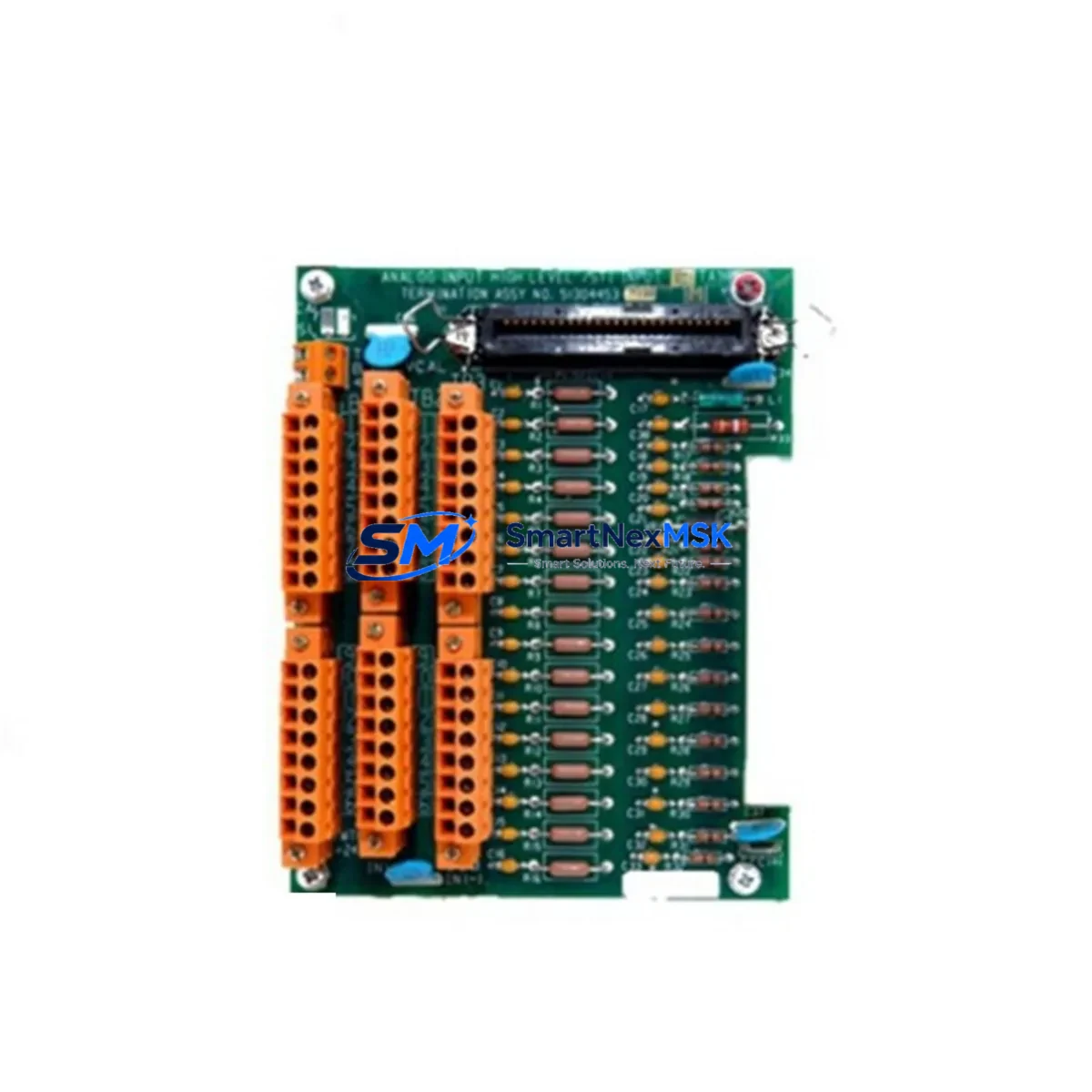
Honeywell 8C-TCNTA1 51307125-175 Maintenance Spare C300 DCS
The Honeywell 8C-TCNTA1 (P/N 51307125-175) is an 8-channel thermocouple input module engineered for the Experion PKS C300 Controller platform — one of Honeywell’s most widely deployed distributed control systems in refining, petrochemical, power generation, and continuous process industries. As a maintenance-ready spare, this module is sourced, inspected, and dispatched to support rapid restoration of DCS functionality following unplanned shutdowns or scheduled turnaround maintenance.
For maintenance engineers managing aging Experion PKS installations, securing a verified spare of the 8C-TCNTA1 is a critical element of any spare parts strategy. Thermocouple input failures — whether caused by channel drift, connector corrosion, firmware incompatibility, or physical damage — can interrupt temperature monitoring loops that govern burner management, heat exchanger control, and reactor temperature regulation. A pre-tested replacement module on the shelf eliminates the lead time risk that turns a minor fault into a multi-day production loss.
Procurement engineers sourcing this module should confirm compatibility with the installed C300 controller firmware revision and backplane slot assignment. The 8C-TCNTA1 supports standard thermocouple types (J, K, T, E, R, S, B, N) and connects directly to the C300 I/O link via the FTA (Field Termination Assembly), typically the FC-TCNTA1 or equivalent FTA mounted in the I/O cabinet. Verifying the FTA condition during module replacement is strongly recommended — a degraded FTA can cause recurring faults even after a new I/O module is installed.
Spare Maintenance Table
| Parameter | Specification |
|---|---|
| Part Number | 8C-TCNTA1 / 51307125-175 |
| Module Type | 8-Channel Thermocouple Input Module |
| Compatible Platform | Honeywell Experion PKS C300 DCS |
| Thermocouple Types Supported | J, K, T, E, R, S, B, N |
| Channel Count | 8 Channels |
| Signal Range | Per thermocouple type (mV input) |
| Communication Interface | C300 I/O Link (CIOM-A backplane) |
| Associated FTA | FC-TCNTA1 (Field Termination Assembly) |
| Power Supply | Supplied via C300 backplane / CIOM-A |
| Operating Temperature | 0°C to 60°C (32°F to 140°F) |
| Mounting | C300 I/O chassis / CIOM-A slot |
| Origin | United States |
| Condition | Original, tested before shipment |
| Warranty | 12 Months |
| Application | Refining, Petrochemical, Power, Pulp & Paper, Pharma |
| Maintenance Role | Direct replacement for failed or degraded TC input module |
Maintenance Planning for Continuous Operation
When replacing the 8C-TCNTA1 in a live Experion PKS C300 cabinet, a disciplined inspection of adjacent components is essential to prevent repeat failures and ensure a clean return to service. Begin by verifying the C300 Controller module itself — firmware version, diagnostic LED status, and communication link health — before assuming the I/O module is the sole fault source.
Inspect the CIOM-A I/O chassis backplane for bent pins, oxidation, or mechanical damage at the slot where the 8C-TCNTA1 was seated. A damaged backplane connector can destroy a replacement module within hours of installation. Check the FC-TCNTA1 Field Termination Assembly for terminal block integrity, wiring continuity, and cold junction compensation accuracy — this FTA is the direct interface between field thermocouple wiring and the I/O module.
Review the 24 VDC power supply module feeding the I/O cabinet; voltage sag or ripple can cause intermittent channel faults that mimic module failure. If the cabinet includes a redundant power supply (e.g., Honeywell CC-PWR01 or equivalent), verify automatic switchover is functional. Examine terminal blocks and cable shields on the thermocouple field wiring — unshielded or improperly grounded TC cables introduce noise that degrades measurement accuracy and can trigger nuisance alarms.
For sites running mixed I/O, also inspect neighboring analog input modules (such as the 8C-PAIMA1 4–20 mA input module) and analog output modules sharing the same CIOM-A chassis, as a failing module can occasionally corrupt I/O link communication affecting adjacent slots. If the C300 system includes FOUNDATION Fieldbus or PROFIBUS communication modules, verify their diagnostic status as part of the same maintenance window. Finally, confirm that the Experion PKS server has acknowledged the module replacement and that the channel configuration (tag assignments, engineering units, alarm limits) has been restored correctly in the Control Builder environment.
Site Replacement Workflow
Step 1 — Pre-replacement verification: Confirm the fault is isolated to the 8C-TCNTA1 using Experion Station diagnostics. Check for I/O link communication errors, channel-specific faults, and hardware fault codes in the C300 controller log. Document the slot number and chassis address before removal.
Step 2 — Safe removal: Place the affected channels in manual mode or transfer control to redundant loops where available. Power down the I/O slot if hot-swap is not supported in your firmware revision. Disconnect the FTA ribbon cable or I/O link connector before extracting the module.
Step 3 — Replacement installation: Insert the 8C-TCNTA1 spare into the correct CIOM-A slot. Reconnect the FTA. Power up and observe the module status LEDs — a solid green RUN LED indicates successful initialization. Allow 30–60 seconds for the C300 controller to re-establish I/O link communication with the new module.
Step 4 — Functional verification: In Experion Station, confirm all 8 channels are reporting valid process values within expected engineering unit ranges. Compare readings against redundant temperature sensors or portable calibrators where available. Clear any latched alarms and return affected loops to automatic control.
Step 5 — Documentation and spare replenishment: Log the replacement in your CMMS (Computerized Maintenance Management System), record the removed module’s serial number, and initiate a purchase order to replenish the spare. A minimum of one spare 8C-TCNTA1 per installed C300 cluster is recommended for sites with critical temperature monitoring loops.
Spare Parts Support FAQ
Q1: Is this 8C-TCNTA1 an original Honeywell module or a third-party replacement?
This is an original Honeywell 8C-TCNTA1 (P/N 51307125-175) — not a clone, aftermarket, or refurbished substitute. Each unit is sourced from verified supply channels and undergoes functional testing prior to shipment to confirm channel integrity and communication link operation.
Q2: What warranty coverage is provided, and what does it include?
All units are covered by a 12-month warranty from the date of shipment. The warranty covers manufacturing defects, functional failures under normal operating conditions, and DOA (dead-on-arrival) replacements. Damage caused by incorrect installation, overvoltage, or environmental conditions outside the module’s rated specifications is excluded.
Q3: How do I confirm compatibility with my installed C300 firmware version?
Provide your C300 controller firmware revision and CIOM-A chassis model when placing your order. Our technical team will cross-reference the module’s hardware revision against Honeywell’s compatibility matrix and advise on any firmware upgrade requirements before shipment.
Q4: Can you support long-term or blanket orders for ongoing spare parts inventory?
Yes. For sites managing multiple Experion PKS C300 clusters or planning multi-year maintenance contracts, we support blanket purchase orders, reserved stock arrangements, and scheduled delivery programs. Contact our team to discuss volume pricing and guaranteed availability commitments.
© 2026 SMARTNEXMSK. All rights reserved.
Original Source: https://smartnexmsk.com
Contact: [email protected] | +86 18259474341



