
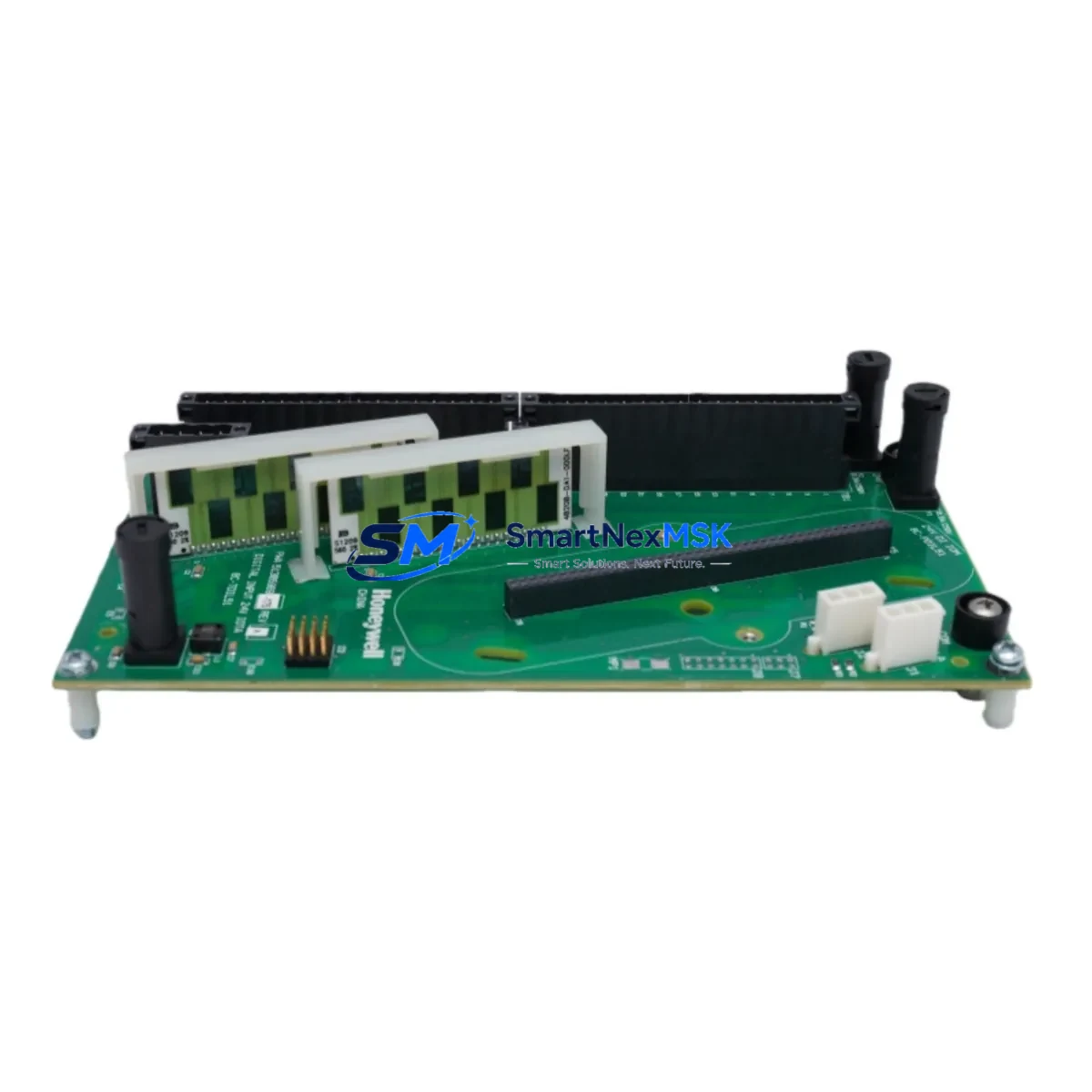
Honeywell 8C-TDIL51 Maintenance-Ready Spare for Experion PKS Automation
The Honeywell 8C-TDIL51 is a 32-channel, 24VDC digital input module engineered for the Experion PKS C300 distributed control system. As a maintenance-ready original spare, it is the direct replacement for aging or failed input modules in process automation environments — including refinery control loops, chemical batch systems, power generation auxiliaries, and continuous manufacturing lines. Holding a verified stock of the 8C-TDIL51 is a proven strategy for reducing unplanned downtime and protecting production continuity in facilities where DCS availability is mission-critical.
For maintenance engineers managing Experion PKS cabinets, the 8C-TDIL51 integrates directly into the C300 controller backplane without firmware reconfiguration. Its 32-channel capacity consolidates field signal termination, reducing cabinet footprint and simplifying point-to-point wiring audits during scheduled turnarounds. Each unit is tested prior to shipment and covered by a 12-month warranty, giving procurement teams confidence in both quality and long-term supply continuity.
Spare Maintenance Table
| Parameter | Specification |
|---|---|
| Part Number / SKU | 8C-TDIL51 |
| Brand | Honeywell |
| Series / Platform | Experion PKS — C300 DCS |
| Module Type | 32-Channel Digital Input Module |
| Input Voltage | 24VDC |
| Channel Count | 32 Channels |
| Compatibility | Honeywell C300 Controller, Experion PKS R400–R520+ |
| Mounting | C300 I/O Link Backplane (IOTA) |
| Communication | C300 I/O Link (FTE-based architecture) |
| Operating Temperature | 0°C to 60°C |
| Isolation | Channel-to-backplane optical isolation |
| Condition | Original / New — Tested Before Shipment |
| Warranty | 12 Months |
| Lead Time | In Stock — Ships Within 3 Business Days |
| Application Environment | Process Automation, Refinery, Chemical, Power Generation |
| Maintenance Recommendation | Inspect IOTA termination board and FTE network switch during replacement |
Maintenance Planning for Continuous Operation
When replacing the 8C-TDIL51 in a live Experion PKS cabinet, a disciplined maintenance workflow extends beyond the module swap itself. Maintenance engineers should treat the replacement as an opportunity to audit the surrounding control infrastructure and prevent secondary failures.
Begin with the IOTA termination board (the I/O termination assembly that mates with the 8C-TDIL51). Inspect for oxidized screw terminals, loose field wiring, and moisture ingress — common causes of intermittent input faults that are often misdiagnosed as module failure. Verify that the C300 Controller module (such as the CC-PCNT01 or CC-PAIH01 series) is operating within normal CPU and memory utilization before restoring the I/O link.
Check the FTE (Fault Tolerant Ethernet) network switch ports connected to the C300 node. A degraded FTE link can cause the replacement module to report communication faults immediately after installation. Alongside this, inspect the 24VDC field power supply feeding the digital input circuits — voltage sag below 20VDC will cause false OFF states across all 32 channels regardless of module condition.
For facilities running mixed I/O configurations, also verify the adjacent 8C-TDIL01 or 8C-TDIL31 digital input modules on the same backplane segment, as a failing power rail can affect multiple slots simultaneously. If the control loop includes relay-driven field devices, inspect the associated intermediate relay modules and their coil voltage ratings to confirm compatibility with the restored input signals.
In systems where the 8C-TDIL51 monitors motor status or valve position feedback, cross-check the signal conditioning and isolation barriers between field instruments and the DCS cabinet. Degraded isolators introduce signal noise that can trigger nuisance alarms after a clean module replacement. For cabinets with legacy wiring, review the terminal block assemblies (such as Phoenix Contact or Weidmüller DIN-rail terminals) for corrosion and re-torque all field connections to manufacturer specification.
Finally, if the Experion PKS system includes an HMI Station or Operator Console running Experion Station software, confirm that the I/O point database reflects the restored module address before returning the loop to automatic control. Stale point configurations are a common source of post-maintenance alarm floods.
Site Replacement Workflow
Step 1 — Pre-Replacement Verification: Confirm the failed module SKU as 8C-TDIL51 against the cabinet drawing and Experion PKS hardware inventory. Cross-reference the C300 node address and I/O link slot assignment in the Experion Configuration Studio before pulling the module.
Step 2 — Safe Module Removal: Place the affected C300 I/O link in maintenance mode via the Experion operator console to suppress alarms. Remove the 8C-TDIL51 by releasing the module latch — no tools required. The IOTA termination board remains in place, preserving all field wiring connections.
Step 3 — Replacement Installation: Seat the new 8C-TDIL51 onto the IOTA board and engage the latch. The C300 controller will automatically detect and configure the replacement module via the I/O link — no manual firmware download is required for same-SKU replacements within the same Experion PKS release.
Step 4 — Functional Verification: Restore the I/O link from maintenance mode and verify all 32 input points in the Experion Station display. Confirm field signal states match physical device status before returning loops to automatic control.
Step 5 — Documentation: Record the replacement in the site CMMS (Computerized Maintenance Management System), update the spare parts inventory, and reorder a replacement 8C-TDIL51 to restore buffer stock. A minimum of one spare module per C300 node cluster is the recommended inventory posture for facilities with less than 4-hour acceptable downtime.
Spare Parts Support FAQ
Q1: Is the 8C-TDIL51 compatible with all Experion PKS releases?
The 8C-TDIL51 is compatible with Experion PKS R400 through R520 and later releases. For systems running pre-R400 firmware, consult the Honeywell hardware compatibility matrix or contact our technical team before ordering. We verify compatibility for each order prior to shipment.
Q2: What does the 12-month warranty cover?
The 12-month warranty covers manufacturing defects and functional failures under normal operating conditions. Each 8C-TDIL51 unit undergoes functional testing before dispatch. Warranty claims are supported with direct technical assistance and priority replacement shipment.
Q3: How quickly can the 8C-TDIL51 be shipped for emergency maintenance?
In-stock units ship within 3 business days under standard lead time. For emergency downtime situations, contact our sales team directly at [email protected] or +86 18259474341 to discuss expedited dispatch options.
Q4: Should I stock multiple 8C-TDIL51 units as preventive spares?
Yes. For facilities with multiple C300 nodes or high-availability process requirements, maintaining a minimum of 2–3 units in the site spare parts store is strongly recommended. Long-term supply continuity is supported — we maintain ongoing stock of the 8C-TDIL51 and can fulfill blanket purchase orders for annual maintenance programs.
© 2026 SMARTNEXMSK. All rights reserved.
Original Source: https://smartnexmsk.com
Contact: [email protected] | +86 18259474341



