
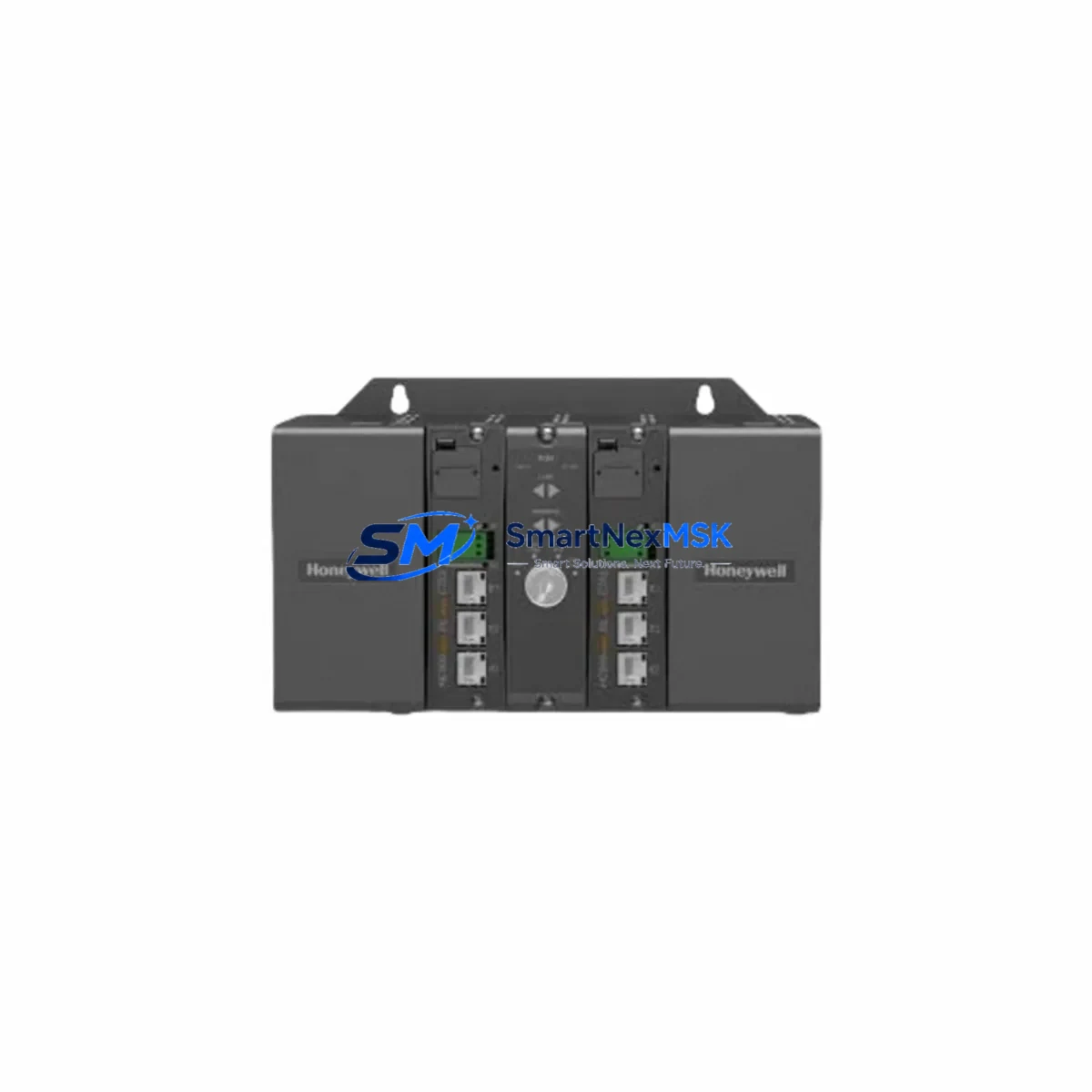
Honeywell 900C70-0460 Retrofit-Ready DCS CPU for C300 Experion PKS Control Systems
The Honeywell 900C70-0460 is a high-performance C300 Controller module designed for the Experion PKS (Process Knowledge System) distributed control platform. As legacy DCS installations age and original spare parts become increasingly scarce, the 900C70-0460 serves as a verified retrofit-ready replacement for discontinued C300 CPU variants, enabling plant engineers to restore full system functionality without redesigning the control architecture. Whether you are recovering from an unplanned failure, executing a planned control cabinet upgrade, or migrating from an older Honeywell TDC-3000 or PlantScape platform, this module provides a reliable, specification-matched solution backed by a 12-month warranty and pre-shipment functional testing.
Upgrade Compatibility Table
| Parameter | Details |
|---|---|
| Part Number | 900C70-0460 |
| Platform | Honeywell Experion PKS — C300 Series |
| Module Type | C300 Controller (DCS CPU) |
| Backplane Interface | EUCN (Ethernet Universal Control Network) — compatible with standard C300 chassis slots |
| Communication Protocol | FTE (Fault Tolerant Ethernet), OPC, Modbus TCP (via gateway) |
| Power Supply Compatibility | 24 VDC from CPPM or dedicated chassis PSU; verify rail capacity before installation |
| Rack / Chassis Fit | Standard Experion PKS C300 chassis; confirm slot addressing with system engineer |
| Replacement Candidates | Earlier C300 revisions, legacy C200/C200E controllers (with engineering review) |
| Firmware Compatibility | Supports Experion PKS R400 and above; confirm revision with site engineer |
| Commissioning Requirement | Module address configuration via Experion Station; control strategy download required |
| Warranty | 12 Months — covers manufacturing defects; includes pre-shipment functional test report |
Retrofit Planning for Existing Automation Systems
Successful integration of the 900C70-0460 into an existing Experion PKS installation requires systematic pre-work across hardware, software, and field wiring layers. Before removing the failed or obsolete controller, engineers should document the current module address assignments within the EUCN segment and export a full backup of the control strategy from Experion Configuration Studio. This ensures that the replacement module can be loaded with an identical program image, preserving all PID loop parameters, interlock logic, and historian tag mappings without manual re-entry.
On the hardware side, verify that the host chassis — typically a standard C300 rack — has sufficient backplane power headroom to support the 900C70-0460 alongside co-installed I/O modules such as the Honeywell HC900 analog input cards, digital output modules, or HART-enabled field termination assemblies. If the existing installation uses a Honeywell CPPM (Control Processor Power Module) for redundant power distribution, confirm that the CPPM firmware is compatible with the replacement controller revision. Installations running older Honeywell C200 or C200E controllers on the same network segment should be reviewed for EUCN bandwidth allocation before adding the C300 module.
Communication continuity is equally critical. The 900C70-0460 communicates over FTE (Fault Tolerant Ethernet), which requires dual-path network cabling to the Experion server. Verify that the Experion PKS FTE switch port assignments and VLAN configurations are preserved during the swap. If the plant network includes legacy serial devices connected through a Honeywell Serial Interface Module (SIM) or a third-party Modbus RTU gateway, confirm that the new controller’s communication module address matches the original to avoid tag re-mapping in the HMI. Operators using Experion Station HMI displays should validate that all faceplate graphics, group displays, and alarm setpoints remain intact after the control strategy download.
For installations that also involve Honeywell Safety Manager or a Safety Instrumented System (SIS) peer-to-peer link, coordinate the controller replacement with the safety system engineer to ensure that the peer communication watchdog timers are not violated during the module swap window. Similarly, if the control cabinet houses a Honeywell Redundancy Module (RM) paired with the original C300, the RM should be inspected and its firmware verified before commissioning the 900C70-0460 in a redundant configuration.
Terminal wiring on the field termination assemblies does not require modification when replacing a like-for-like C300 module, but engineers should inspect the I/O Link cable connecting the controller chassis to remote I/O enclosures for signs of wear or connector oxidation. Replacing the I/O Link cable during a planned outage adds minimal cost while eliminating a common source of intermittent faults after controller replacement.
Downtime Control During System Migration
Minimizing process downtime during a C300 controller replacement begins with preparation, not execution. The most effective strategy is to pre-stage the 900C70-0460 with the correct firmware revision and a verified copy of the control strategy before the maintenance window opens. Using Experion Configuration Studio’s offline simulation mode, engineers can validate the downloaded strategy against the process model and confirm that all I/O channel assignments, scaling parameters, and interlock conditions are correct before the module is physically installed.
During the actual swap, the recommended sequence is: (1) place the affected control loops in manual mode at the Experion Station operator console; (2) record all current process variable values and output positions; (3) remove the failed module and install the 900C70-0460 in the same chassis slot; (4) power up and confirm module heartbeat on the EUCN segment; (5) download the pre-validated control strategy; (6) verify I/O channel health on the Experion diagnostic display; and (7) return loops to automatic mode incrementally, starting with non-critical regulatory loops before re-enabling interlock and sequence logic.
For plants that cannot tolerate any control interruption, a hot-standby approach using the Honeywell Redundancy Module allows the 900C70-0460 to be synchronized as a secondary controller while the primary remains online. Once synchronization is confirmed, a bumpless switchover transfers control to the new module with zero process disturbance. This approach is strongly recommended for continuous process units such as reactors, compressors, and fired heaters where even a brief control gap carries significant safety or quality risk.
All replacement modules supplied by SMARTNEXMSK undergo a pre-shipment functional test that verifies communication link establishment, I/O channel response, and firmware integrity. A test report is included with each shipment, reducing on-site commissioning time and providing documented evidence of module health for maintenance records.
Retrofit Support FAQ
Q1: Is the 900C70-0460 a direct drop-in replacement for earlier C300 revisions?
In most cases, yes. The 900C70-0460 is physically and electrically compatible with standard C300 chassis slots and uses the same EUCN backplane interface as earlier C300 revisions. However, firmware version alignment between the replacement module and the Experion PKS server is required. SMARTNEXMSK provides firmware verification as part of the pre-shipment test, and our technical team can advise on revision compatibility for your specific Experion release.
Q2: Do I need to re-wire field terminals when installing the 900C70-0460?
No field terminal re-wiring is required for a like-for-like C300 replacement. The 900C70-0460 connects to the existing I/O Link and FTE network cables without modification. If you are migrating from a C200 or C200E platform, a wiring adapter review is recommended, and SMARTNEXMSK can provide a compatibility checklist upon request.
Q3: What commissioning steps are needed after installation?
After physical installation, the module must be assigned its EUCN node address via Experion Configuration Studio and the control strategy must be downloaded from the Experion server. I/O channel health should be verified on the diagnostic display before returning loops to automatic. SMARTNEXMSK’s pre-shipment test report confirms that the module communicates correctly out of the box, reducing on-site commissioning to configuration and strategy download steps only.
Q4: What does the 12-month warranty cover?
The 12-month warranty covers all manufacturing defects and functional failures under normal operating conditions. Each unit is tested prior to shipment and ships with a functional test report. Warranty claims are processed directly through SMARTNEXMSK. Modules damaged by incorrect installation, overvoltage, or environmental conditions outside the published specification are not covered, but our technical team is available to assist with root-cause analysis at no charge during the warranty period.
© 2026 SMARTNEXMSK. All rights reserved.
Original Source: https://smartnexmsk.com
Contact: [email protected] | +86 18259474341



