
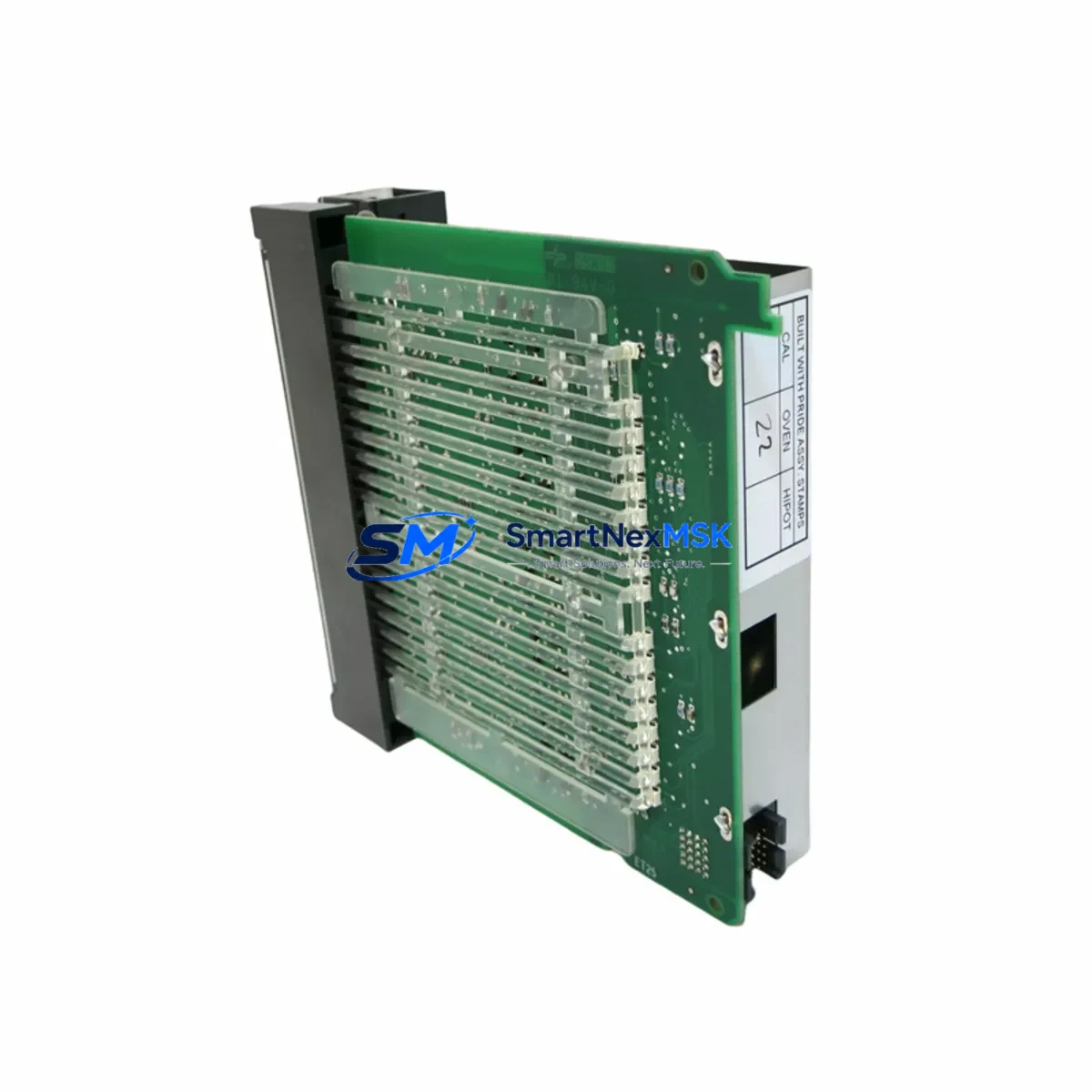
Honeywell 900G02-0102 Retrofit-Ready Digital Input Module: Seamless Compatibility for HC900 Control System Upgrades
The Honeywell 900G02-0102 is a 32-channel Digital Input Module designed for the HC900 Hybrid Controller platform. As legacy HC900 systems approach end-of-support milestones and original spare parts become increasingly scarce, the 900G02-0102 remains one of the most sought-after retrofit components for engineers tasked with modernizing existing control cabinets without full system replacement. Whether you are restoring a discontinued spare, expanding I/O capacity, or migrating from an older HC900 rack configuration, this module provides a verified drop-in solution with full backplane compatibility.
Each unit is sourced, inspected, and function-tested prior to shipment. We maintain in-stock inventory to support urgent retrofit timelines, and all units ship with a 12-month warranty covering manufacturing defects and functional failures under normal operating conditions.
Upgrade Compatibility Table
| Parameter | Details |
|---|---|
| Model | Honeywell 900G02-0102 |
| Series | HC900 Hybrid Controller |
| Module Type | 32-Channel Digital Input (DI) |
| Backplane Interface | HC900 I/O Rack Backplane (compatible with 900R08-0001 and 900R16-0001 racks) |
| Input Voltage Range | 24 VDC nominal (dry contact / wet contact configurable) |
| Terminal Wiring | Removable screw-terminal block; existing field wiring reusable |
| Communication Protocol | HC900 proprietary I/O bus; no additional protocol configuration required |
| Replacement Compatibility | Direct replacement for 900G02-0101 (earlier revision); verify firmware revision on 900C50 or 900C30 controller |
| Installation Requirement | Hot-swap capable with controller in run mode (verify with site safety procedure) |
| Commissioning Note | Module address auto-assigned by rack slot position; no manual DIP switch setting required |
| HMI Compatibility | No HMI screen rebuild required; tag mapping preserved via controller database |
| Warranty | 12 Months — covers functional failure under normal operating conditions |
Retrofit Planning for Existing Automation Systems
Retrofitting an HC900-based control system requires careful pre-planning across multiple hardware and software layers. The 900G02-0102 Digital Input Module slots directly into any available I/O rack position within the HC900 chassis, including the 8-slot 900R08-0001 and the 16-slot 900R16-0001 rack assemblies. Before installation, engineers should verify that the 900C50 or 900C30 controller module has sufficient I/O capacity headroom in the active configuration database, as adding a new DI module requires a corresponding block in the HC900 Designer configuration file.
Field wiring termination is handled through the module’s removable screw-terminal block, which is mechanically identical to earlier HC900 DI modules. This means existing 24 VDC field wiring — whether dry contact or wet contact — can be reconnected without re-labeling or re-routing. Engineers replacing a failed 900G02-0101 (the prior hardware revision) should note that the 900G02-0102 is backward-compatible at the wiring level, though a firmware check on the controller is recommended to confirm full feature parity.
For sites running the HC900 Communication Module (900CS-0001 or 900CS-0002) for Modbus TCP or OPC DA connectivity to a SCADA or DCS host, no protocol reconfiguration is needed when swapping the DI module — the communication path runs through the controller, not the I/O module directly. Similarly, if the site uses a 900H01-0001 or 900H02-0001 HC900 Power Supply Module, verify that the total rack power budget accommodates the 900G02-0102’s current draw before finalizing the retrofit bill of materials.
Sites integrating HC900 with a Honeywell Experion PKS or a third-party DCS via the 900CS Ethernet module should confirm that the I/O tag database exported from HC900 Designer matches the live controller configuration after module replacement. In multi-rack systems where a 900RK-0001 Remote I/O Rack Expander is in use, the slot address of the replacement module must match the original slot to avoid tag remapping in the controller program. For HMI-connected systems using a Honeywell Station or a third-party SCADA panel, the digital input tags associated with the 900G02-0102 will continue to resolve correctly as long as the slot address is preserved — no HMI screen rebuild is required.
If the retrofit scope includes expanding the number of digital inputs beyond the original design, additional 900G02-0102 modules can be added to vacant rack slots, and new I/O blocks can be configured in HC900 Designer without affecting existing logic. For sites also upgrading analog I/O, the 900G01-0102 Analog Input Module and 900G03-0102 Digital Output Module follow the same rack and wiring conventions, simplifying multi-module retrofit projects.
Downtime Control During System Migration
Minimizing unplanned downtime is the primary concern for any HC900 retrofit. The 900G02-0102 supports hot-swap replacement in most HC900 configurations, meaning the module can be removed and reinserted while the controller remains in Run mode — provided the site’s safety procedures permit live panel work. This capability is critical for continuous-process industries where a full control system shutdown is not operationally acceptable.
Before initiating the swap, engineers should export and archive the current HC900 Designer configuration file (.hcd) and create a controller backup using the HC900 Utilities software. This preserves the full program logic, I/O tag assignments, PID tuning parameters, and communication settings. If the failed module has caused the controller to enter a degraded or fault state, the 900C50 or 900C30 controller’s front-panel status LEDs and the HC900 Designer diagnostic view should be used to confirm the fault is isolated to the DI module before proceeding.
After physical replacement, the controller will automatically detect the new 900G02-0102 in the rack and resume normal I/O scanning within seconds. No program download is required if the slot address is unchanged. Field technicians should verify all 32 digital input channels using the HC900 Designer online monitoring view or the connected HMI before returning the system to automatic control. For sites with a 900CS communication module providing live data to a SCADA host, confirm that all DI tags are updating correctly in the SCADA historian before closing out the work order.
We recommend maintaining at least one spare 900G02-0102 on-site for critical HC900 installations. Our team can support emergency same-day dispatch for verified in-stock units, and all shipments include a function test report and 12-month warranty documentation.
Retrofit Support FAQ
Q1: Is the 900G02-0102 a direct replacement for the 900G02-0101?
Yes. The 900G02-0102 is the current hardware revision of the HC900 32-channel Digital Input Module and is backward-compatible with the 900G02-0101 at both the wiring and backplane levels. A firmware version check on the 900C50 or 900C30 controller is recommended to confirm full compatibility with the latest module revision.
Q2: Do I need to reconfigure my HC900 program after replacing the module?
No program download is required if the replacement module is installed in the same rack slot as the original. The controller auto-assigns the module address based on slot position. If the module is installed in a new slot, a configuration update in HC900 Designer and a program download will be necessary.
Q3: What wiring checks should I perform before powering up the new module?
Verify that all field wiring terminals are correctly seated on the removable terminal block, confirm input voltage polarity for wet-contact inputs, and check that the rack power supply (900H01-0001 or 900H02-0001) is within its rated load capacity. Use a multimeter to verify continuity on critical input channels before enabling the controller’s Run mode.
Q4: What does the 12-month warranty cover?
The 12-month warranty covers functional failure of the 900G02-0102 under normal operating conditions, including backplane communication faults, channel failure, and power-related defects. It does not cover damage caused by incorrect wiring, overvoltage, or physical mishandling. Each unit ships with a function test report confirming all 32 channels were verified prior to dispatch. Contact [email protected] for warranty claims or technical support.
© 2026 SMARTNEXMSK. All rights reserved.
Original Source: https://smartnexmsk.com
Contact: [email protected] | +86 18259474341



