
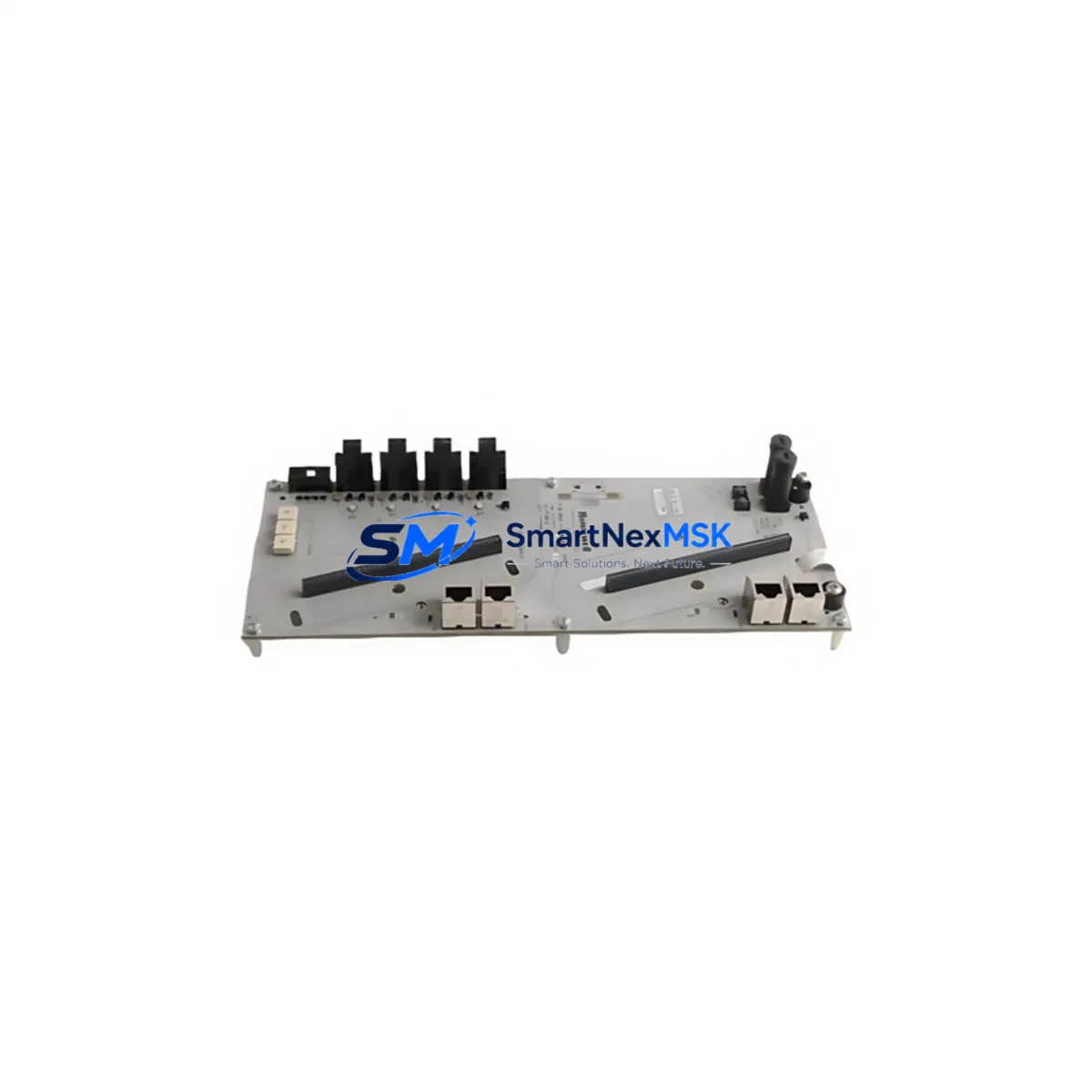
Honeywell 900G3AD-15 Retrofit-Ready I/O Termination Adaptor for HC900 Control Systems
The Honeywell 900G3AD-15 is a 15-slot I/O Termination Adaptor Panel engineered for the HC900 Hybrid Controller series — one of Honeywell’s most widely deployed distributed control platforms in refining, chemical processing, and utility automation. As legacy HC900 installations age and original termination hardware reaches end-of-life, the 900G3AD-15 serves as the authoritative drop-in replacement, enabling control engineers to restore full I/O connectivity without redesigning field wiring, modifying cabinet layouts, or rewriting controller logic.
This adaptor panel provides the physical and electrical interface between HC900 I/O modules and field instrument wiring. It accepts standard HC900-compatible I/O modules — including analog input cards such as the 900G32-0001, digital output modules, and thermocouple input assemblies — while preserving the original terminal block pitch and wiring scheme. For sites running mixed I/O configurations across multiple racks, the 900G3AD-15 integrates directly with the HC900 rack backplane, maintaining module addressing and communication integrity without requiring re-parameterization of the 900 Controller CPU.
Upgrade Compatibility Table
| Parameter | Details |
|---|---|
| Compatible Controller | Honeywell HC900 Hybrid Controller Series |
| Slot Count | 15-slot I/O termination panel |
| Backplane Interface | Direct HC900 rack backplane connection — no adapter required |
| Terminal Block Compatibility | Wiring-compatible with original HC900 field termination wiring |
| Module Compatibility | HC900 analog input, digital I/O, thermocouple, and RTD modules |
| Communication Protocol | HC900 internal rack bus; compatible with Ethernet-based supervisory links |
| Installation Requirement | Standard DIN rail or panel mount; no cabinet modification required |
| Replacement Recommendation | Direct replacement for discontinued 900G3AD-15 OEM units |
| Commissioning Note | Verify module slot addressing in HC Designer after installation |
| Warranty | 12 months from date of shipment |
Retrofit Planning for Existing Automation Systems
Successful retrofit of an HC900 termination panel begins well before the replacement unit arrives on site. Control engineers should start by auditing the existing rack configuration: document each occupied slot, confirm the module type installed (analog input, digital output, pulse counter, or communications), and cross-reference against the HC Designer project file to validate module addressing. The 900G3AD-15 supports the full range of HC900 I/O modules, so no module substitution is typically required during a like-for-like termination panel swap.
Field wiring preparation is equally critical. Before de-energizing the panel, photograph or export the existing terminal block wiring layout. The 900G3AD-15 preserves the original terminal numbering convention used across the HC900 platform, which means field cables terminated to the original panel can be reconnected to the replacement unit without re-labeling or re-routing. For installations where the HC900 rack is paired with a 900RCK08 or 900RCK16 expansion rack, verify that the backplane ribbon cable and rack interconnect are undamaged before proceeding — a faulty backplane connection is a common source of I/O communication faults after panel replacement.
Power supply capacity must be confirmed before commissioning. The HC900 rack draws power from a dedicated 900PWR24 or equivalent 24 VDC power supply module. When replacing the termination adaptor panel in a fully loaded 15-slot rack, calculate the total current draw of all installed I/O modules and confirm the power supply rating provides adequate headroom — typically a minimum 20% margin above peak load. If the existing power supply is undersized or aging, this retrofit is an appropriate time to replace it alongside the termination panel.
For sites where the HC900 communicates upstream to a Honeywell Experion PKS or a third-party SCADA system via Modbus TCP or OPC-DA, the communication link should be verified independently of the I/O panel swap. The 900G3AD-15 does not affect the controller’s Ethernet port configuration or communication module settings, but it is good practice to confirm that the 900CS5 or equivalent communication scanner module is seated correctly and that the HC900 CPU — whether a 900C50E or 900C30E controller — retains its IP address and gateway settings after power cycling.
HMI screen validation is a frequently overlooked step in termination panel retrofits. After restoring power and confirming I/O module communication, engineers should cycle through all HC900-linked HMI displays — whether running on a Honeywell Station or a third-party panel PC — to verify that analog values, digital status indicators, and alarm setpoints are reading correctly. Any discrepancy between the HMI display and the field instrument signal should be traced back to the terminal block wiring before assuming a module or controller fault.
Downtime Control During System Migration
Minimizing unplanned downtime during a termination panel replacement requires a structured pre-outage preparation protocol. Before scheduling the maintenance window, export a full backup of the HC900 controller program using HC Designer, including all tag definitions, PID loop parameters, alarm configurations, and communication settings. Store this backup on an isolated engineering workstation — not on the controller itself — so that program recovery is possible even if the CPU requires replacement during the outage.
During the outage window, follow a module-by-module removal sequence rather than clearing the entire rack at once. Remove each I/O module, note its slot position, and set it aside in an ESD-safe tray. Install the 900G3AD-15 replacement panel into the rack, reconnect the backplane, and re-install each module into its original slot. This approach preserves module addressing and eliminates the need to re-download the controller program after the swap — the HC900 CPU will recognize the restored module configuration on power-up without requiring a full program reload.
For critical process lines where even a brief interruption is unacceptable, consider a staged migration approach: install the replacement termination panel in a parallel rack position, transfer field wiring one circuit at a time during scheduled low-production periods, and perform final cutover during a planned maintenance shutdown. This method extends the total migration timeline but reduces the risk of a single extended outage affecting production continuity. Throughout the migration, maintain a live record of which field circuits have been transferred and which remain on the original wiring to prevent cross-connection errors.
After power restoration, allow the HC900 CPU a full initialization cycle before evaluating I/O status. Confirm that all modules report healthy status in HC Designer’s online monitoring view, check that analog input channels are reading within expected engineering unit ranges, and verify that digital output channels respond correctly to manual force commands before returning the system to automatic control. Document the completed retrofit with photographs of the final wiring layout and a signed commissioning checklist for the site maintenance record.
Retrofit Support FAQ
Q: Is the 900G3AD-15 a direct replacement for the original Honeywell termination adaptor panel, or does it require wiring modifications?
A: The 900G3AD-15 is a direct drop-in replacement for the original HC900 termination adaptor panel. It preserves the original terminal block layout and numbering, so existing field wiring can be reconnected without modification. No cabinet re-wiring or label changes are required for a standard like-for-like swap.
Q: Will the HC900 controller program need to be re-downloaded after replacing the termination panel?
A: No. The 900G3AD-15 does not affect controller program memory or module addressing. As long as each I/O module is reinstalled in its original slot position, the HC900 CPU will recognize the restored configuration on power-up without requiring a program reload. A backup of the HC Designer project file is recommended as a precaution before any hardware change.
Q: What commissioning checks should be performed after installing the 900G3AD-15?
A: After installation, verify that all I/O modules report healthy status in HC Designer’s online view, confirm analog input channels are reading within expected ranges, test digital output channels with manual force commands, and validate HMI display values against field instrument readings. Check the backplane connection and power supply current draw before returning the system to automatic control.
Q: What warranty coverage is provided with the 900G3AD-15?
A: Every 900G3AD-15 unit shipped by SMARTNEXMSK carries a 12-month warranty from the date of shipment. Each unit undergoes pre-shipment functional testing to verify backplane connectivity and terminal block integrity. Warranty claims are supported by our technical team at [email protected].
© 2026 SMARTNEXMSK. All rights reserved.
Original Source: https://smartnexmsk.com
Contact: [email protected] | +86 18259474341



