
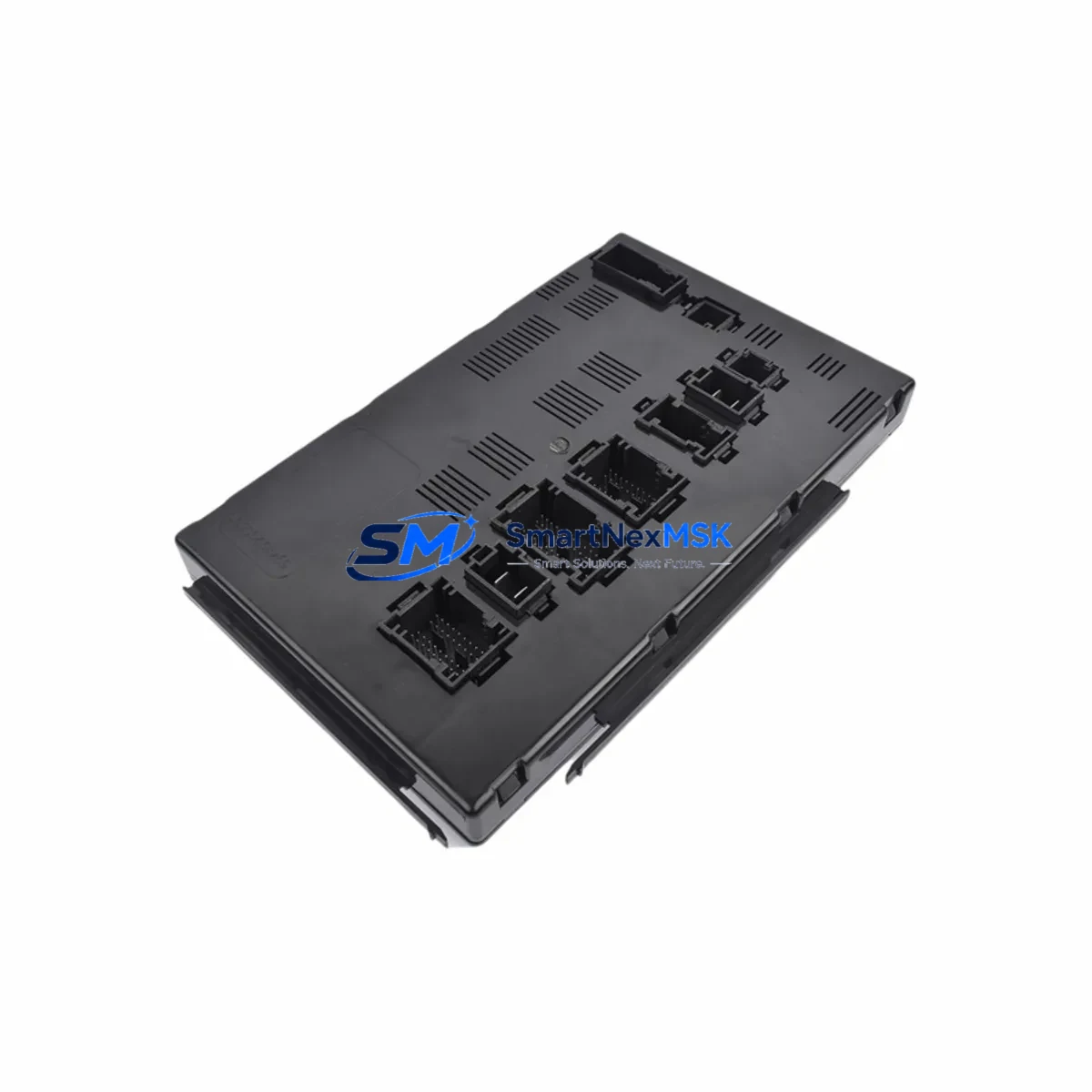
Honeywell 900R01-0300 Maintenance-Ready Spare for HC900 Automation
The Honeywell 900R01-0300 is a Remote Controller Module designed for the HC900 Hybrid Controller platform — one of Honeywell’s most widely deployed process automation architectures in refining, chemical processing, power generation, and continuous manufacturing. For maintenance engineers managing aging DCS/PLC infrastructure, having a verified, tested spare of the 900R01-0300 on the shelf is not optional — it is a core element of any credible downtime-prevention strategy.
The HC900 system is built around a modular rack architecture where the remote controller module serves as the communication and coordination backbone between the main controller rack and distributed I/O racks installed across the plant floor. When this module fails — whether due to firmware corruption, connector wear, power surge damage, or end-of-life component degradation — the entire remote rack segment loses communication with the main HC900 controller. This results in loss of control over all I/O points served by that rack, triggering process shutdowns, safety interlocks, and unplanned downtime that can cost thousands of dollars per hour in high-throughput facilities.
Sourcing a pre-tested, original 900R01-0300 from a reliable supplier with documented stock and a 12-month warranty eliminates the most dangerous variable in emergency maintenance: lead time uncertainty. Our inventory is inspected, function-tested, and shipped with full traceability documentation to support your maintenance records and audit requirements.
Spare Maintenance Table
| Parameter | Specification |
|---|---|
| SKU / Part Number | 900R01-0300 |
| Brand | Honeywell |
| Series | HC900 Hybrid Controller |
| Module Type | Remote Controller Module |
| Communication Protocol | Proprietary HC900 Remote I/O Link |
| Power Supply Compatibility | HC900 rack-mounted 24 VDC power supply |
| Rack Compatibility | HC900 Remote I/O Racks (e.g. 900R12-0300, 900R04-0300) |
| Operating Temperature | 0°C to 60°C (32°F to 140°F) |
| Humidity | 5% to 95% non-condensing |
| Mounting | DIN rail / rack slot, tool-free module extraction |
| Installation Environment | Industrial control cabinet, Class I Div 2 compatible enclosures |
| Firmware | Compatible with HC900 Designer configuration software |
| Condition | Original, function-tested before shipment |
| Warranty | 12-Month Warranty — covers manufacturing defects and functional failure |
| Lead Time | In stock — ships within 1–3 business days |
Maintenance Planning for Continuous Operation
Replacing the 900R01-0300 in a live HC900 system is rarely an isolated task. Experienced maintenance engineers know that a failed remote controller module is often a symptom of broader stress in the control cabinet — and a planned replacement is the right moment to inspect and, where necessary, pre-stage spares for adjacent components.
Start with the HC900 rack power supply module (such as the 900P01-0102 or equivalent 24 VDC supply). A degraded power supply is one of the most common root causes of remote controller module failure, particularly in facilities with unstable utility power or frequent load switching. Verify output voltage stability under load before reinstalling the new 900R01-0300.
Next, inspect the HC900 communication cable assembly connecting the remote rack to the main controller. Damaged shielding, loose connectors, or excessive cable length can introduce signal integrity issues that cause the new module to report communication faults even after replacement. Ensure the cable meets Honeywell’s specified impedance and shielding requirements.
While the rack is offline, this is also the right time to audit the HC900 analog input modules (e.g., 900G32-0101 for 4–20 mA inputs) and digital output modules installed in the same remote rack. Modules that share the same power bus as a failed controller module may have been exposed to transient overvoltage events. Check for error LEDs, verify channel-by-channel output states, and replace any modules showing intermittent behavior.
For facilities running HC900 thermocouple input modules or RTD input modules in the same rack, confirm that signal reference ground connections are intact and that terminal blocks show no signs of oxidation or loose terminations. Loose signal wiring is a leading cause of nuisance alarms and false process trips in high-vibration environments such as compressor stations and rotating equipment areas.
If your HC900 system uses Modbus RTU or Ethernet/IP communication to upstream SCADA or DCS systems, verify that the HC900 main controller module (900C71-0243 or similar) is running the correct firmware version to maintain compatibility with the replacement 900R01-0300. Firmware mismatches between the main controller and remote controller modules are a documented source of intermittent communication dropouts that are difficult to diagnose without version-level traceability.
Finally, review the surge protection devices and signal isolators installed on field wiring entering the remote rack. In petrochemical and mining environments, lightning-induced surges and ground potential differences are common causes of module damage. If the 900R01-0300 failed without an obvious mechanical cause, replacing it without upgrading surge protection is likely to result in repeat failures within 12–24 months.
Site Replacement Workflow
A structured replacement workflow minimizes downtime and reduces the risk of configuration errors when swapping the 900R01-0300 in the field:
Step 1 — Pre-Replacement Verification: Before removing the failed module, use HC900 Designer software to export the current controller configuration and confirm the remote rack address assignment. Document the rack slot position, firmware version, and any active alarms. Notify the control room operator and place the affected process loop in manual mode where safe to do so.
Step 2 — Power Isolation: De-energize the remote rack using the dedicated rack power switch or by removing the power supply module. Verify zero voltage at the module connector using a calibrated multimeter before proceeding. Do not rely on software-reported power status alone.
Step 3 — Module Extraction and Inspection: Remove the failed 900R01-0300 using the module extraction lever. Inspect the backplane connector for bent pins, carbon tracking, or moisture ingress. Clean the connector with isopropyl alcohol if contamination is present. Do not reinstall into a contaminated backplane.
Step 4 — Replacement Module Installation: Insert the new 900R01-0300 firmly until the locking tab engages. Restore rack power and observe the module status LEDs. A solid green RUN LED within 30 seconds indicates successful initialization. A flashing or red LED indicates a configuration mismatch or communication fault requiring further diagnosis.
Step 5 — Configuration Restore and Loop Check: Use HC900 Designer to download the saved configuration to the controller. Verify all I/O channels report correct values. Perform a loop check on critical analog and digital channels before returning the process to automatic control. Log the replacement in your CMMS with the module serial number and warranty start date.
Spare Parts Support FAQ
Q1: Does the 900R01-0300 carry a warranty, and what does it cover?
Yes. Every 900R01-0300 we supply carries a 12-month warranty from the date of shipment. The warranty covers manufacturing defects and functional failure under normal operating conditions. It does not cover damage resulting from incorrect installation, overvoltage events beyond rated limits, or physical mishandling. Our technical team can assist with failure analysis documentation if required for insurance or audit purposes.
Q2: How do I confirm compatibility with my existing HC900 system before ordering?
The 900R01-0300 is designed for use in HC900 Remote I/O Racks including the 900R12-0300 (12-slot) and 900R04-0300 (4-slot) configurations. Compatibility depends on your HC900 main controller firmware version. We recommend providing your main controller part number and firmware revision when placing your order so our team can confirm compatibility and flag any known firmware constraints.
Q3: What is your typical lead time, and do you maintain ongoing stock?
We maintain standing inventory of the 900R01-0300 and ship within 1–3 business days from order confirmation. For customers managing planned maintenance schedules or building strategic spare parts kits, we can reserve quantity against a purchase order with agreed delivery windows. Long-term supply agreements are available for facilities with multi-year maintenance contracts.
Q4: Is the module tested before shipment?
Yes. Every unit undergoes functional testing prior to shipment, including power-on verification, communication link initialization, and LED status confirmation. Test records are available upon request. Modules are packed in anti-static packaging with physical protection inserts to prevent transit damage. If a unit arrives damaged or fails within the warranty period, we provide priority replacement with expedited shipping at no additional cost.
© 2026 SMARTNEXMSK. All rights reserved.
Original Source: https://smartnexmsk.com
Contact: [email protected] | +86 18259474341



