
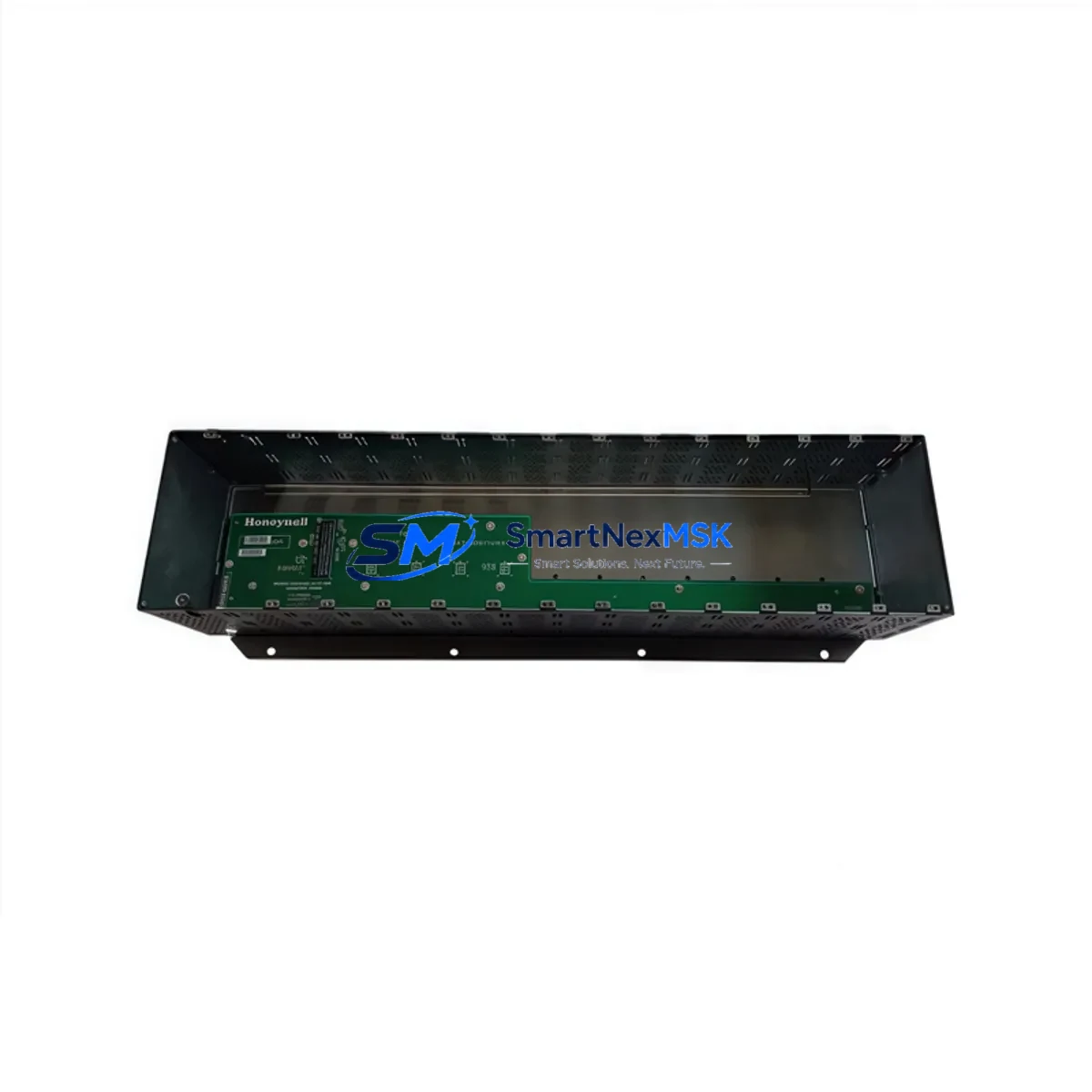
Honeywell 900R12-0001 Spare for HC900 Automation: Backplane Rack Replacement & Downtime Risk Control
The Honeywell 900R12-0001 is a 12-slot backplane rack designed for the HC900 Hybrid Controller platform — a widely deployed process control system in refining, chemical, power generation, and continuous manufacturing environments. As a maintenance-ready original spare, the 900R12-0001 supports rapid slot-for-slot replacement of failed or degraded racks without requiring system reconfiguration, making it a critical component in any HC900 spare parts inventory strategy.
For maintenance engineers managing aging HC900 installations, the backplane rack is the structural and electrical backbone of the controller chassis. When rack integrity is compromised — through connector wear, backplane bus faults, or physical damage — the entire controller segment becomes unreliable. Stocking a verified 900R12-0001 spare eliminates the lead-time risk associated with emergency procurement and allows planned replacement during scheduled maintenance windows rather than unplanned shutdowns.
Procurement engineers sourcing HC900 spares should note that the 900R12-0001 is compatible with the full range of HC900 I/O and controller modules. This means a single rack spare can protect multiple module types across the same control cabinet, maximizing the return on spare parts investment.
Spare Maintenance Table
| Parameter | Specification |
|---|---|
| Part Number | 900R12-0001 |
| Brand | Honeywell |
| Series | HC900 Hybrid Controller |
| Type | 12-Slot Backplane Rack |
| Slot Capacity | 12 module slots |
| Bus Interface | HC900 internal backplane bus |
| Compatible Modules | HC900 I/O modules, controller modules, communication modules |
| Mounting | DIN rail / panel mount |
| Operating Temperature | 0°C to 60°C |
| Power Supply Compatibility | HC900 series power supply modules (e.g. 900P01-0001) |
| Application Environment | Industrial process control, DCS hybrid systems, continuous manufacturing |
| Condition | Original spare, factory-tested |
| Warranty | 12 months |
| Dispatch | Tested before shipment, fast global dispatch |
Maintenance Planning for Continuous Operation
When replacing the 900R12-0001 backplane rack during a planned or emergency maintenance event, a thorough inspection of the surrounding HC900 system components is essential to prevent repeat failures and ensure full system restoration. Maintenance engineers should treat a rack replacement as an opportunity to audit the entire controller segment.
Begin with the HC900 power supply module (such as the 900P01-0001) — backplane faults are frequently preceded by power supply instability or voltage ripple that stresses the bus connectors. Verify output voltage stability and inspect for signs of thermal stress or capacitor aging before reinstalling modules into the new rack.
Next, inspect all HC900 I/O modules seated in the rack. Analog input modules (e.g. 900G32-0001 for 32-channel analog input) and digital output modules should be removed, cleaned, and functionally tested before reinsertion. Pay particular attention to the module edge connectors, which can develop oxidation or mechanical wear after years of service.
The HC900 controller module (C30, C50, or C70 depending on system configuration) should be inspected for firmware currency and battery backup status. A rack replacement is an ideal time to update controller firmware and replace the real-time clock battery if it has not been serviced within the past three years.
Communication integrity should also be verified. The HC900 Ethernet communication module and any Modbus or PROFIBUS gateway modules installed in the rack should be tested for link stability after the rack swap. Communication module reseating can resolve intermittent network faults that were previously attributed to software issues.
For cabinets with signal isolators or loop-powered transmitter barriers mounted adjacent to the HC900 rack, inspect terminal block connections and verify isolation resistance. Degraded signal isolation can introduce ground loops that corrupt analog readings after a rack replacement if not addressed.
Finally, review the 24VDC field power distribution feeding the I/O modules. Inspect fuse holders, terminal strips, and wiring harnesses for signs of heat damage or loose terminations. A rack replacement that does not include a field wiring audit risks introducing new faults within weeks of the maintenance event.
Site Replacement Workflow
The 900R12-0001 is a direct replacement for the original HC900 12-slot rack. No firmware changes or system reconfiguration are required when replacing a like-for-like rack, provided all module positions are documented before removal.
Step 1 — Pre-replacement documentation: Record all module slot positions, wiring labels, and communication addresses. Photograph the cabinet layout before any modules are removed.
Step 2 — Controlled shutdown: Follow the HC900 controller shutdown procedure. Place the controller in manual mode and notify the operations team before de-energizing the rack.
Step 3 — Module extraction: Remove all I/O and controller modules in sequence, storing them in anti-static bags labeled by slot number. Do not mix modules from different racks.
Step 4 — Rack swap: Remove the failed 900R12-0001 rack and install the replacement. Verify DIN rail seating and grounding continuity before reinserting modules.
Step 5 — Module reinsertion and power-up: Reinstall modules in their original slot positions. Power up the rack and verify that the HC900 controller recognizes all modules without fault codes.
Step 6 — Functional verification: Confirm I/O signal integrity, communication link status, and control loop performance before returning the system to automatic operation.
This workflow minimizes downtime to a single maintenance window and eliminates the risk of configuration errors that can occur when modules are reinstalled without proper documentation.
Spare Parts Support FAQ
Q: Is the 900R12-0001 compatible with all HC900 module generations?
A: Yes. The 900R12-0001 12-slot backplane rack is compatible with the full range of HC900 I/O modules, controller modules, and communication modules across all HC900 hardware generations. Compatibility should be confirmed against your specific system BOM before installation.
Q: What is the recommended spare parts inventory strategy for HC900 backplane racks?
A: For critical process control applications, we recommend stocking at least one 900R12-0001 rack per HC900 controller segment. Sites with multiple HC900 cabinets should maintain a minimum of one rack spare per three installed racks, supplemented by a power supply module and a representative set of I/O module spares.
Q: How is the 900R12-0001 tested before shipment?
A: Each unit undergoes functional inspection and electrical verification prior to dispatch. Units are shipped with test documentation confirming backplane bus integrity and connector condition. All units are covered by a 12-month warranty from the date of shipment.
Q: Can the 900R12-0001 replace older or discontinued HC900 rack variants?
A: The 900R12-0001 is the standard 12-slot rack for the HC900 platform and serves as the current replacement for earlier rack variants used in legacy HC900 installations. For systems with non-standard configurations or mixed-generation hardware, contact our technical team to confirm compatibility before ordering.
© 2026 SMARTNEXMSK. All rights reserved.
Original Source: https://smartnexmsk.com
Contact: [email protected] | +86 18259474341



