
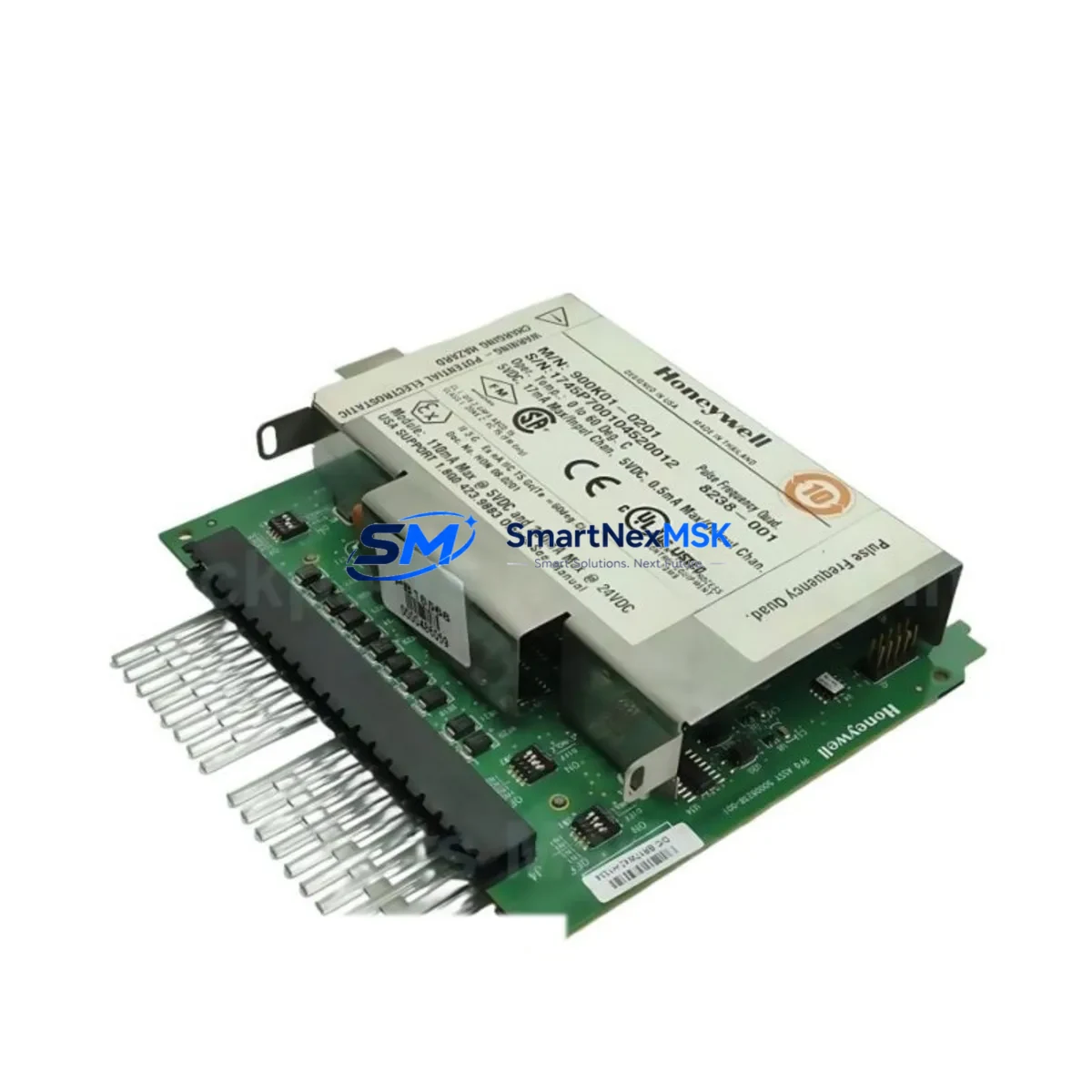
Honeywell 900RTC-3450 Retrofit-Ready RTP Cable for HC900 Control Systems
The Honeywell 900RTC-3450 is a 5-meter Remote Termination Panel (RTP) cable engineered for seamless integration into HC900 Series hybrid control systems. As legacy DCS and PLC installations age beyond their supported lifecycle, the 900RTC-3450 serves as a direct, drop-in replacement for discontinued cabling assemblies, enabling control engineers to restore full I/O connectivity without redesigning the control cabinet or modifying existing field wiring. Whether you are executing a planned system upgrade, recovering from an unplanned failure, or modernizing a brownfield automation line, this cable delivers the electrical and mechanical compatibility required for a reliable retrofit.
Designed to interface with HC900 Remote Termination Panels, the 900RTC-3450 supports up to 32 digital inputs and 16 digital outputs per RTP assembly. Its 5-meter length accommodates standard cabinet-to-field distances in most industrial enclosures, reducing the need for extension harnesses or custom cable fabrication. The cable’s shielded construction minimizes electromagnetic interference in high-noise environments typical of motor control centers, variable frequency drive panels, and process control rooms.
Every unit shipped by SMARTNEXMSK undergoes pre-shipment continuity and insulation resistance testing to verify pin-to-pin integrity across all conductors. This ensures that the cable arrives ready for immediate installation, reducing commissioning time and the risk of wiring faults during system restart.
Upgrade Compatibility Table
| Parameter | Details |
|---|---|
| SKU / Part Number | 900RTC-3450 |
| Compatible Series | Honeywell HC900 Hybrid Controller Series |
| Cable Length | 5 meters (16.4 ft) |
| I/O Capacity | 32 Digital Inputs / 16 Digital Outputs per RTP |
| Connector Interface | HC900 RTP backplane connector (keyed, polarized) |
| Installation Requirement | No tools required; direct plug-in to HC900 RTP and I/O module backplane |
| Communication Compatibility | Passive cable assembly; compatible with all HC900 communication configurations including Ethernet, Modbus RTU, and PROFIBUS DP |
| Replacement Recommendation | Direct replacement for OEM 900RTC-3450; also compatible with third-party RTP assemblies using equivalent pinout |
| Commissioning Notes | Verify module address assignments in HC Designer software after cable swap; confirm I/O channel mapping in HMI tag database |
| Warranty | 12 Months from date of shipment |
Retrofit Planning for Existing Automation Systems
Successful retrofit of an HC900-based control system requires a structured approach that accounts for every component in the signal chain. The 900RTC-3450 cable is typically one element of a broader upgrade that may also involve replacing the HC900 Remote Termination Panel itself, refreshing aging 900G32-0101 digital input modules, or swapping out 900G16-0101 digital output modules that have exceeded their rated operating hours. In systems where the HC900 controller rack has been expanded over time, engineers should also audit the 900RCK08 or 900RCK16 rack assemblies to confirm that backplane connectors are free of corrosion and mechanical damage before installing new cabling.
For sites migrating from older Honeywell TDC 3000 or PlantScape systems to the HC900 platform, the 900RTC-3450 plays a critical role in bridging legacy field wiring to the new I/O architecture. During this type of migration, it is common to simultaneously commission a 900MK-0001 mounting kit, reconfigure the 900CS-0001 HC Designer programming software project, and update the Experion PKS or HC900 OPC server tag list to reflect the new module addresses. Engineers should document all terminal block assignments on the RTP before disconnecting the old cable to ensure accurate rewiring.
In control cabinets where space is constrained, the 5-meter length of the 900RTC-3450 provides sufficient slack for proper cable management without creating excess bundling. When routing alongside 24VDC power supply wiring or 900P01-0001 power modules, maintain a minimum separation of 50mm from unshielded conductors to preserve signal integrity. If the retrofit involves adding new I/O points, confirm that the HC900 controller’s CPU module — such as the 900C71-0243-00 — has sufficient scan capacity to handle the expanded I/O count before finalizing the cable installation.
Sites that include Honeywell HC900 systems communicating over PROFIBUS DP should verify that the GSD file version loaded in the PROFIBUS master configuration matches the firmware revision of the HC900 PROFIBUS interface module. This step is often overlooked during cable replacements but can cause communication faults if the module address or slot assignment changes during the retrofit. Similarly, if the system uses Modbus TCP/IP for SCADA integration, confirm that the IP address and register map of the HC900 Ethernet module remain unchanged after the cable swap to avoid disrupting historian data collection.
Downtime Control During System Migration
Minimizing unplanned downtime is the primary concern for any control system retrofit. When replacing the 900RTC-3450 in a live production environment, the recommended approach is to pre-stage the new cable alongside the existing installation, perform a complete I/O channel verification using HC Designer’s online monitoring mode, and schedule the physical swap during a planned maintenance window. Before disconnecting the old cable, capture a full backup of the HC900 controller program using HC Designer, including all PID loop parameters, setpoints, and alarm configurations. This backup serves as the recovery baseline if the system fails to restart correctly after the cable replacement.
During the swap, label every field wire terminal on the RTP with its corresponding I/O channel tag before removal. This practice eliminates rewiring errors and reduces the time required to restore field connections. After installing the 900RTC-3450, perform a cold restart of the HC900 controller and verify that all I/O channels report correctly in the HC Designer online view before transferring control back to automatic mode. If the system includes an HMI running on Honeywell’s HC900 OPC server, confirm that all process variable tags are updating correctly and that no communication alarms are active before releasing the system to operations.
For critical processes where even a brief interruption is unacceptable, consider using a hot-standby HC900 controller configuration if the existing system architecture supports redundancy. In redundant configurations, the cable replacement can be performed on the standby controller first, with a controlled switchover executed after verification, followed by replacement on the primary controller. This approach limits exposure to a single switchover event rather than a full system shutdown.
Retrofit Support FAQ
Q: Is the 900RTC-3450 a direct replacement for the original Honeywell part?
A: Yes. The 900RTC-3450 supplied by SMARTNEXMSK is manufactured to the same mechanical and electrical specifications as the original Honeywell part. It uses the same keyed backplane connector and conductor pinout, making it a drop-in replacement that requires no wiring modifications on either the RTP or the I/O module side.
Q: What commissioning steps are required after installing the cable?
A: After physical installation, perform a controller cold restart and use HC Designer to verify that all I/O channels on the connected RTP are reporting correctly. Check module address assignments in the HC Designer project to confirm they match the physical slot positions. Update the HMI tag database if any channel addresses have changed, and confirm that all SCADA and historian connections are active before returning the system to automatic control.
Q: How do I verify wiring compatibility before installation?
A: Compare the terminal block layout of your existing RTP with the 900RTC-3450 pinout diagram available in the HC900 Remote Termination Panel Installation Guide (document 51-52-25-107). Perform a continuity check on the new cable before installation to confirm all conductors are intact. If your RTP uses a non-standard terminal assignment due to a previous field modification, document the deviation and adjust field wiring accordingly before connecting the new cable.
Q: What does the 12-month warranty cover?
A: The 12-month warranty covers manufacturing defects in materials and workmanship, including connector failures, conductor breaks, and shielding integrity. It does not cover damage resulting from incorrect installation, overvoltage conditions, or physical abuse. Warranty claims are processed through SMARTNEXMSK’s after-sales support team, and replacement units are dispatched within 3 business days of claim approval.
© 2026 SMARTNEXMSK. All rights reserved.
Original Source: https://smartnexmsk.com
Contact: [email protected] | +86 18259474341



