
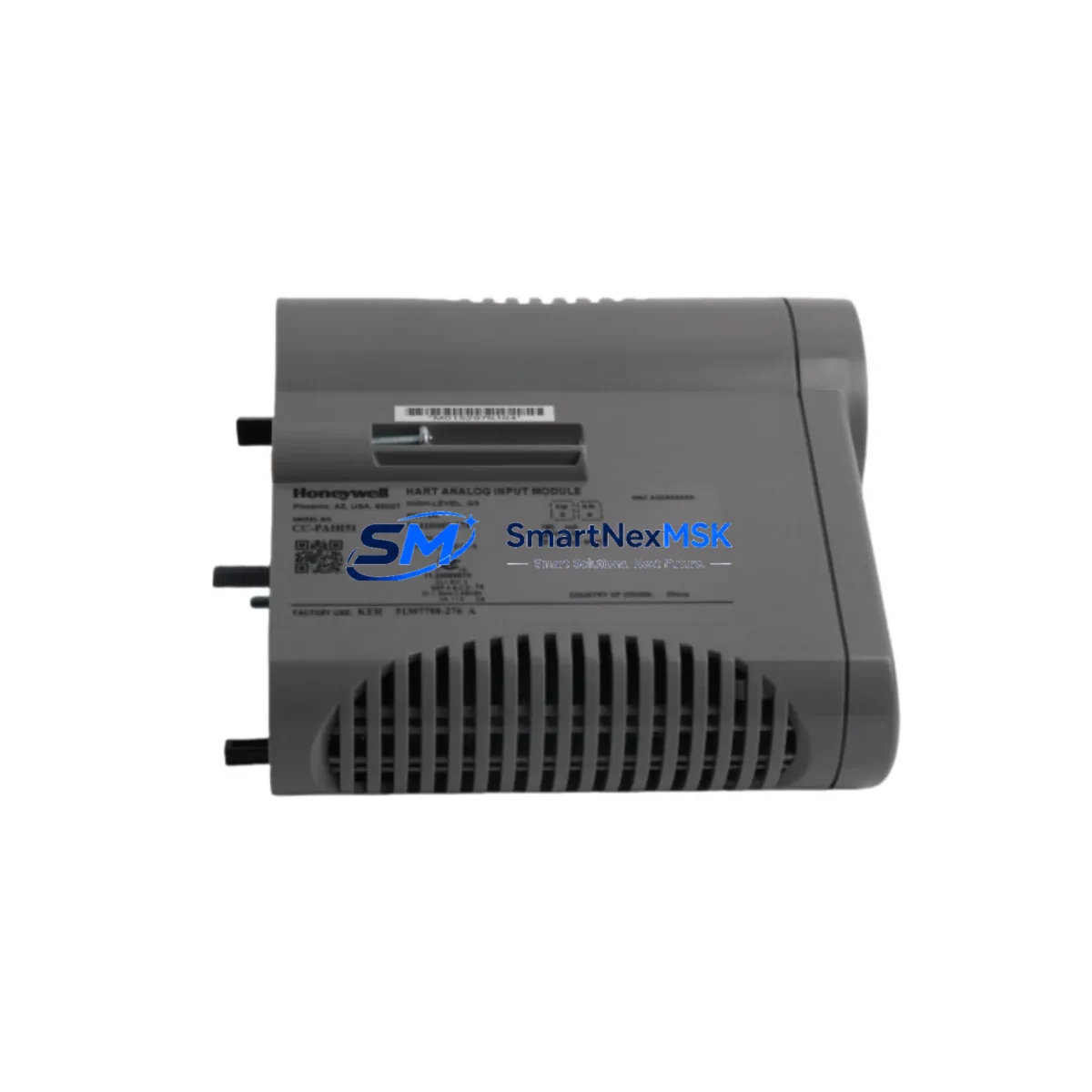
Honeywell CC-PAIH51 51410069-276 Spare Experion PKS: Spare Replacement & Industrial Downtime Risk Control
The Honeywell CC-PAIH51 (P/N 51410069-276) is a high-density analog input module designed for the Experion PKS distributed control system, specifically engineered for integration with the C300 Controller platform. This module handles precision analog signal acquisition across process-critical loops, making it a cornerstone component in continuous manufacturing, refining, chemical processing, and power generation environments. When this module fails or degrades, the consequences extend beyond a single I/O channel — entire process segments can go offline, triggering unplanned shutdowns and costly production losses.
Maintaining a verified, tested spare of the CC-PAIH51 in your on-site inventory is one of the most effective strategies for minimizing mean time to repair (MTTR) in Experion PKS installations. This listing provides an original Honeywell CC-PAIH51 51410069-276 spare part, fully tested prior to shipment and backed by a 12-month warranty.
Spare Maintenance Table
| Parameter | Specification / Detail |
|---|---|
| Part Number | CC-PAIH51 / 51410069-276 |
| Module Type | Analog Input Module (High-Density) |
| Compatible Platform | Honeywell Experion PKS, C300 Controller Series |
| Signal Type | 4–20 mA, 0–10 V (configurable per channel) |
| Channel Count | 16 channels (HART-capable) |
| Communication Interface | FTE (Fault Tolerant Ethernet) backplane bus |
| Power Supply Requirement | 24 VDC via IOLIM / backplane |
| Operating Temperature | 0°C to 60°C |
| Mounting | IOLIM / Series C I/O Link Interface Module backplane |
| Approvals | CE, UL, FM (Class I Div 2 rated) |
| Origin | USA (Original Honeywell manufacture) |
| Condition | Original spare, tested before shipment |
| Warranty | 12 Months |
| Compatibility Verification | Confirmed against Experion PKS R400–R520 firmware |
| Maintenance Recommendation | Inspect IOLIM seating, FTE link status, and channel diagnostics at each planned shutdown |
Maintenance Planning for Continuous Operation
When a maintenance or procurement engineer identifies the CC-PAIH51 as a replacement candidate — whether during a scheduled turnaround, a fault isolation exercise, or an emergency callout — the replacement workflow rarely ends with the module itself. A thorough site assessment should include inspection of the surrounding system components that share the same I/O cabinet, backplane, and control loop.
Begin with the CC-IOLIM01 (I/O Link Interface Module), which provides the physical and logical interface between the C300 controller and the PAIH51 module. A degraded IOLIM can cause intermittent channel faults that mimic module failure — always verify IOLIM LED status and firmware revision before condemning the analog input card. Similarly, the CC-IP0101 power conditioner and the 51309512-175 power supply module feeding the I/O cabinet should be load-tested; a sagging 24 VDC rail is a common root cause of analog input drift and false diagnostics.
For HART-enabled loops, check the CC-TAIX11 terminal assembly and associated field wiring for shield continuity and ground loops. HART communication failures on the CC-PAIH51 are frequently traced to improper cable shielding or a failed HART multiplexer upstream. If the plant uses a Honeywell FSC (Fail Safe Controller) in the same cabinet for safety-instrumented functions, verify that the SIL-rated I/O modules — such as the FC-SDO-0824 digital output module — are not sharing a common power bus with the process I/O without proper isolation.
During control cabinet inspections, also evaluate the condition of terminal blocks and marshalling panels. Loose or corroded terminals on the field side of the PAIH51 are a leading cause of signal noise and channel-level alarms. Replacing the module without addressing terminal integrity will result in repeat failures. If the system uses signal isolators (such as the MTL or P+F series) between field instruments and the Experion I/O, inspect isolator output voltage and loop resistance at the same time.
For sites running legacy Experion PKS versions (R400 or earlier), consider whether the CC-PCF901 (Process Controller Firewall) or the FTE switch infrastructure requires a firmware audit alongside the I/O replacement. Outdated FTE switch firmware can cause module re-registration delays after a hot swap, extending effective downtime even when the physical replacement is complete.
Finally, if the plant operates a Honeywell Experion Station (ES) or Operator Station (OS) as the HMI layer, confirm that the replaced module’s channel tags are correctly mapped in the Control Builder configuration and that alarm limits are re-validated after the swap. A module replacement that is not followed by a configuration verification step can leave operators with stale or incorrect process displays.
Site Replacement Workflow
Step 1 — Pre-Replacement Verification: Confirm the replacement CC-PAIH51 carries the correct part number (51410069-276) and matches the firmware baseline of the installed system. Cross-reference the Experion PKS R-series release notes for any module firmware dependencies before proceeding.
Step 2 — Safe Isolation: Place affected control loops in manual mode at the Operator Station. Notify process operations of the planned I/O interruption. For safety-critical loops, coordinate with the SIS engineer before isolating any shared I/O segment.
Step 3 — Physical Swap: Power down the IOLIM slot if a hot-swap is not supported by the installed firmware version. Remove the faulty CC-PAIH51 by releasing the module latch and sliding it clear of the backplane connector. Inspect the backplane connector pins for damage or contamination before inserting the replacement module.
Step 4 — System Re-registration: After seating the replacement module, monitor the Experion PKS System Status Display for module registration confirmation. Allow up to 90 seconds for the C300 controller to re-establish communication with the new PAIH51. Verify all 16 channel tags return to active scan status.
Step 5 — Loop Verification: Return each affected control loop to automatic mode one at a time. Verify PV readings against independent field instruments or calibrators. Document the replacement in the plant’s maintenance management system (CMMS) and update the spare parts inventory record.
This structured workflow reduces unplanned downtime, maintains system compatibility, and ensures that the replacement is traceable for future audits and regulatory compliance.
Spare Parts Support FAQ
Q1: Is this CC-PAIH51 compatible with all Experion PKS firmware versions?
The CC-PAIH51 (51410069-276) is compatible with Experion PKS R400 through R520. For installations running R310 or earlier, please contact us to confirm firmware compatibility before ordering. We recommend providing your current C300 firmware revision for pre-shipment verification.
Q2: What testing is performed before shipment?
Each CC-PAIH51 unit undergoes functional power-on testing, channel continuity verification, and backplane interface checks prior to dispatch. A test report is available upon request. All units are shipped in anti-static packaging with physical inspection documentation.
Q3: Can this module replace an older revision of the CC-PAIH51?
Yes. The 51410069-276 revision is the current production variant and is backward-compatible with earlier CC-PAIH51 revisions used in Experion PKS C300 systems. No Control Builder reconfiguration is required for a like-for-like swap; however, we recommend a channel tag audit after installation to confirm all process values are correctly displayed.
Q4: What does the 12-month warranty cover?
The 12-month warranty covers manufacturing defects, functional failures under normal operating conditions, and DOA (dead-on-arrival) units. Warranty claims are processed with a replacement-first policy to minimize your downtime. Physical damage caused by incorrect installation, overvoltage, or environmental exposure outside the rated operating range is excluded. Contact [email protected] to initiate a warranty claim.
© 2026 SMARTNEXMSK. All rights reserved.
Original Source: https://smartnexmsk.com
Contact: [email protected] | +86 18259474341



